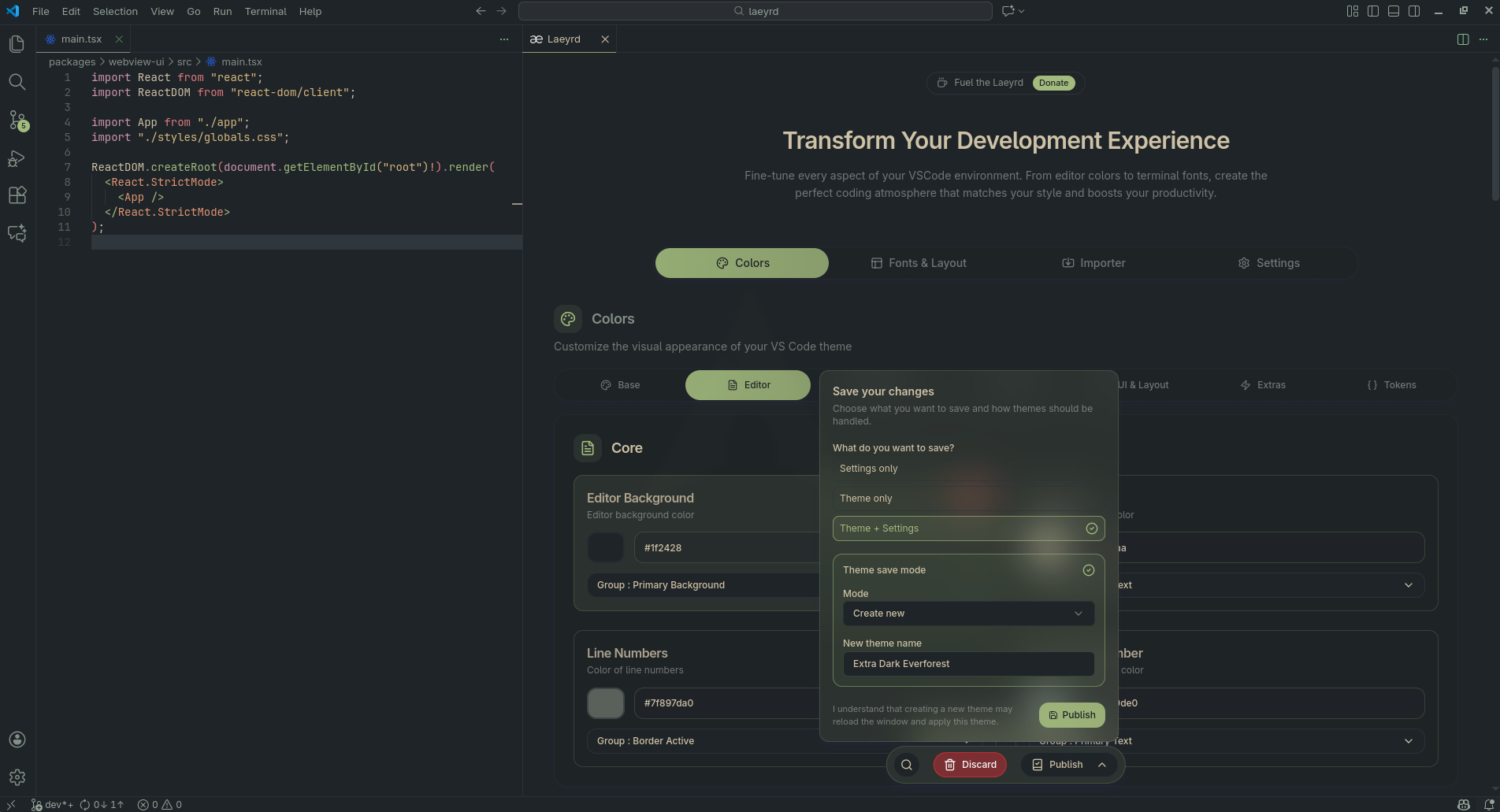
Laeyrd – Create Themes, Customize Settings & Sync Your Code
Design and create your own theme, tune your editor settings, and keep everything in sync across machines – without touching any JSON file even once.
✨ What Laeyrd Does
Laeyrd adds a visual control panel on top of VS Code so you can:
- 🎨 Build & edit themes with live preview
- ⚙️ Adjust settings visually (fonts, layout, UI behavior, etc.)
- ☁️ Sync your setup using your GitHub account (coming online gradually)
All inside VS Code. No JSON, no config hunting, no “where does this fork store settings.json?” pain.
⚠️ Known Quirks & Gotchas
Laeyrd has to work on top of how VS Code and different forks load themes and settings. That comes with a few edge cases:
Some theme colors may not update immediately
If themes colors don’t seem to show up on screen (especially with the built-in VS Code themes like “Dark+” or “Light+”):
- Run the “Preferences: Color Theme” command
- Switch to another theme
This forces VS Code to fully reload the theme instead of partially reusing cached colors.
Cached UI elements
Some UI parts (like activity bar, notifications, or panel borders) can lag behind after major theme changes. A window reload usually fixes it.
Asked to reload twice
Vscode will ask you to reload twice, its not a bug just how vscode works.
These aren’t “hard” bugs, more like VS Code being stubborn about when it listens. If something looks completely wrong or breaks consistently, that is a bug and you should absolutely report it.
🎨 Theme Designer
Create and manage themes directly in the editor:
- Edit editor, sidebar, panel, activity bar, tabs, and more
- Customize syntax highlighting, UI accents, and backgrounds
- See changes instantly in a live preview
- Save themes that show up like any other theme in the Color Theme picker
- Safely experiment: Laeyrd keeps backups of generated themes
Perfect if you:
- Like existing themes but want to “fix just a few colors”
- Want a theme that matches your OS / terminal / brand
- Hate tweaking hex values in plain JSON
⚙️ Visual Settings Editor
Tweak core editor behavior with a clean UI:
- Font family, font size, line height
- Cursor style, minimap, rulers, line numbers
- Bracket guides, indentation, whitespace rendering
- Layout / UI-related settings
You get:
- Immediate feedback for changes
- A more discoverable, structured view than raw
settings.json
- No need to remember every obscure setting name
☁️ Sync & Backups(This feature is in active development.)
Laeyrd is designed for people who use more than one machine or editor fork.
- Built-in theme backup via Laeyrd’s own backup manager
- Smart detection for popular VS Code forks (VS Code, VSCodium, Cursor, Windsurf, etc.)
- Planned / evolving: GitHub-based sync for themes and settings so your setup follows you
If something goes wrong, you can roll back to a previous theme safely.
🧩 Works Across Popular VS Code Forks
Laeyrd is built to work on:
- Visual Studio Code
- VSCodium
- Cursor
- Windsurf
- Other compatible forks that follow similar settings / theme paths
If your editor is VS Code–compatible, there’s a good chance Laeyrd can read and write your themes & settings.
🚀 How To Use
Install Laeyrd from the Extensions view
Open the Laeyrd panel:
- Command Palette →
Customize or Laeyrd | Customize VSCode
Start with:
- Theme tab → customize colors & create a new theme
- Settings tab → visually tweak editor behavior
Click Publish to:
- Generate a new theme
- Overwrite an existing Laeyrd theme
- Update your editor settings safely
- Reload vscode and that's it
🧪 Status & Expectations
Laeyrd is in active development.
What that means for you:
- Features will evolve and expand
- Some parts may feel a bit experimental
- You might hit rough edges on new forks or unusual setups
If you’re okay living slightly on the edge in exchange for more control over your editor, you’re the target audience.
🐞 Feedback & Issues
If something breaks, looks off, or you have a feature idea:
- Use the “Report Issue” / “Provide Feedback” commands if available in the extension
- Or visit the project repository linked on this marketplace page
Bug reports that include:
- OS
- Editor (VS Code, VSCodium, Cursor, etc.)
- What you were trying to do
make fixing things much faster.
Enjoy your theme rabbit hole. At least now it’s structured.

