Skip to content
| Marketplace
Sign in
Visual Studio Code>Other>React Dev FoldersNew to Visual Studio Code? Get it now.
React Dev Folders

React Dev Folders

ThamilThennarasu_M

|
8 installs
| (1) | Free
React folder management for developers
Installation
Launch VS Code Quick Open (Ctrl+P), paste the following command, and press enter.
Copied to clipboard
More Info

React Development Folder Structure (RDFS)

A VS Code extension that helps React developers hide unnecessary files and folders during development for a cleaner workspace.


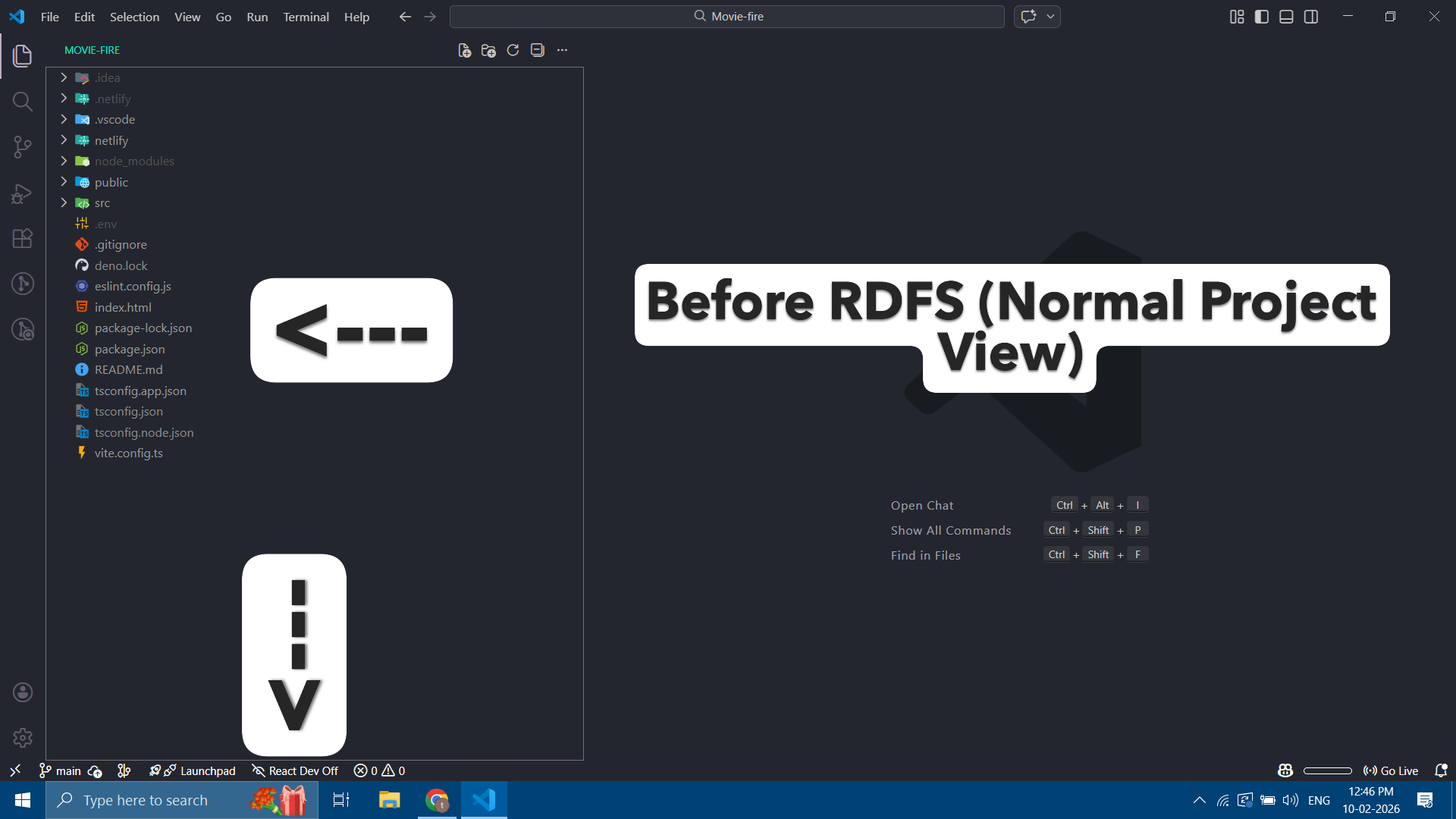
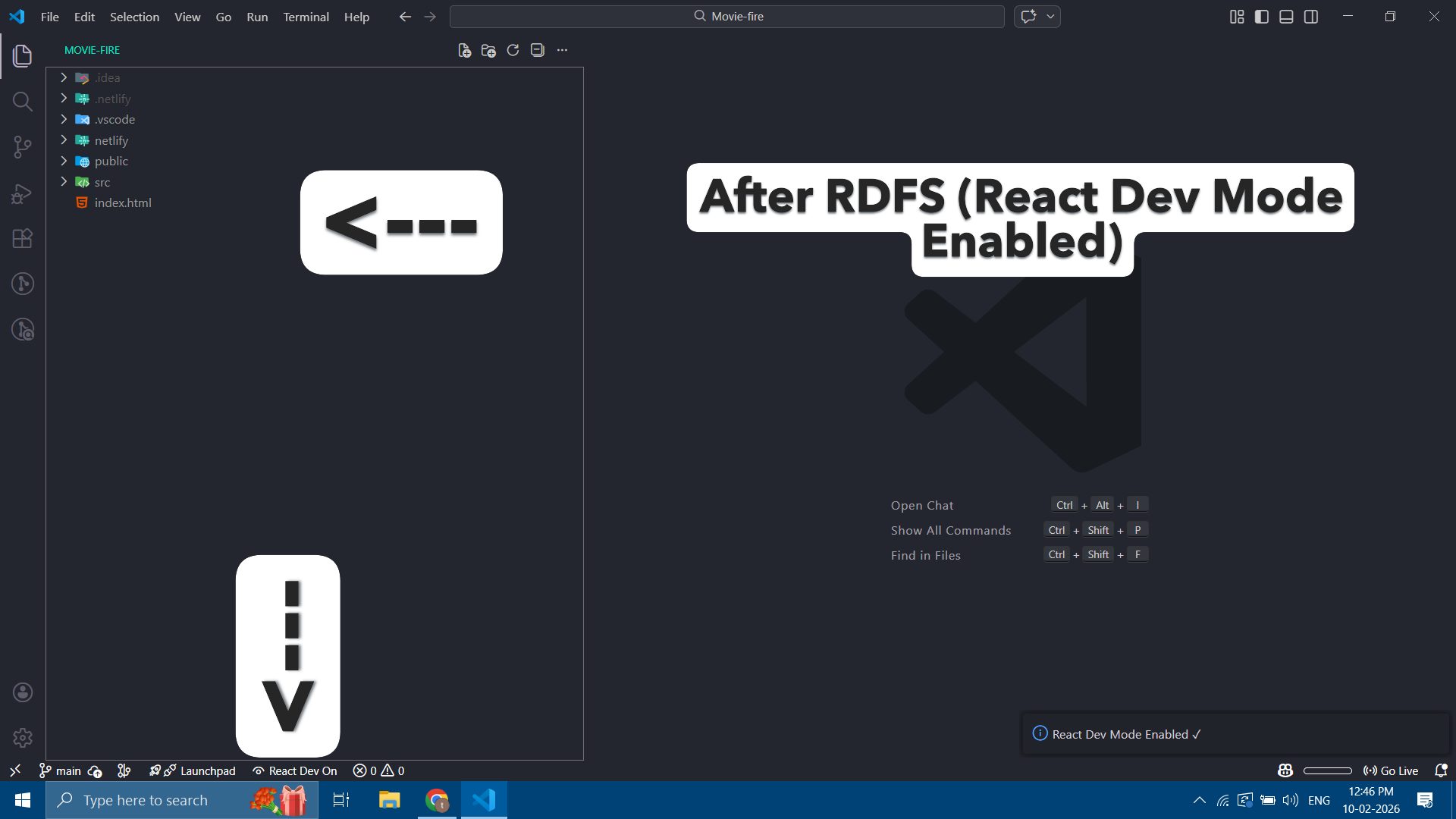
RDFS Explorer View

Before RDFS After RDFS

🆕 Status Bar Toggle (v1.0.1)

RDFS now includes a bottom status-bar toggle for quickly enabling or disabling React Dev Mode.

You can switch between:

  • React Dev Mode ON → hides config/build/dependency files
  • React Dev Mode OFF → restores normal workspace

Just click the toggle in the bottom-left corner of VS Code.

✨ Features

  • Toggle workspace visibility using Command Palette
  • Status bar ON/OFF toggle
  • Cleaner Explorer view for React projects
  • Focus on src and public
  • Hides config, build, and dependency folders
  • Works with Vite, CRA, and similar React setups

🔧 Usage

You can toggle React Dev Mode in two ways:

Command Palette

  1. Press Ctrl + Shift + P
  2. Search Rdfs
  3. Select Rdfs: Toggle Folder Visibility

Status Bar Toggle

Click the React Dev toggle in the bottom-left of VS Code.

The workspace updates instantly.


⚙️ Configuration

You can customize hidden files in settings:

"rdfs.hiddenItems": {
  "**/node_modules": true,
  "**/dist": true,
  "**/build": true
}

⌨️ Shortcut

Ctrl + Shift + P

👨‍💻 Author

ThamilThennarasu M

  • Contact us
  • Jobs
  • Privacy
  • Manage cookies
  • Terms of use
  • Trademarks
© 2026 Microsoft