Teradata ETL MCP Extension
Control your entire data pipeline from Copilot Chat: load data, generate dbt models, create Airflow DAGs, create Airbyte connections, validate data—all through natural language.
Overview
Teradata ETL MCP Extension is a Model Context Protocol (MCP) extension that integrates data engineering tools into GitHub Copilot. Instead of switching between CLIs, UIs, and scripts, manage your entire ETL pipeline conversationally from VS Code.
What You Can Do
Ask Copilot to:
- Load CSV files, load from different sources (Airbyte connectors), or copy tables between databases
- Auto-generate dbt models from existing Teradata tables
- Create Apache Airflow DAGs for scheduled pipelines and deploy them
- Run SQL queries, execute DDL, validate data quality
- Test dbt models and generate documentation
- Monitor pipeline health and execution history
Everything runs against your Teradata instance. Credentials are secured and never exposed to chat.
Quick Start Video Guide
See the extension in action with these interactive demonstrations:
🔧 Setup & Configuration
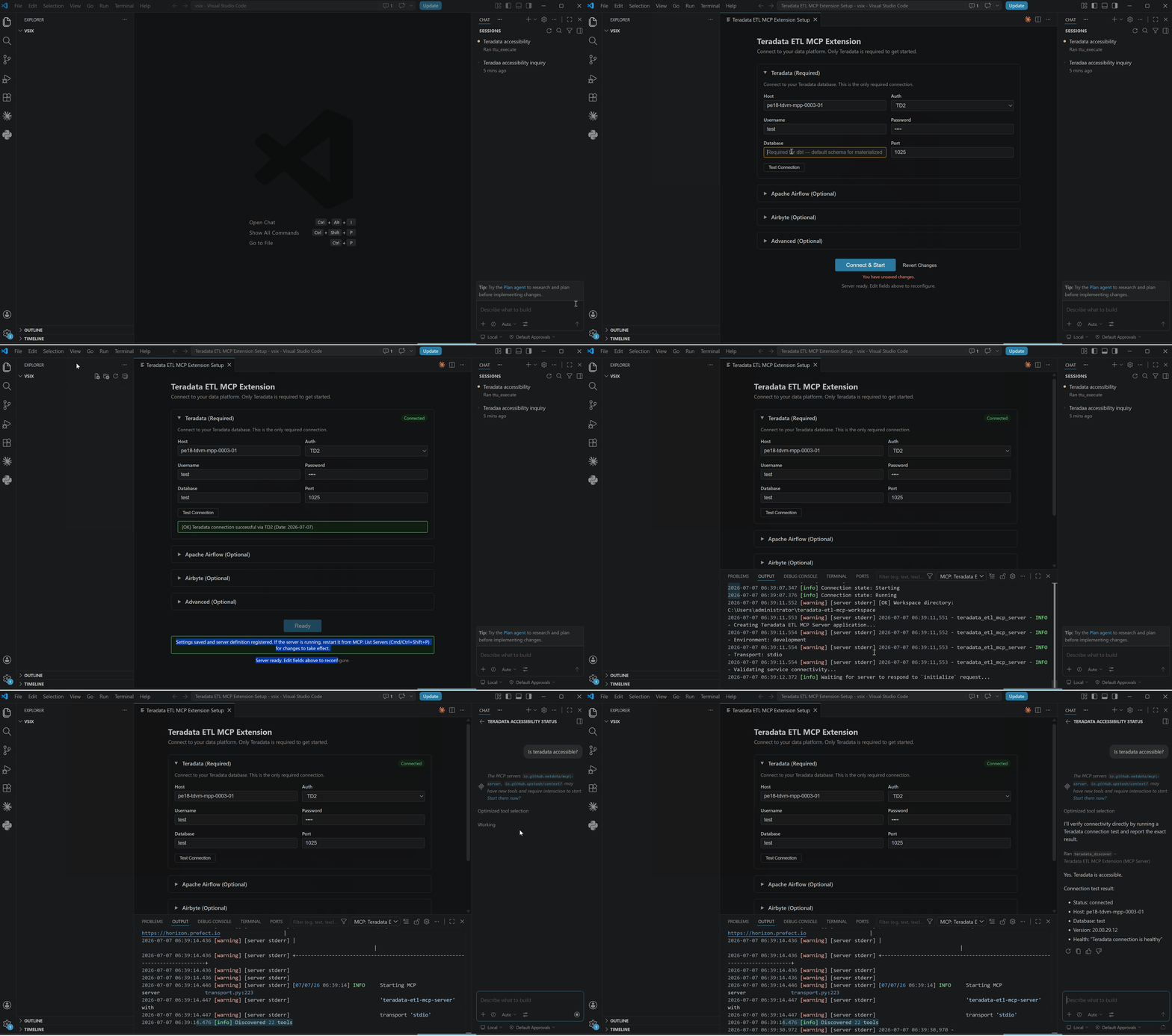 Initialize Teradata connections and configure the MCP server for your environment.
📤 CSV Data Loading
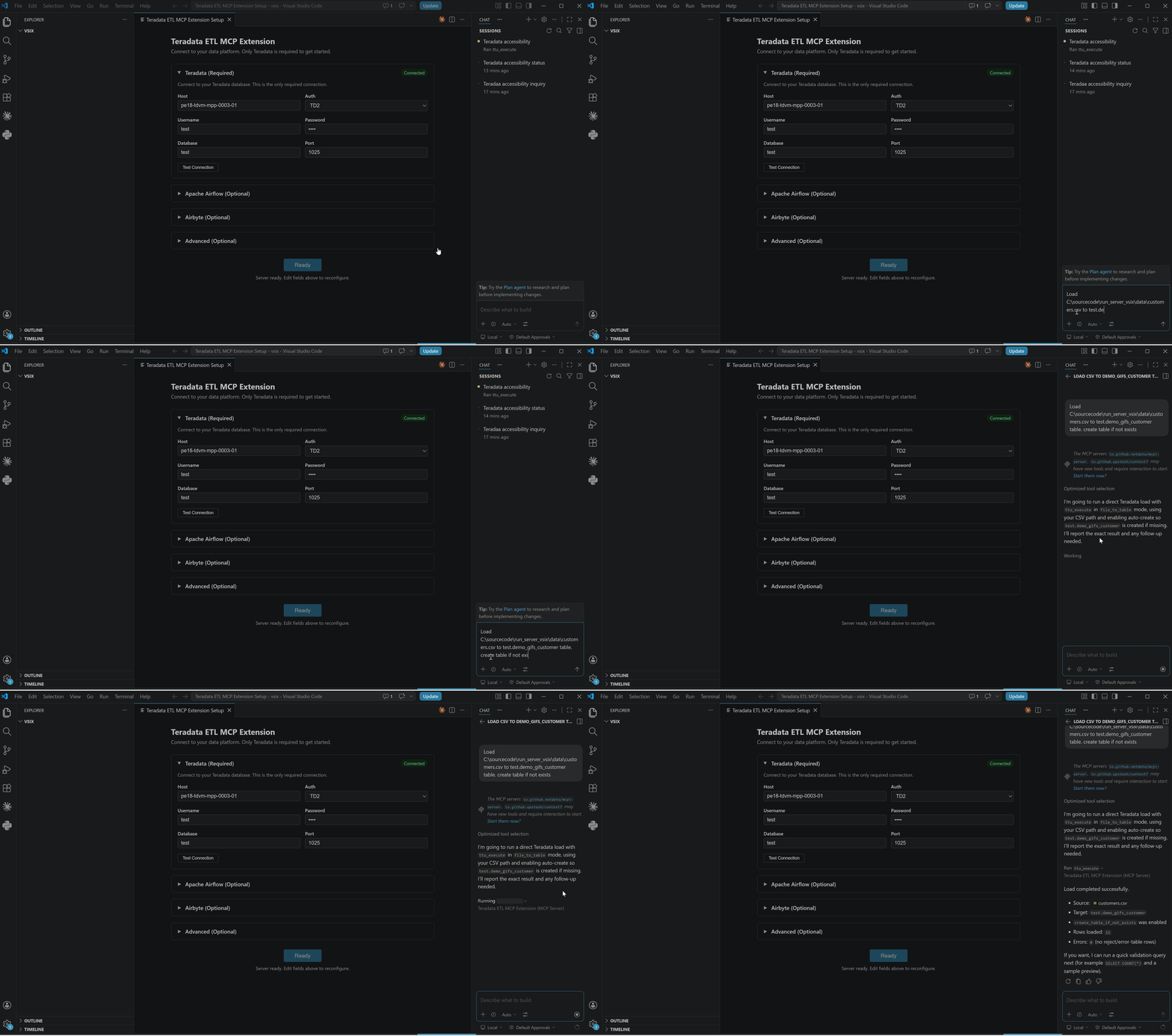 Upload and transform CSV files into Teradata tables with intelligent schema detection.
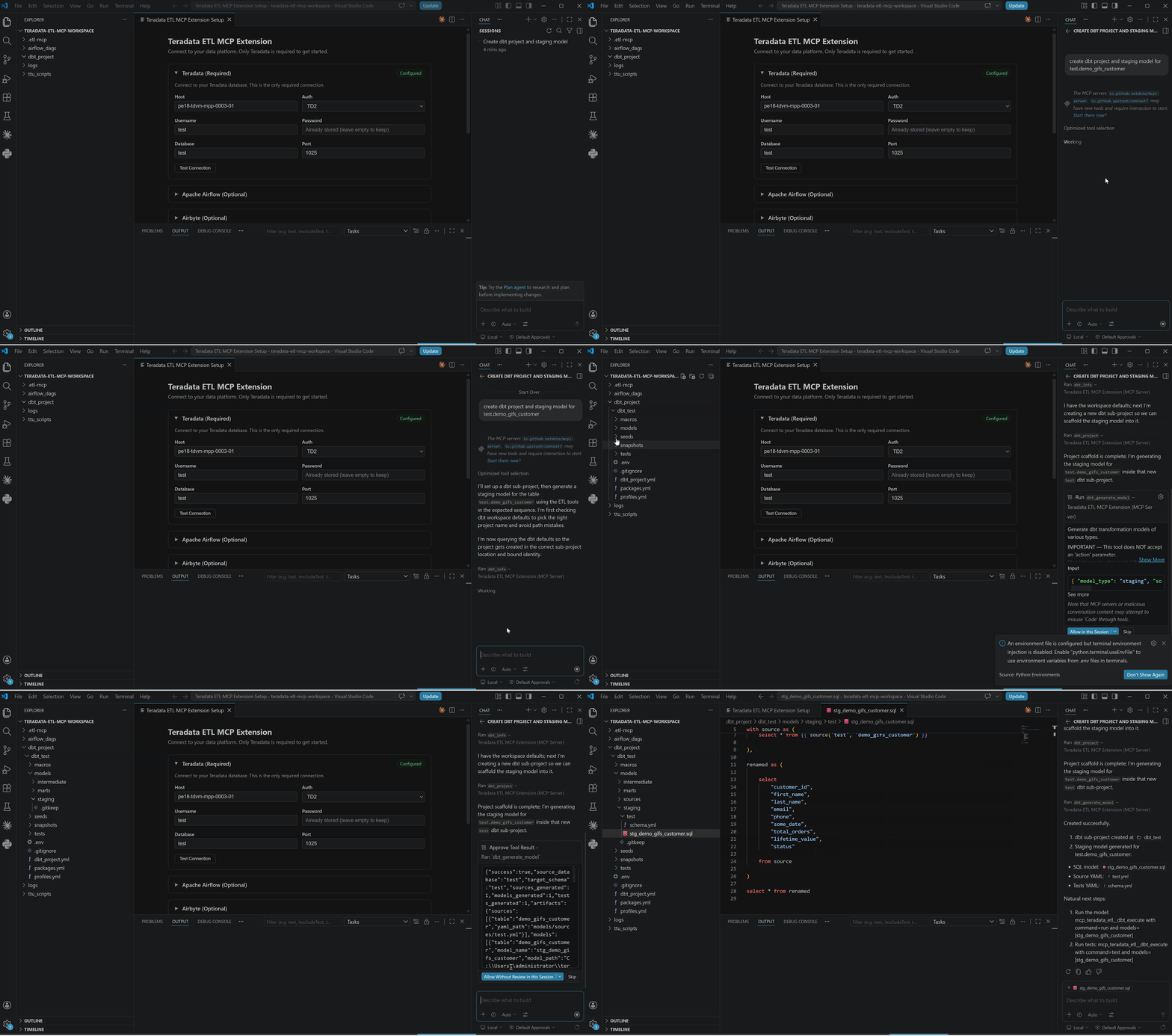 Generate and execute dbt models for data transformation and testing.
🔀 Airbyte Integration
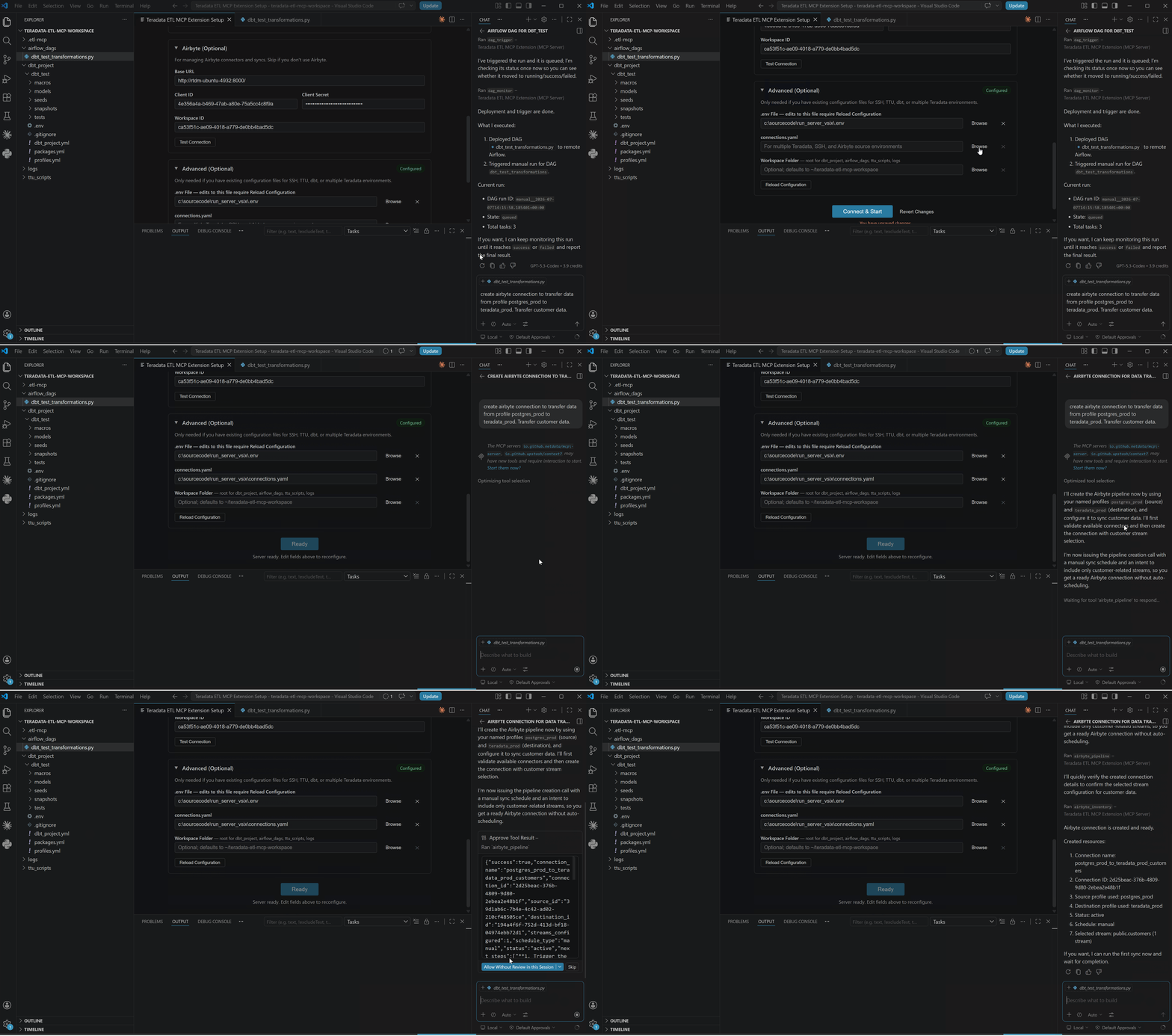 Create pipelines to replicate data from various sources (Postgres, MySQL, REST APIs, etc.) to Teradata.
⚙️ Airflow Orchestration
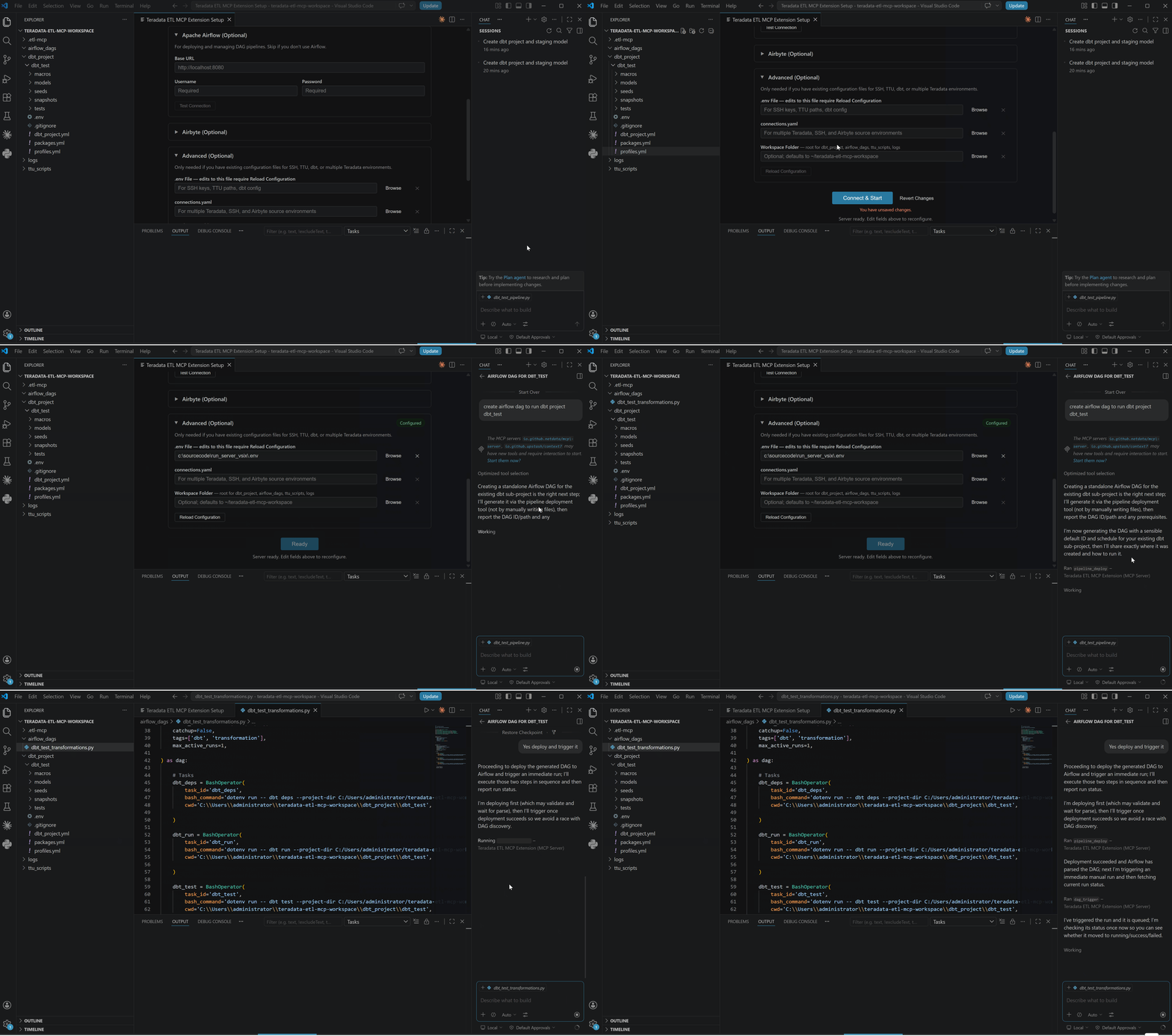 Orchestrate complex workflows combining Airbyte and dbt with Airflow scheduling and monitoring.
⌨️ Command Palette
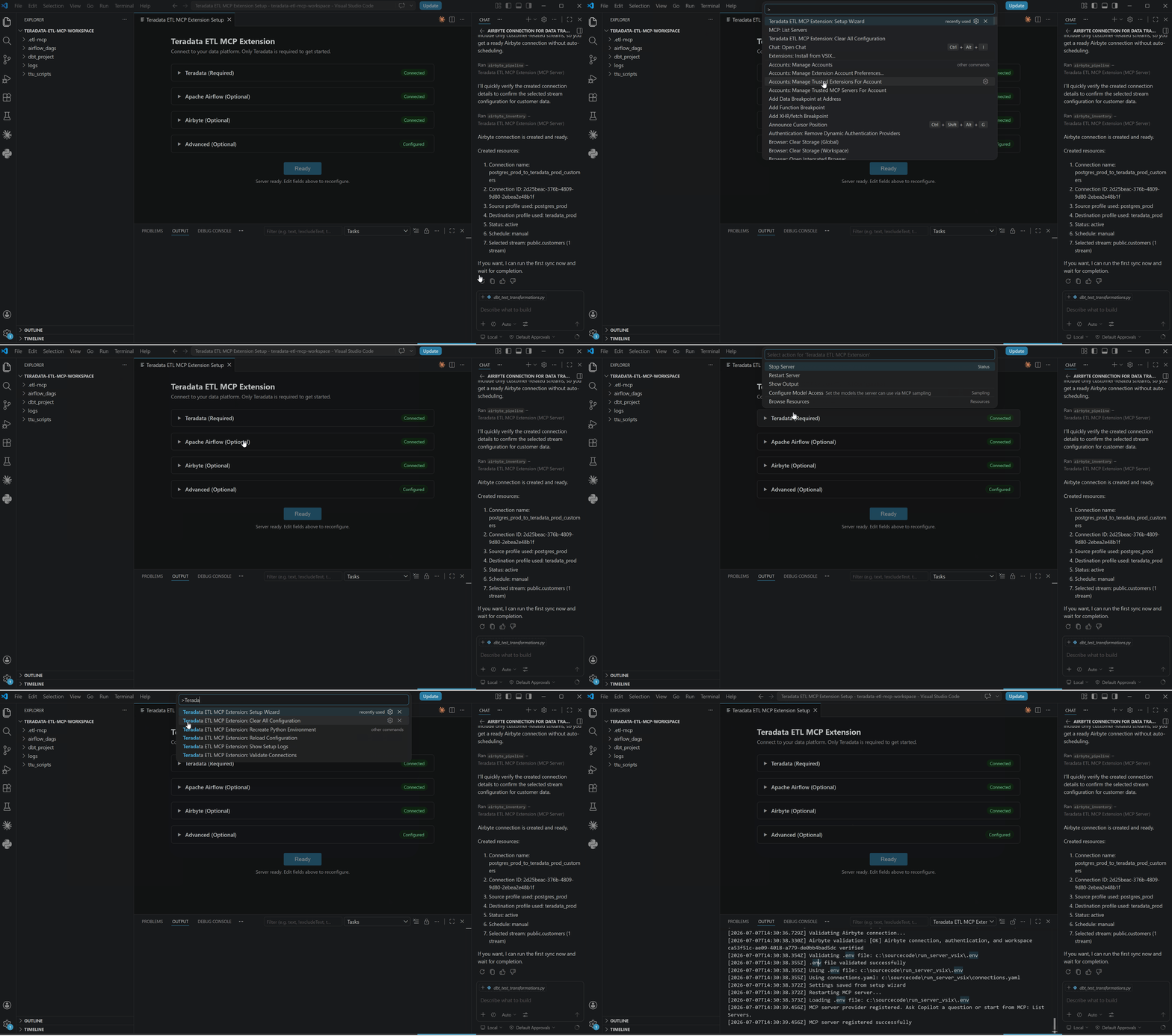 Explore all available MCP tools and commands via the VS Code command palette.
Getting Started
1. Install
- Search for Teradata ETL MCP in VS Code Extensions
- Click Install
2. Setup (Built-in Wizard)
- Open Command Palette (Ctrl+Shift+P)
- Type:
Teradata ETL MCP Extension: Setup Wizard
- Fill in the form across 4 sections:
Teradata (required)
- Host, username, password, database, port, auth mechanism
Airflow (optional)
- Base URL, username, password for API access
- Skip if you only use SQL/dbt (no DAG orchestration)
Airbyte (optional)
- Base URL, client ID, client secret for data integration
- Skip if you only load data via CSV/SQL (no Airbyte connectors)
Advanced (optional)
Use this for team setups or multi-environment configurations:
See server repo .env.example for supported server environment variables (excluding wizard-only credentials).
connections.yaml file path — Path to credential profiles (LLM only sees profile names, never actual passwords)
- Use when:
- Multiple Teradata instances (prod, staging, dev)
- Loading data from multiple sources (Salesforce, Postgres, REST APIs, etc.) to Teradata
- Team maintains separate profiles for different environments/connections
- Example: "Sync Salesforce to prod_teradata" or "Copy from staging_td to prod_td" — credentials stay server-side
- See Connection Profiles guide
Workspace directory — Custom folder for generated Airflow DAGs, dbt projects, scripts
- Default: Creates folders in your workspace
Click Connect & Start
Extension registers the MCP server definition — start it from MCP: List Servers or by asking Copilot a question
3. Test
Open Copilot Chat (Ctrl+Shift+I) and ask:
"Check my Teradata connection"
Core Capabilities
1. Data Discovery
Understand your data without loading anything:
- List tables — Query Teradata metadata (row counts, disk space, creation dates)
- Inspect schemas — View columns, types, constraints, indexes
- Profile data — Analyze data quality (NULLs, duplicates, cardinality)
2. Generate Code & Pipelines
Auto-create code from your data:
- Generate dbt models — Scaffold SQL models from table metadata
- Create Airflow DAGs — Generate Python code for CSV loading, table transfers, ETL workflows
- Generate BTEQ scripts — Create Teradata utilities scripts
3. Load & Move Data
Multiple approaches for different scenarios:
- Load CSV — Generate Airflow DAG (scheduled) or load directly via tdload (ad-hoc)
- Load from different sources — Airbyte connectors (Salesforce, Stripe, Slack, etc.)
- Copy tables — Teradata-to-Teradata transfers with optional dbt transforms
- Export data — Extract to CSV, Parquet, or other formats
Build and validate data models:
- Run dbt models — Execute transformations, compile, build workflows
- Test data — Run dbt tests (uniqueness, not-null, custom SQL)
- Generate docs — Create dbt documentation
5. Execute & Deploy
Deploy pipelines and run operations:
- Deploy Airflow DAGs — Ship DAGs to remote Airflow via SSH/SFTP (requires SSH connection — see SSH Setup Guide)
- Trigger pipelines — Execute on-demand or on schedule
- Execute SQL — Run queries, DDL, stored procedures directly
- Run BTEQ — Execute Teradata BTEQ scripts
6. Validate & Monitor
Confirm success and track health:
- Validate data — Run custom SQL checks, row count verification
- Monitor DAGs — Check Airflow status, task history, runtime trends
- Track tests — Monitor dbt test results over time
- Pipeline health — Verify server connectivity, project validity
7. Manage Connections
Handle multiple environments:
- List profiles — View all configured Teradata, Airflow, Airbyte connections
- Reload credentials — Refresh connections after password rotation
- Switch databases — Target different databases/environments per operation
System Requirements
Required
- VS Code 1.100.0+
- GitHub Copilot Chat extension
- Teradata Vantage instance
- Python 3.10+
Optional (Feature-Dependent)
| Component |
Used For |
If Missing |
| Apache Airflow |
Schedule/deploy pipelines |
Generate DAG code (deploy manually) or use direct SQL tools |
| Airbyte |
Load data from databases, SaaS apps, and APIs into Teradata |
Use CSV or direct SQL load instead |
| dbt |
Transform & test data |
Use raw SQL or Airflow instead |
| TdLoad (TTU) |
Direct CSV loading (non-Airflow) |
Use Airflow DAG approach instead |
| BTEQ (TTU) |
BTEQ-specific scripts |
Use teradatasql for SQL execution |
Network Access
- Connectivity to Teradata
- SSH/SFTP to Airflow server (if deploying DAGs remotely) — Setup Guide
- API access to Airbyte (if loading data from different sources)
Typical Workflows
Fresh Database: Load → Discover → Generate → Run
User: "Load customers.csv and orders.csv to my database"
→ Copilot analyzes CSVs, generates Airflow DAGs, deploys, triggers loads
→ Creates CUSTOMERS and ORDERS tables in specified database

User: "Show me what tables I have"
→ Lists tables, schemas, row counts

User: "Create dbt models for both tables"
→ Generates dbt models + tests

User: "Run dbt and test the models"
→ Executes dbt run + dbt test
→ Reports: "✓ All tests passed"

User: "Schedule daily runs at 1am"
→ Creates Airflow DAG with schedule
Existing Database: Discover → Generate → Run
User: "List all tables in my ANALYTICS database"
→ Lists 15 tables with row counts

User: "Create a dbt model for CUSTOMERS"
→ Generates dbt model from table metadata

User: "Run the model and tests"
→ Executes dbt run + dbt test
Airbyte Sync: Setup → Execute → Validate
User: "Sync Salesforce Accounts to my database daily"
→ Creates Airbyte connection to load data from Salesforce Accounts to my database, generates Airflow DAG

User: "Run the sync now"
→ Triggers Airbyte sync → Reports: "50,000 rows synced"

User: "Validate the data"
→ Profiles synced table → Reports data quality
Example Prompts (Copy & Paste)
Get Started:
- "Check my Teradata connection"
- "List all tables in my database"
- "What's the schema for the CUSTOMERS table?"
Load & Move Data:
- "Load sales_data.csv to my database"
- "Create an Airflow DAG to load daily_sales.csv at 2am"
- "Sync Salesforce Accounts to my database"
- "Copy the ORDERS table from production to staging"
Generate Code:
- "Create a dbt model for the CUSTOMERS table"
- "Generate dbt models with tests for CUSTOMERS and ORDERS"
- "Create an Airflow DAG for daily ETL"
Run & Test:
- "Run dbt and show me the results"
- "Execute dbt tests"
- "Check if my Airflow DAG is valid"
- "Validate that the load succeeded (row count check)"
Monitor:
- "What's the status of my daily_refresh DAG?"
- "Which of my dbt models is slowest?"
- "Check my Airflow server health"
- "Show me failed pipelines from the last 7 days"
Security & Privacy
- Credentials secured — Passwords and API keys stored in VS Code SecretStorage; the Python MCP server resolves credentials from
connections.yaml server-side
- Response sanitization — Sensitive values masked automatically before appearing in chat
- Audit logging — Optional trail of operations (no secrets exposed)
- SSH security — Public key auth for remote Airflow deployment; host key verification supported
Pricing
Free to use. See the LICENSE file included with the extension for terms.
Support & Contributions
Troubleshooting
Connection Refused / Can't Connect to Teradata
- Open Command Palette → Teradata ETL MCP Extension: Validate Connections
- Verify Teradata host in Setup Wizard
- Confirm credentials are saved in Setup Wizard
- Ask Copilot:
"Check my Teradata connection"
Server Not Starting
- Open Output Channel: Teradata ETL MCP Extension
- Check for Python/environment errors
- Run: Command Palette → Teradata ETL MCP Extension: Recreate Python Environment
- Ask:
"Show Teradata ETL MCP Extension logs"
dbt Compile Failed
- Verify dbt is installed:
dbt --version
- Ask:
"Debug my dbt project"
- Ask:
"Validate my dbt project"
Airflow Not Responding
- Verify Airflow server is running
- Confirm base URL in Setup Wizard (local:
http://localhost:8080)
- Ask:
"Check Airflow server status"
Configuration Issues
- Open Setup Wizard: Command Palette → Teradata ETL MCP Extension: Setup Wizard
- Review/update Teradata, Airflow, Airbyte settings
- Click Connect & Start to apply changes
- Run: Teradata ETL MCP Extension: Reload Configuration to re-register the server definition
CSV Load Hangs
- Check file size (large files take time)
- Verify Teradata has storage space
- Check for table locks:
RELEASE MLOAD <table_name>;
- Try splitting into smaller batches
Additional Resources
Release Notes
v1.0.2
- 22 tools across 7 categories
- Teradata, TTU (TPT & Bteq ), Airflow, Airbyte, and dbt integration
- Secure credential management
- Comprehensive error handling
Ready? Open Copilot Chat and ask: "List my Teradata tables"

