Make a game from nothing to a released, playable WarpEngine
catalog entry without leaving VS Code.
WarpEngine is the engine behind a game catalog: a repository holds one line
(platform: c64), the host generates its pipeline, the build is published into the
catalog and goes out to the web, the desktop client and the store outlets. The toolbox is
the developer's side of it.
It needs a WarpEngine host. The toolbox works against a site that runs WarpEngine 3.9 or
later (for example teletypegames.org); it ships no host of its own,
so set warpengine.url first. Without one, there is nothing for it to do.
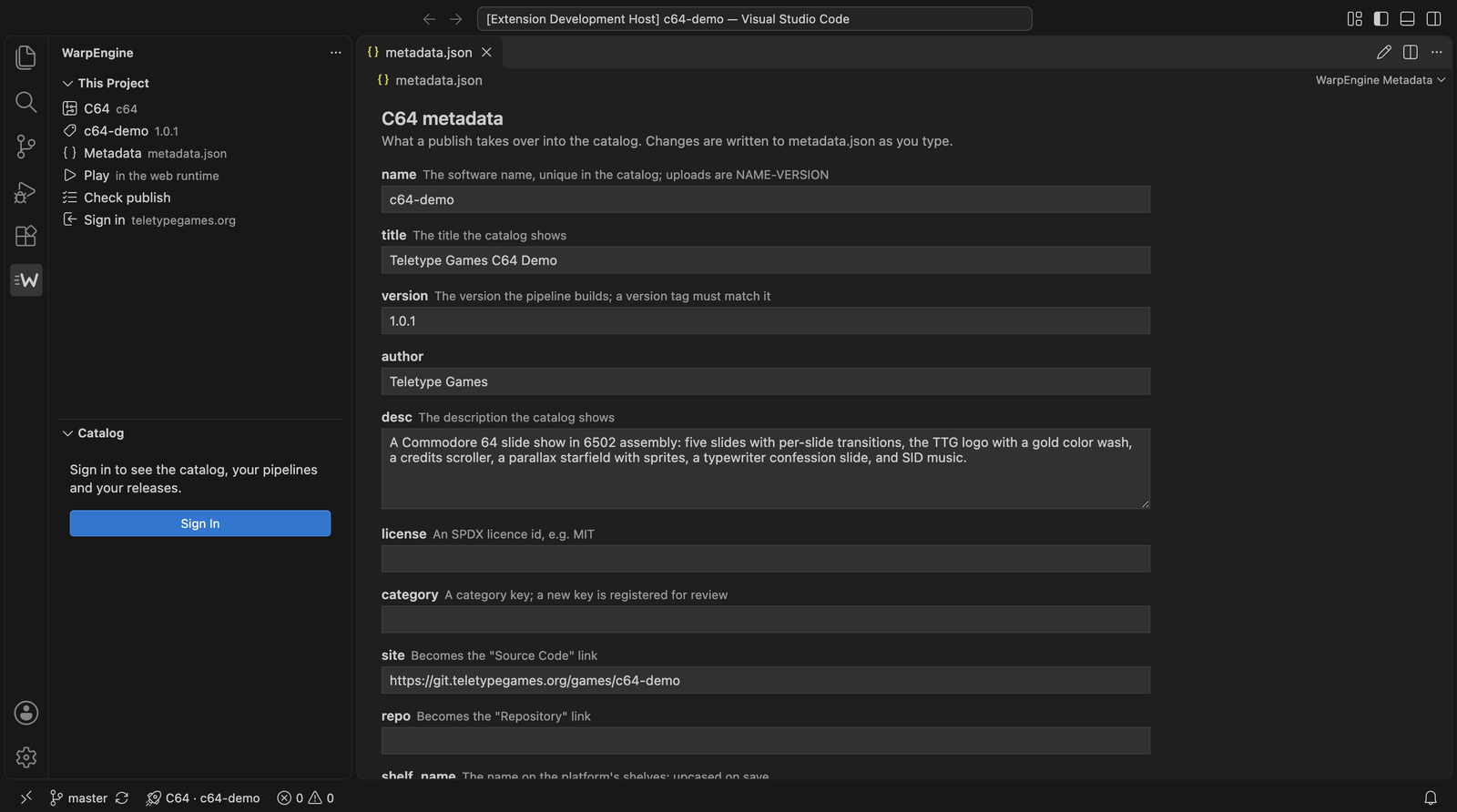
What it does
|
|
| New Game… |
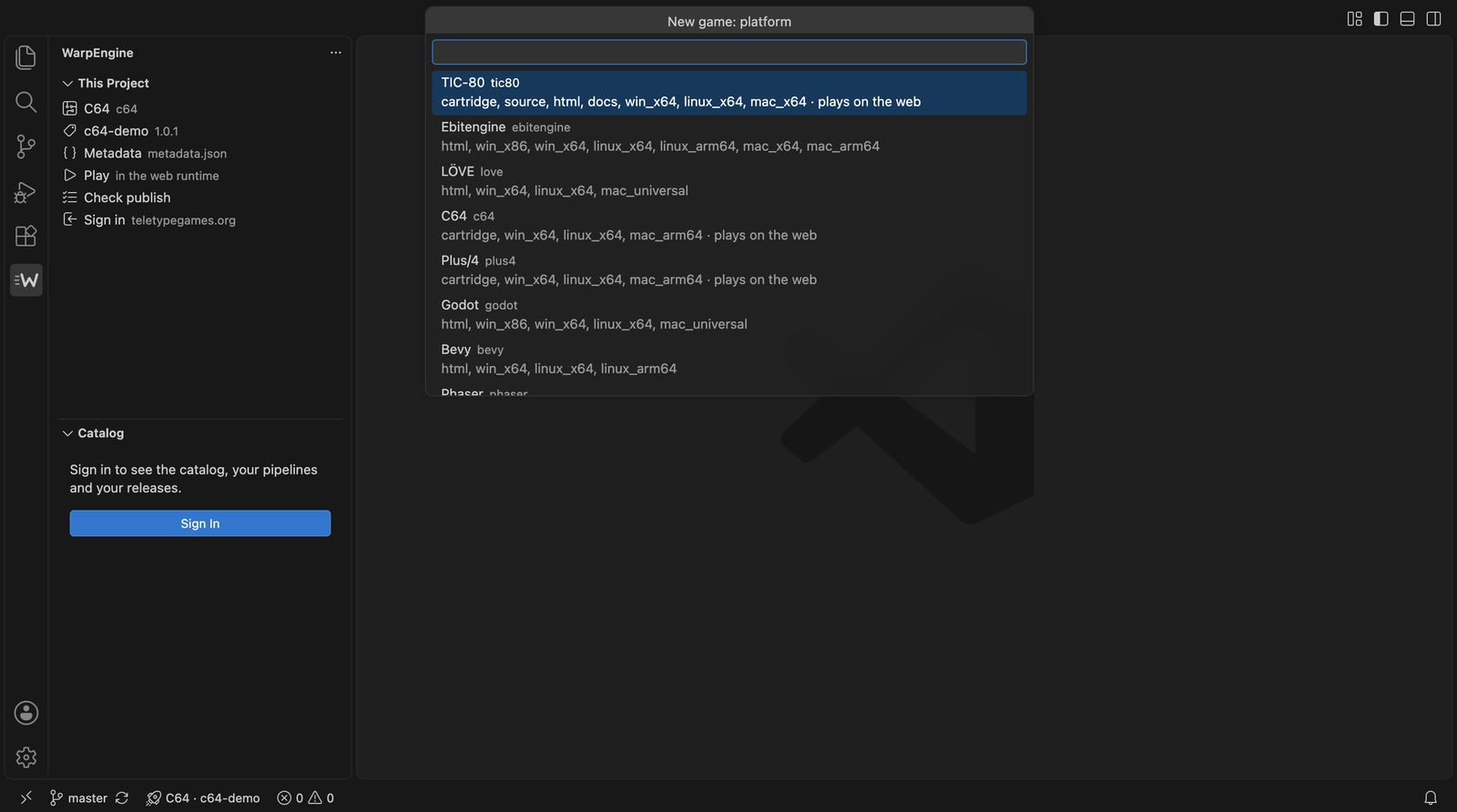
Pick a platform, name the game, and get a project from the host's template (and demo): Makefile, tasks, pipeline marker, metadata, README, a git repository. |
| Add WarpEngine to This Project |
The marker, the metadata and the template's files for a project you already have; your own files are kept. |
| Connect |
One step on the host: repository on the forge, CI for it, a CI token in its secret and a draft catalog entry. The working copy gets the remote and is pushed: the first build starts. |
| Metadata |
metadata.json is validated against the host's schema for the platform (or edited in a form), and on every save the host says what a publish would refuse. TIC-80 headers are read the same way. |
| Pipeline marker |
Completion and hover for platform: in .woodpecker.yaml, and a lens that shows the full pipeline the host serves. |
| Build |
The Makefile's targets as tasks with problem matchers (ACME, cc65, gcc-style, Lua), and Build Like CI: the same builder image the pipeline uses, in Docker. |
| Play |
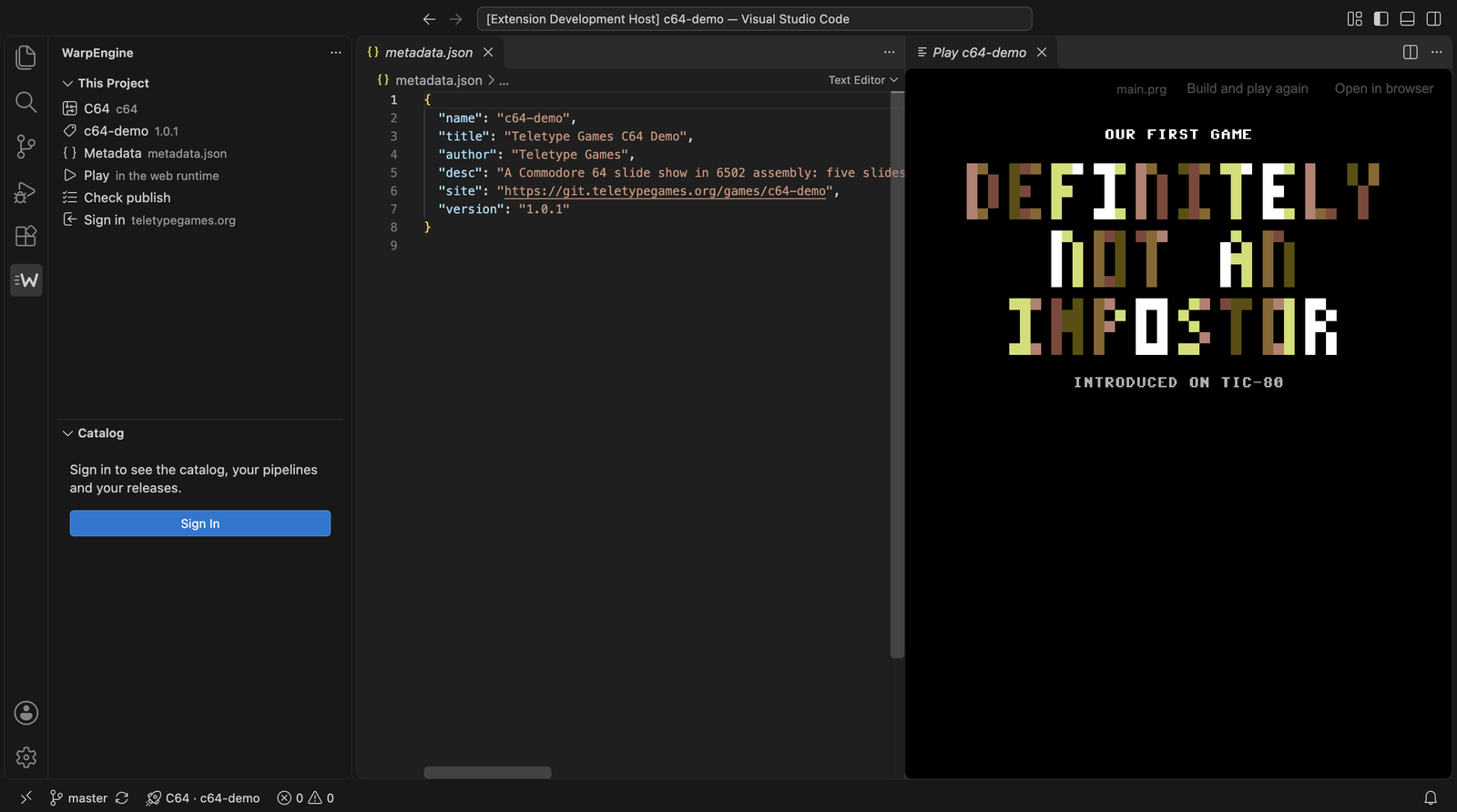
Builds and plays the game in a panel: in the runtime its release will play in on the web (EmulatorJS, TIC-80 …) with your local build, or its own web build. One click starts it: the browser lets the game's sound start only after a click. |
| Platform docs |
A book button on the platform in the project panel opens the host's page about the platform (the docs link of its tooling), when the host gives one. |
| Pipeline |
The status bar follows the run of your current commit after a push. |
| Release… |
Asks for the channel (stable, or a beta: 1.3.0-beta.1), bumps the version where the platform reads it, writes the changelog from the commits, tags and pushes; the CI publishes. |
| This branch |
On a branch other than the default one: its development build (not listed in the catalog), with a play link to share with testers; a notification when a push has built it. |
| Catalog |
Your host's softwares, releases with an asset checklist, links, pipelines and download statistics; status, category and highlight can be changed in place. |
| AI |
The host's Admin API is registered as an MCP server, so Copilot or Claude in the editor see the catalog and the pipelines. |
A template repository can say exactly what a new game gets in a warp-template.json:
{
  "files": { "example-makefile.make": "Makefile", "hello/hello.inc": "{name}.inc", "hello/Cargo.toml": "Cargo.toml" },
  "fill": ["hello/Cargo.toml"]
}
files maps a template path to its place in the project; {name} in a target becomes the
game's name, and the files under fill get {name} replaced in their content. Without it the
template's top-level example-* files are taken (example-makefile.make → Makefile).
Everything a platform needs — what it publishes, where its metadata and version live, how it
plays on the web, its builder image, template and documentation — comes from the host
(GET /build/platforms). A platform the host adds works here without a new toolbox.
In the editor
More on the wiki page.
Signing in
WarpEngine: Sign In asks the host for an Admin API token through the device grant: a
browser opens the host's Tool Sign In page, an administrator approves the code, and the
token lands in VS Code's secret storage. Signing in is only needed for Connect, the catalog,
the pipeline status and releases; templates, metadata checks, builds and play work without it.
Hosts
The toolbox knows no host of its own: set warpengine.url to the address of the site that runs
WarpEngine (or run WarpEngine: Set Host…, which asks for it). warpengine.hosts may list more
hosts for Set Host to switch between. A host needs WarpEngine 4.0 or later (3.9 works without the release channels).
Requirements
- VS Code 1.101 or later, git,
make, and the platform's own tools for local builds
(make deps in a new project installs them where the template knows how).
- Docker (or OrbStack) for Build Like CI.
Development
The code is a domain core with VS Code adapters around it; STRUCTURE.md describes
the layers, the naming and the rules ESLint holds them to.
make check          # typecheck, lint, l10n check, unit tests
make package        # dist/warpengine-toolbox.vsix
make localinstall   # package and install it into your VS Code (code --install-extension --force)
make uninstall
npm run test:integration runs the extension in a downloaded VS Code against the default host.
npm run test:walkthrough plays a new studio's first hour against the WarpEngine example stack
(examples/compose/bin/setup in the engine, COMPOSE_PROJECT_NAME=warpkittest): New Game, Sign In, Connect, the
first published release, then Release and the second one. The dialogs get scripted answers, VS Code's own
access prompt is skipped, and the admin's approval is given with docker exec on the app container
(WALK_APP_CONTAINER, default warpkittest-app-1). WARPENGINE_TEST_URL points it at another host, WALK_PLATFORM (default phaser) picks the platform and
WALK_START=template starts from the template instead of the demo.
The interface speaks English and Hungarian (l10n/, package.nls*.json). npm run l10n rewrites the
English bundle from the code; npm run l10n:check fails while a text has no Hungarian translation.
Press F5 in this folder to run it in an Extension Development Host.

