PHPxIDE
PHPxIDE transforms Visual Studio Code into a responsive, full-featured PHP development environment. It delivers instant indexing, accurate code navigation, IDE-grade Git tools, template engine awareness, and automatic refactorings without freezing your editor or consuming gigabytes of memory.
Fast & Memory-Efficient Index
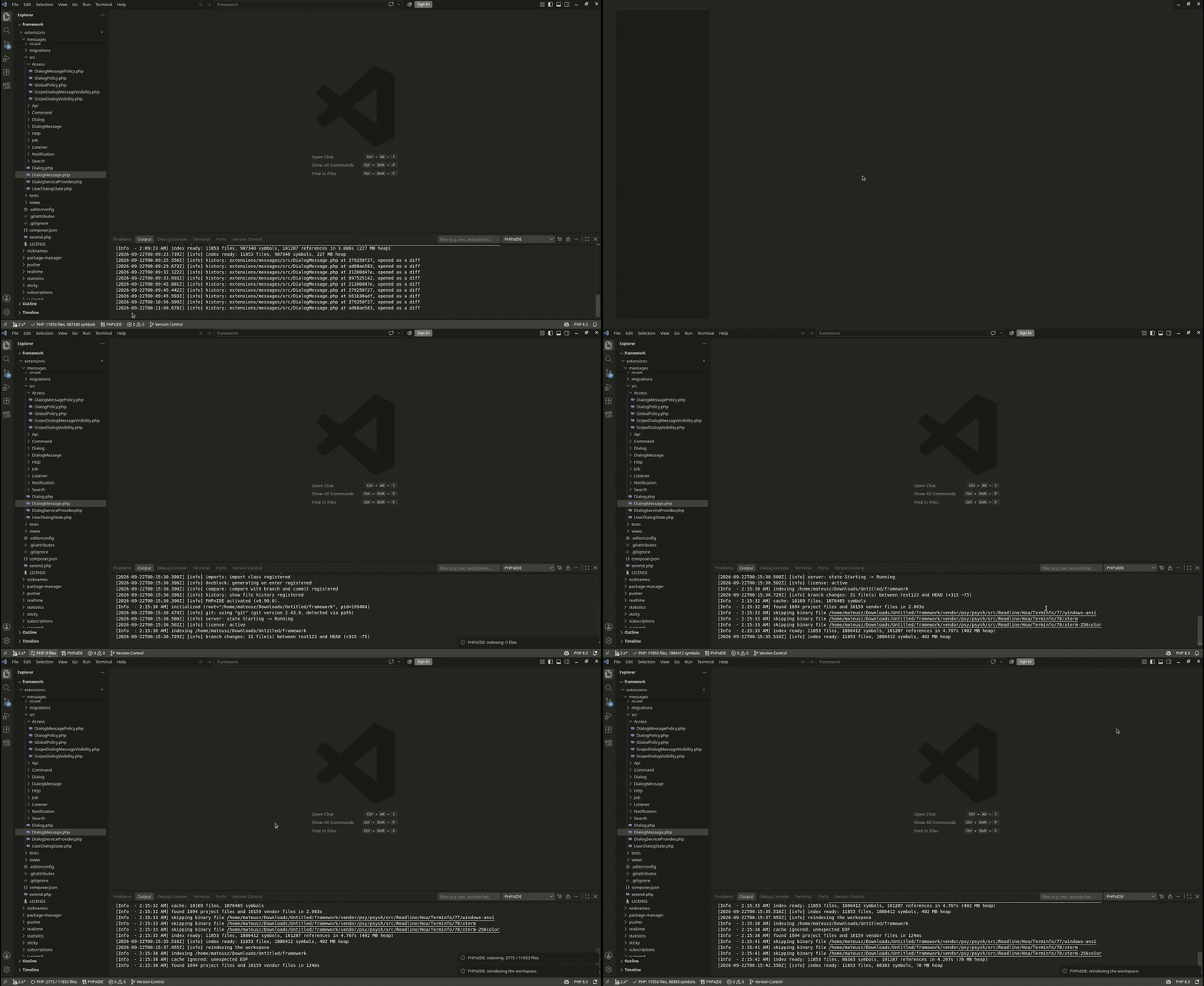
Open large enterprise codebases without slowdowns or high memory usage. PHPxIDE indexes tens of thousands of files in seconds while keeping your editor lightweight and fast. Third-party vendor dependencies are handled efficiently in the background, ensuring smooth performance even on moderate hardware.
| Feature |
How to use it |
| Reindex Workspace |
Command Palette (Ctrl+Shift+P) -> PHPxIDE: Reindex |
| Show Index Status |
Command Palette -> PHPxIDE: Show Index Status |
| Restart Server |
Command Palette -> PHPxIDE: Restart Language Server |
| Setting |
Default |
Description |
phpxide.server.memoryLimitMb |
1024 |
Memory budget for the index in megabytes. |
Smart Code Navigation & Symbols
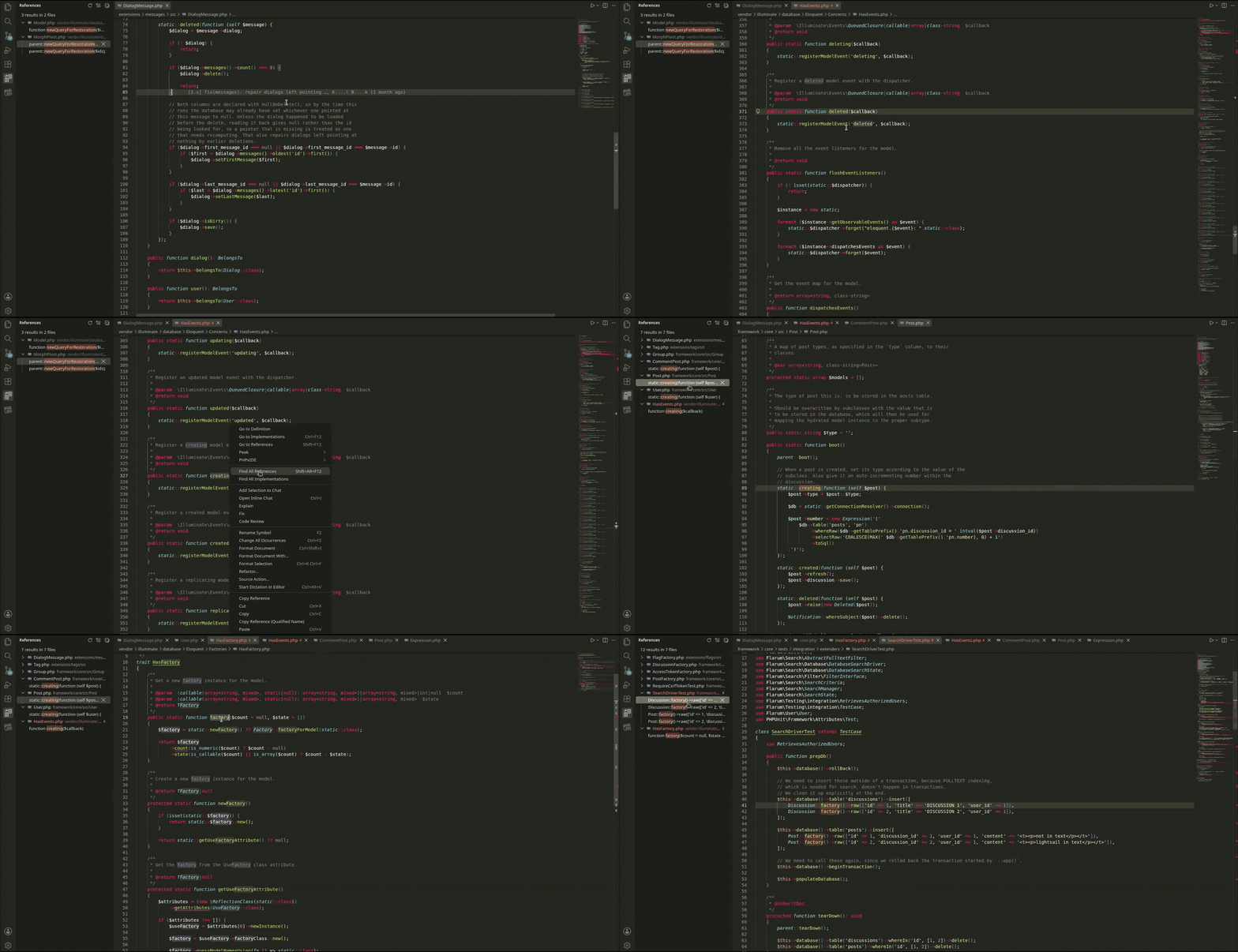
Navigate complex projects effortlessly with precise jump-to-definition, reference lookups, and symbol search across all classes, interfaces, traits, methods, properties, and local variables.
Smart Navigation & Jump to Definition
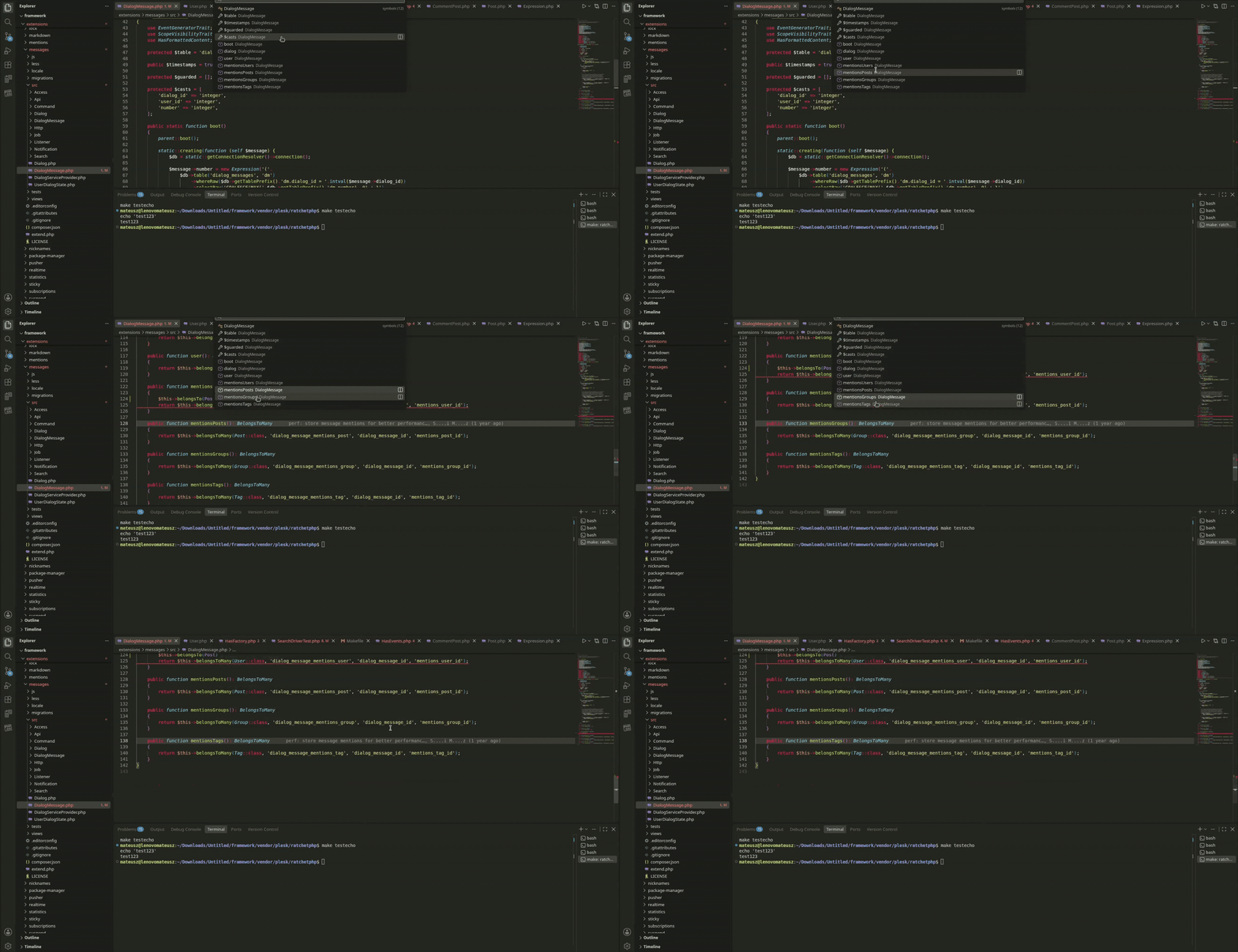
Method & Function Navigation
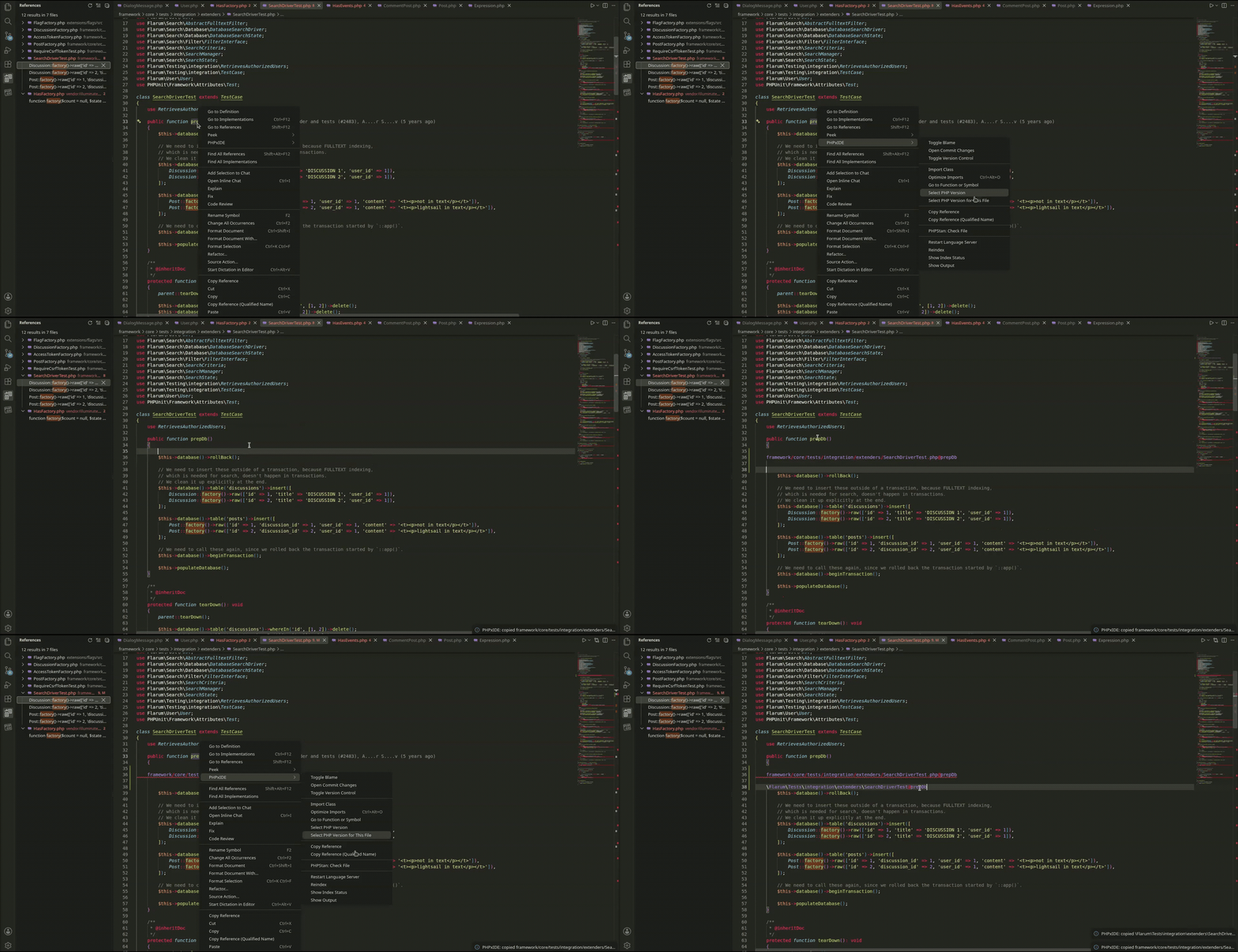
Copy Reference & Qualified Names
| Feature |
How to use it |
| Go to definition |
Ctrl+click on a name, or F12 |
| Find all references |
Ctrl+click on a declaration, or Shift+F12 |
| Go to implementations |
Ctrl+F12 on an interface or abstract method |
| Copy reference |
Right-click a name -> PHPxIDE -> Copy Reference |
| Copy qualified reference |
Right-click a name -> PHPxIDE -> Copy Reference (Qualified Name) |
| Outline / File symbols |
Ctrl+R in PHP files, or Ctrl+Shift+O |
| Workspace symbol search |
Ctrl+T or Ctrl+P followed by # (supports App\Service@handle) |
| Signature help |
Ctrl+Shift+Space inside any function or method call |
| Autocompletion |
Ctrl+Space, or type ->, ?->, ::, or use |
Advanced Git & Version Control
A complete suite of Git tools designed specifically for day-to-day developer workflows:
Version Control Panel & Graph
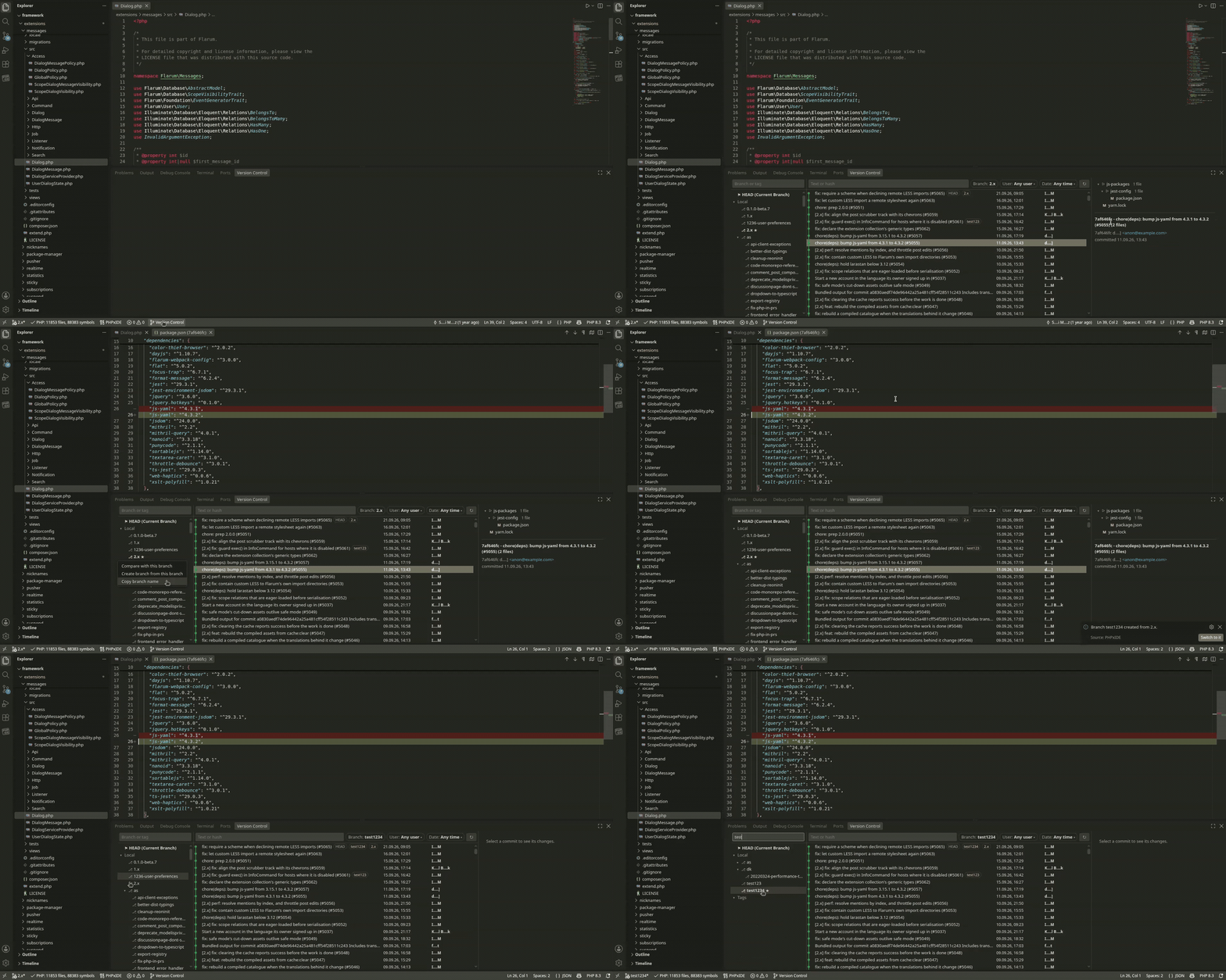
A multi-pane Git tool window with a visual commit graph, ref tree (branches, remotes, tags), interactive diffs, and filters for authors (User) and dates (Date).
Git Blame
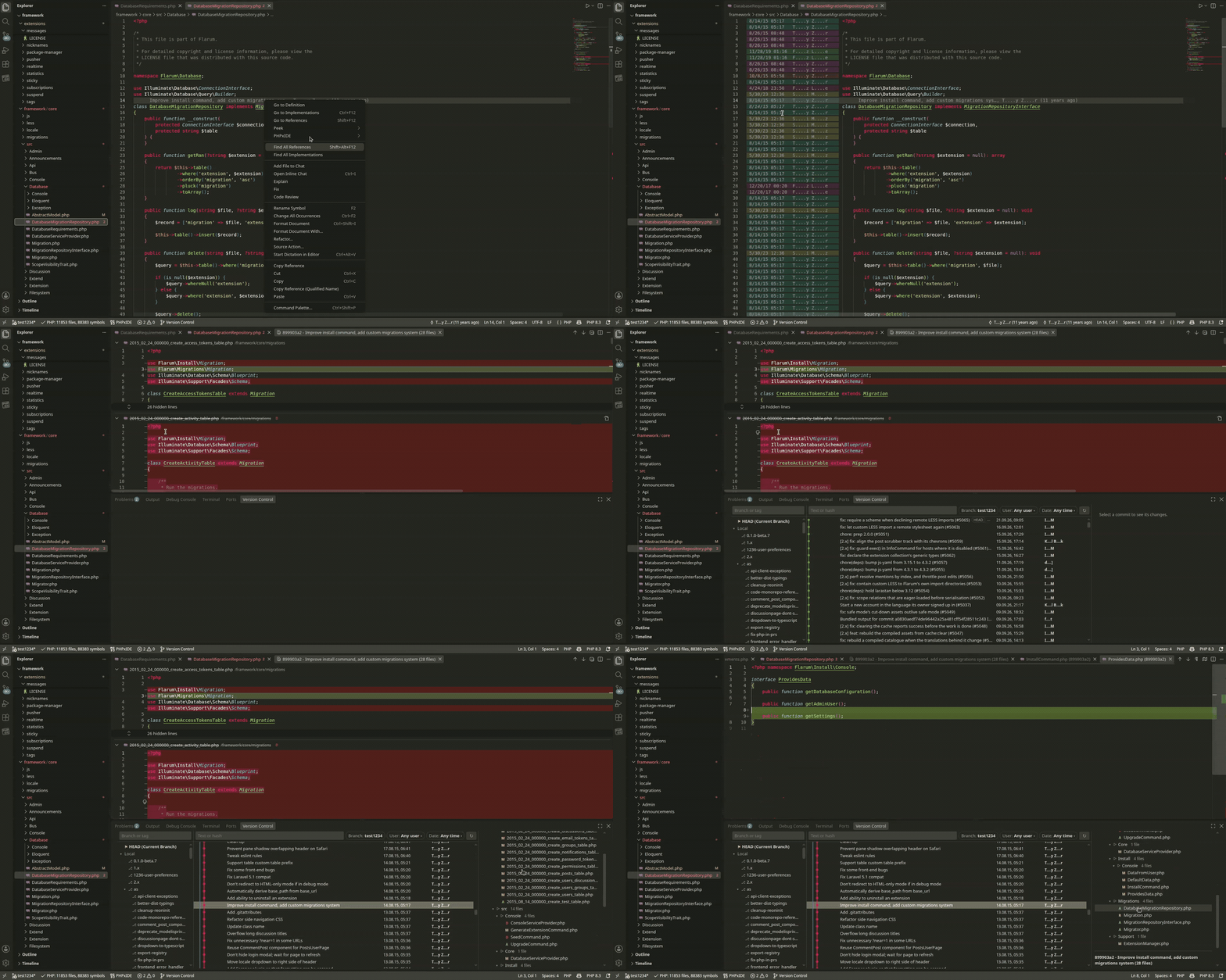
Clear, compact commit annotations right beside line numbers with unique color-tinting per commit.
Branch Comparison (Committed on branch)
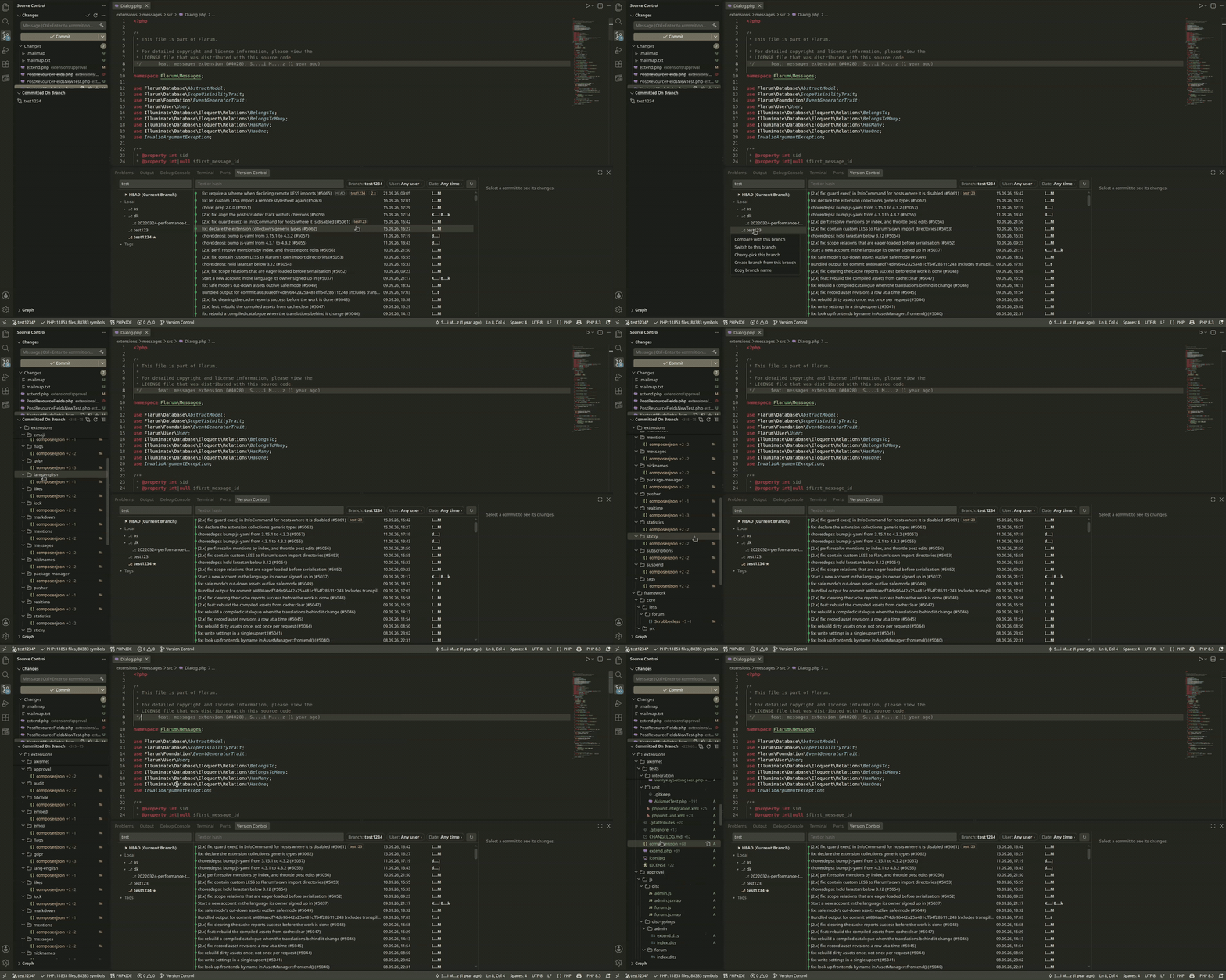
Review all differences between your current branch and another before merging, with tree and list views.
Multi-File Diff & Cherry-pick
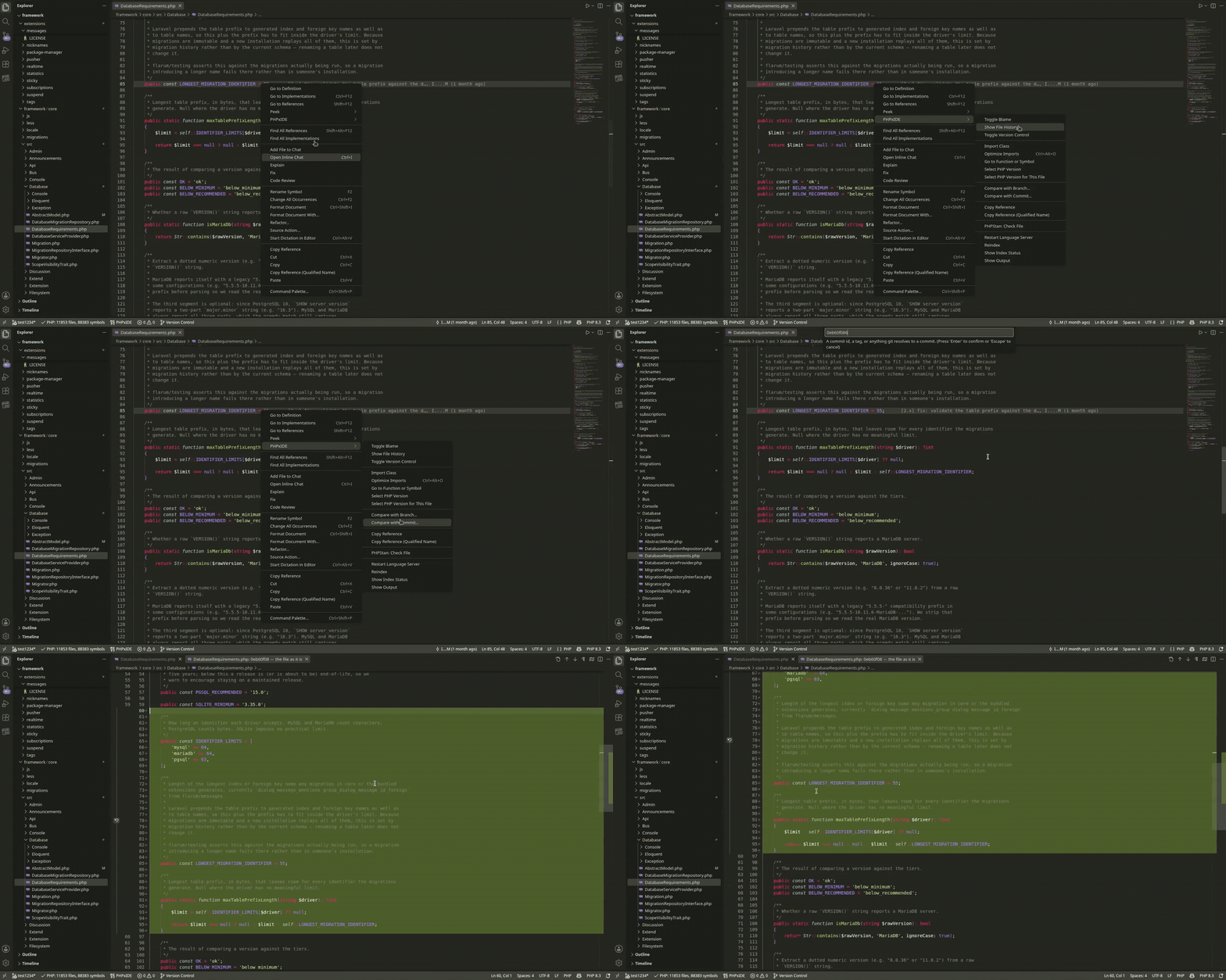
Open any commit as a single multi-file changes editor, or cherry-pick commits and entire branches with one click.
File History & Inspection
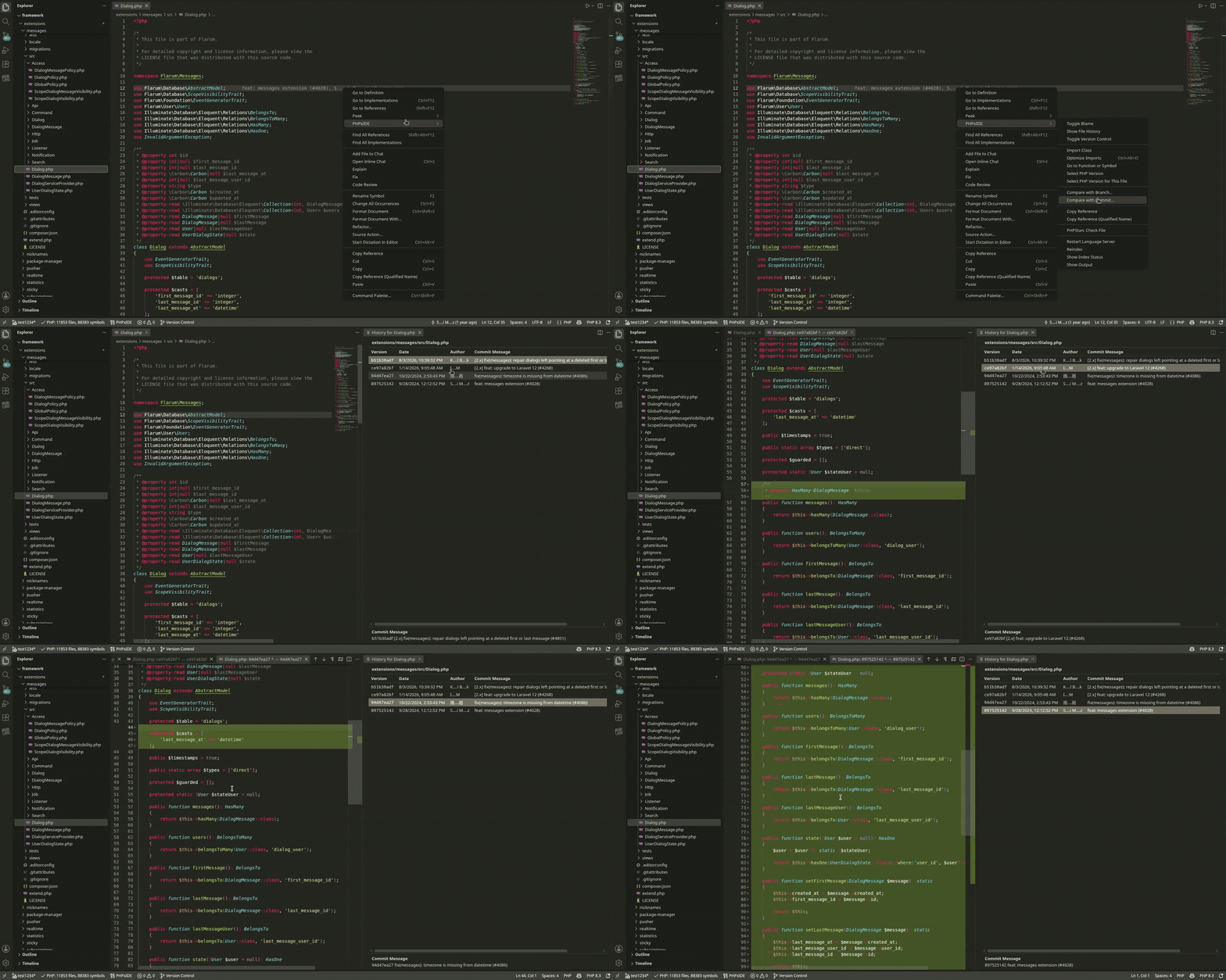
Inspect commit history and visual diffs for any individual file directly from the editor.
| Feature |
How to use it |
| Toggle Version Control panel |
Click $(git-branch) Version Control in the status bar, or Ctrl+J |
| Toggle Git Blame |
Right-click line numbers -> PHPxIDE › Toggle Blame |
| Open Commit Changes |
Click the blame status bar item or right-click -> PHPxIDE › Open Commit Changes |
| Compare with Branch |
SCM View -> Committed on branch -> Compare with Branch… |
| Toggle File Tree / List |
Click the tree toggle icon in the Committed on branch title bar |
| Branch / Commit Actions |
Right-click any branch or commit in the Version Control panel |
| Setting |
Default |
Description |
phpxide.git.path |
"" |
Path to git binary (empty auto-detects from PATH). |
phpxide.git.blame.dateFormat |
compact |
Date display format: compact, iso, or relative. |
phpxide.git.blame.authorWidth |
16 |
Width of the author column in characters. |
phpxide.git.blame.highlightCommits |
true |
Tint blame gutter lines with colors per commit. |
phpxide.git.blame.showCommitMessage |
false |
Append commit summary to the gutter text. |
phpxide.scm.fileTree |
false |
Show branch comparison files as a directory tree. |
phpxide.scm.committedFileLimit |
200 |
Maximum number of files to list in branch comparison. |
Auto-Imports & Safe Refactoring
Keep your code clean without manual import management or risky search-and-replace:
Auto-Imports & Optimize Imports
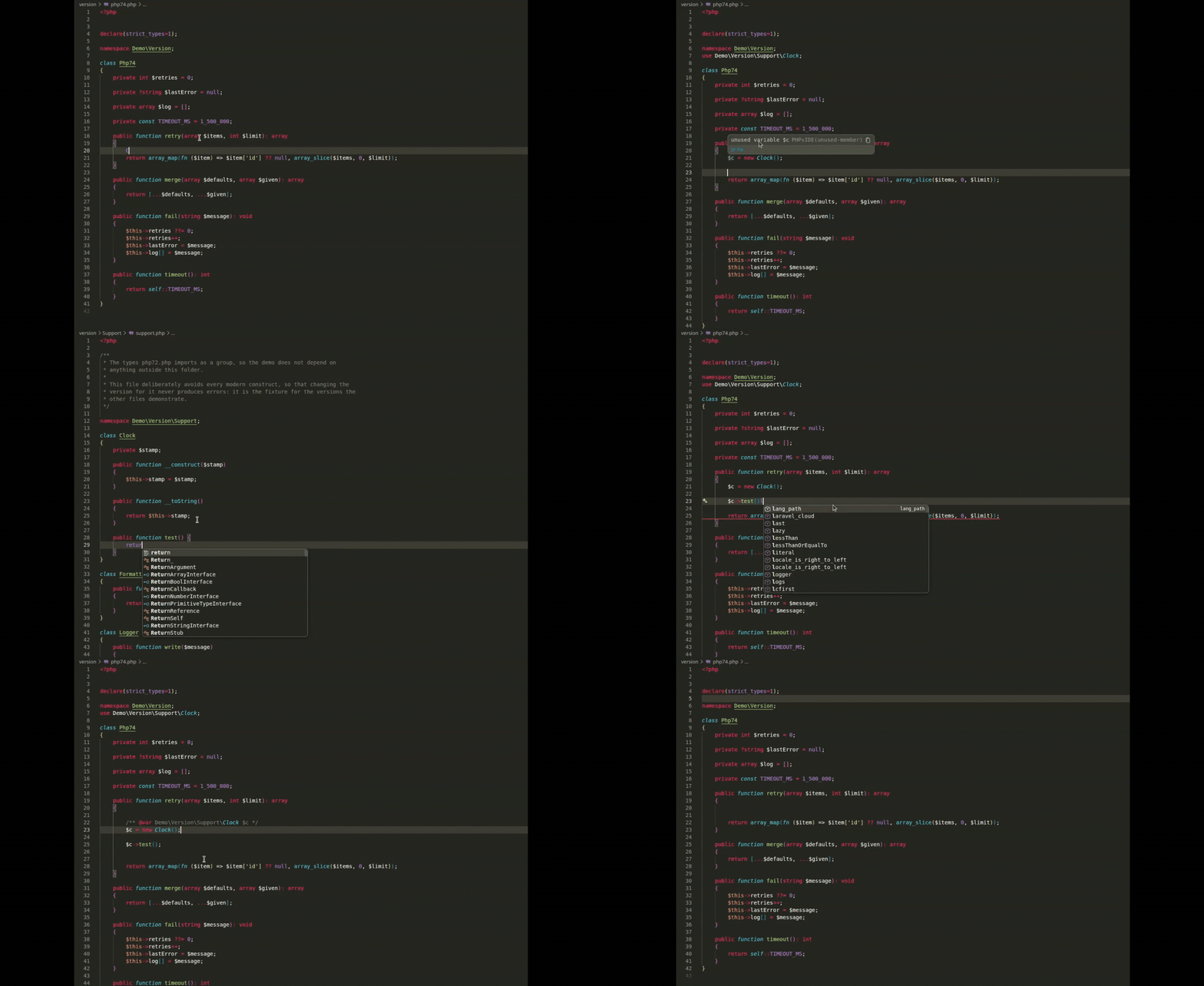
- Auto-Import on Completion: Selecting a class automatically inserts its short name and the corresponding
use statement.
- Import Class Quick Fix: Press
Ctrl+. on any unimported class to import it immediately.
- Optimize Imports: Safely removes unused
use statements while respecting docblocks, comments, and traits.
Safe File Move & Rename
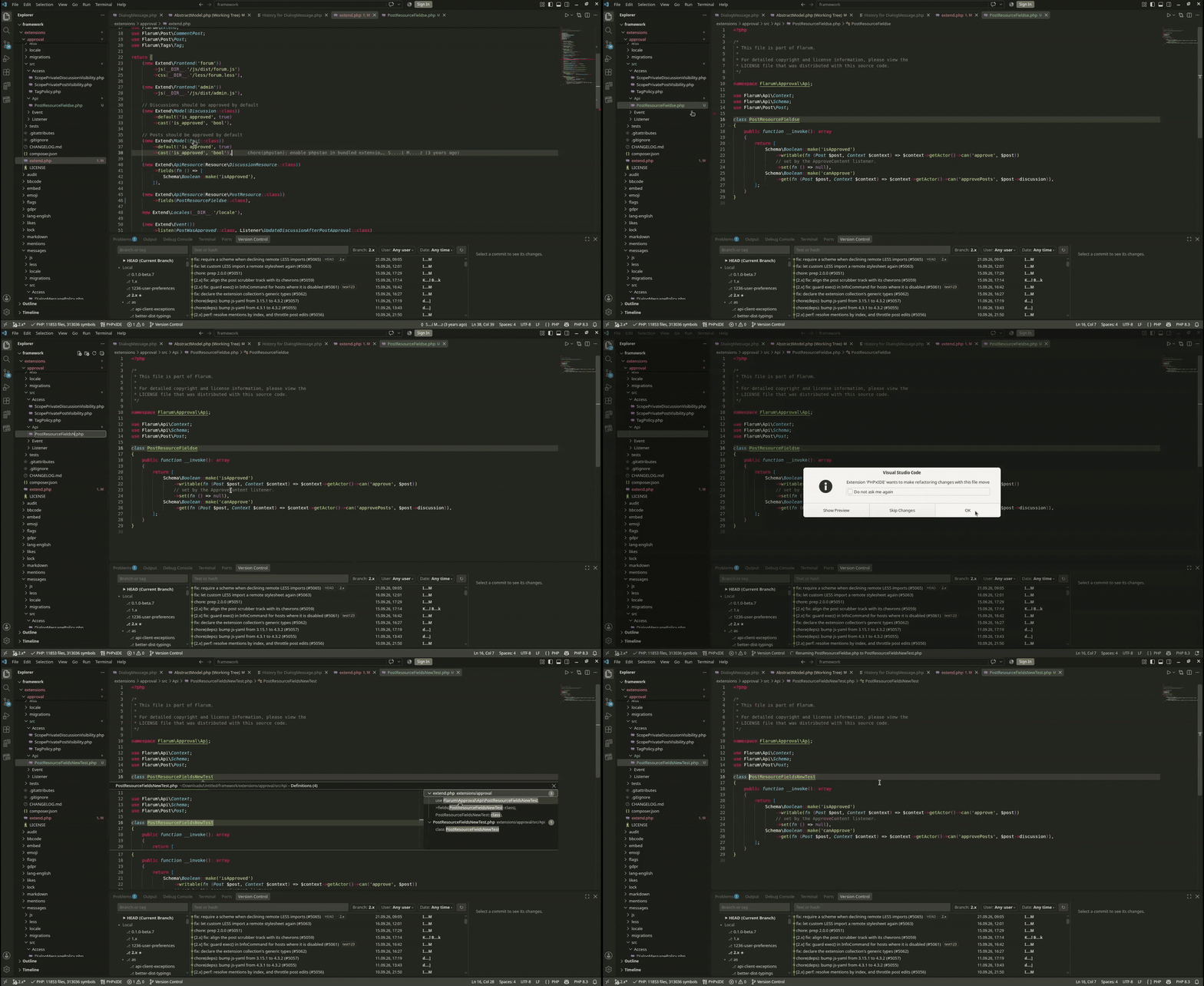
- File Move & Rename: Moving or renaming a PHP file automatically updates its namespace according to PSR-4 (configured in
composer.json), renames the matching class, and updates references across the whole project.
- Rename Symbol: Safely renames symbols across all project files with validation.
| Feature |
How to use it |
| Rename symbol |
F2 on any symbol |
| Optimize imports |
Ctrl+Alt+O or save with editor.codeActionsOnSave |
| Import class |
Ctrl+. (Quick Fix) on an unresolved class name |
| Move / rename file |
Drag & drop or rename files in the VS Code file explorer |
Smart Docblocks & @var Annotations
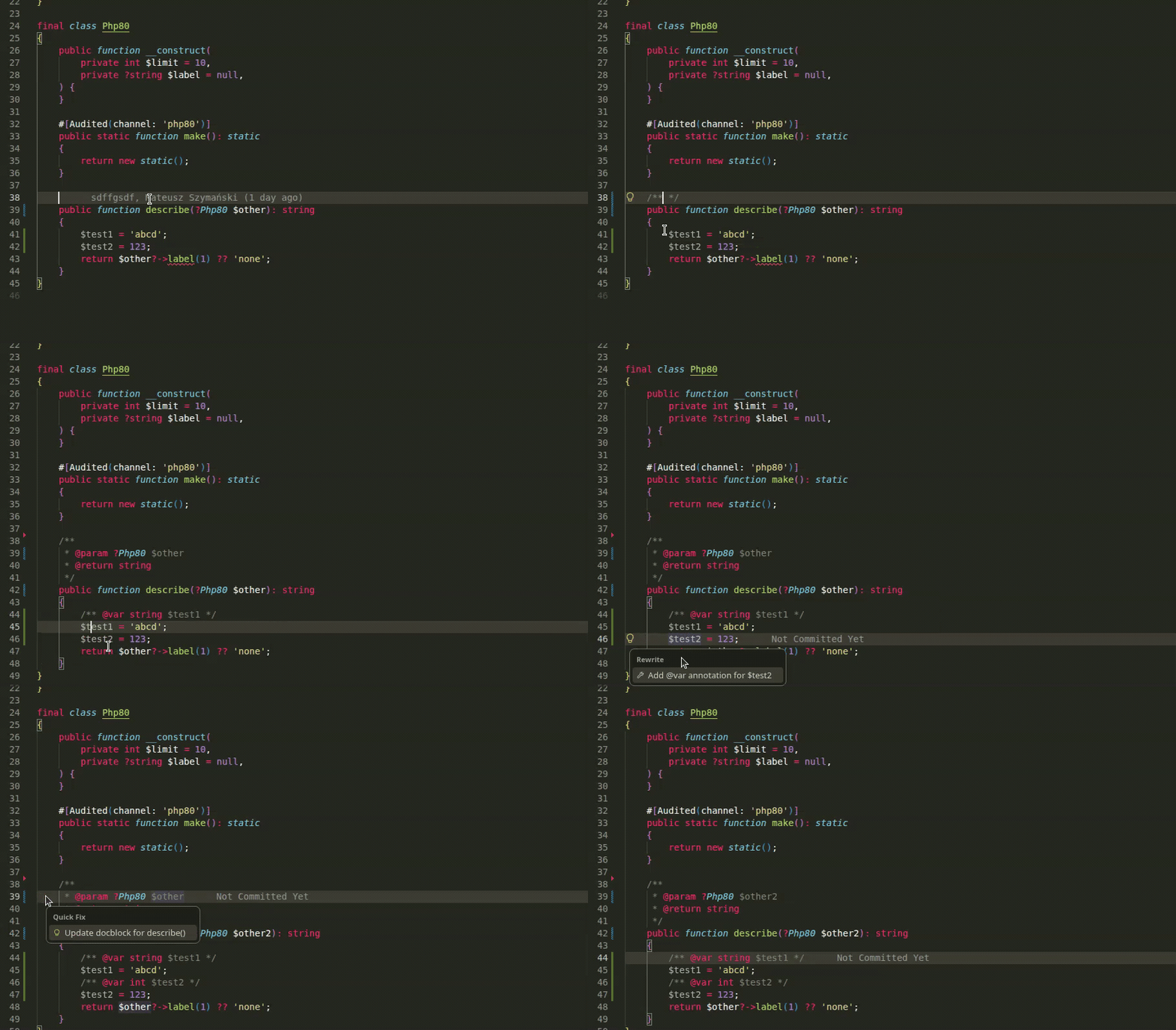
Write and maintain clean PHPDoc documentation with zero friction:
- Generate Docblock: Type
/** and press Enter above any method or function to generate @param and @return tags matching the signature.
- Generate
@var: Type /** above a variable assignment or press Ctrl+. to insert a typed /** @var Type $variable */ annotation.
- Update Docblock: When signature parameters change, use the
Ctrl+. quick fix to synchronize the docblock while preserving existing descriptions and array types.
| Feature |
How to use it |
| Generate Docblock |
Type /** and press Enter above a function or method |
| Update Docblock |
Ctrl+. -> Update docblock for function() |
Add @var annotation |
Ctrl+. on an assignment -> Add @var annotation |
Laravel, Symfony, Blade, Twig & Smarty Support
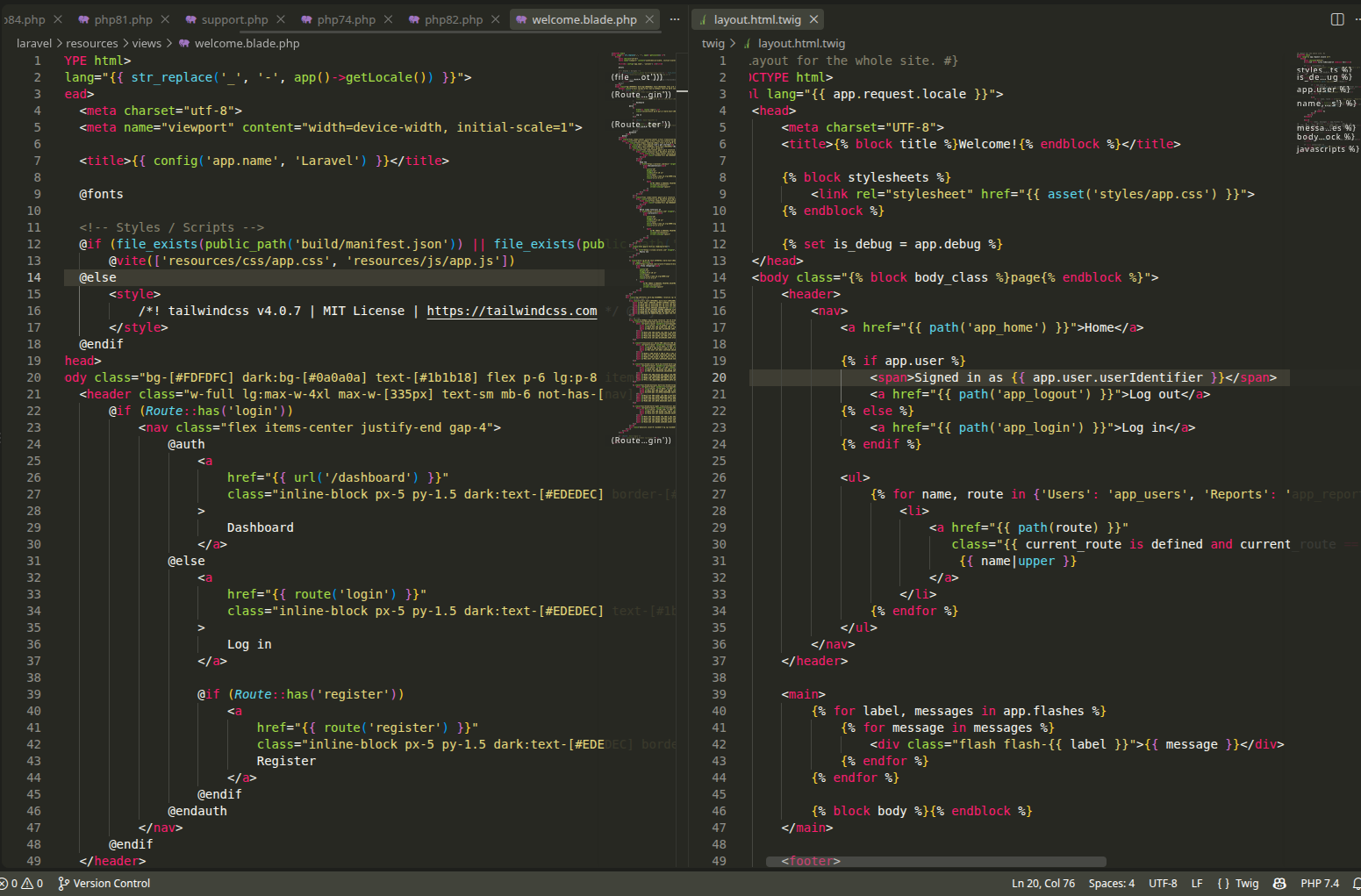
First-class support for modern PHP template engines and frameworks out of the box:
- Blade (
.blade.php, .blade): Syntax highlighting with embedded PHP/HTML/JS/CSS, bracket pairing, and autocompletion with hover docs for over 100 Blade directives.
- Twig (
.twig): Dedicated syntax highlighting, tags, filters, and functions completion.
- Smarty (
.tpl, .smarty): Clean tag, variable, and modifier highlighting, including tags inside HTML attributes.
- Laravel & Symfony Awareness: Recognition of framework helpers (
now(), __(), app(), service()), facades, and query builder methods.
SQL & HTML Injections in PHP Strings
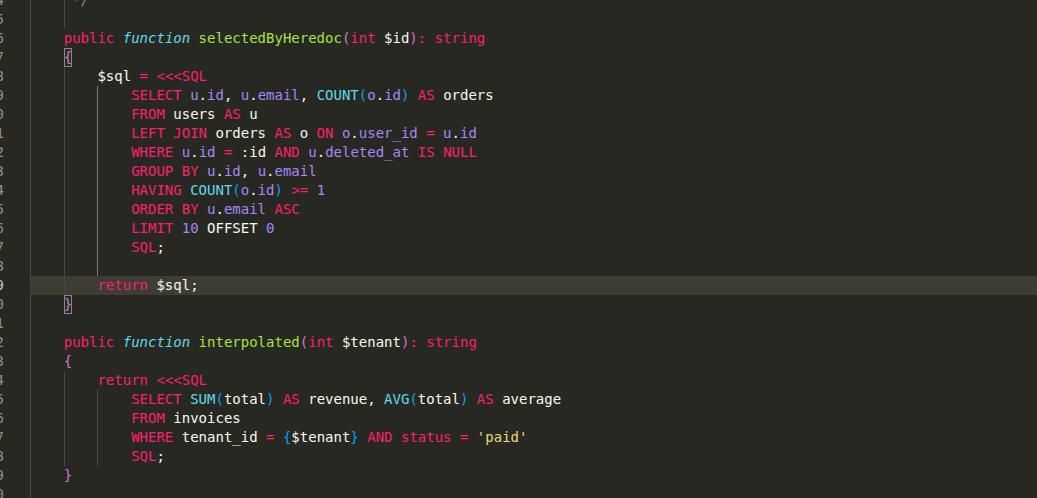
Write embedded queries and templates with complete syntax highlighting and autocompletion directly inside PHP strings:
- SQL Injections: Automatic detection in heredocs (
<<<SQL, <<<MYSQL, <<<QUERY), language markers (// language=SQL, /* @lang SQL */, #[Language('SQL')]), and database calls (DB::select(), ->query(), whereRaw()). Provides dedicated SQL coloring and autocompletion for SQL keywords and MySQL functions.
- HTML Injections: Automatic detection in heredocs (
<<<HTML), language markers (// language=HTML), and markup strings with HTML tag and attribute completion.
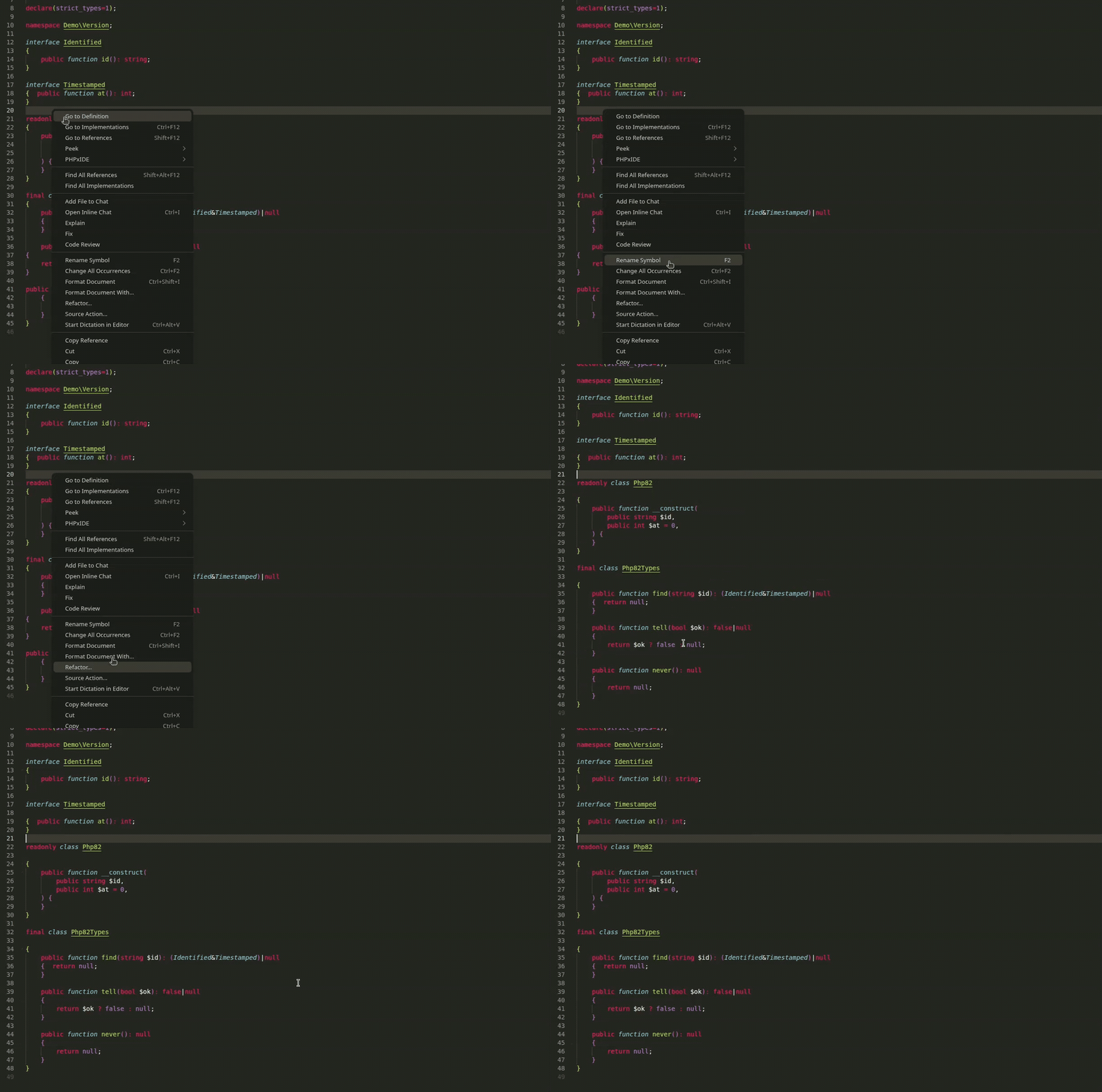
Keep your code neatly styled and consistent with PSR-12 formatting:
- Built-in Formatter: Handles indentation, wrapped expressions, switch/case rules, and fine-grained blank line spacing around classes, methods, properties, and namespaces without altering code logic.
- External Formatter Integration: Automatically detects and delegates formatting to
php-cs-fixer or phpcbf when present in your project.
| Feature |
How to use it |
| Format Document |
Shift+Alt+F or enable editor.formatOnSave |
| Setting |
Default |
Description |
phpxide.format.engine |
auto |
Formatter engine: auto, internal, php-cs-fixer, or phpcbf. |
phpxide.format.indent.size |
4 |
Indent size in spaces per level. |
phpxide.format.indent.useTabCharacter |
false |
Indent with tabs instead of spaces. |
phpxide.format.indent.continuation |
4 |
Extra columns for wrapped expressions. |
phpxide.format.blankLines.max |
1 |
Maximum consecutive blank lines. |
phpxide.format.blankLines.afterNamespace |
1 |
Blank lines after namespace declaration. |
phpxide.format.blankLines.beforeUse |
1 |
Blank lines before use statements. |
phpxide.format.blankLines.afterUse |
1 |
Blank lines after use statements. |
phpxide.format.blankLines.aroundClass |
1 |
Blank lines around classes and interfaces. |
phpxide.format.blankLines.aroundMethod |
1 |
Blank lines around methods. |
phpxide.format.blankLines.aroundField |
1 |
Blank lines around properties. |
PHP Version Target & Compatibility
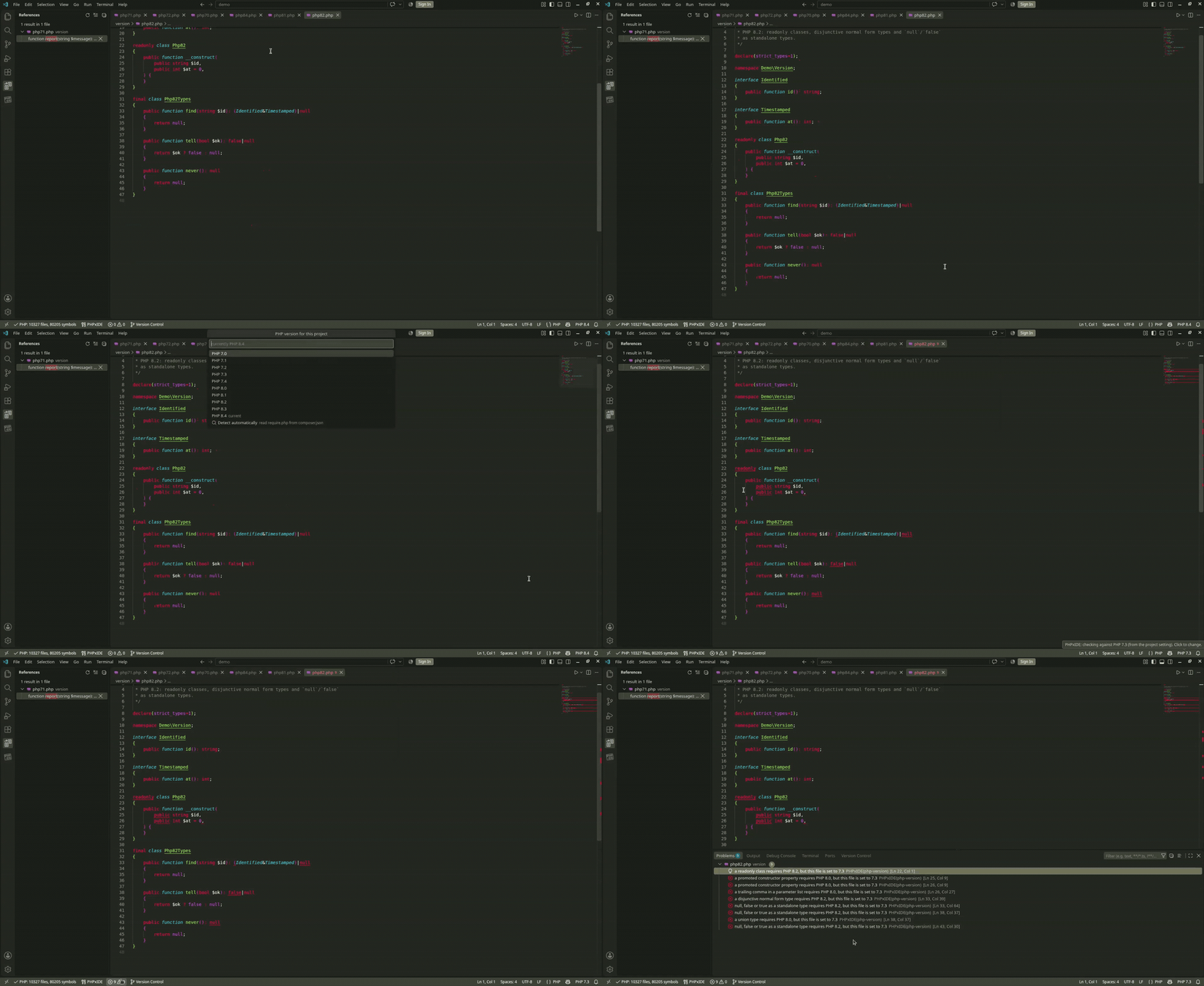
- PHP Version Target: Validate your code against PHP versions 7.0 to 8.4 per file or for the entire workspace. Unsupported syntax features are instantly highlighted in the Problems panel.
- Dead Code Detection: Unused private methods, properties, local variables, and unused
use statements are automatically greyed out.
- Static Analysis Tools (PHPStan & PHPCS): Automatic project detection with one-click checking and direct Problem panel integration.
| Feature |
How to use it |
| Select PHP Version |
Click the PHP version item in the status bar, or PHPxIDE: Select PHP Version |
| PHPStan Check File / Project |
Right-click editor or explorer -> PHPxIDE -> PHPStan: Check File / Project |
| PHPCS Check File / Project |
Right-click editor or explorer -> PHPxIDE -> PHPCS: Check File / Project |
| PHPCBF Fix File |
Right-click editor or explorer -> PHPxIDE -> PHPCBF: Fix File |
| Setting |
Default |
Description |
phpxide.php.version |
"" |
Target PHP version (empty detects from composer.json). |
phpxide.tools.phpstan.command |
vendor/bin/phpstan analyse --no-progress --error-format=raw |
Command to run PHPStan. |
phpxide.tools.phpcs.command |
vendor/bin/phpcs --report=emacs |
Command to run PHPCS. |
phpxide.tools.phpcbf.command |
vendor/bin/phpcbf |
Command to run PHPCBF. |
Makefile Support
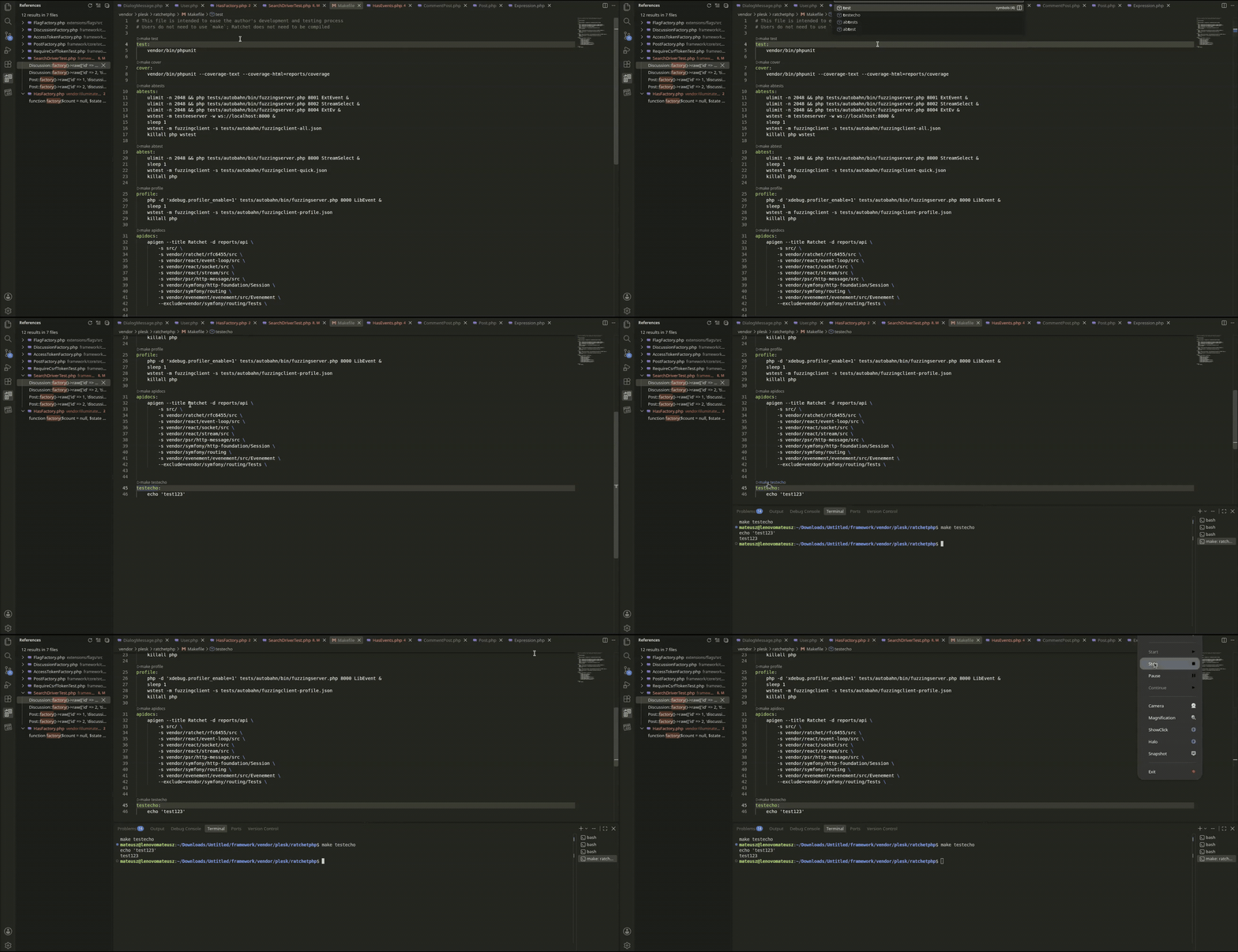
Makefile targets are automatically parsed and exposed as workspace symbols for quick search. Each callable target receives a clickable CodeLens button to run the target directly in your integrated terminal.
| Feature |
How to use it |
| Run Make Target |
Click $(play) make <target> above any target in a Makefile |
| Find Make Target |
Ctrl+T or Ctrl+P # and type the target name |
Feature Matrix
| Feature |
Status |
| Memory-efficient workspace-wide symbol index |
Available |
| Go to definition, implementations, references & hover |
Available |
| Signature help & named argument completion (PHP 8.0+) |
Available |
File outline (Ctrl+R) & workspace symbol search |
Available |
| Three-pane Version Control panel (graph, refs, commit log, file tree) |
Available |
| Git Blame with commit tinting & multi-file commit diff |
Available |
| Branch comparison view (Committed on branch) |
Available |
Auto-imports, optimize imports (Ctrl+Alt+O) & PSR-4 file moving |
Available |
Docblock generation, @var inference & docblock updates |
Available |
| Blade, Twig, and Smarty syntax highlighting & completions |
Available |
| SQL and HTML embedded syntax highlighting & completions |
Available |
| PSR-12 code formatter + external tool delegation (php-cs-fixer, phpcbf) |
Available |
| PHP version compatibility checker (7.0 - 8.4) & dead code detection |
Available |
| Integrated PHPStan, PHP_CodeSniffer & PHPCBF tool runners |
Available |
| Makefile target indexing & CodeLens run buttons |
Available |
| |

