
TadaTheme Universal


The ultimate theme collection for modern developers
38 professional themes ready to use in your Code editor
You can find my extensions on the VS Code Marketplace or the Open VSX
🆕 What's New in v1.1.0
- ✨ 4 new light themes: Mint Fresh, Sand Dune, Terracotta, Notion
- 🎨 Enhanced light theme readability - Darker text colors for better contrast
- 🔧 Fixed JSX/TSX text visibility - Text inside JSX elements now properly visible
- 💬 AI Chat improvements - Tables and tooltips now readable in all themes
- 🎯 Activity Bar accent colors - Icons now use theme colors consistently
- 📋 Context menu borders - Selection borders match theme accent
- 🖥️ Status bar theming - All status bar elements now themed
✨ Features
- 🎨 38 professional themes - Ready to use, no configuration needed
- 🚀 One-click apply - Select and apply instantly
- 🎯 UI & syntax colors - Customize your entire editor
- ↺ Easy restore - Return to original theme anytime
- 💾 100% local - No external servers, no registration
- ⚡ Optimized performance - Zero impact on VS Code performance
- 🔒 Full privacy - Your data never leaves your machine
🎭 Available Themes (38 themes)
🌟 TadaTheme Signature
| Theme |
Type |
Description |
| TadaTheme Dark |
Dark |
Official theme - Cyan & magenta neon |
| TadaTheme Light |
Light |
Official theme - Elegant white |
📚 Classics & Essentials
| Theme |
Type |
Description |
| Monokai Pro |
Dark |
Lime green & pink |
| Dracula |
Dark |
Vampiric purple |
| GitHub Dark |
Dark |
Bright blue & green |
| Nord |
Dark |
Cool nordic palette |
| One Dark Pro |
Dark |
Soft blue & purple |
⚡ Neon & Vibrant
| Theme |
Type |
Description |
| Synthwave |
Dark |
Retro 80s neon |
| Cyber |
Dark |
Electric cyberpunk |
| Midnight |
Dark |
Navy blue & turquoise |
| Aurora |
Dark |
Aurora borealis |
| Nebula |
Dark |
Space nebula |
| Tokyo Night |
Dark |
Tokyo at night |
🌸 Soft & Pastel
| Theme |
Type |
Description |
| Catppuccin Mocha |
Dark |
Soft lavender & pink |
| Rose Gold |
Light |
Elegant rose gold |
| Rose Dark |
Dark |
Elegant dark rose |
| Lavender |
Light |
Soft lavender |
| Ocean |
Dark |
Deep ocean |
| Glacier |
Light |
Ice blue |
| Mint Fresh |
Light |
Fresh mint green |
| Sand Dune |
Light |
Desert sand beige |
| Terracotta |
Light |
Italian terracotta |
| Notion |
Light |
Minimalist Notion style |
🌿 Nature & Elements
| Theme |
Type |
Description |
| Forest |
Dark |
Deep forest |
| Sunset |
Dark |
Warm sunset |
| Emerald |
Dark |
Intense emerald |
| Copper |
Dark |
Metallic copper |
| Obsidian |
Dark |
Black with gold |
| Crimson |
Dark |
Deep crimson |
⬛ Minimal
| Theme |
Type |
Description |
| Monochrome |
Dark |
Elegant grays only |
🎮 Special & Retro
| Theme |
Type |
Description |
| Hacker Dark |
Dark |
Matrix neon green |
| Gameboy Dark |
Dark |
Retro Gameboy LCD |
| Cosmic Dark |
Dark |
Cosmic space |
| Solarized Dark |
Dark |
Classic Solarized |
| Palenight Dark |
Dark |
Material Palenight |
| Ubuntu Dark |
Dark |
Ubuntu Yaru |
| Discord Dark |
Dark |
Discord Blurple |
| Spirit Dark |
Dark |
Mystic indigo/gold |
🚀 Installation
From VS Code
- Open VS Code
- Go to Extensions (
Ctrl+Shift+X)
- Search for "TadaTheme Universal"
- Click Install
From VSIX
- Download the
.vsix file
- In VS Code:
Ctrl+Shift+P → "Extensions: Install from VSIX..."
- Select the downloaded file
🎯 Usage
Select a Theme
- Open command palette:
- Windows/Linux:
Ctrl+Shift+P
- Mac:
Cmd+Shift+P
- Search for "TadaTheme: Seleccionar Tema"
- Choose your favorite theme from the list
- Done! Your editor will change instantly
Restore to Original
- Open command palette:
Ctrl+Shift+P
- Search for "TadaTheme: Restaurar Original"
- Your VS Code will return to its default appearance
🔒 Security & Privacy
TadaTheme Universal is designed with security as a priority:
- ✅ No internet connection - The extension works 100% offline
- ✅ No telemetry - We don't collect any usage data
- ✅ No external dependencies - All code is local
- ✅ Open source - You can review all the source code
- ✅ Minimal permissions - Only modifies color settings
📸 Preview
| TadaTheme Light |
Synthwave |
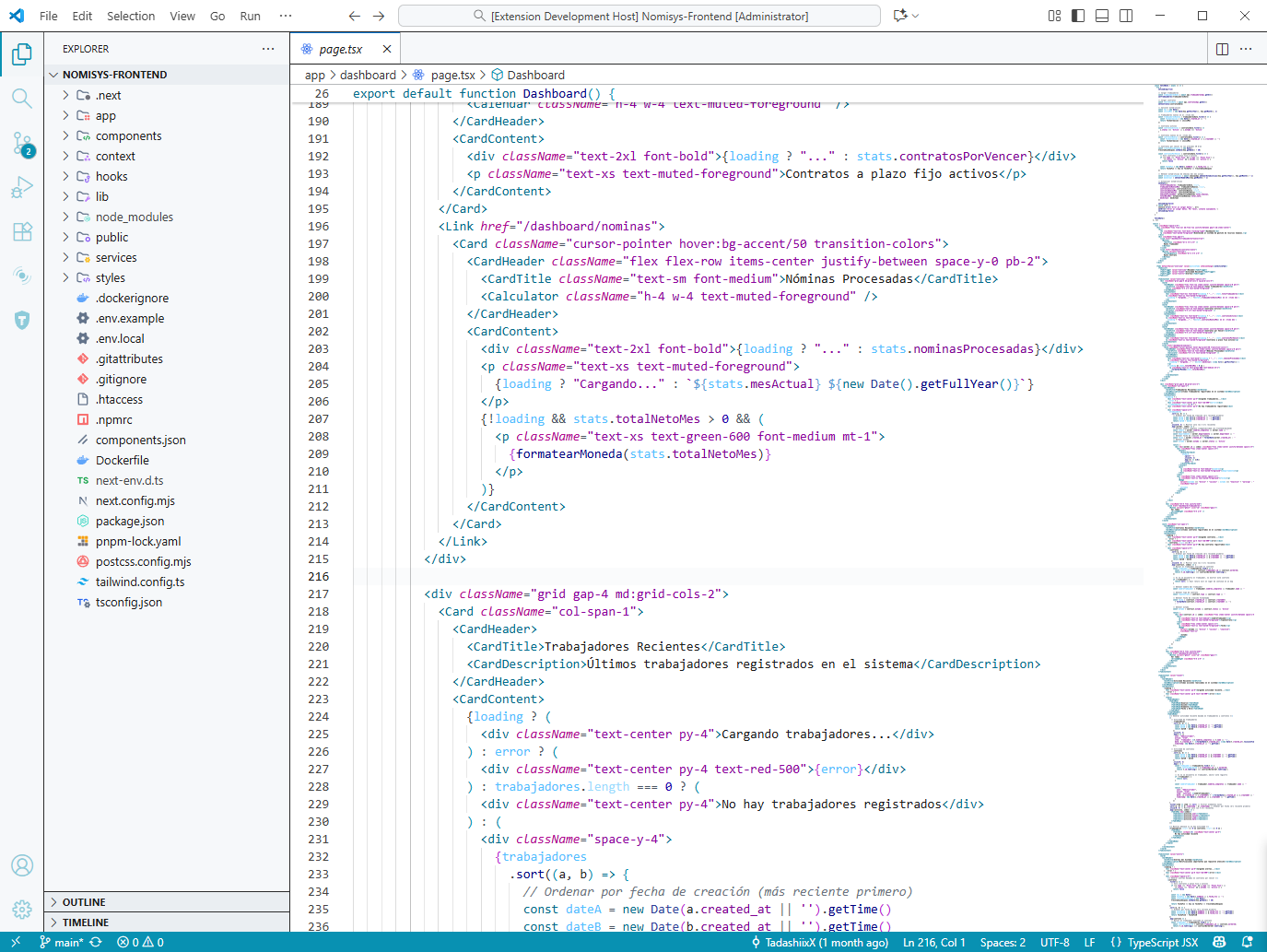 |
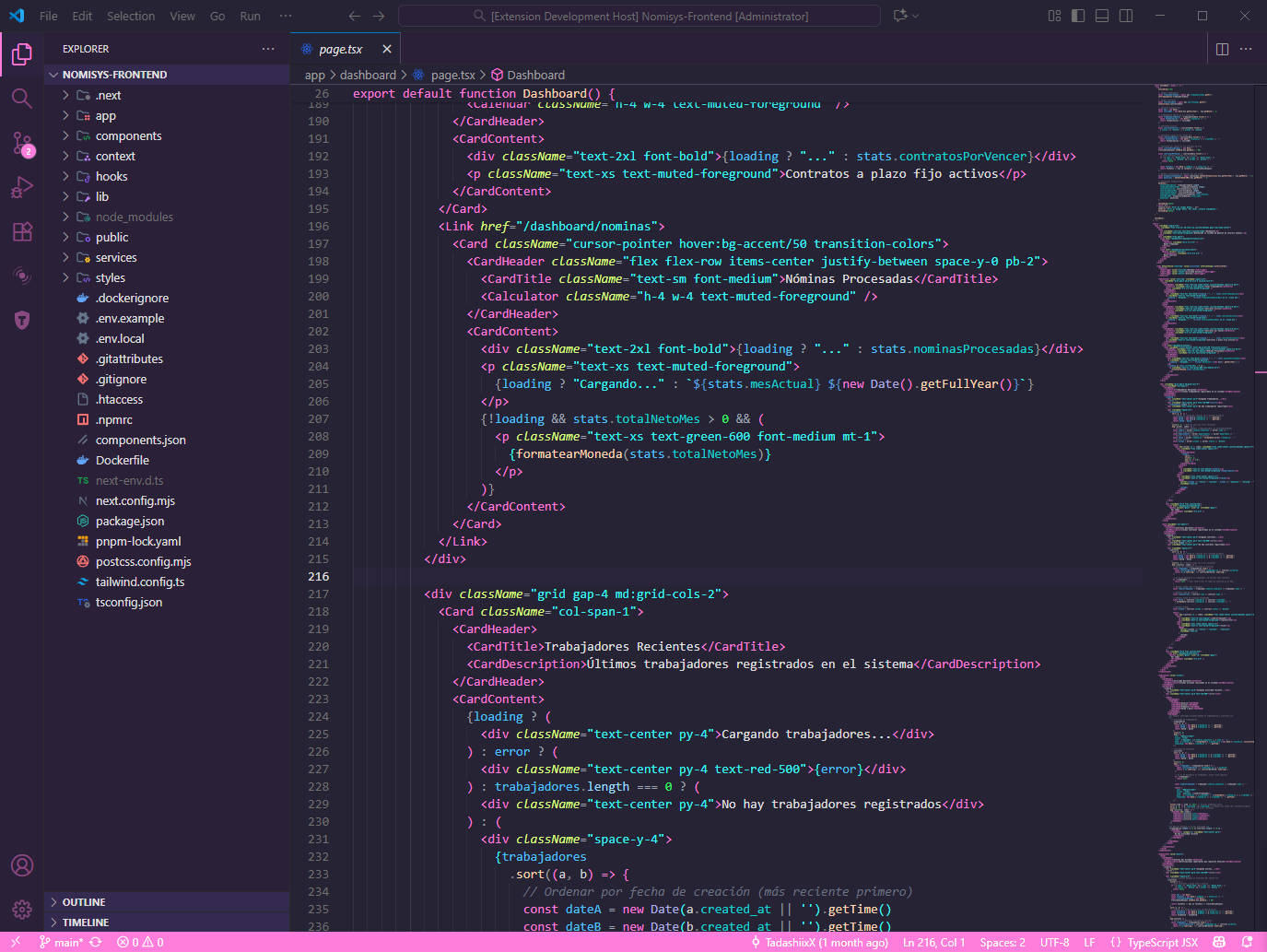 |
| Dracula |
Rose Light |
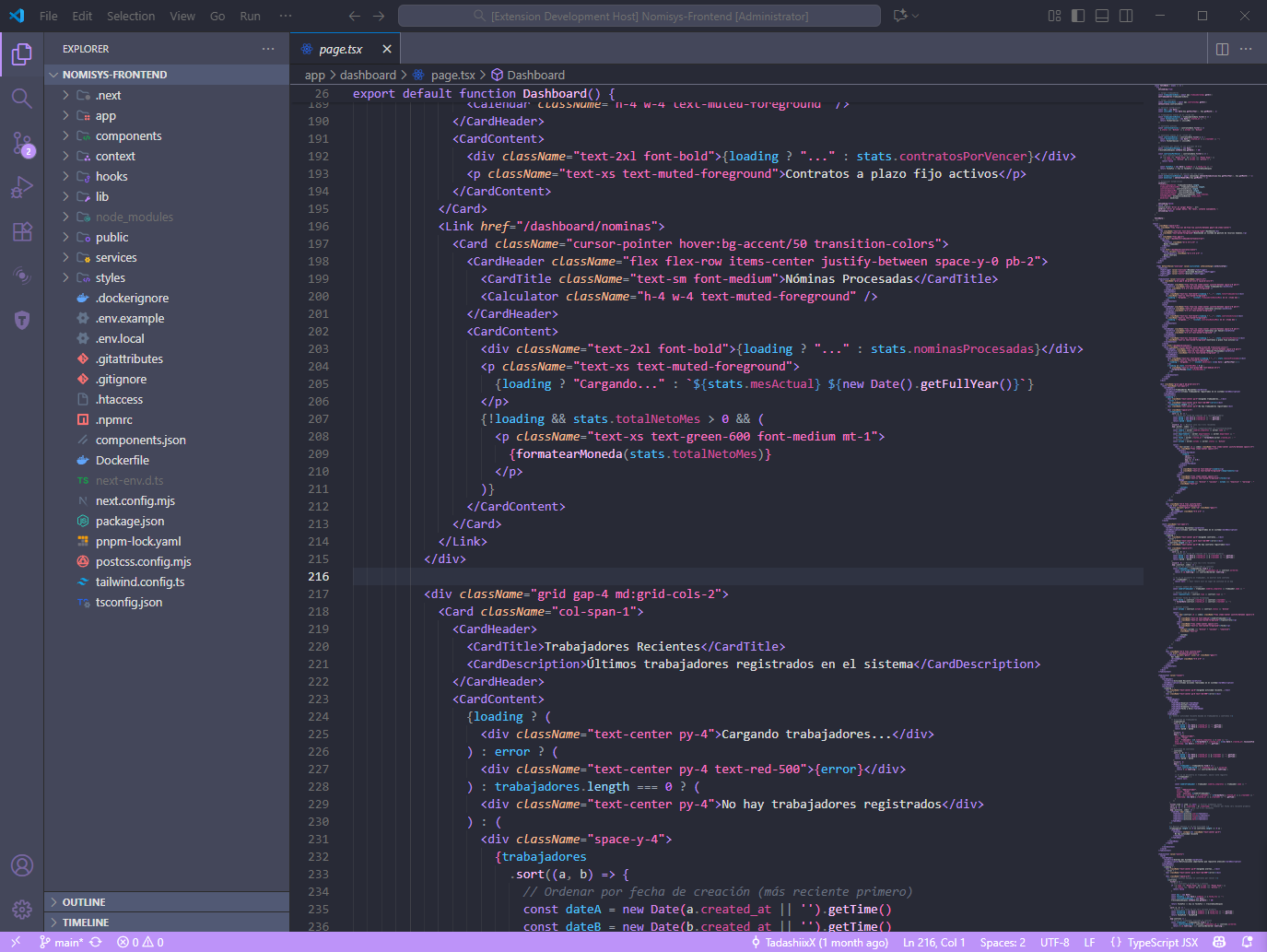 |
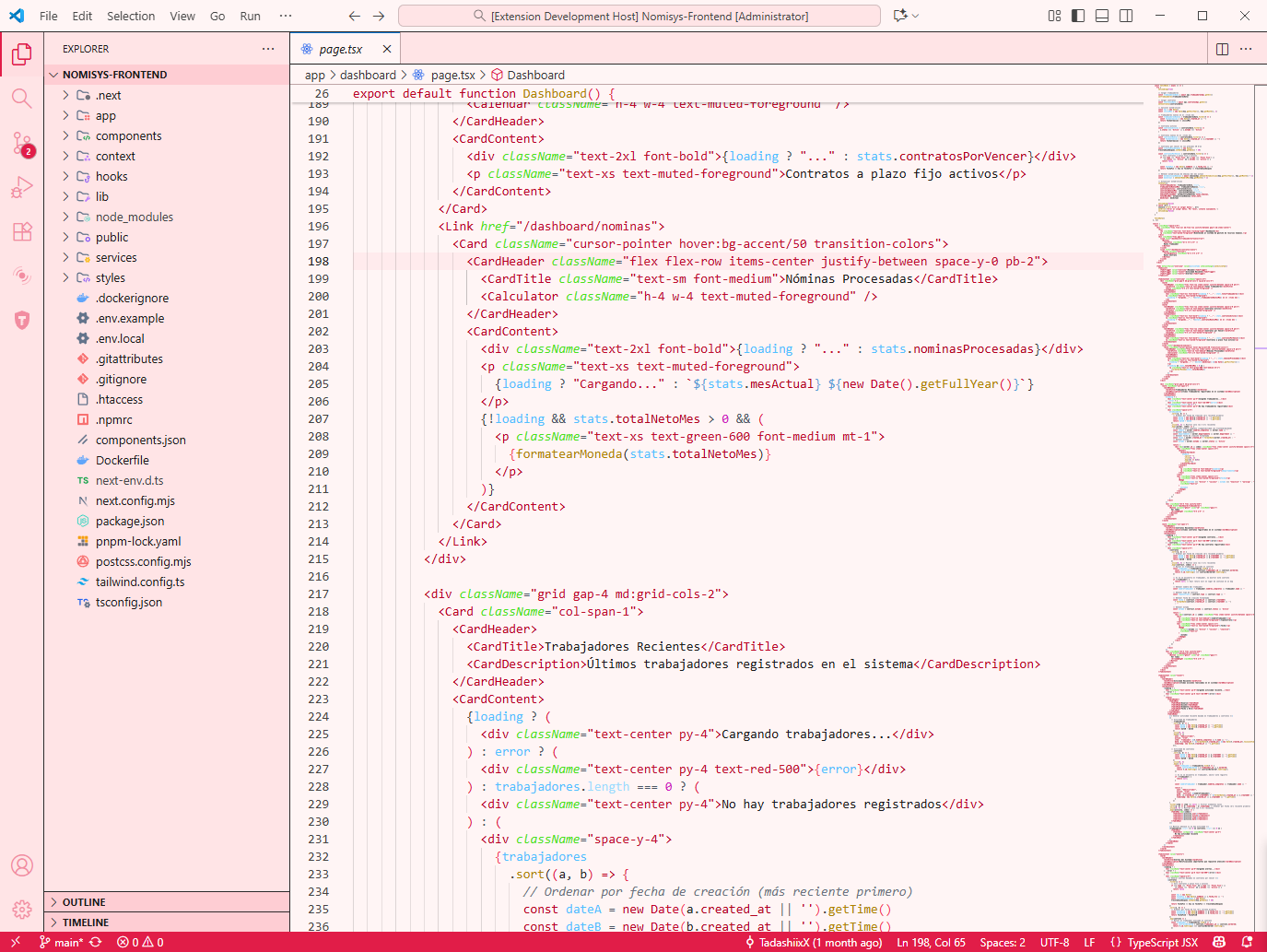 |
| Cosmic Dark |
Solarized Dark |
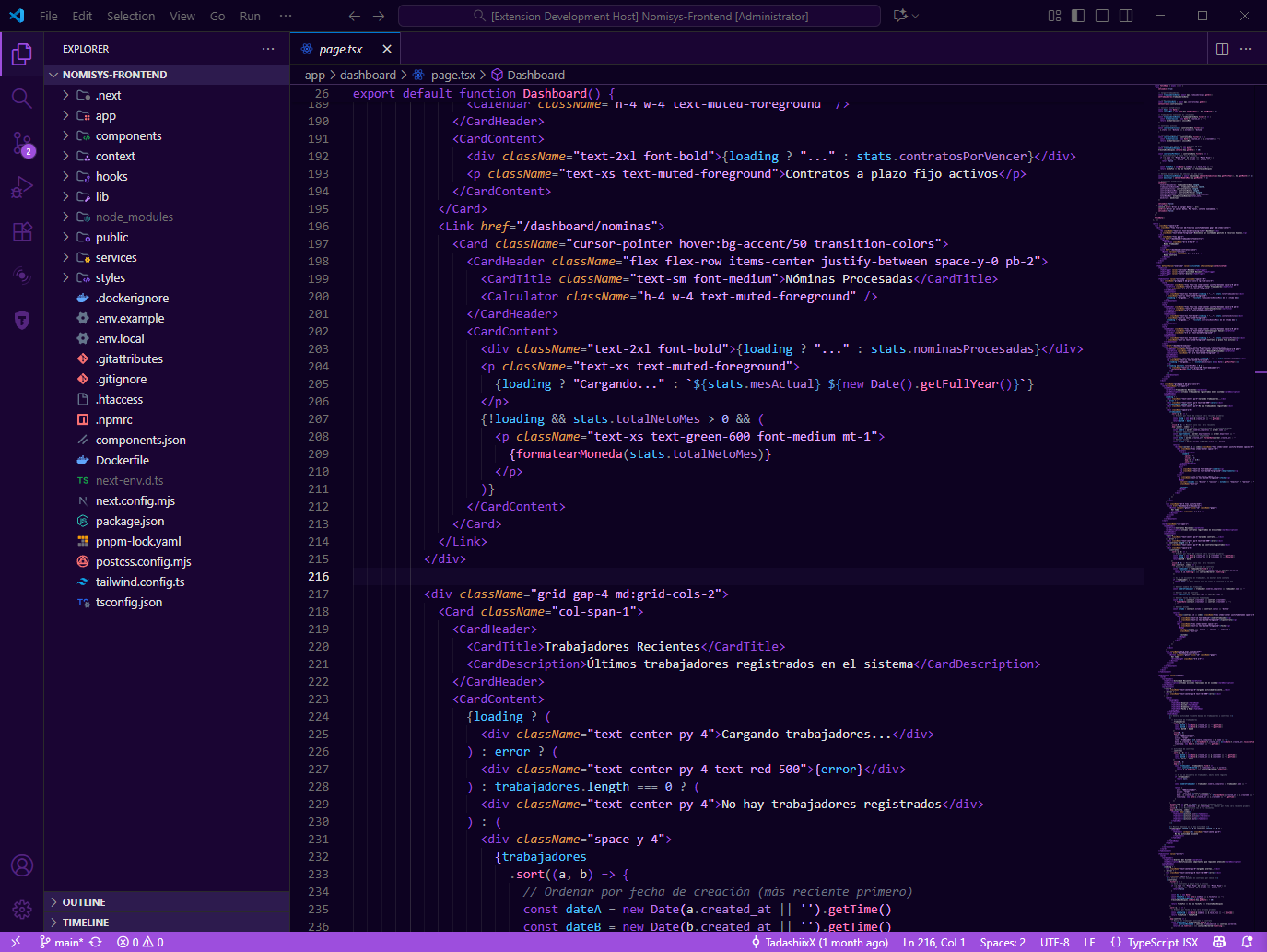 |
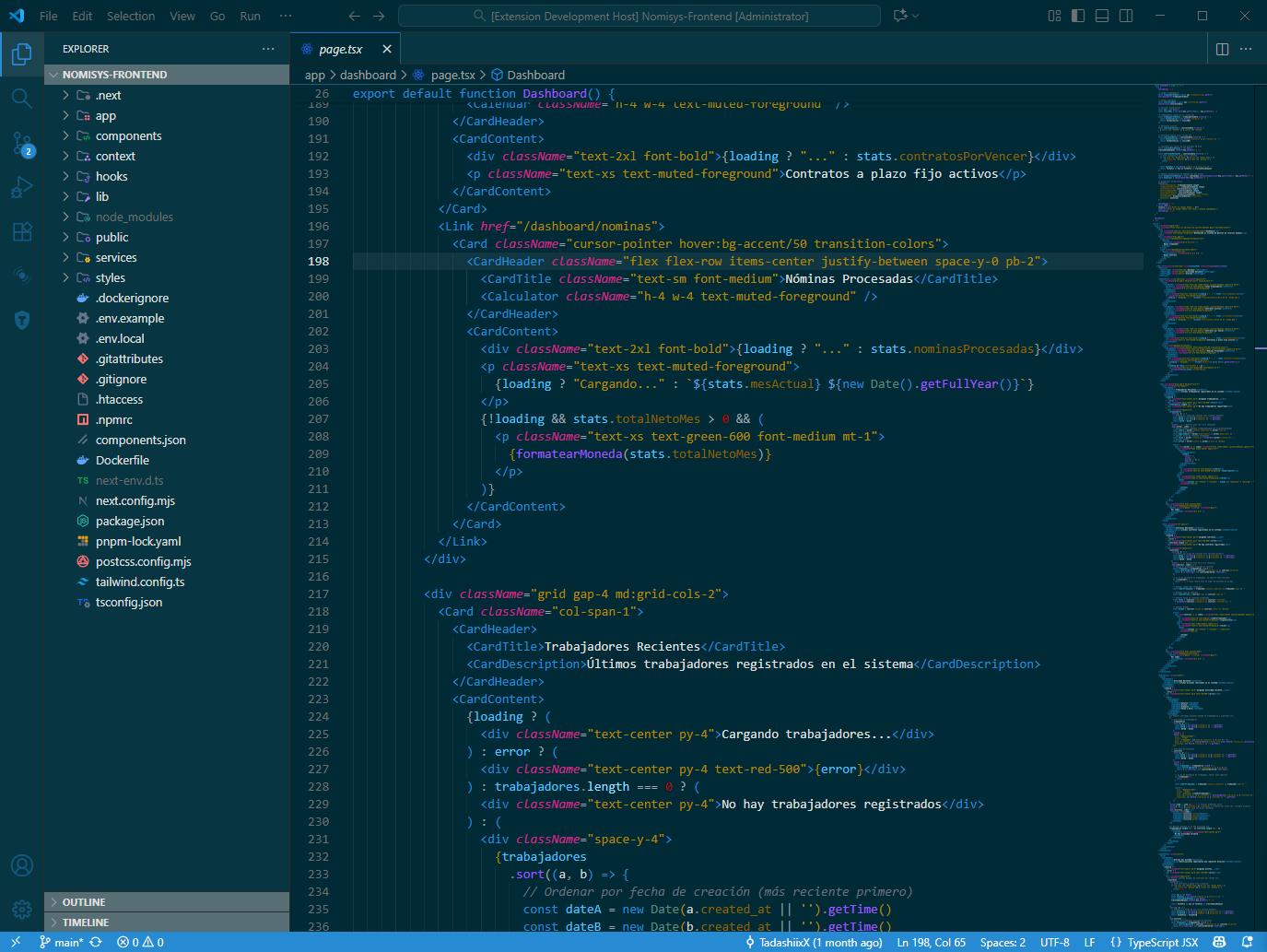 |
| Mint Fresh Light |
Crimson Dark |
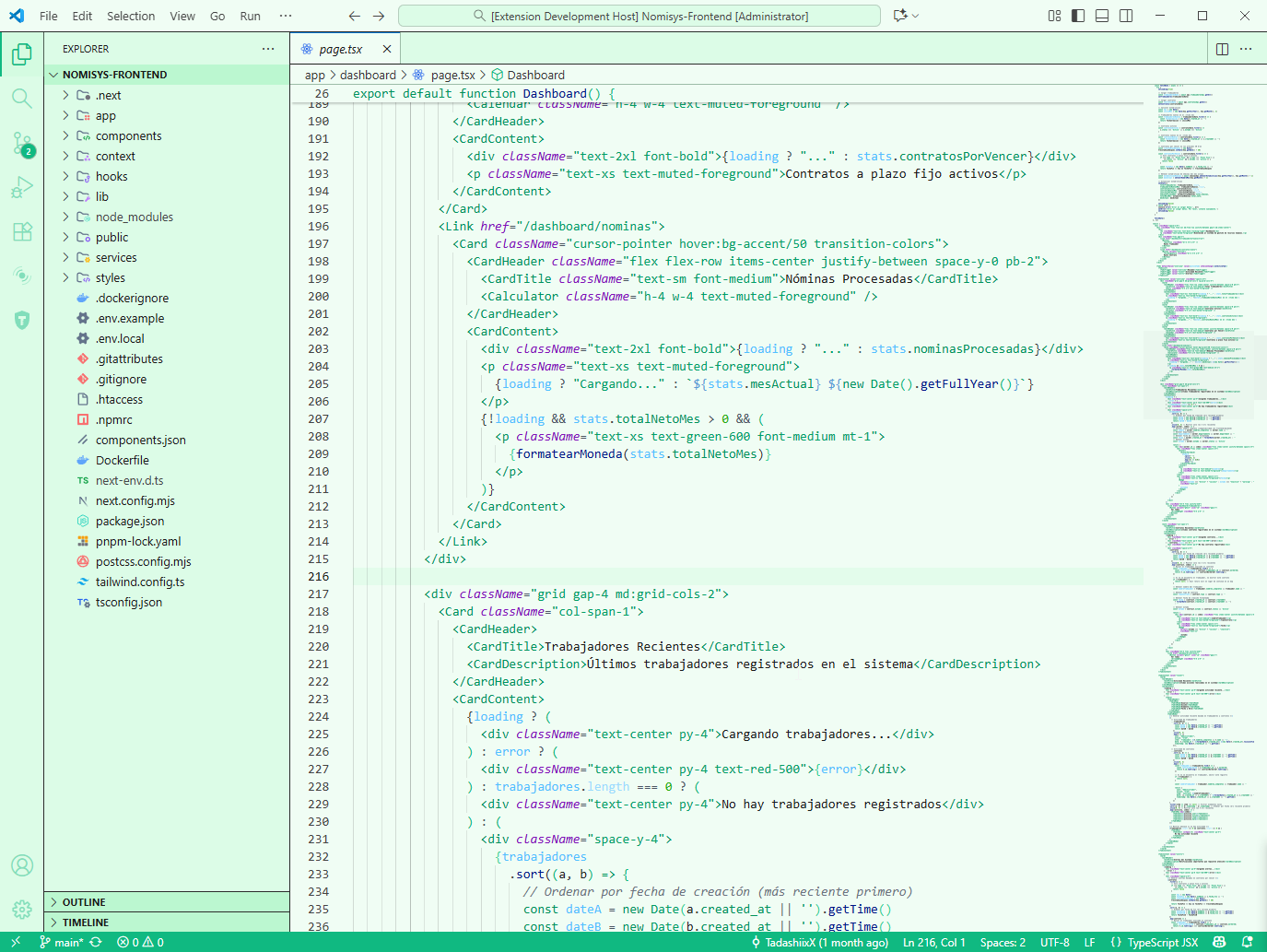 |
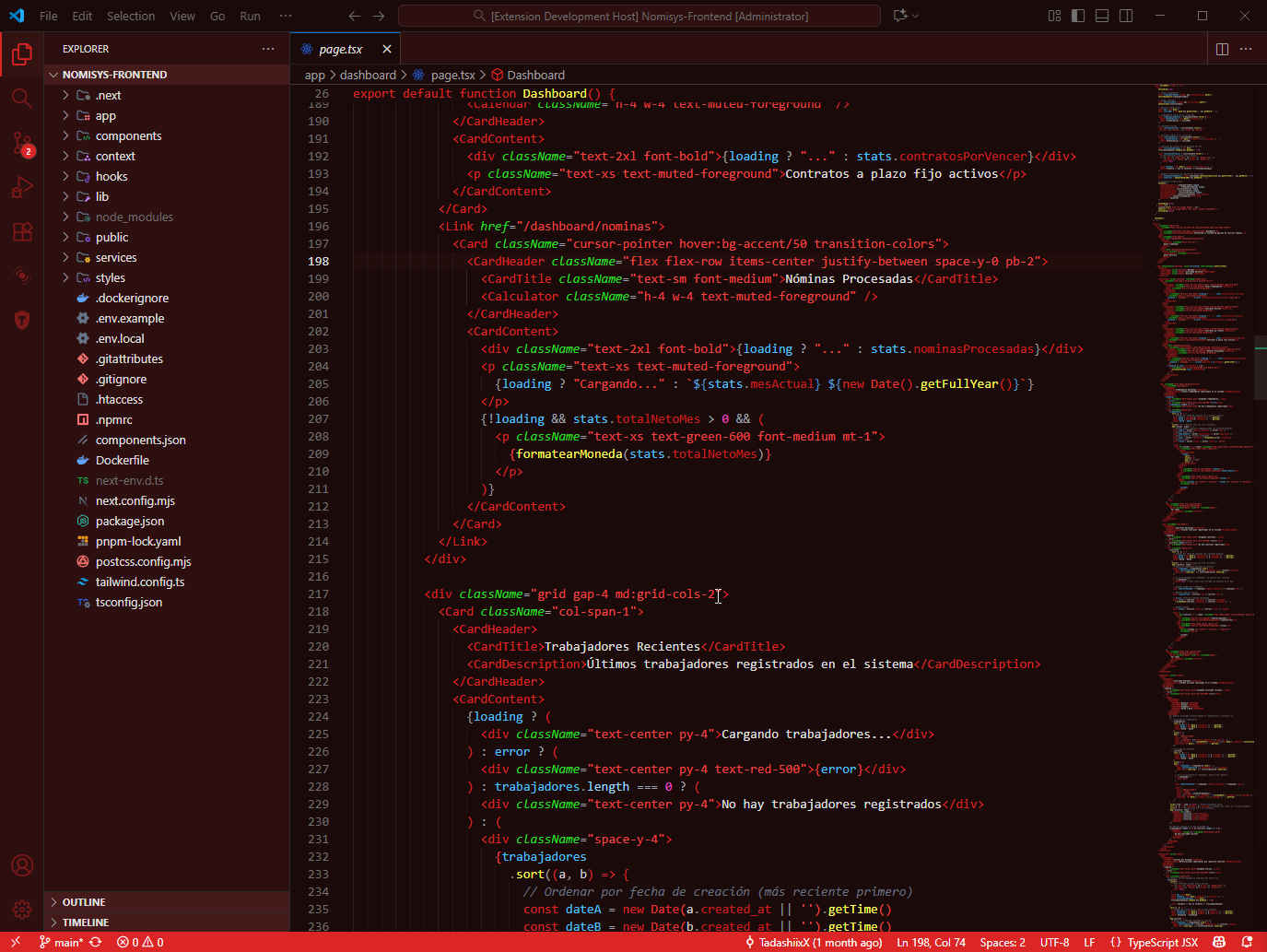 |
🔮 Coming Soon
We're working on new features:
- 🎨 Visual theme editor
- 📤 Export/import configurations
- 👥 Community themes
- 🌈 More color palettes
💬 Feedback & Support
If you find this extension useful, please consider:
⭐ Leave a star - Help others discover this extension!
💬 Write a review - Your feedback helps us improve
If you have any theme requests or issues, please open an issue.
📄 License
MIT © TadashiDevs
| |

