PDF Viewer SDK VSCode Extensions - Syncfusion®Project templates for creating Blazor or .NET MAUI apps using the Syncfusion® PDF Viewer component, along with code snippets to include the PDF Viewer in Blazor Razor files and MAUI XAML files. Installation Launch VS Code Quick Open ( Ctrl+P), paste the following command, and press enter.Copied to clipboard |

The Syncfusion® Essential Studio® PDF Viewer SDK Extensions for Visual Studio Code offer an efficient way to build high‑performance PDF Viewer applications for both Blazor and .NET MAUI. These extensions enhance developer productivity by removing Adobe dependencies and simplifying integration with Syncfusion’s powerful PDF Viewer components. With built‑in code generation, developers can instantly insert the required PDF Viewer SDK code into Blazor Razor files or .NET MAUI XAML files, ensuring a smooth and accelerated development workflow. The extensions also include a ready‑to‑use template studio that provides sample implementations of key PDF Viewer features, giving you a fast and reliable starting point for your projects. Together, these tools streamline the entire setup process and make integrating the Syncfusion® PDF Viewer SDK effortless across both platforms. Highlights:
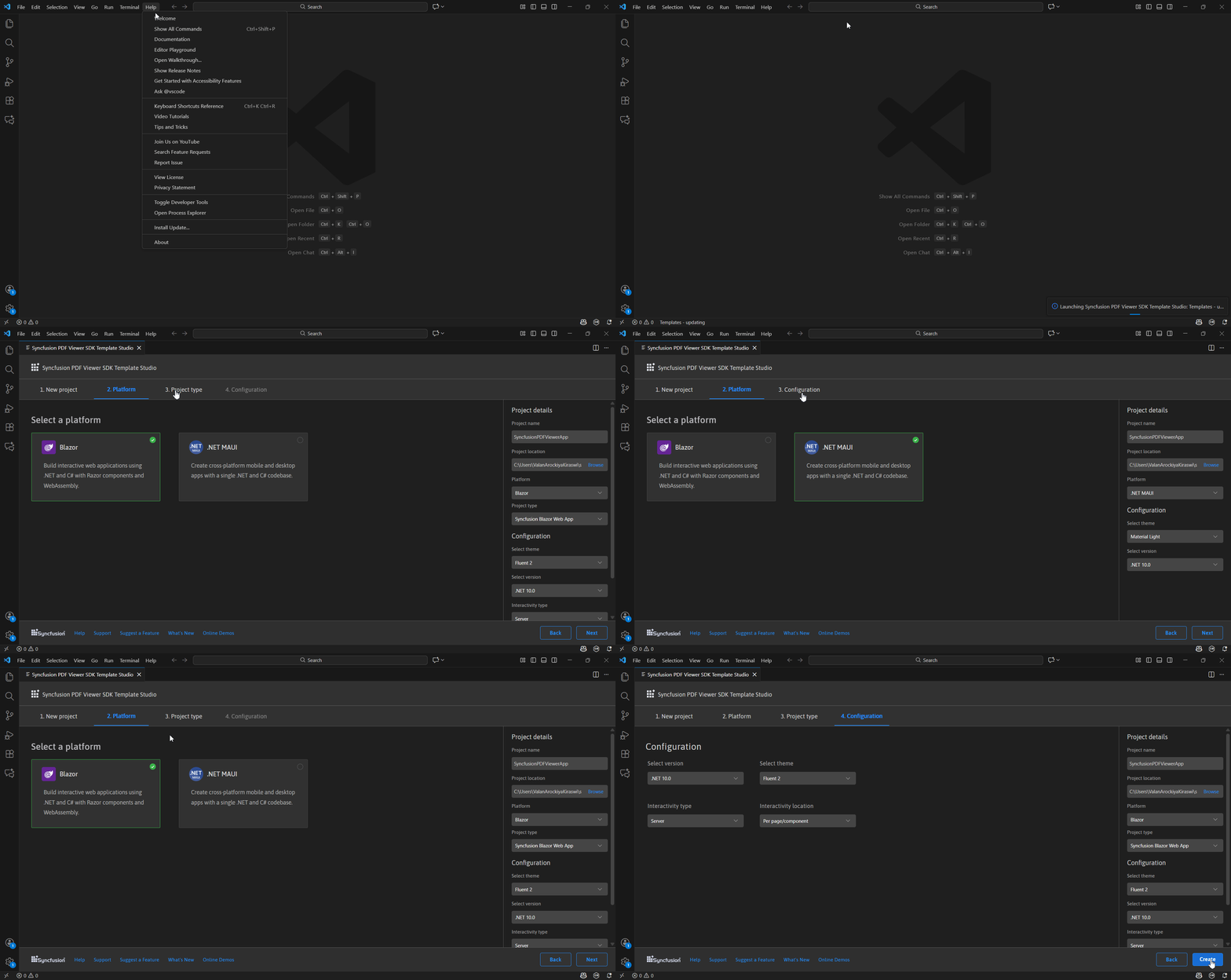
Create a new Syncfusion® PDF Viewer SDK Application in Visual Studio CodeThe Syncfusion® PDF Viewer SDK template studio is a Visual Studio Code extension that uses a wizard to speed up the creation of PDF Viewer SDK applications. The subsequent project is framed, integrating Syncfusion PDF Viewer SDK components and features. Once you’ve installed the Syncfusion® PDF Viewer SDK Visual Studio Code extension, you can launch the template studio from the Command Palette by navigating to View > Command Palette... > Syncfusion® PDF Viewer SDK Template Studio: Launch. You can also access the wizard from the project menu, where you'll find the Syncfusion® PDF Viewer SDK Template Studio. Specify the name and location of the project, then click Create. The template wizard is launched where you can select the platform and corresponding configurations to create the Syncfusion® PDF Viewer SDK application.
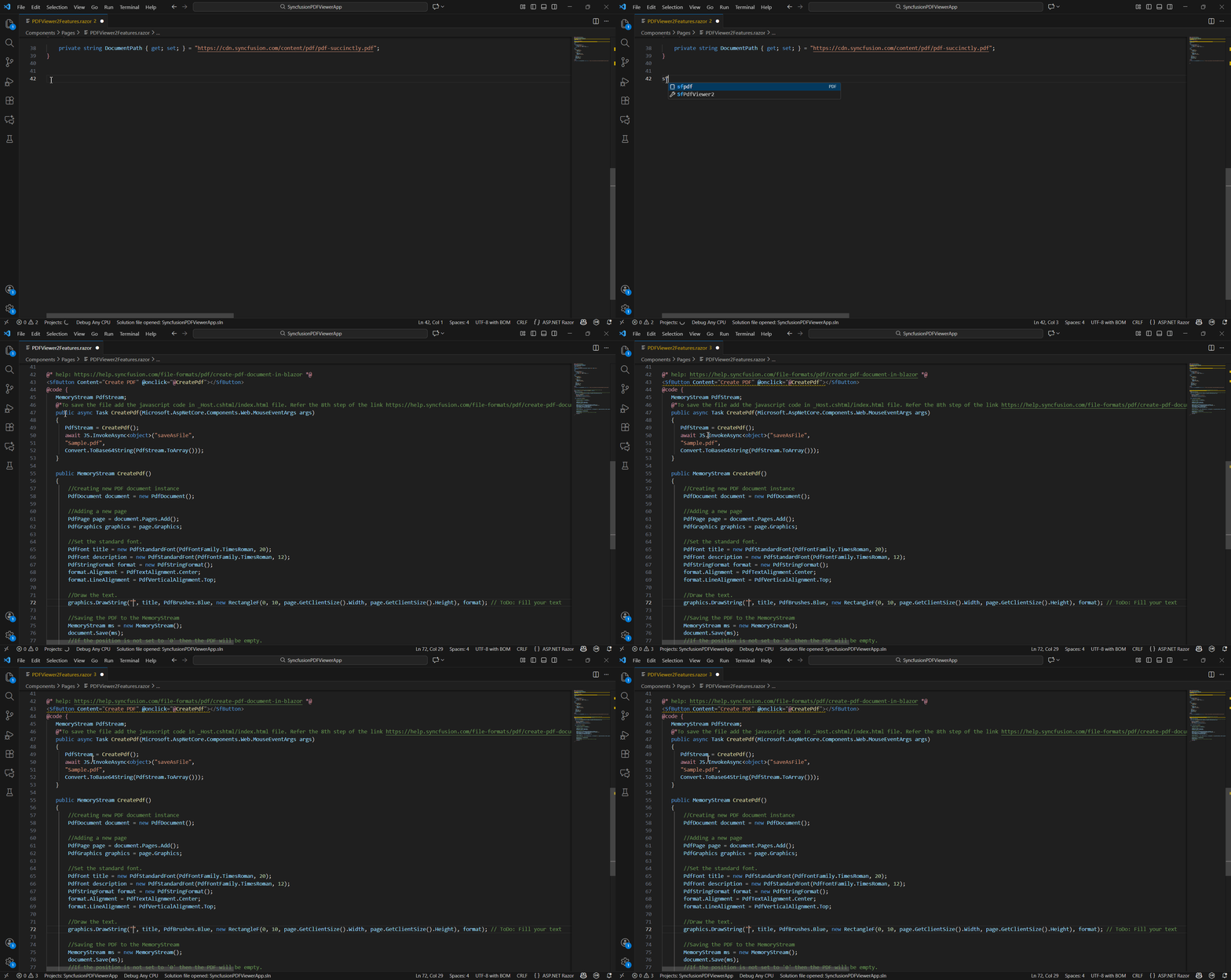
To learn more about the PDF Viewer SDK template studio, refer to this documentation. Blazor PDF Viewer SDK Code SnippetThe Syncfusion Blazor PDF Viewer SDK Code Snippet Utility for Visual Studio Code enables developers to quickly integrate powerful PDF viewing capabilities into their Blazor applications. It provides ready‑to‑use snippets that automatically insert the required components, scripts, and configurations directly into Razor files. This tool streamlines development by reducing manual setup and ensures a smooth, consistent experience when adding PDF viewing features to Blazor projects.
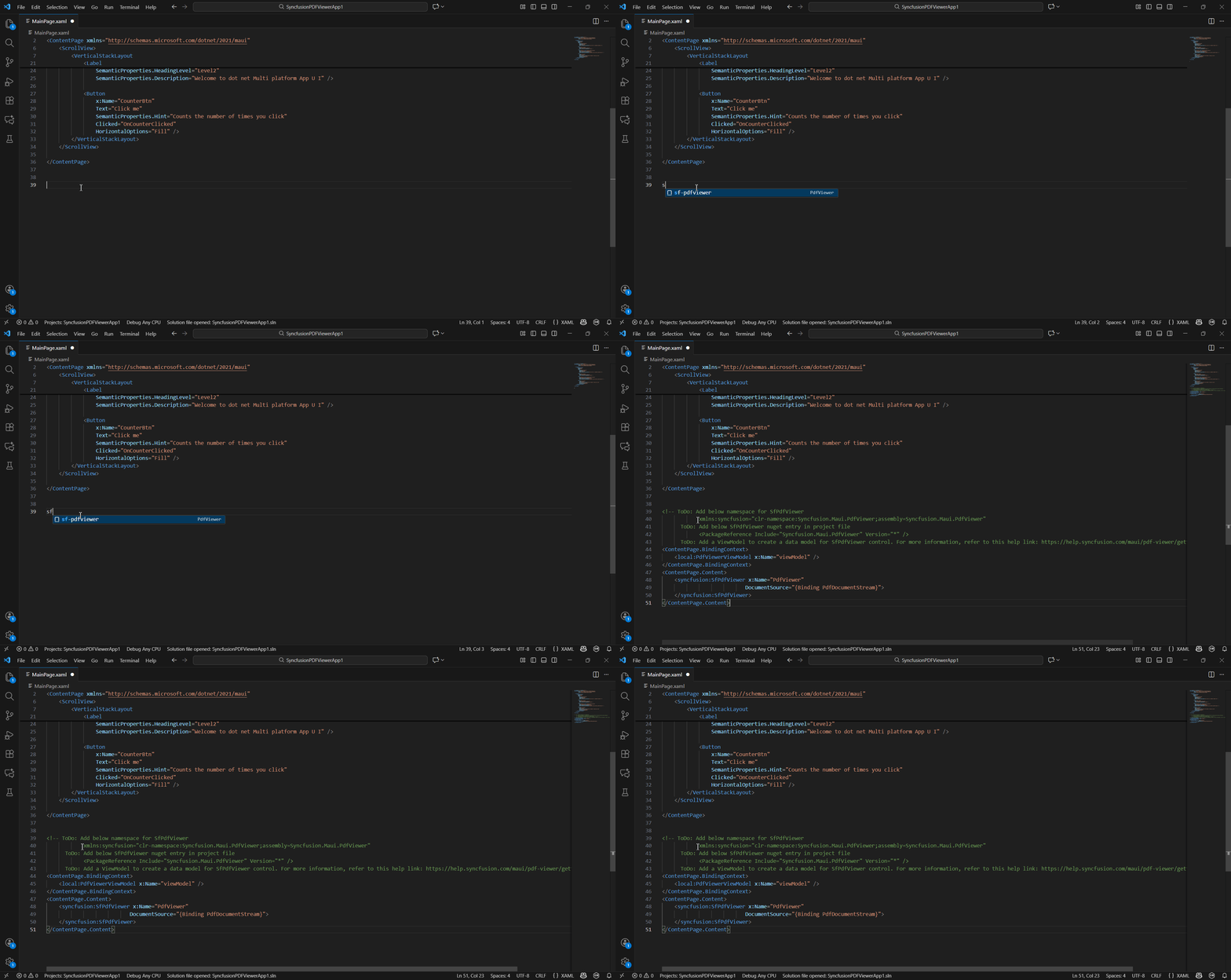
.NET MAUI PDF Viewer SDK Code SnippetThe Syncfusion .NET MAUI PDF Viewer SDK Code Snippet Utility offers an effortless way to embed PDF viewing functionality into cross‑platform MAUI applications. With prebuilt snippets for XAML file, developers can instantly add viewer components, namespaces, and essential configuration entries. This utility accelerates development, minimizes manual effort, and ensures a reliable integration experience for building rich PDF viewing features in .NET MAUI apps.
To learn more about code snippet, refer to this documentation. Related linksLearn more about PDF Viewer SDK components About SyncfusionFounded in 2001 and headquartered in Research Triangle Park, N.C., Syncfusion® has more than 36,000 customers and more than 1 million users, including large financial institutions, Fortune 500 companies, and global IT consultancies. Today, we provide 1600+ components and frameworks for web (Blazor, Flutter, ASP.NET Core, ASP.NET MVC, ASP.NET WebForms, JavaScript, Angular, React, Vue, and jQuery, mobile (.NET MAUI, Flutter, Xamarin, UWP, and JavaScript), and desktop development (WinForms, WPF, WinUI, .NET MAUI, Flutter, Xamarin, and UWP). We provide ready-to-deploy enterprise software for dashboards, reports, data integration, and big data processing. Many customers have saved millions in licensing fees by deploying our software. sales@syncfusion.com | Toll Free: 1-888-9 DOTNET |