DOCX Editor SDK VSCode Extensions - Syncfusion®Project templates for creating Blazor app using the Syncfusion® DOCX Editor component, along with code snippets to include the DOCX Editor in razor files. Installation Launch VS Code Quick Open ( Ctrl+P), paste the following command, and press enter.Copied to clipboard |

The Syncfusion® Essential Studio® DOCX Editor SDK extensions for Visual Studio Code allow you to create a Blazor application using Syncfusion® Essential DOCX Editor SDK component. This extension is specifically engineered to enhance productivity and streamline the process to create, edit and write DOCX file formats applications without dependencies.It serves as a convenient starting point for your development work and helps to create Syncfusion® application, integrating Syncfusion DOCX Editor SDK component and features. They come with ready-to-use DOCX Editor project templates, allowing you to configure the appropriate Syncfusion Blazor DOCX Editor SDK application type based on the version of the .NET SDK you are using and application type.
Highlights:
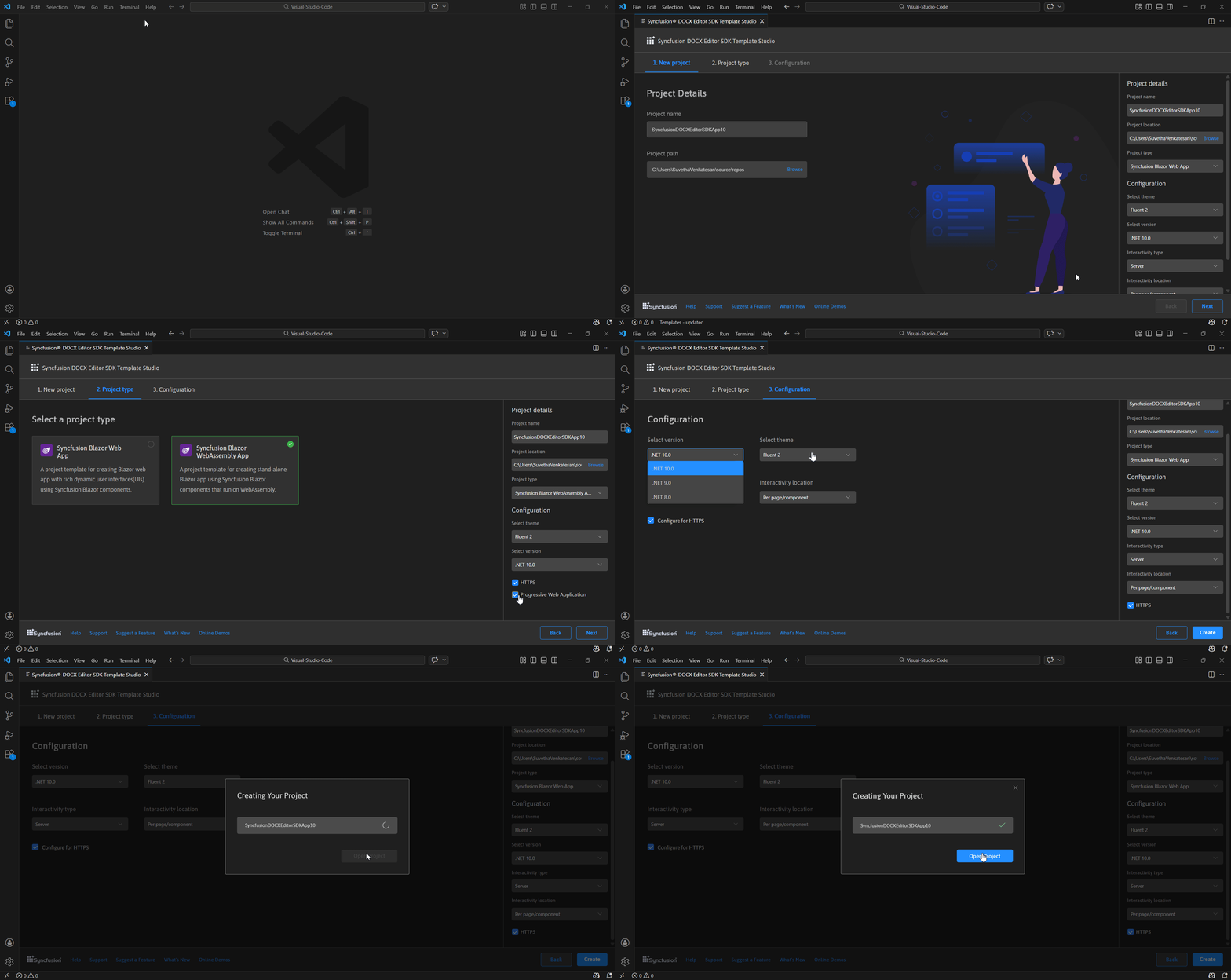
Create a New Syncfusion DOCX Editor SDK Application in Visual Studio CodeThe Syncfusion® DOCX Editor SDK template studio is a Visual Studio Code extension that uses a project template wizard to speed up the creation of DOCX Editor SDK application. Once you’ve installed the Syncfusion® DOCX Editor SDK Visual Studio Code extension, you can launch the template studio from the Command Palette by navigating to View > Command Palette... > Syncfusion® DOCX Editor SDK Template Studio: Launch. The template wizard is launched where you can specify the name and location of the project, then click Next. Select the desired Syncfusion® Blazor project type, choose the required configurations and finalize the setup for your new DOCX Editor SDK application.
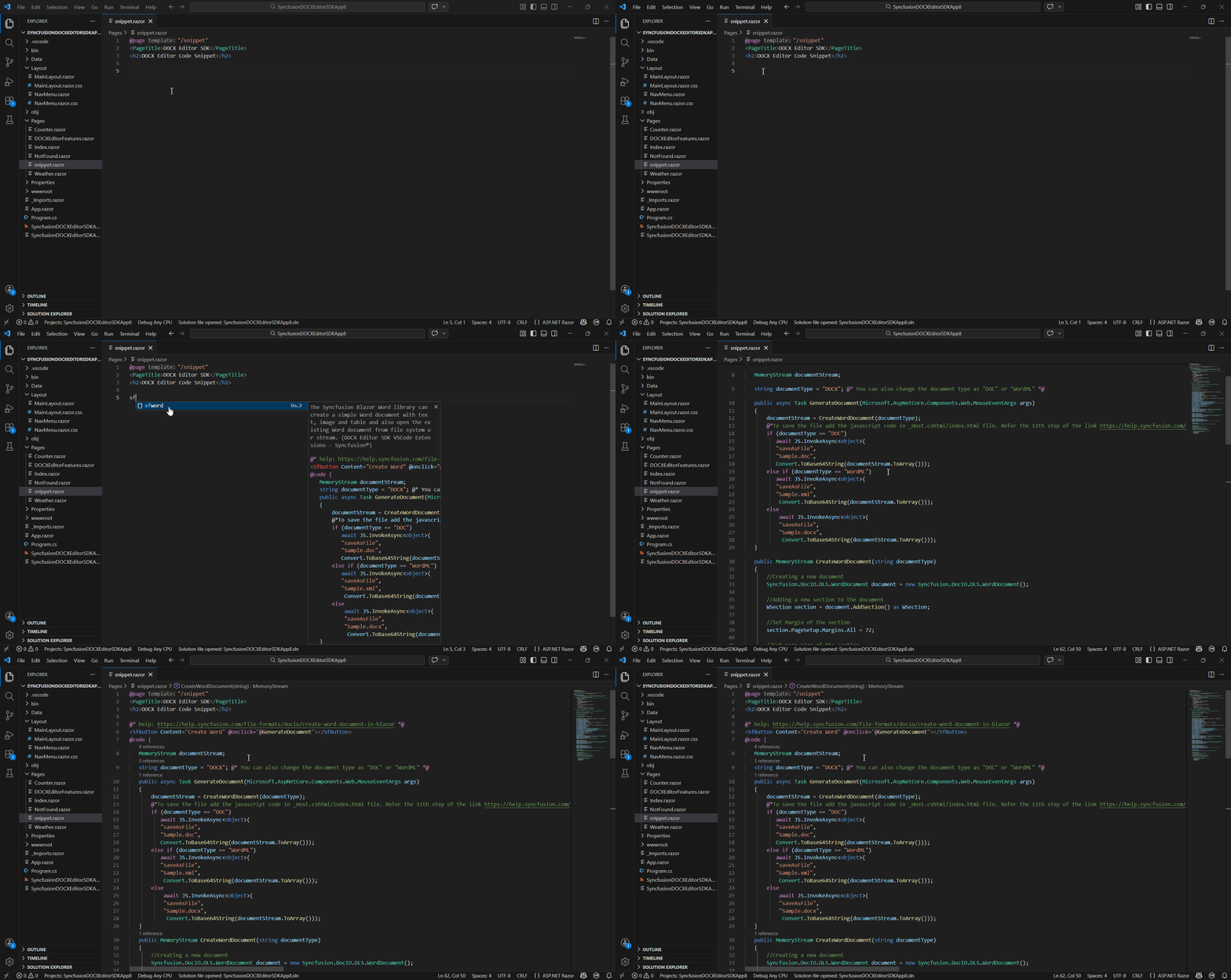
To learn about the project template, refer to this documentation. Blazor DOCX Editor SDK Code SnippetThe Syncfusion Blazor DOCX Editor SDK code snippet utility for Visual Studio Code provides snippets for adding a Syncfusion DOCX Editor SDK component in the Razor file when developing a Blazor application. These snippets significantly shorten development time.
To learn more about code snippet, refer to this documentation. Related linksAbout SyncfusionFounded in 2001 and headquartered in Research Triangle Park, N.C., Syncfusion® has more than 38,000 customers and more than 1 million users, including large financial institutions, Fortune 500 companies, and global IT consultancies. Today, we provide 1600+ components and frameworks for web (Blazor, Flutter, ASP.NET Core, ASP.NET MVC, ASP.NET WebForms, JavaScript, Angular, React, Vue, and jQuery, mobile (.NET MAUI, Flutter, Xamarin, UWP, and JavaScript), and desktop development (WinForms, WPF, WinUI, .NET MAUI, Flutter, Xamarin, and UWP). We provide ready-to-deploy enterprise software for dashboards, reports, data integration, and big data processing. Many customers have saved millions in licensing fees by deploying our software. sales@syncfusion.com | Toll Free: 1-888-9 DOTNET |