Skip to content
| Marketplace
Sign in
Visual Studio Code>AI>V3CodeNew to Visual Studio Code? Get it now.
V3Code

V3Code

Sylith

|
1 install
| (1) | Free
The control plane for coding agents on VS Code: Claude Code, Codex, Cursor Agent, Copilot, Antigravity, OpenCode and more, side by side, in threads you can hand from one agent to another.
Installation
Launch VS Code Quick Open (Ctrl+P), paste the following command, and press enter.
Copied to clipboard
More Info

V3Code

The control plane for coding agents on VS Code.

Run Claude Code, Codex, Cursor Agent and a dozen more side by side, hand a thread from one agent to another, and see every change they make. Free. Works in VS Code, Cursor, Windsurf, Kiro and VSCodium.

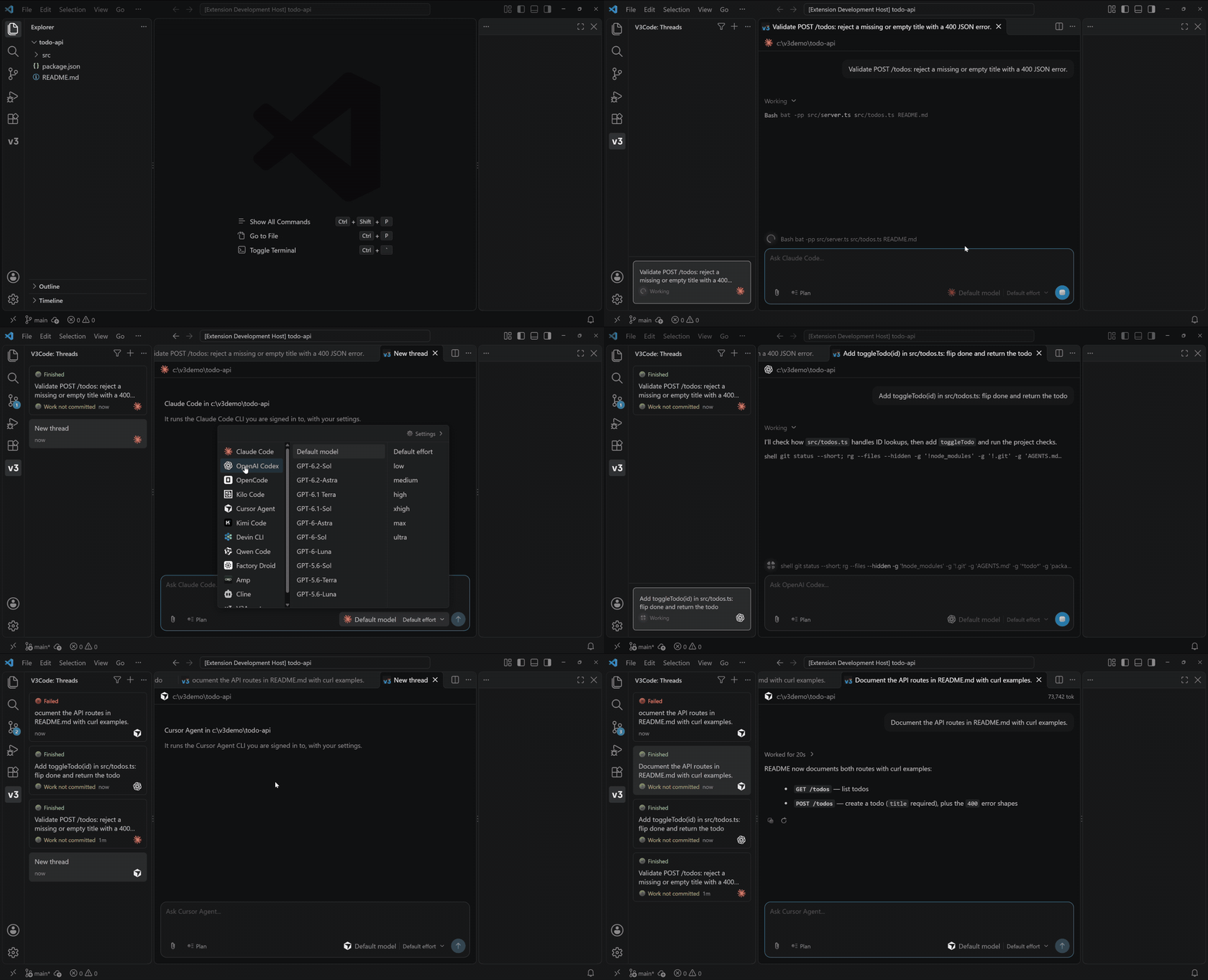
Three agents working in parallel

Why V3Code

  • Every agent, one panel. Each thread runs the CLI you already signed in to. No new account, no new bill.
  • Parallel by default. Start as many threads as you want; each runs on its own.
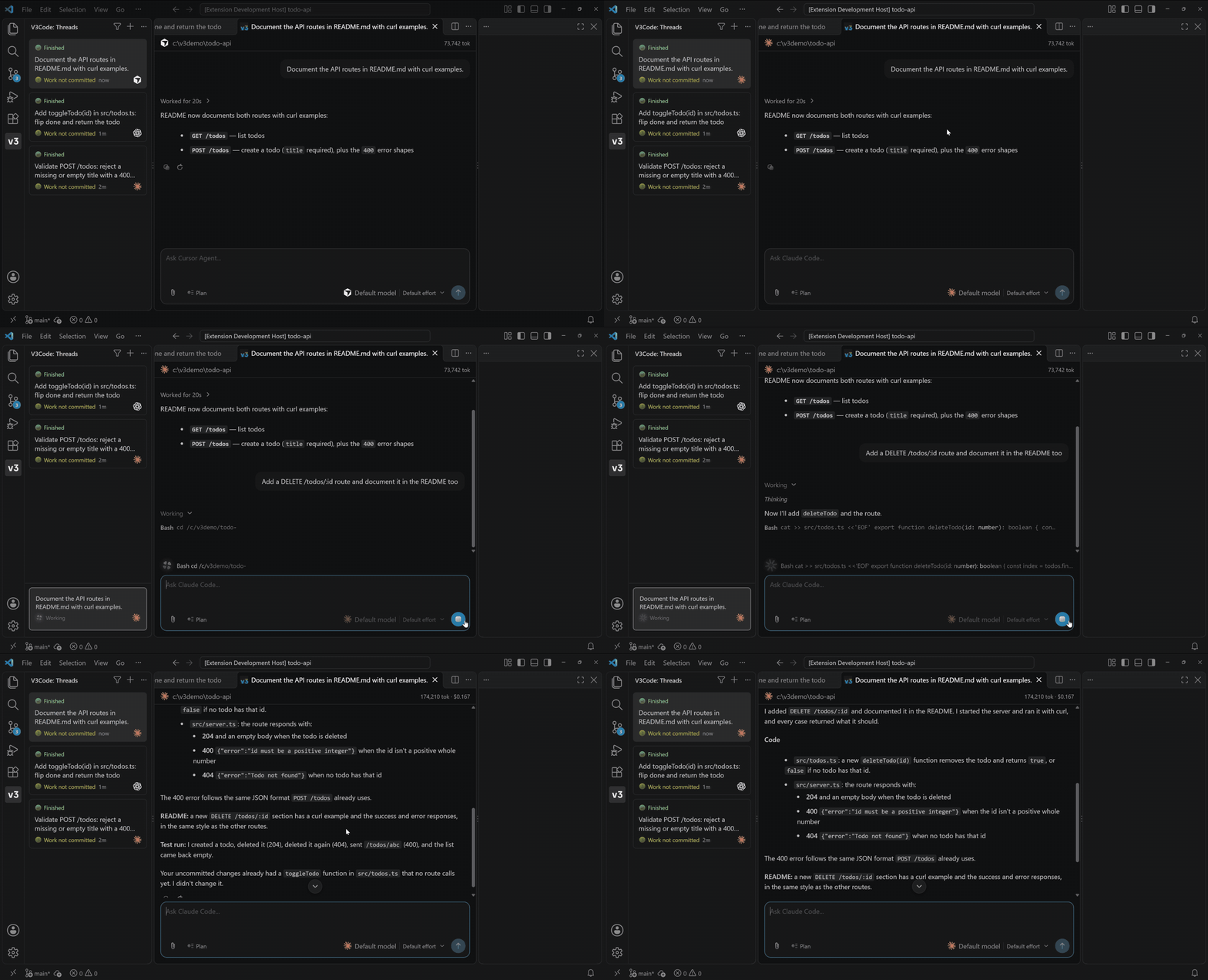
  • Threads, not sessions. Switch a thread to another agent at any turn: it reads the history and picks up where the last one stopped.
  • States at a glance. Working, Waiting, Failed, Finished, Completed: the list sorts itself by what needs you.
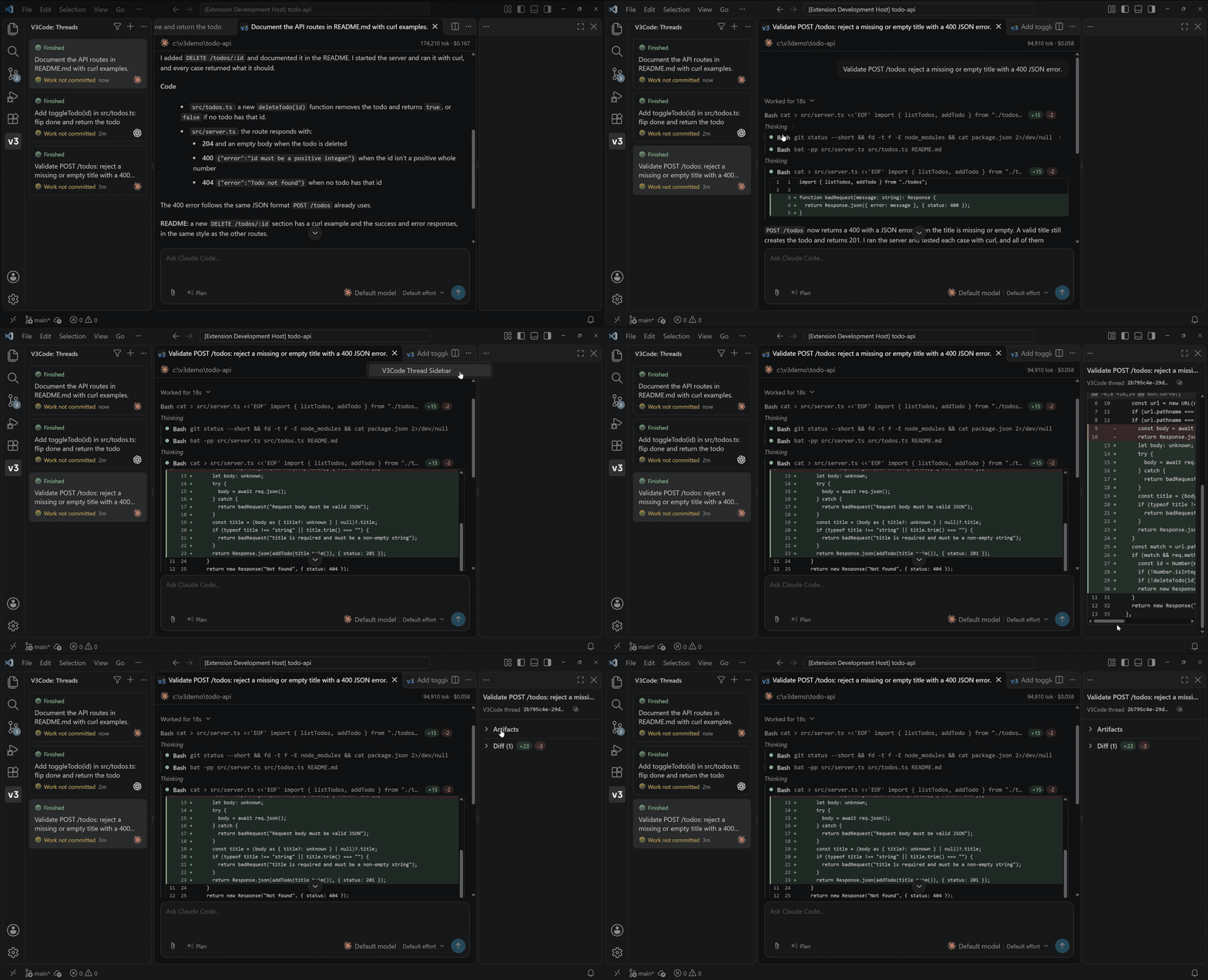
  • Every change, visible. Edits show as diffs in the thread, and the whole thread's diff sits beside it.

Switch agents mid-thread

Claude Code takes over a thread started by Cursor Agent

Review what changed

An edit's diff in the thread, and the thread's diff beside it

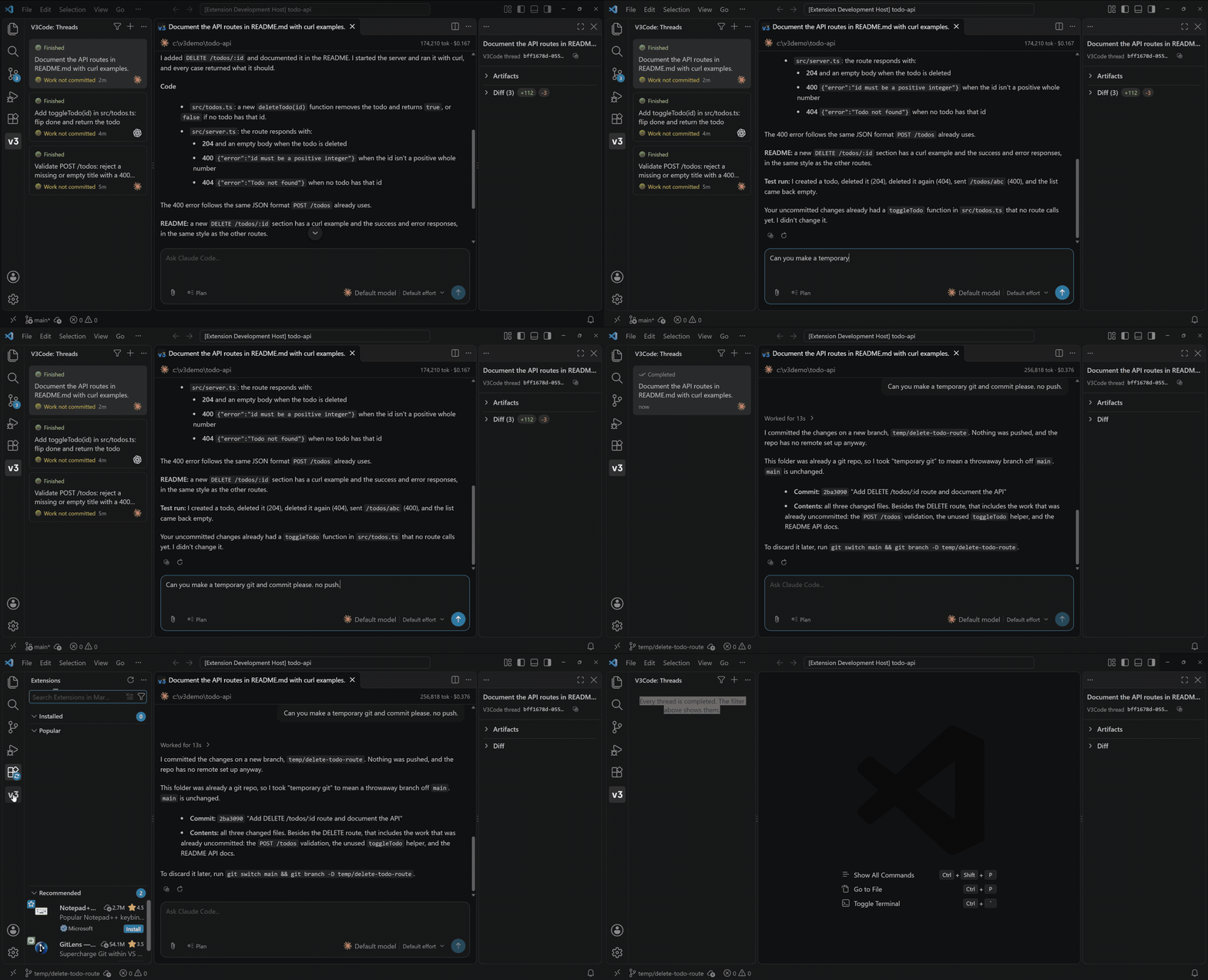
Done means committed

A finished thread stays in the list until its work is committed. Then it is Completed and steps aside.

A thread commits its work and moves to Completed

Supported agents

Agent CLI
Claude Code claude
OpenAI Codex codex
Google Antigravity agy
GitHub Copilot copilot
Cursor Agent cursor-agent
Grok Build grok
OpenCode opencode
Kilo Code kilo
Cline cline
Amp amp
Factory Droid droid
Devin CLI devin
Qwen Code qwen
Kimi Code kimi
DeepSeek Harness dsh
V3Agent built in

V3Code finds the CLIs on your PATH; the ones it cannot find stay out of the picker.

V3Agent

V3Code's own agent, for when you have no CLI at hand:

  • Bring your own key: OpenAI, Anthropic, OpenRouter, Groq, Mistral and any provider from the models.dev catalog.
  • Or Sylith credits: sign in with GitHub, buy a $5, $20 or $50 pack, pay per call.

Get started

  1. Install an agent CLI and sign in to it (for example claude or codex).
  2. Open the V3 view in the Activity Bar.
  3. Click New Thread, pick the agent in the composer, and send.

Requires VS Code 1.106 or later.

Privacy

V3Code sends no telemetry. Your prompts go to the agent you pick, under that agent's own terms. V3Code itself only reads the models.dev catalog, and talks to v3.sylith.dev only when you use Sylith credits.


Made by Sylith. Free to use; see the licence included with the extension.

  • Contact us
  • Jobs
  • Privacy
  • Manage cookies
  • Terms of use
  • Trademarks
  • Your Privacy Choices
  • Consumer Health Privacy
© 2026 Microsoft