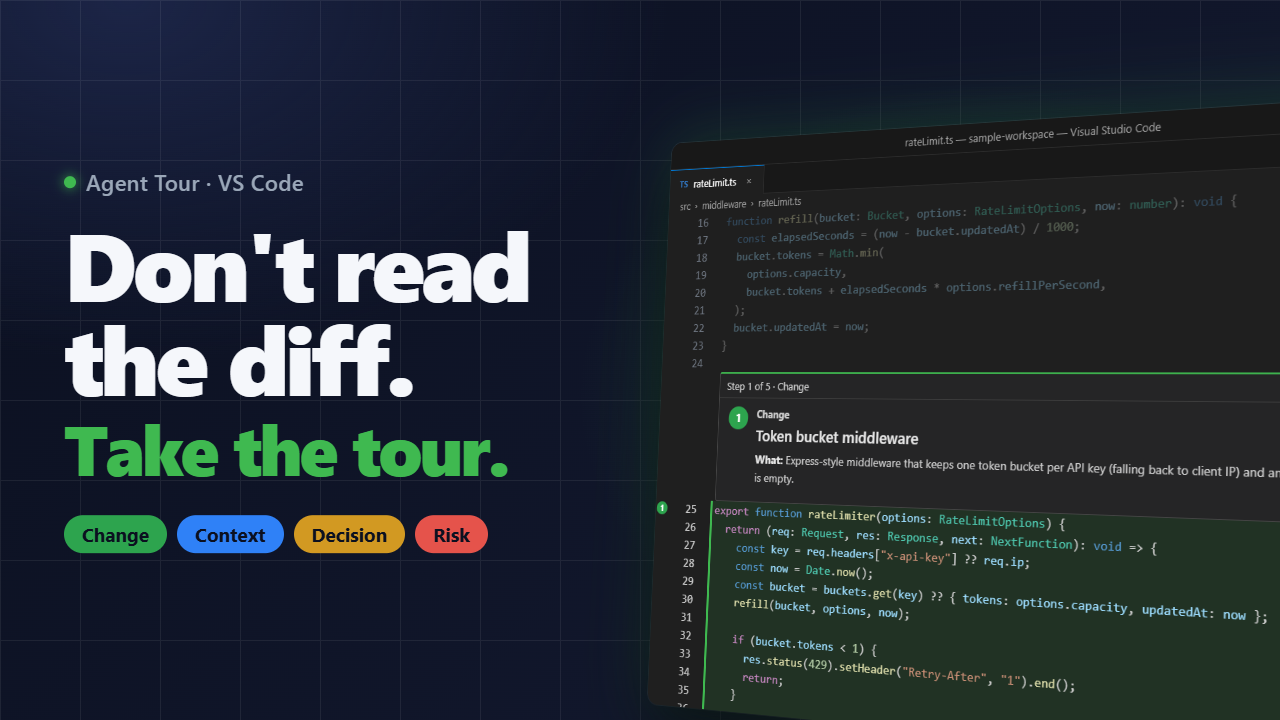
Agent Tour - Review AI ChangesPreviewGuided, spotlighted code tours of agent-written changes, played in the real editor. Installation Launch VS Code Quick Open ( Ctrl+P), paste the following command, and press enter.Copied to clipboard |

Agent TourYour agent changed a dozen files. Don't read the diff: take the tour. Agent Tour turns a coding agent's change into a guided tour that plays in your real editor. Each step spotlights the lines that matter, dims everything else, and explains what changed, why it was done that way, and what to watch for.
How it works
Nothing is written to your repository: tours live in a temp folder, one per workspace, and each new tour replaces the last. The skill is includedInstalling this extension also gives GitHub Copilot Chat the Using Claude Code or Copilot CLI? Install the same skill as a plugin from the project's repository. Claude Code (inside a session): Copilot CLI: The skill's validator needs Node.js 18 or later on your In the editor
Steps are colored by meaning: green for a change, blue for context, amber for a decision that needs your judgement, red for a risk. If code moves after the tour was written, the step follows it; if the code is gone, the step is marked stale instead of highlighting the wrong lines. The tour is also listed under Explorer → Agent Tours. Settings
Security and privacyTours are treated as untrusted input: they can only open files inside your workspace, card text can't run commands or load images, and nothing starts automatically in untrusted workspaces. No network access, no telemetry. Documentation, issues and source · MIT license |