
FileMaker Data API Tools turns VS Code into a serious FileMaker workspace: connect to a FileMaker server, inspect layouts and metadata, run find requests, edit records, compare schema snapshots, export large result sets, and review diagnostics without leaving the editor.
Built by ABD Enterprises. A free, open-source tool for FileMaker developers — distilled from the workflows we use on every client engagement.
Built for teams that already live in VS Code:
- Direct and proxy connection modes
- Visual query builder plus raw JSON find requests
- Full CRUD workflows for records
- Schema snapshots, diffing, and generated TypeScript types
- Batch export/update jobs and request history
- Enterprise controls, offline metadata mode, and safe plugin hooks
- No telemetry and no required cloud account
Product Tour
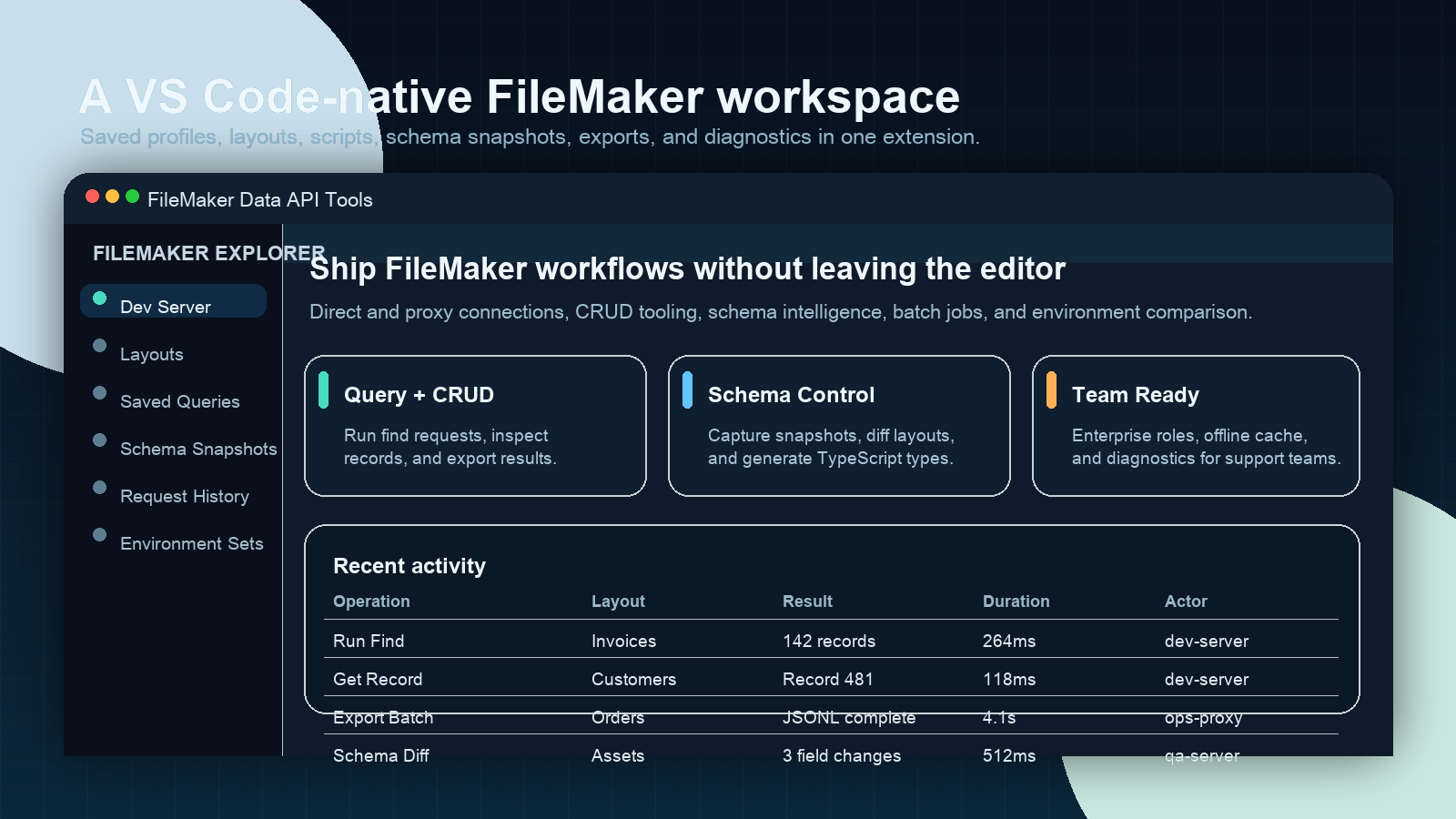
The explorer keeps profiles, layouts, saved queries, schema snapshots, request history, environment sets, and diagnostics in one sidebar workflow.
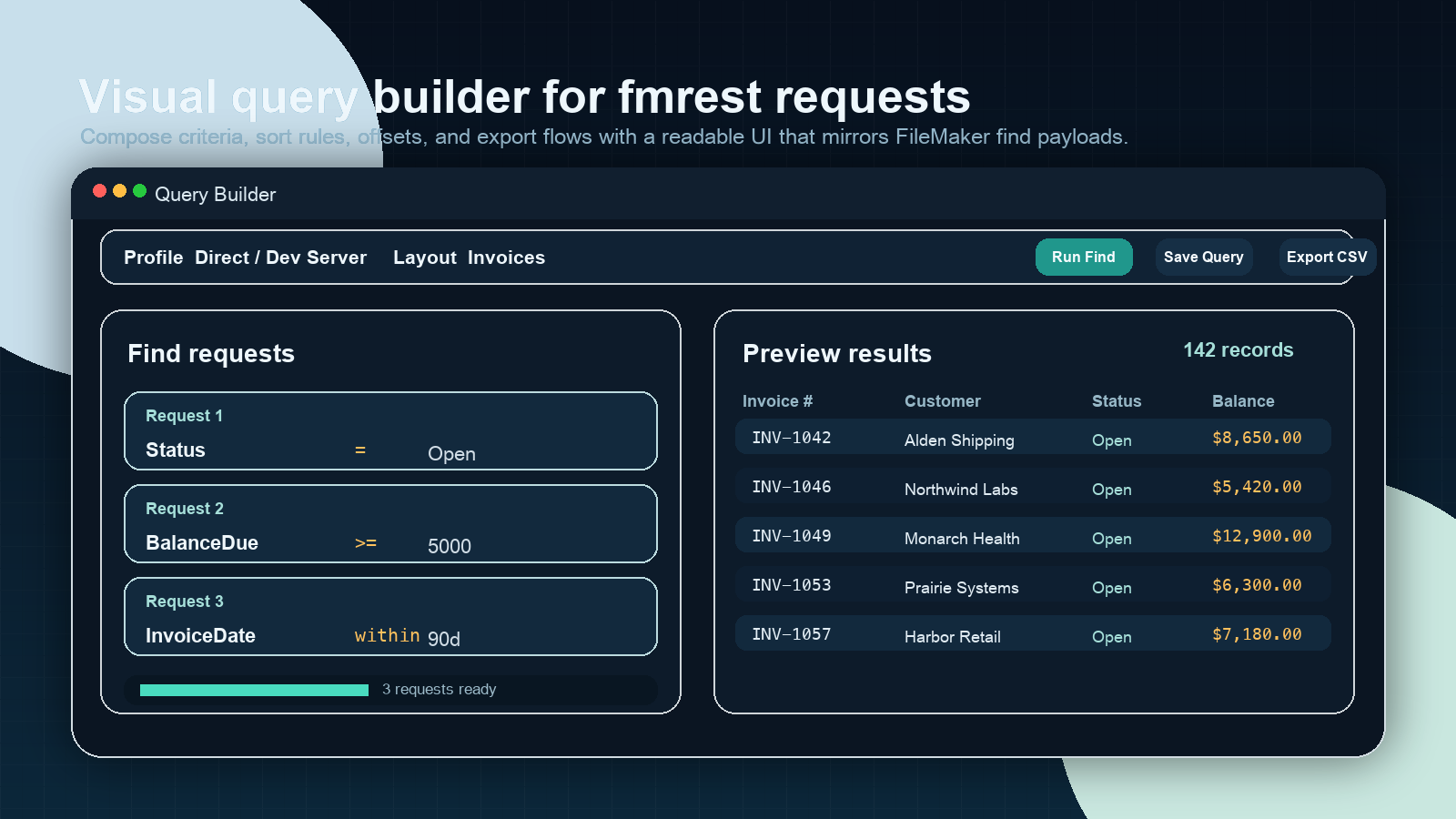
The query builder gives you a readable UI for FileMaker find payloads, saved queries, result previews, and export actions.
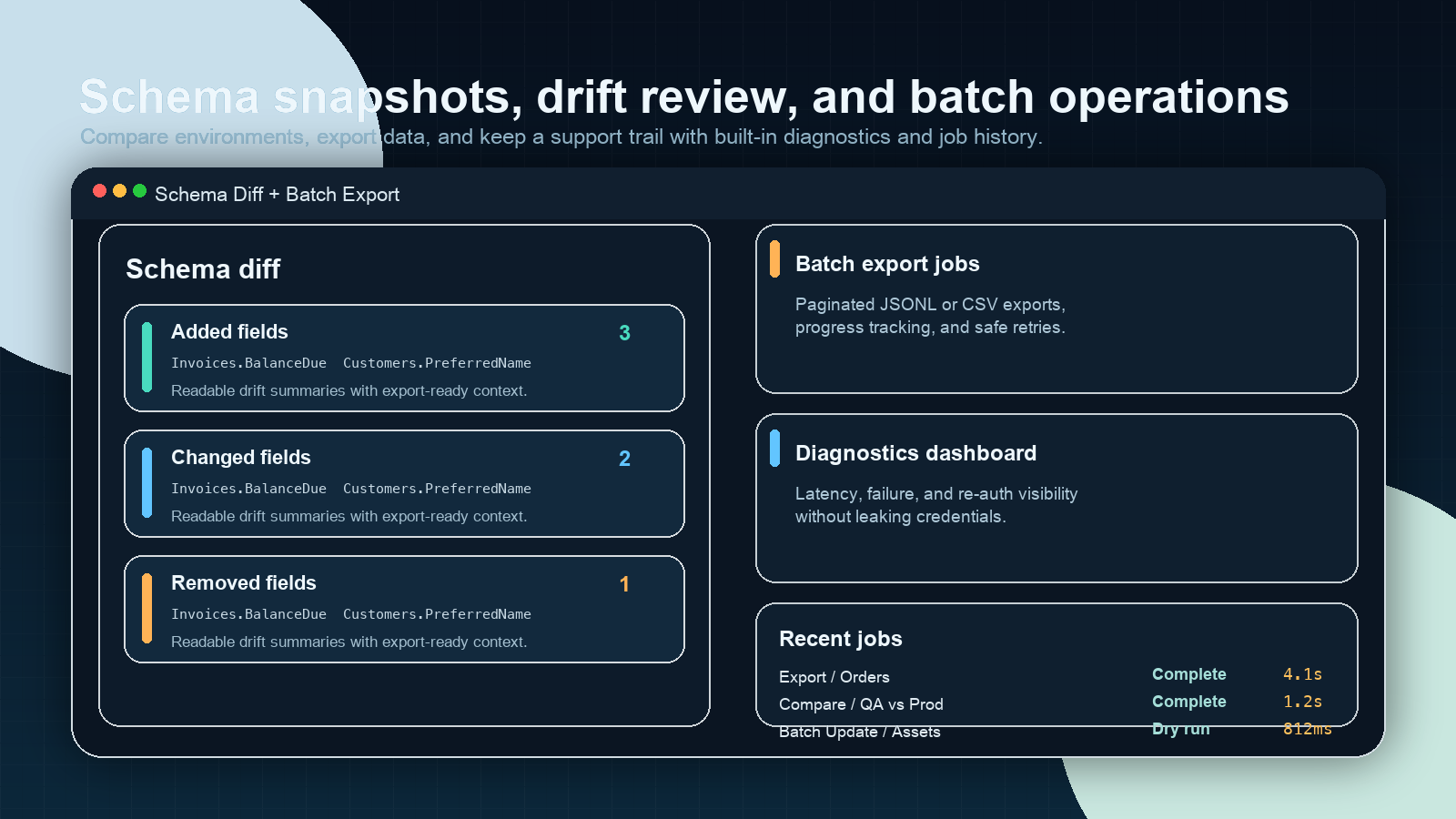
Capture schema snapshots, review drift between environments, and run batch exports with job status and diagnostics built in.
Install
From the VS Code Marketplace
- Open the Extensions view in VS Code.
- Search for
FileMaker Data API Tools.
- Select Install.
- Reload the window if VS Code prompts you.
From a VSIX
- Download
filemaker-data-api-tools-1.0.0.vsix.
- Run Extensions: Install from VSIX... from the Command Palette.
- Select the VSIX file and reload the window.
Quick Start
Connect with direct mode
- Run FileMaker: Add Connection Profile.
- Choose a profile name such as
Dev Server.
- Select Direct.
- Enter the FileMaker server URL, database name, and credentials.
- Run FileMaker: Connect.
Credentials stay in VS Code SecretStorage; they are never written to workspace settings or logs.
Connect with proxy mode
- Run FileMaker: Add Connection Profile.
- Select Proxy.
- Enter the FileMaker server URL, database name, and your proxy endpoint.
- Add an API key if your proxy requires one.
- Run FileMaker: Connect.
Run your first query
- Run FileMaker: Open Query Builder.
- Pick a layout.
- Add one or more find requests.
- Click Run Find.
- Review the result table or export the result set.
Feature Highlights
Query, records, and scripts
- Run FileMaker find requests with JSON or the visual query builder
- Open, create, edit, and delete records from within VS Code
- Save reusable queries and execute them from the explorer
- Run FileMaker scripts with parameters and inspect results
Schema and generation
- Browse layout fields and value lists in the explorer
- Capture schema snapshots and diff drift over time
- Compare layouts across environments
- Generate TypeScript types and snippets from layout metadata
Scale and operations
- Export large result sets to JSONL or CSV
- Run batch update jobs with dry-run defaults
- Review request history, latency, re-auth events, and diagnostics
- Use offline metadata mode when a server is unavailable
Security and governance
- Secrets stored only in VS Code
SecretStorage
- Authorization headers and credentials are redacted in logs and copy-as helpers
- Workspace trust and role guards protect write workflows
- Webviews use CSP nonces and do not call FileMaker endpoints directly
Common Commands
| Command |
Purpose |
FileMaker: Add Connection Profile |
Create a new direct or proxy connection |
FileMaker: Connect |
Start a session with a saved profile |
FileMaker: Open Query Builder |
Build and run FileMaker find requests |
FileMaker: Open Record Editor |
Edit a record with preview support |
FileMaker: Create Record |
Create a new record on a layout |
FileMaker: Delete Record |
Delete a record with confirmation |
FileMaker: Upload to Container |
Upload an image, PDF, or binary file to a container field |
FileMaker: Capture Schema Snapshot |
Save metadata for later diffing |
FileMaker: Diff Schema Snapshots |
Compare two snapshots side by side |
FileMaker: Batch Export (Find) |
Export JSONL or CSV from a find request |
FileMaker: Show Request History |
Review prior API requests and status |
Development
npm install
npm run lint
npm run typecheck
npm test
npm run package:check
npm run package:check produces a VSIX in artifacts/ using the same metadata and image URLs that the Marketplace pipeline uses.
Additional project docs:
Need help with FileMaker integration?
This extension is free and MIT-licensed. The team behind it — ABD Enterprises — has been delivering FileMaker integration, migration, and modernization work since 2005.
If you need a hand with the work behind the tool:
| Engagement |
Price |
What you get |
| Discovery Sprint |
$3,000 / 1 week |
Documented requirements + effort estimate |
| Integration Audit |
$4,500 / 1 week |
Architecture review, gap analysis, prioritized remediation |
| Migration Assessment |
$9,000 / 2 weeks |
Honest evaluation: modernize within FileMaker, or move on |
| Platform Modernization |
$25k – $150k |
Execute the chosen path in measured phases |
| Retainer |
$5,000 / month |
Ongoing maintenance, feature work, FM Server administration |
Contact: registrar@abdenterprises.com · abdenterprises.com
License
MIT

