Skip to content
| Marketplace
Sign in
Visual Studio Code>Visualization>SuperBased ObserverNew to Visual Studio Code? Get it now.
SuperBased Observer

SuperBased Observer

SuperBased

| (0) | Free
Capture, normalise, and analyse every AI coding tool's activity locally. Sees Claude Code, Codex, Cursor, Cline, Copilot. No telemetry. No cloud.
Installation
Launch VS Code Quick Open (Ctrl+P), paste the following command, and press enter.
Copied to clipboard
More Info

SuperBased

SuperBased Observer for VS Code

See what your AI coding tools are doing — locally, in your editor.

Captures, normalises, and analyses tool-call activity from Claude Code, Codex, Cursor, Cline, Copilot, and 9 more. Zero telemetry. No data leaves your machine.


⚡ 5-minute quick start

1. You just installed the extension. Now what?

The extension wraps the observer binary — a small, local Go service that watches your AI tools' log files and exposes a dashboard. The binary either downloads automatically on first activation (~21 MB from GitHub Releases) or uses one you've installed elsewhere (npm install -g @superbased/observer works too).

2. Verify your install

Open the command palette (Ctrl+Shift+P / ⌘⇧P) and run:

Observer: Doctor

A terminal opens with a health-check. All four lines should show ✅. If anything fails, the error tells you what to fix.

3. Start the daemon

Two paths — pick whichever fits your workflow:

Option A — Let the extension manage it for you (recommended for most users)

  1. Open Settings (Ctrl+, / ⌘,)
  2. Search "observer.daemon.mode"
  3. Change it from detect to auto

The daemon now starts automatically with VS Code and stops cleanly when you close it.

Option B — Start it yourself in a terminal

observer start

Keep that terminal open. The extension attaches to it automatically.

4. Open the dashboard

Observer: Open Dashboard

Or click the spend indicator in the bottom-right status bar ($(graph) $0.00 until your AI tools generate activity).

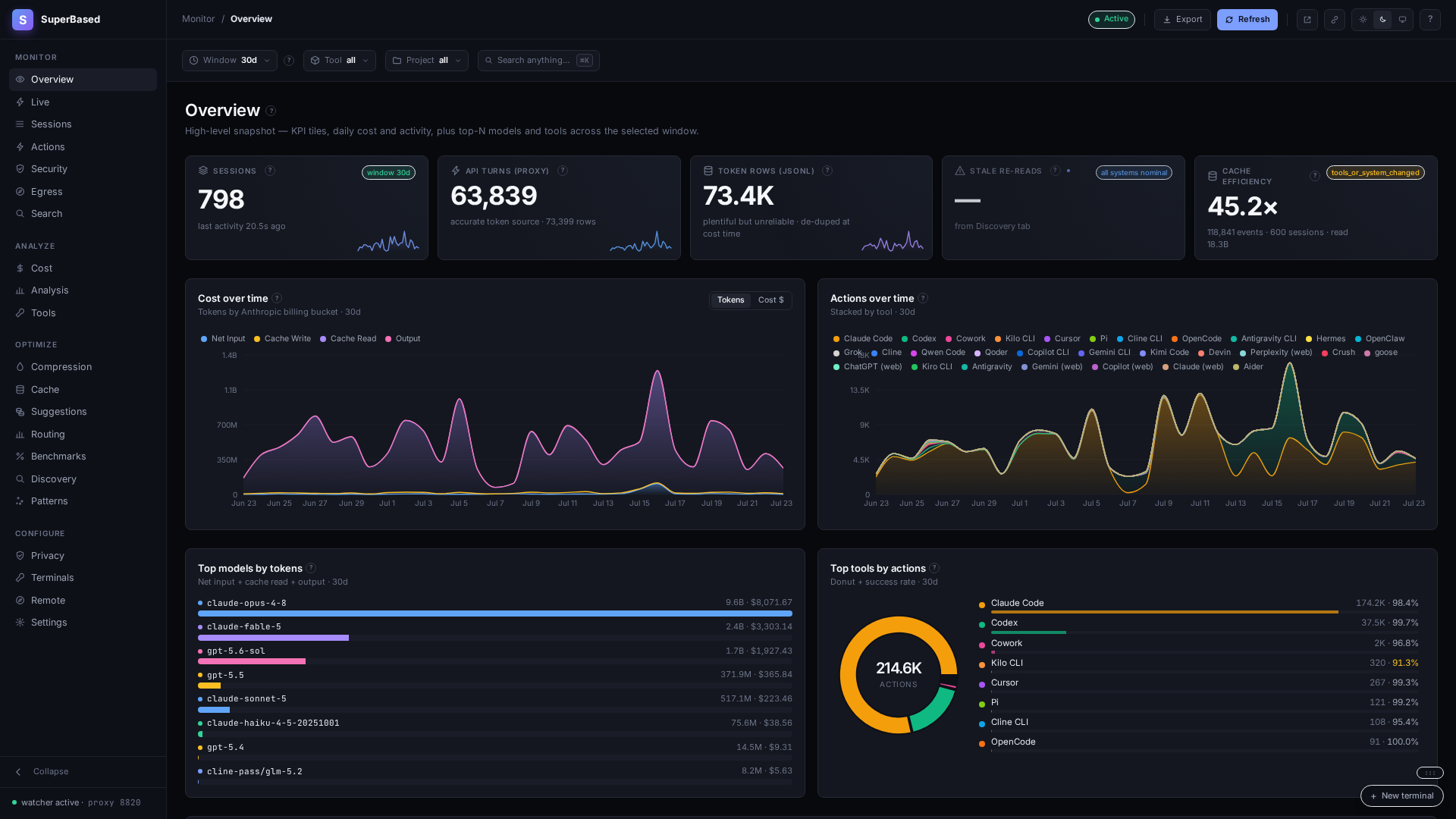
The full React analytics dashboard renders inside a VS Code editor tab. This is where you see your metrics. Nine sections, all linked to your real captured activity:

Tab Shows
Overview Today's spend, top model, burn rate, month projection.
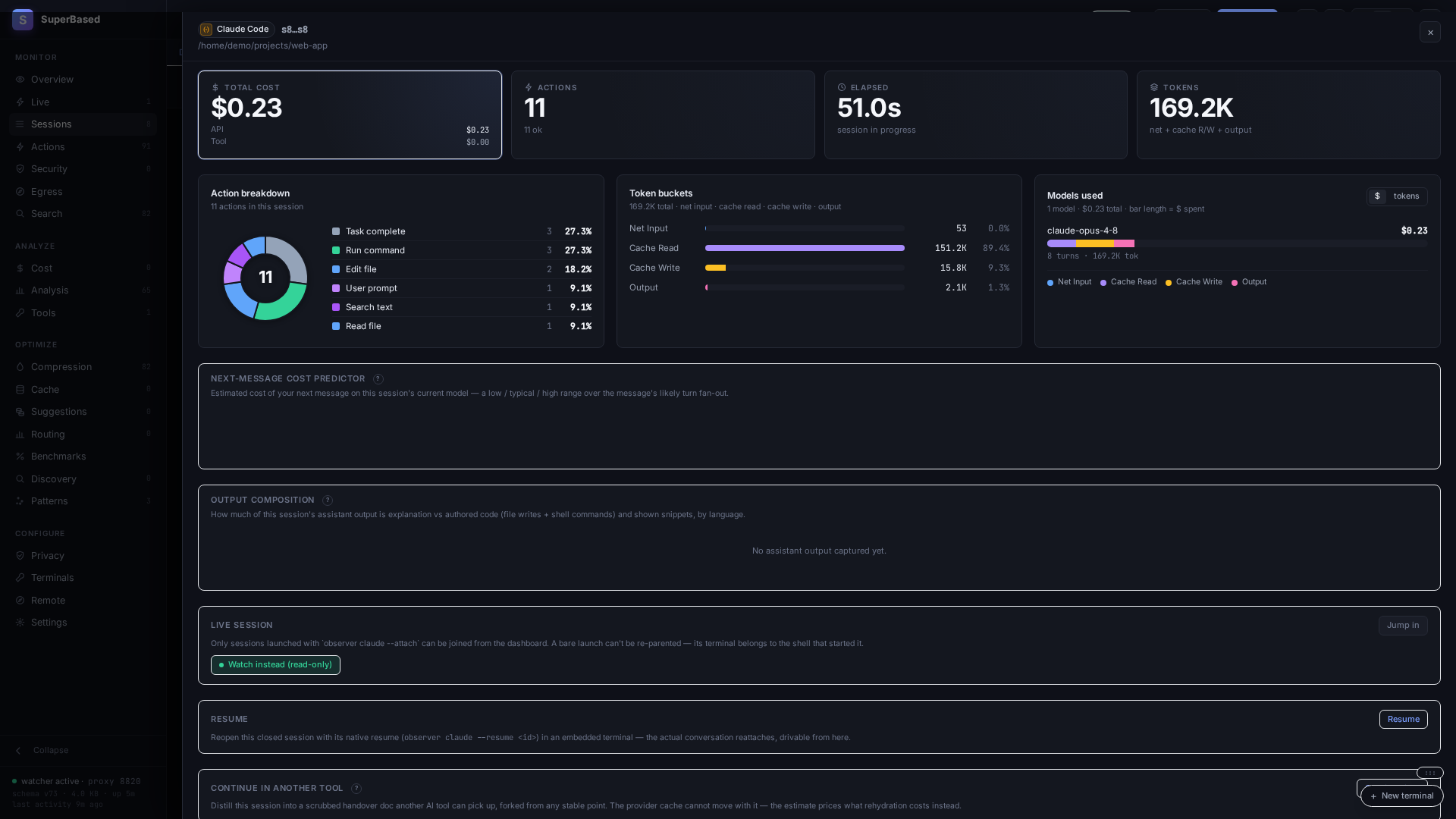
Sessions Every AI coding session with cost, duration, tool — drill into action-by-action timelines.
Cost Per-day / per-tool / per-model rollup with cache efficacy + compression savings.
Discovery Cross-tool file overlap, stale re-reads, redundant command patterns.
Analysis High-context turns, prior-month comparisons, cache-savings trend.
Settings Schema-driven editor for every config knob in ~/.observer/config.toml.

5. Capture an AI session

Open a terminal in VS Code. Click the down-arrow next to the + in the terminal panel → choose "AI Coding Tool (Observer-proxied)". The new terminal already has ANTHROPIC_BASE_URL, OPENAI_BASE_URL, and ENABLE_TOOL_SEARCH=true exported.

Run your AI CLI from that terminal:

claude     # or: cursor-agent, codex, cline-cli, gh copilot, …

Everything routes through the local proxy. Within ~30 seconds your session shows up in the dashboard with accurate token counts (not the ~3.4× over-bill you get from non-proxied JSONL adapters).


🎯 What you get

Surface What it does How to access
Status bar Today's spend at a glance, polled every 60s. Hover for delta vs yesterday, top model, burn rate, month projection. Bottom-right corner. Click → open dashboard.
Sidebar Four trees — Today, Sessions, Discovery, Costs (7d) — refreshed automatically. Click the SuperBased icon in the activity bar (left rail).
Dashboard webview The full React analytics SPA in an editor tab. Same surface as http://127.0.0.1:8081/. Observer: Open Dashboard or status-bar click.
File freshness Small dot in the file explorer next to files your AI tools touched in the last 24h. Hover shows last-read-by, edit count, stale re-reads flagged. Just open a file — visible immediately.
Notifications Budget breach (80% of monthly cap) + watcher-lag warnings. Deduped so they don't nag. Automatic. Tunable thresholds in settings.
Terminal profile "AI Coding Tool (Observer-proxied)" — pre-exports proxy env vars so AI CLIs launched from it route through observer. Terminal panel → dropdown next to + → pick the profile.
Instruction-file CodeLens "Refresh from Observer learnings" + "Preview suggestions" on CLAUDE.md / AGENTS.md / .cursorrules. Auto-updates the file from your captured patterns. Open one of those three files — appears at the top.
Get Started walkthrough 7-step interactive tour. Help → Welcome → "Get Started with SuperBased Observer".

⚙️ Settings

Setting Default Purpose
observer.daemon.mode detect detect attaches only; managed spawns + kills with the editor; auto attaches if a daemon is running, otherwise spawns.
observer.binary.path empty Absolute path to override binary auto-detection.
observer.dashboard.port 8081 Where the dashboard listens.
observer.proxy.port 8820 Where the API reverse proxy listens.
observer.statusBar.enabled true Today-spend status bar item.

🎛️ Common commands

Open the command palette (Ctrl+Shift+P / ⌘⇧P) and type Observer:

Command Use it when
Observer: Open Dashboard You want to see your metrics.
Observer: Doctor Something seems off — health-check the install.
Observer: Start Daemon You picked managed or auto mode and need to (re)start.
Observer: Copy Proxy Env Vars You want to set up proxy routing in an existing terminal.
Observer: Refresh All Trees The sidebar feels stale.

🤖 Supported AI tools

  • Claude Code (CLI + IDE) — via proxy + MCP server
  • Cursor (CLI + IDE) — via proxy + agent-transcripts
  • Codex / Codex CLI — via proxy
  • Cline + Roo Code + Continue — via proxy
  • GitHub Copilot CLI — via JSONL adapter (no proxy hook available upstream)
  • Cowork + Opencode + Openclaw + Pi — via JSONL adapter
  • Antigravity + WindSurf — via watcher

Full integration details in the user guide.


🔒 Privacy + local-first

  • Zero telemetry. Respects telemetry.telemetryLevel. No usage reporting, no crash analytics, no session beacons.
  • No outbound network calls at runtime. The only network traffic the extension ever generates is the first-install binary download from GitHub Releases when no observer is found locally. After that, all communication is to 127.0.0.1:<dashboard.port> on your workspace host.
  • No data leaves your machine. Every byte captured stays in ~/.observer/observer.db.
  • Codespaces / Remote-SSH / WSL2 / Dev Containers all work via portMapping — data still doesn't cross any wire that wasn't already part of your VS Code remote-dev session.

📖 Going deeper

  • User Guide — long-form walkthrough: daily workflow, per-AI-tool integration, customisation recipes, troubleshooting.
  • Reference Docs — full command + settings reference + compatibility matrix.
  • GitHub — source, issues, releases.

💬 Help

  • Issues: github.com/marmutapp/superbased-observer/issues
  • Discussions: github.com/marmutapp/superbased-observer/discussions
  • Output channel: View → Output → Observer shows everything the extension is doing — include the relevant excerpt when filing bugs.

Built with Go + TypeScript. Apache-2.0 licensed. Zero telemetry.

  • Contact us
  • Jobs
  • Privacy
  • Manage cookies
  • Terms of use
  • Trademarks
© 2026 Microsoft