Skip to content
| Marketplace
Sign in
Visual Studio Code>AI>SunstoneNew to Visual Studio Code? Get it now.
Sunstone

Sunstone

Sunstone North Lab LLC

| (0) | Free
Your coding agent has your files but cannot find them. Sunstone indexes the folders you open and gives any model in the picker, Copilot's included, a proper way to search them. Your own servers can join the picker too.
Installation
Launch VS Code Quick Open (Ctrl+P), paste the following command, and press enter.
Copied to clipboard
More Info

Sunstone

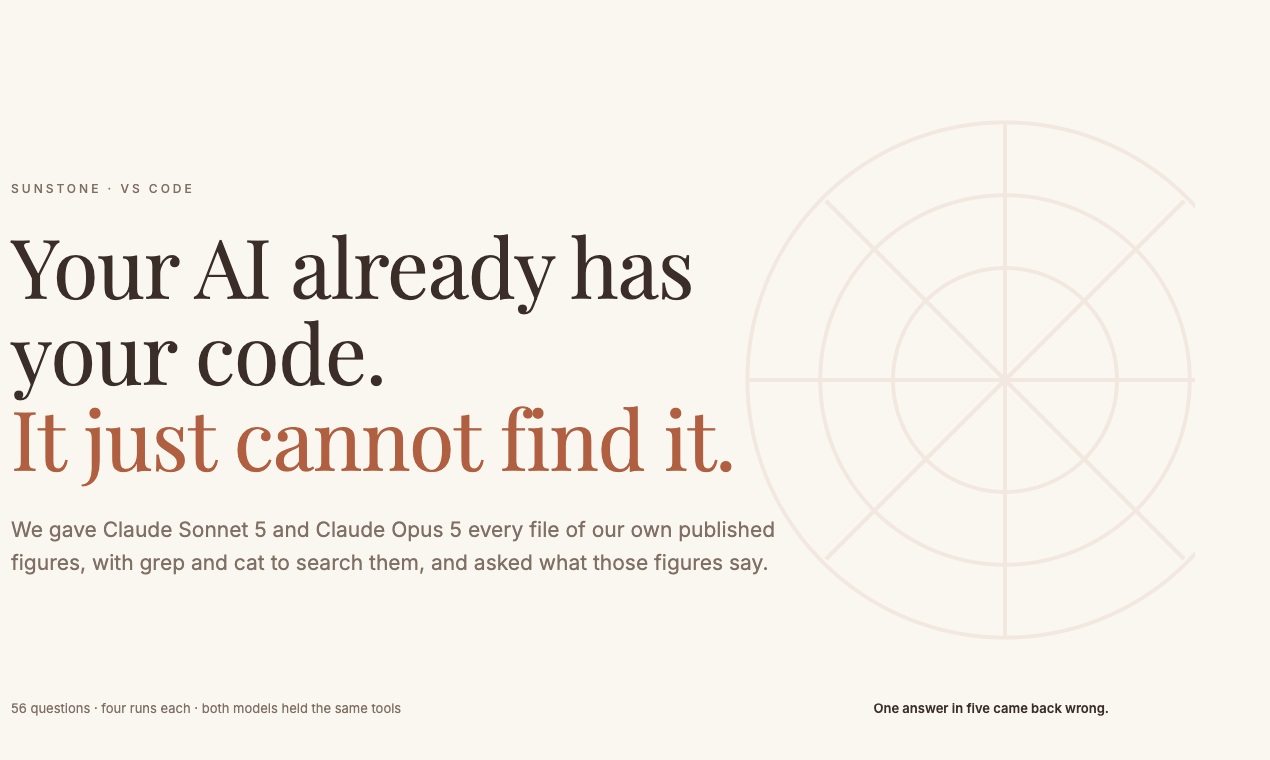
Your coding agent already has your files. It greps, misses, and answers anyway.

Sunstone indexes the folders you have open and gives whichever model you are already using, Copilot's Claude and GPT included, a proper way to search them. It also lets you put your own servers in VS Code's model picker, if you want to.

Everything is indexed and held on your machine. There is no account and no key to hand over.

Your AI already has your code. It just cannot find it.

What it does

Five tools and a participant, in the chat you already have. Once you weave a folder, these are offered to every model in the picker, including the hosted ones.

#weave Semantic search over your folders. Returns the passage with the file and the definition it sits in.
#digest Reads a whole file into ordered notes, then notes of notes, so a long file fits in an answer.
#lookup Live lookup with citations, for the facts that are not in your repository.
#remember Keeps a decision across chats, so you stop re-explaining it.
#weaveFolder Indexes another folder without leaving the conversation.
@blackwindow A chat participant that answers straight out of your folders, with citations.

Folders are re-indexed on save, so the store never drifts from the working tree.

Your own servers in the model picker. Anything serving the OpenAI-compatible API appears beside the hosted models: llama.cpp, vLLM, or a router in front of several. Tool calling is enabled for all of them, and image input where the model has it. Start a local llama-server from the sidebar, or paste the pairing line from a box you already run.

A context window too small for the conversation is folded rather than hit. The older turns and the longest tool results move into the index and come back when they are the closest match to the question, so what leaves the window is the least relevant part rather than simply the oldest.

What is measured

Every figure carries the population it came from.

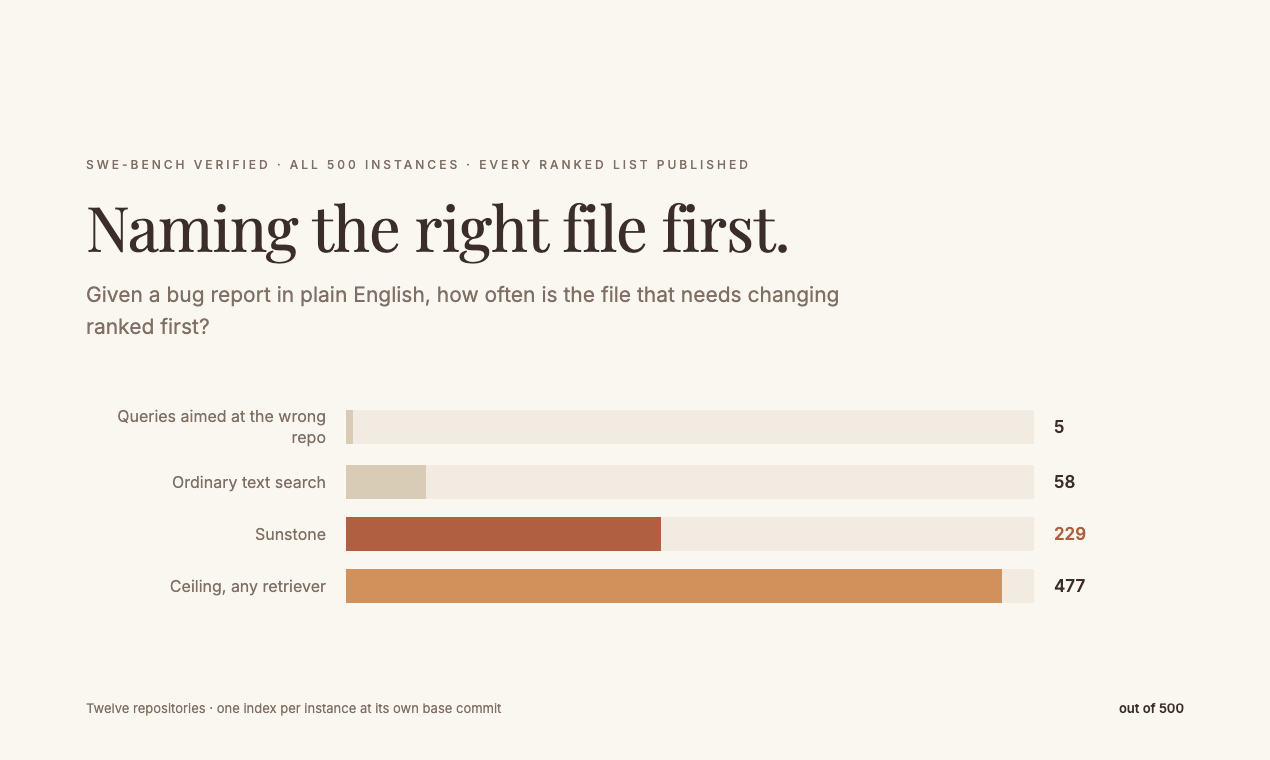
Naming the right file first: 229 of 500 on SWE-bench Verified

measured population
The weave finds the file an issue is about recall@1 229/500 (0.458) against a permuted-query floor of 5/500 (0.010) and a text-search arm at 58/500 (0.116) every instance of SWE-bench Verified, twelve repositories, one store per instance at its own base_commit. django is 46.2% of the set, and per-repository recall runs 0.265 to 0.688
A prompt past the model's window is folded into the weave rather than refused a fact 154,699 characters past the cut returned verbatim in 32.1 s one arm on GLM-4.7-Flash at n_ctx 131,072, cut at 92,160 characters
Giving an agent a searchable store instead of leaving it to grep 52.00 against 44.25 of 56 (Claude Sonnet 5) and 53.00 against 44.75 (Opus 5), reading 4.6x and 3.8x less tool output and finishing 2.7x and 3.5x faster 56 items generated from a claim ledger with the figures stripped from the question, 4 runs an arm, 224 item-runs an arm. The control holds grep and cat over the same files. The arms never overlap: the worst run with it beats the best run without it on both models
Indexing rate through indexFolder, reading and chunking included 267 passages a second 10 files, 454 passages in 1.7 s, WebGPU in the VS Code webview on an M2 Ultra

Three limits travel with that third row. It is measured over a claims register rather than a codebase, so it is a document-retrieval result. The corpus is 130 lines, and the design predicts retrieval's advantage grows with corpus size, which is unmeasured. Both models are from one vendor.

Getting started

  1. Install, then open the Sunstone view in the sidebar.
  2. Weave a folder. Nothing is indexed until you ask. Right-click a folder in the Explorer and choose Black Window: Weave This Folder, or use the command palette. The status bar shows a passage count once it is done.
  3. Use #weave in agent mode with any model, or @blackwindow for answers with citations.

To run your own model, add a place: Sunstone: Start llama-server on This Machine, or Sunstone: Add a Place and paste a pairing line.

The full guide is Sunstone: Open the Guide in the command palette, or docs/GUIDE.md. It covers every command, every setting with its default, and what to do when a part misbehaves.

What leaves your machine

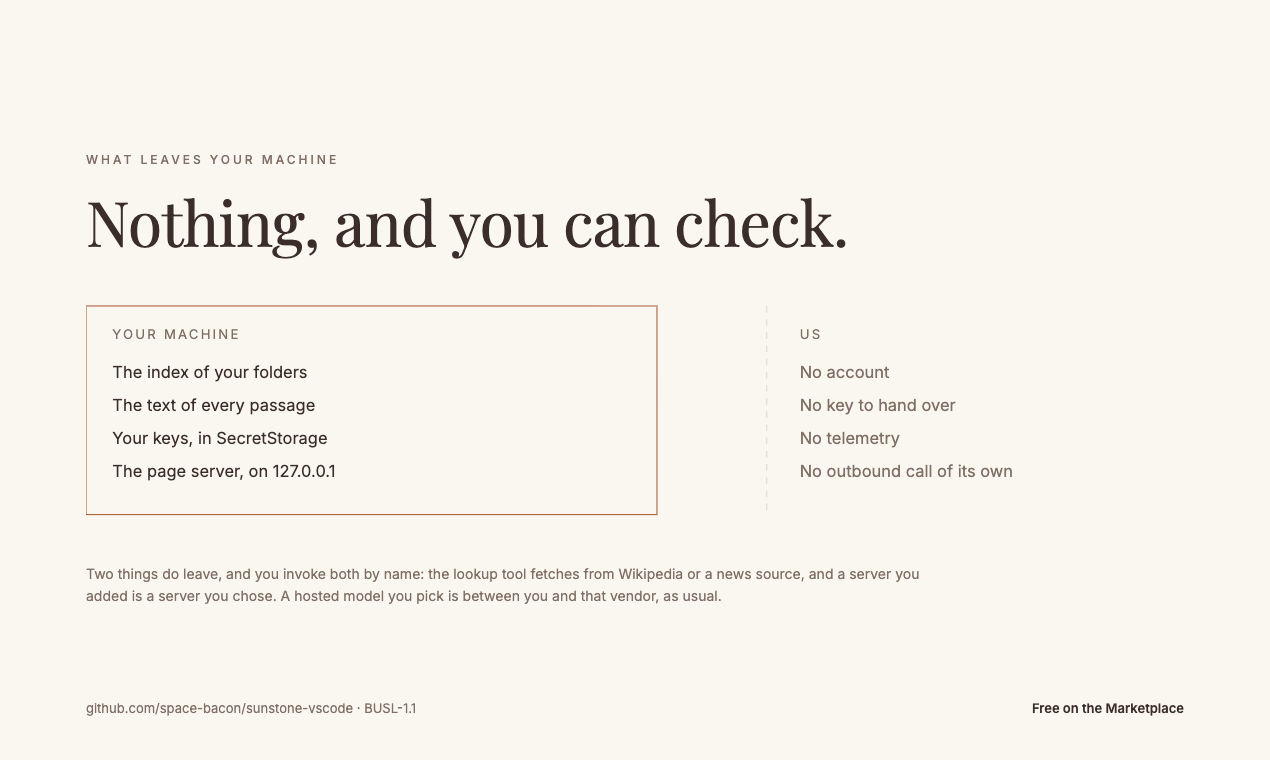
What leaves your machine: nothing, and you can check

The index, the passages and the text stay local. The page server binds to 127.0.0.1. A place's key lives in the editor's SecretStorage under sunstone.key:<url>, never in settings.json.

Two things do leave, and you invoke both by name. #lookup fetches from Wikipedia or a news source, because that is what it is for. A place you add is a server you chose. A hosted model you pick in the editor's own picker is between you and that vendor, as usual.

The extension host contains no non-loopback URL, which is a claim you can check rather than take on trust: the source is at space-bacon/sunstone-vscode, and SECURITY.md says where to report anything that contradicts it.

Elsewhere

Sunstone is the VS Code surface of the Black Window suite. The same engine runs in a browser tab at blackwindow.xyz with no account and no install, and keeps working offline.

Licence: BUSL-1.1, which is source-available rather than open source. Read LICENSE before building on it. The Additional Use Grant covers any internal use, including commercial development on your own or your employer's code, with no limit on seats.

Publisher: Sunstone North Lab LLC.

  • Contact us
  • Jobs
  • Privacy
  • Manage cookies
  • Terms of use
  • Trademarks
  • Your Privacy Choices
  • Consumer Health Privacy
© 2026 Microsoft