🚀 Why WrapWrap?
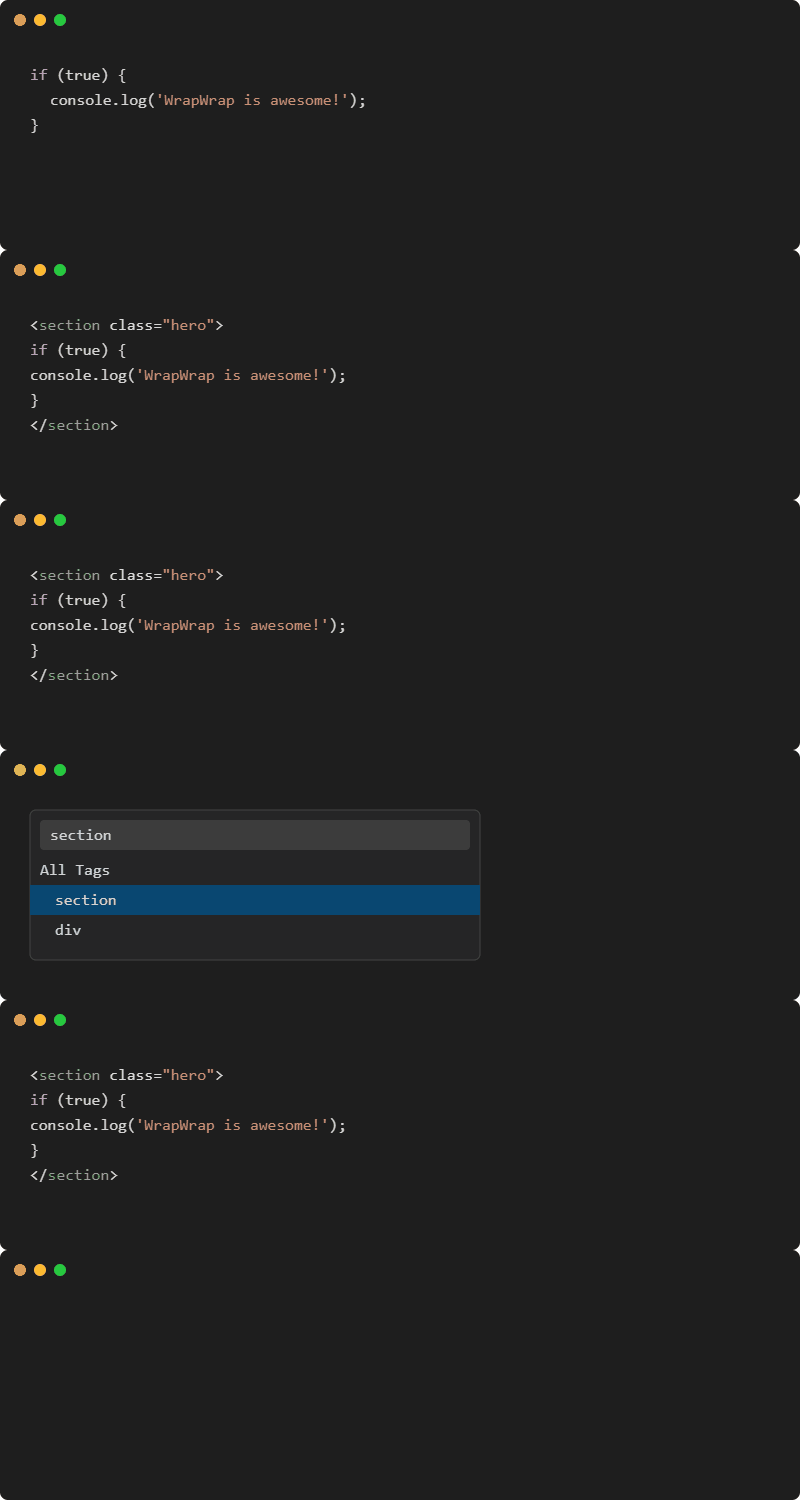
WrapWrap is not just another wrapper extension. It is engineered with a pure-function formatting engine that perfectly preserves your code's indentation, whitespace, and comments. Whether you are using plain HTML, React, Vue, or Svelte, WrapWrap adapts to your framework instantly.
🚀 New in V2.0!
WrapWrap 2.0 introduces massive power-user features:
1. Emmet-Style Quick Wrap
Instead of just picking a tag, you can now type Emmet abbreviations in the custom tag box!
- Type
div.container#main to instantly wrap your code in <div class="container" id="main">.
- Multi-Level Wrapping: Type
ul>li.item to recursively wrap your code with multiple tags!
2. Smart Contextual Wrapping
WrapWrap now analyzes your selection and automatically suggests the best tag at the top of your Quick Pick menu!
- Select a URL? It suggests
<a>.
- Select a multi-line block? It suggests
<div>.
3. Tag Morphing
If you highlight an existing HTML tag (e.g. <div class="card">Hello</div>) and trigger WrapWrap, you will be prompted to Morph the tag. This allows you to instantly swap the div for a section while keeping the original class="card"!
Select any text in your editor, click the yellow lightbulb 💡, and instantly wrap it with a tag! It even includes Smart Suggestions directly in the lightbulb menu.
5. Custom Keybindings
You can now bind specific tags directly to hotkeys! Add this to your keybindings.json:
{
    "key": "ctrl+shift+b",
    "command": "warpwrap.wrapWithSpecificTag",
    "args": { "tag": "strong" },
    "when": "editorTextFocus"
}
✨ Key Features
- 🛡️ Perfect Formatting: Wraps your code without trimming or destroying existing indentation.
- ⚡ Multi-Cursor Support: Wrap multiple blocks of code simultaneously in one batch via native VS Code functionality.
- 🎨 Framework Aware: Automatically switches between
class (HTML/Vue/Svelte) and className (React/JSX) depending on the file type.
- ⭐ Favorites & Recent: Pins your favorite tags and remembers your last 10 used tags across sessions.
- 🖥️ Interactive UI Preview: A built-in webview that shows a live preview of your wrapping modifications before you hit apply.
- 🖱️ Context Menu: Quickly access the wrapping engine right from your editor's right-click context menu.
- ↩️ Native Undo Integration: Infinite and multi-cursor undo handled seamlessly by
Ctrl+Z.
📥 Download & Install
You can install WrapWrap directly from the Visual Studio Code Marketplace.
Option 1: In-Editor (Recommended)
- Open Visual Studio Code.
- Press
Ctrl+Shift+X (or Cmd+Shift+X on Mac) to open the Extensions tab.
- Search for
WrapWrap (Publisher: Sukhankar).
- Click Install.
Option 2: Web Marketplace
Visit the WrapWrap Marketplace Page and click Install.
Option 3: Command Line
Run the following command in your terminal:
code --install-extension Sukhankar.wrapwrap
🎯 Usage
Select the code you want to wrap, then trigger WrapWrap using one of these methods:
| Method |
Shortcut |
Description |
| Command Palette |
Ctrl+Alt+W |
Opens the Quick Pick tag menu (Favorites, Recent, Custom). |
| Interactive UI |
Ctrl+Alt+U |
Opens the side-panel Webview for advanced tag and attribute configuration. |
| Context Menu |
Right-Click |
Select "WrapWrap: Wrap Selection" directly from the menu. |
🛠️ Advanced: Configuration Options
You can customize WrapWrap globally or per-workspace in your settings.json:
"wrapwrap.tags": [
  { "name": "div", "favorite": true },
  { "name": "section" },
  { "name": "article" }
],
"wrapwrap.format.autoFormat": true,
"wrapwrap.format.preserveIndentation": true,
"wrapwrap.framework": "auto"
🏗️ For Developers (Architecture)
WrapWrap v1.0 is built with a highly modular and decoupled architecture to ensure maximum maintainability:
- Core Engines (
src/core): Pure, testable business logic (Formatter, WrapperEngine, AttributeBuilder, FrameworkDetector).
- Commands (
src/commands): VS Code API integrations, command palette logic, and multi-cursor batch edits.
- Webview UI (
src/ui): Event-driven architecture for the interactive wrapping preview.
- State & Config (
src/models): Type-safe configuration management and persistent globalState caching.
🧪 Contributing
We welcome contributions! To build and test locally:
git clone https://github.com/Sukhankar/WrapWrap.git
cd WrapWrap
npm install
npm run compile
npm run test
Our CI/CD pipeline strictly enforces eslint checks, type-checking, and headless XVFB unit tests.
💖 Support & Feedback
If you enjoy using WrapWrap, we would love your support!
- ⭐ Rate and Review: Please consider leaving a 5-star rating on the Visual Studio Marketplace. Your reviews help this extension grow and reach more developers!
- 🐛 Report Bugs / Request Features: Found an issue or want a new feature? Open an issue on GitHub.
- 🐙 Star the Repo: Give us a star on GitHub to show your support.