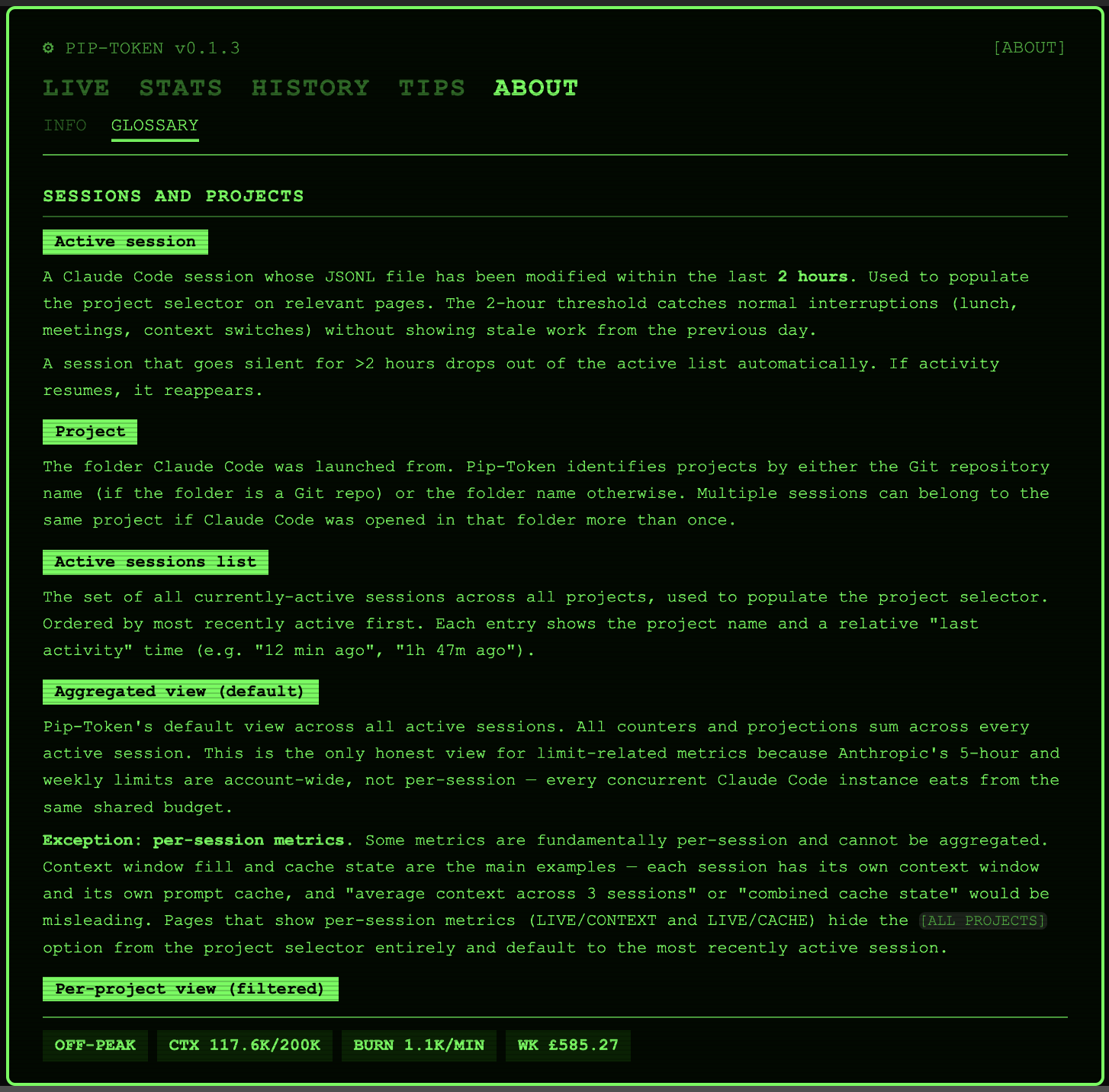
Pip-Token
A Pip-Boy themed VS Code extension for tracking Claude Code token usage in real time.
Pip-Token gives Claude Code users visibility into token consumption, peak vs off-peak usage, cache hygiene, and historical trends.
It exists because Anthropic doesn't currently expose granular usage data through any official API or in-IDE surface, and developers regularly hit session limits without warning. The developer, StudioZedward, is an avid Reddit user and is sick of seeing posts about this flooding their feed. Pip-Token reads Claude Code's local session logs and turns them into something you can actually act on.
Features (v0.1.4)
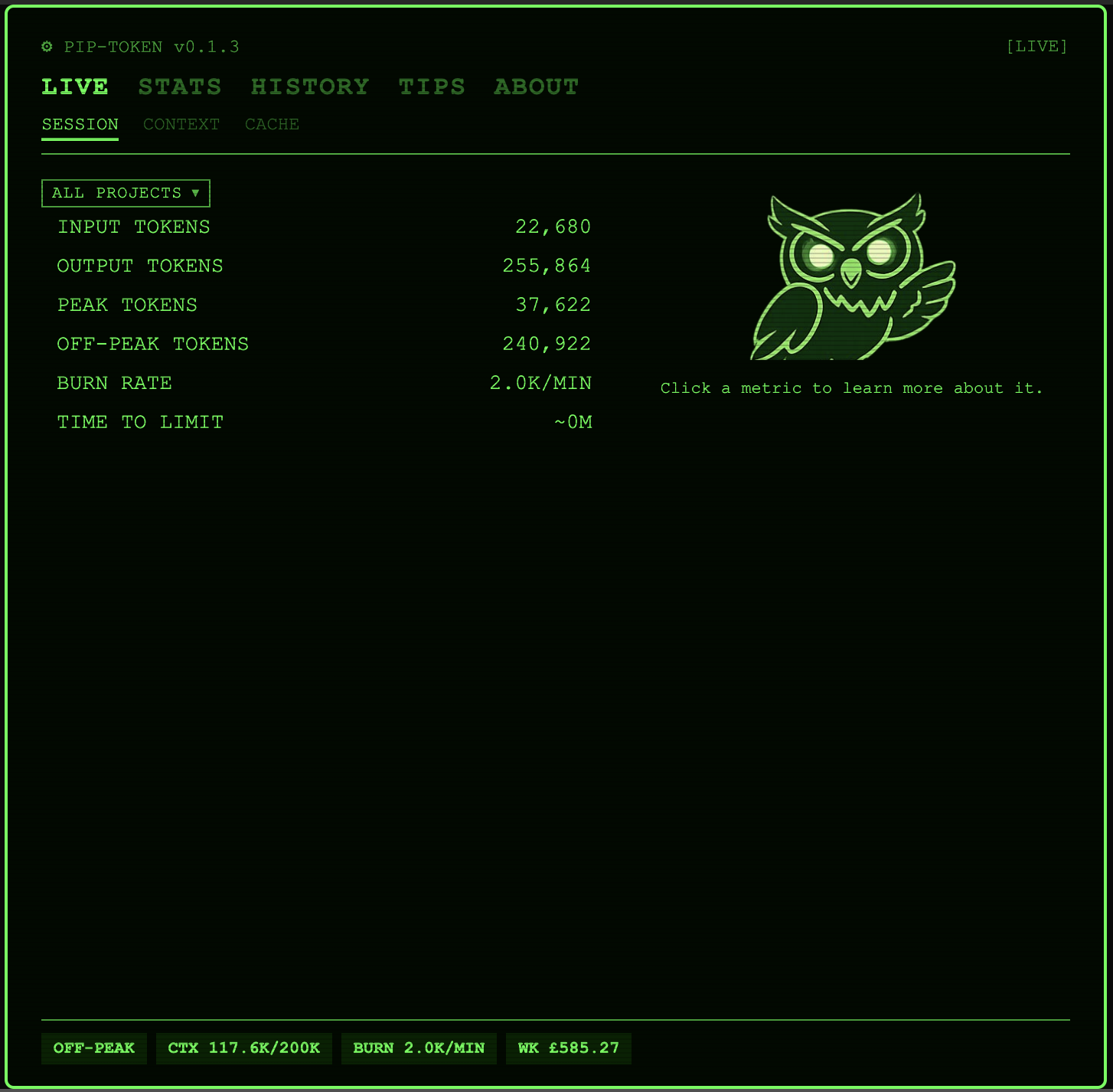
- Real-time session view showing input/output token splits, peak/off-peak counters, burn rate, and time-to-limit estimates
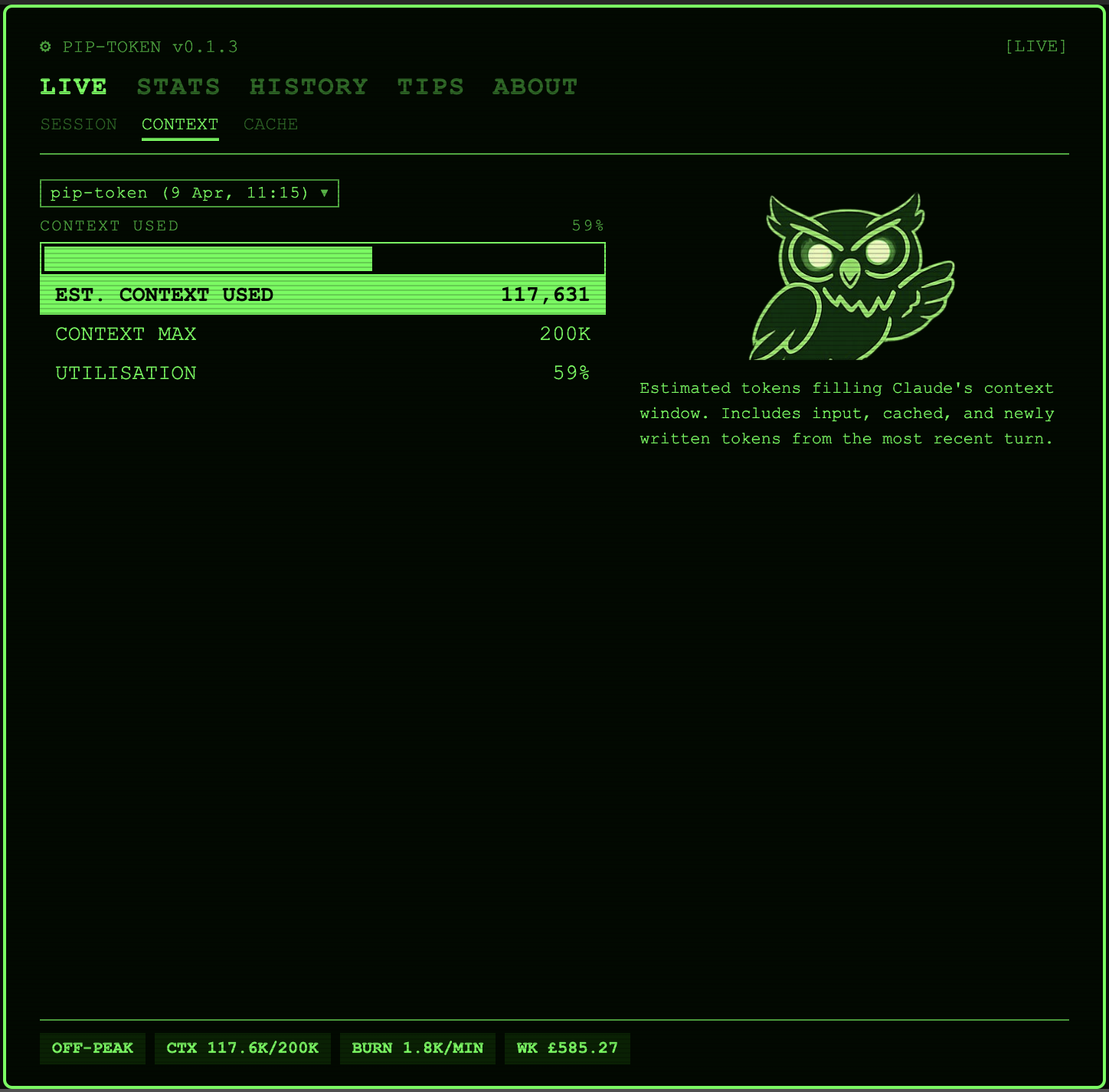
- Context window tracker showing how much of Claude's working memory is in use
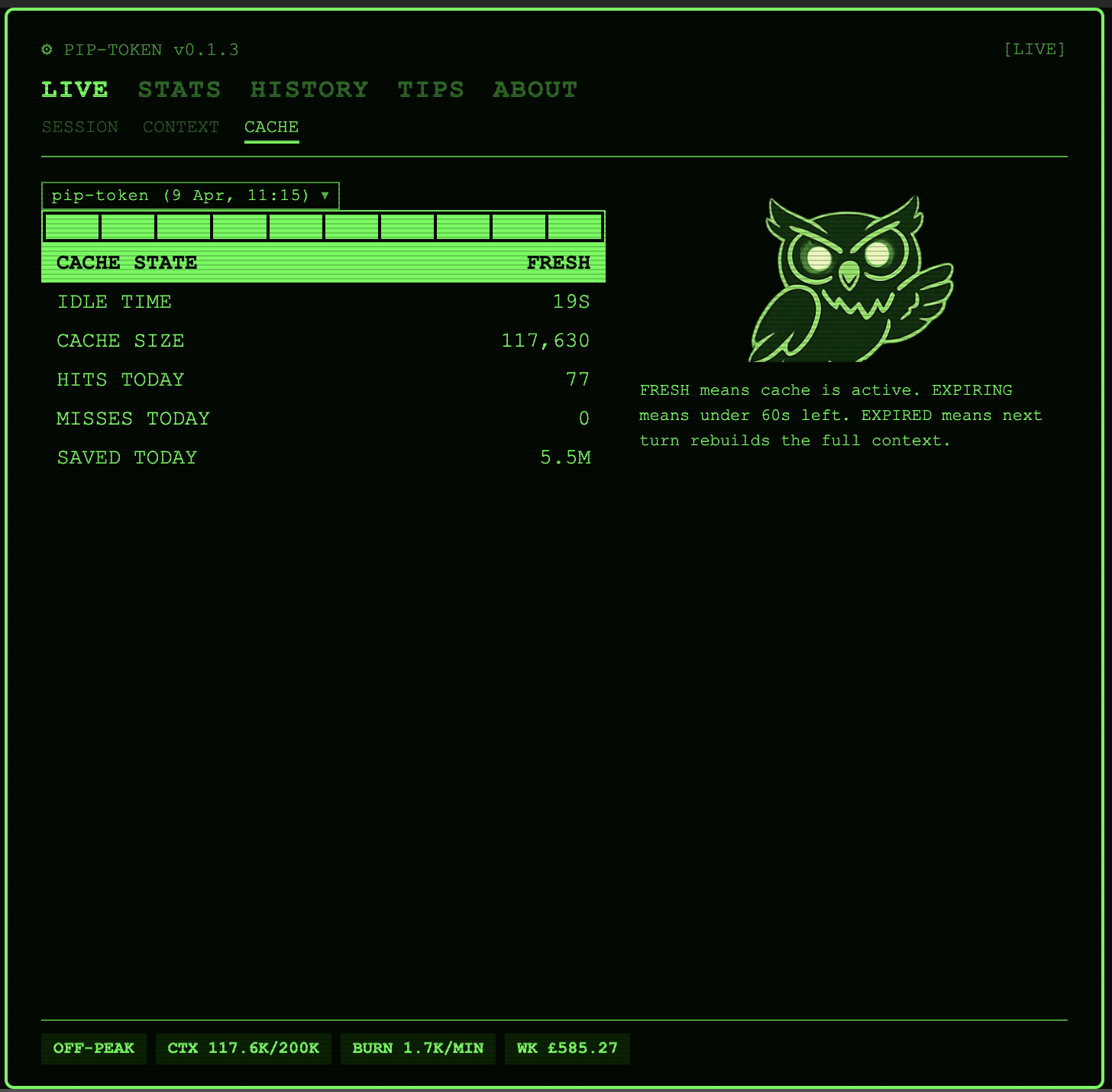
- Cache hygiene monitor that warns you before your prompt cache expires (and tells you how much it has saved you so far)
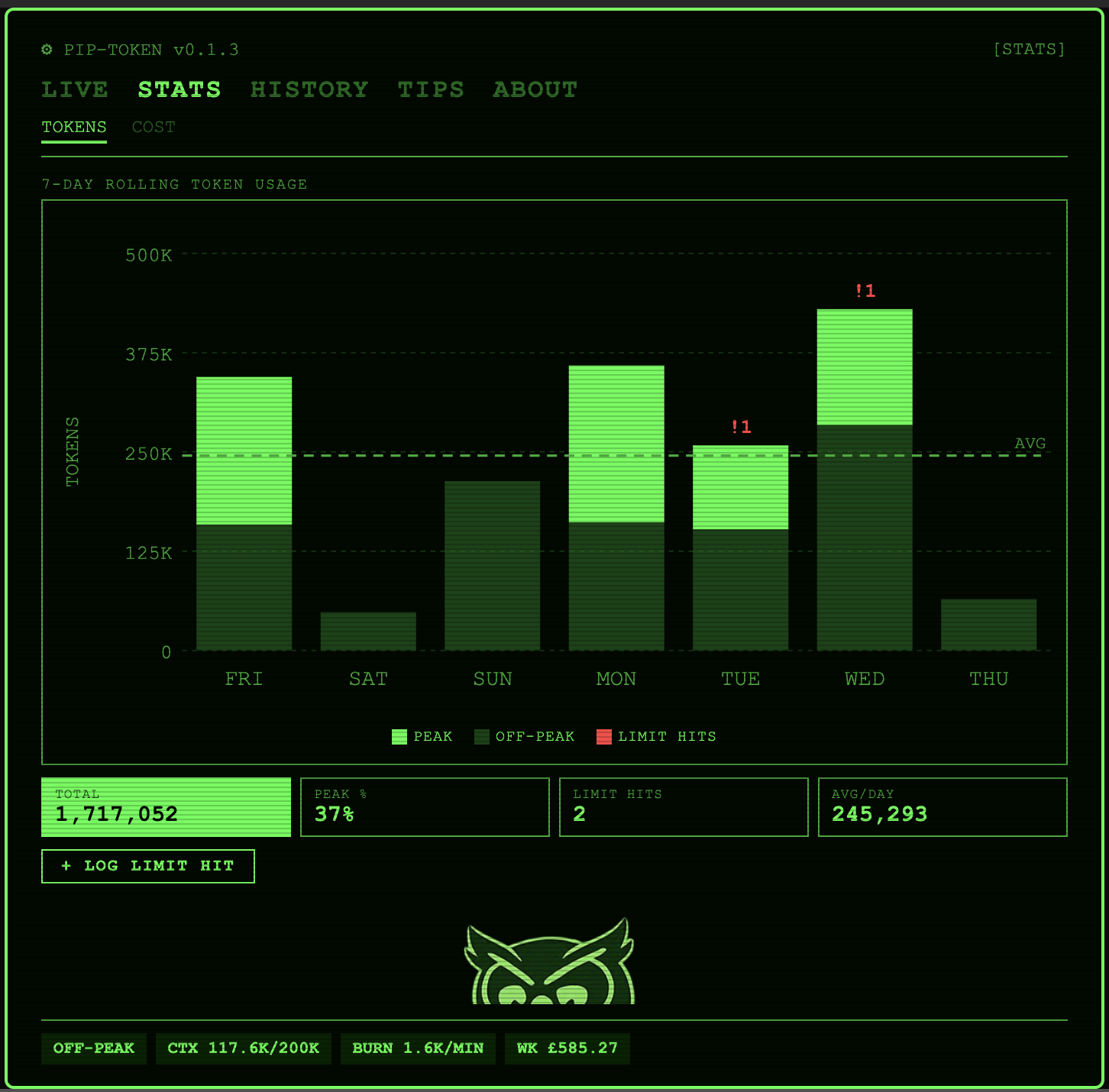
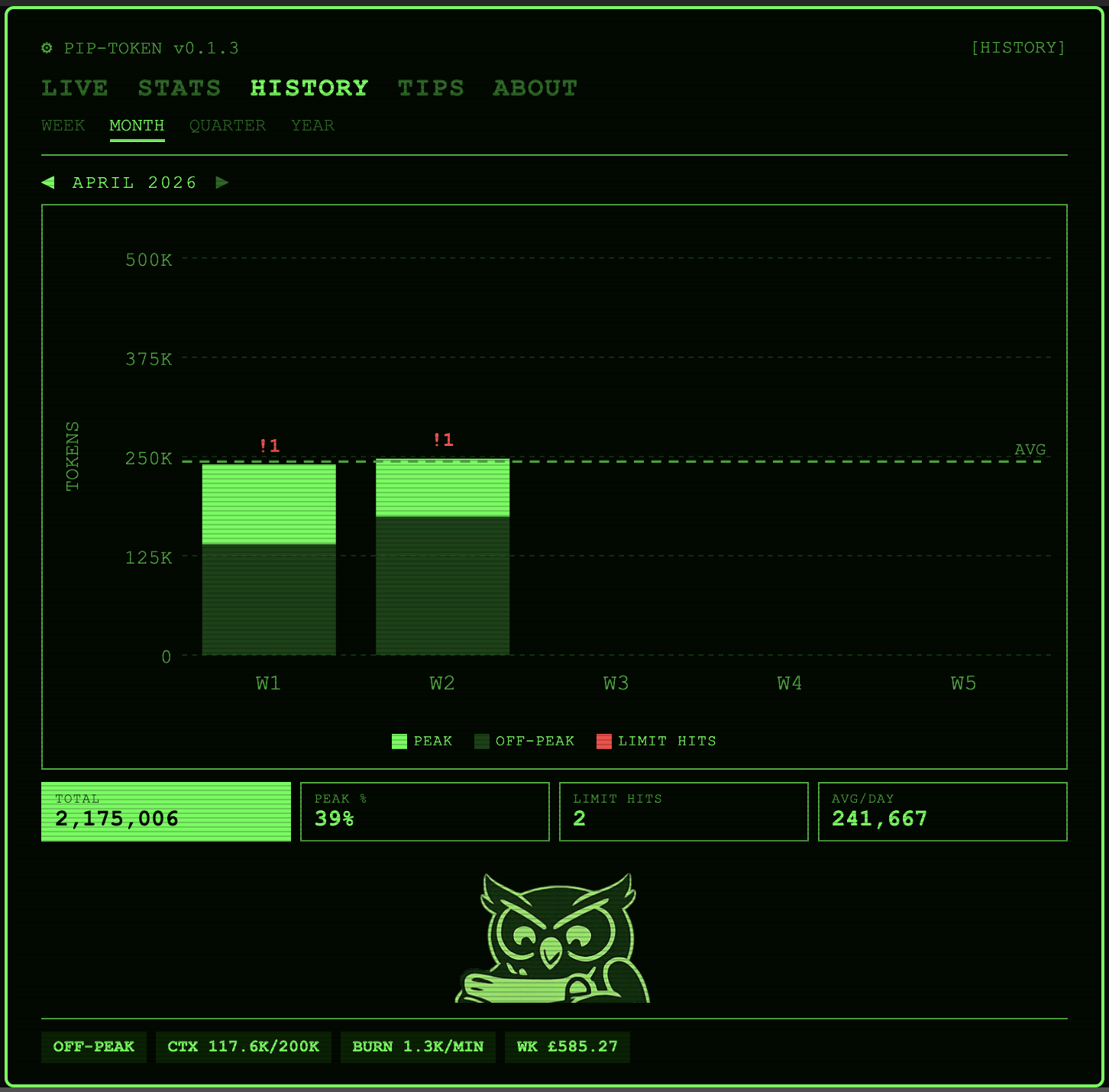
- Interactive chart tooltips with peak/off-peak/limit hit breakdown on hover
- Personalised limit thresholds learned from your own usage
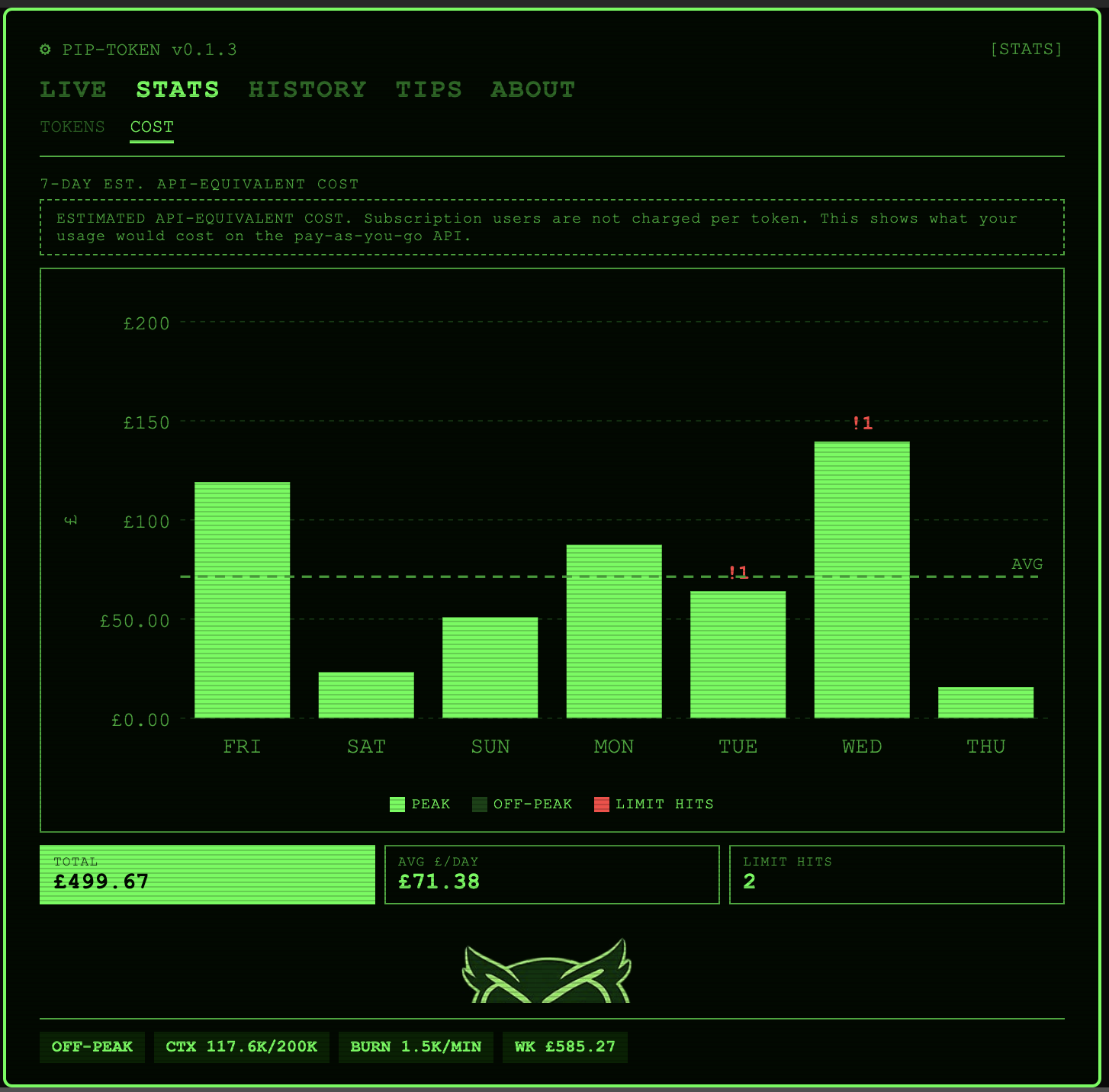
- Cost estimates in your local currency, calculated from API list pricing
- Contextual advisories that surface based on your current data
- In-window status bar pinned to every page, always showing peak status, context fill, burn rate, and week-to-date cost
- CRT flicker transitions and blip sound effects why not
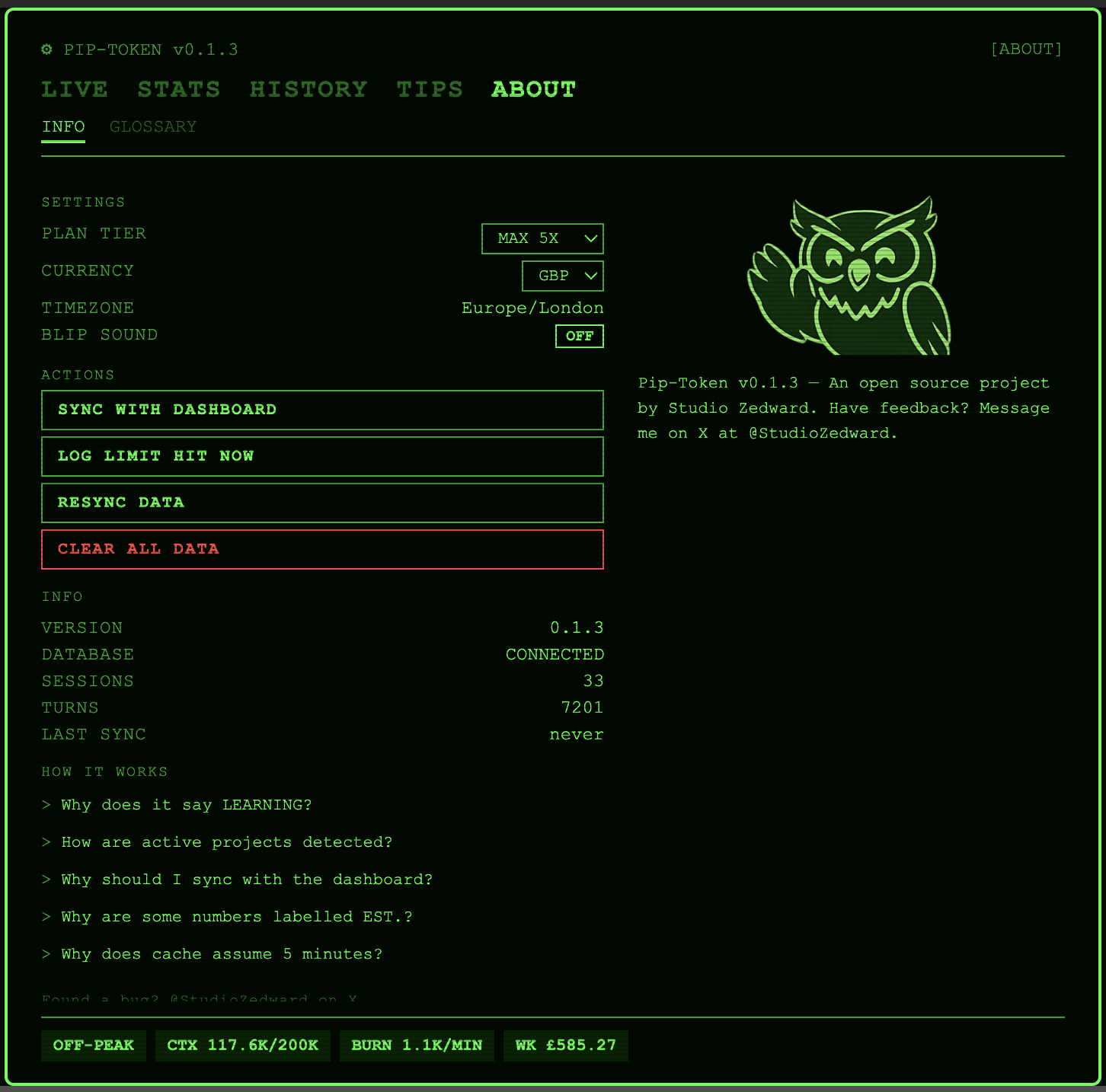
- Onboarding flow configures plan tier, currency, and timezone
Screenshots
Live monitoring
Stats (rolling 7 days)
| Tokens |
Cost |
 |
 |
Historical trends
| Month |
 |
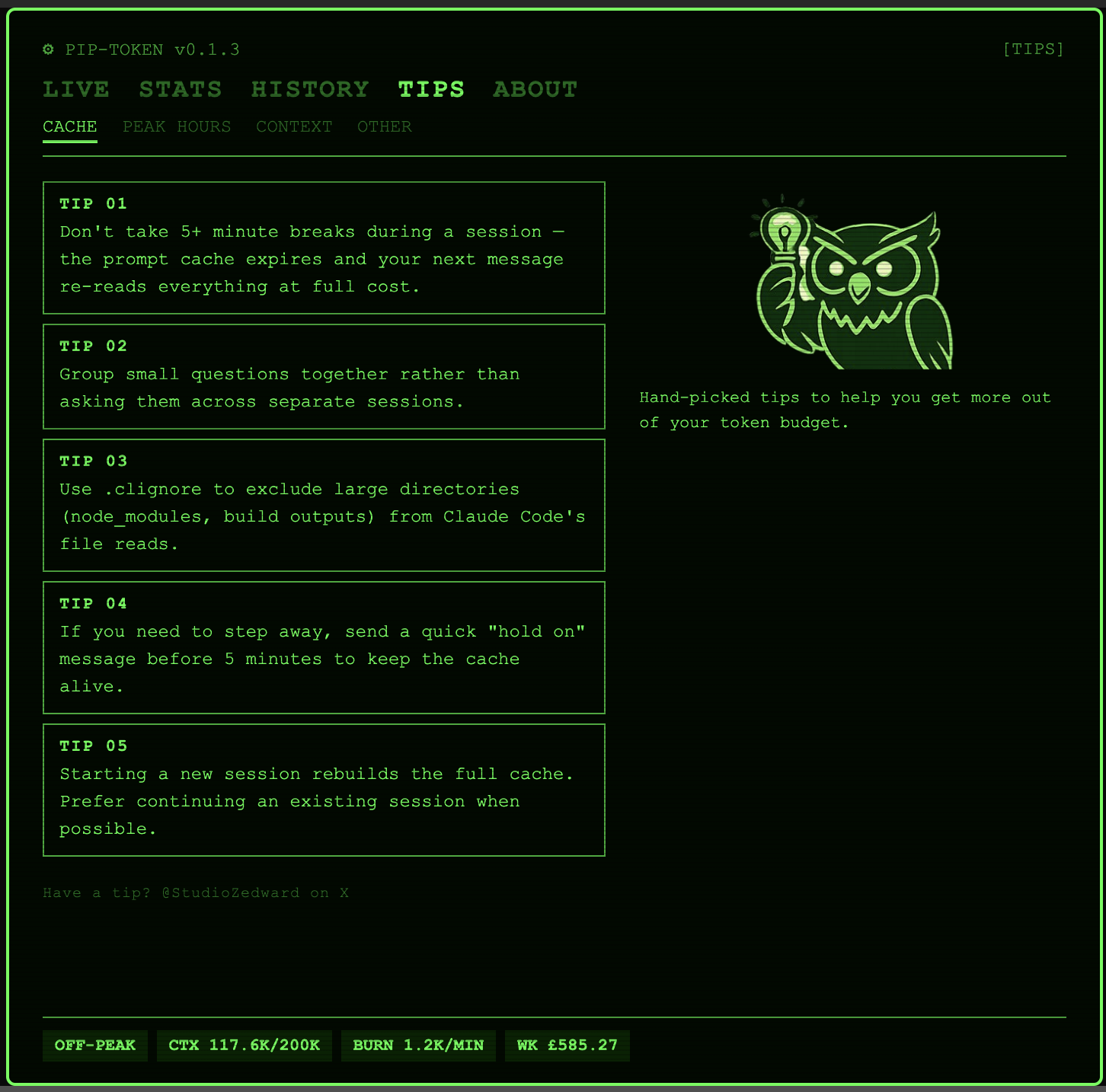
Tips and About
Why "Pip-Token"?
The visual style is modelled on the Pip-Boy 3000 from the Fallout video game series — monochrome phosphor green on near-black, scan lines, chunky monospace typography, and a friendly owl mascot in the role Vault Boy plays in the original. The owl appears in five poses across the five top-level pages.
Installation
From the VS Code Marketplace
- Open VS Code
- Press
Ctrl+Shift+X (or Cmd+Shift+X on Mac) to open Extensions
- Search for Pip-Token
- Click Install
From a .vsix file
- Download the latest
.vsix from GitHub Releases
- In VS Code, open the Command Palette (
Ctrl+Shift+P / Cmd+Shift+P)
- Run Extensions: Install from VSIX...
- Select the downloaded file
Once installed, open the Command Palette and run Pip-Token: Open Panel to get started.
How it works
Pip-Token watches ~/.claude/projects/ for new entries in Claude Code's session logs. As you use Claude Code, it parses each turn, accumulates token counts in a local SQLite database, and renders the data in a webview panel styled to look like a Pip-Boy display.
It does not transmit any data anywhere. Everything is local to your machine.
It does not predict Anthropic's exact session limits. Those are opaque and change without notice. Instead, it tracks your actual limit-hit events and uses them to build personalised threshold estimates that improve as you use the tool.
For the full design rationale and honest acknowledgements of what we cannot measure, see docs/DESIGN.md section 11.
Documentation
Roadmap
Post-v0.1 candidates
- CRT flicker toggle (on/off control for the screen effect)
- Model insights (usage breakdown by model, cost comparisons)
- Optional anonymous community data sharing for cold-start estimates
- CSV export
Contributing
Contributions are welcome. I'm one person and a novice coder who mostly relies on Claude to build products. I won't get everything right. If something doesn't look right, breaks, or would be useful, feel free to message me on X at @StudioZedward
The most useful contribution right now is to install and try it then file an issue if something is confusing, broken, or missing.
Issues and feature requests: github.com/studiozedward/pip-token/issues
A note on Anthropic and Pip-Token
Pip-Token is not affiliated with, endorsed by, or sponsored by Anthropic. It's a community tool built by a frustrated user. If Anthropic ships official usage tooling in their own products, Pip-Token will continue to exist for the historical analysis, the aesthetic, and people who like having control over their own data.
Troubleshooting
Database location
Pip-Token stores its SQLite database in VS Code's global storage directory (typically ~/.vscode/extensions/globalStorage/studiozedward.pip-token/). If you need to reset, use the CLEAR ALL DATA button on the About page, or delete the pip-token.db file from that directory. To rebuild your data from existing JSONL logs without losing settings, use RESYNC DATA instead.
Extension not detecting sessions
Pip-Token watches ~/.claude/projects/ for JSONL session files. If no data appears:
- Confirm Claude Code is running and producing output
- Check the Output panel (View > Output) and select "Pip-Token" for diagnostic messages
- Restart VS Code to re-initialise the file watcher
License
MIT © 2026 studiozedward
The owl mascot artwork is part of the Pip-Token project and is also released under the MIT license. Pip-Boy and Vault Boy are trademarks of Bethesda Softworks; this project is an independent fan tribute and is not affiliated with or endorsed by Bethesda or ZeniMax.