VS Command Picker
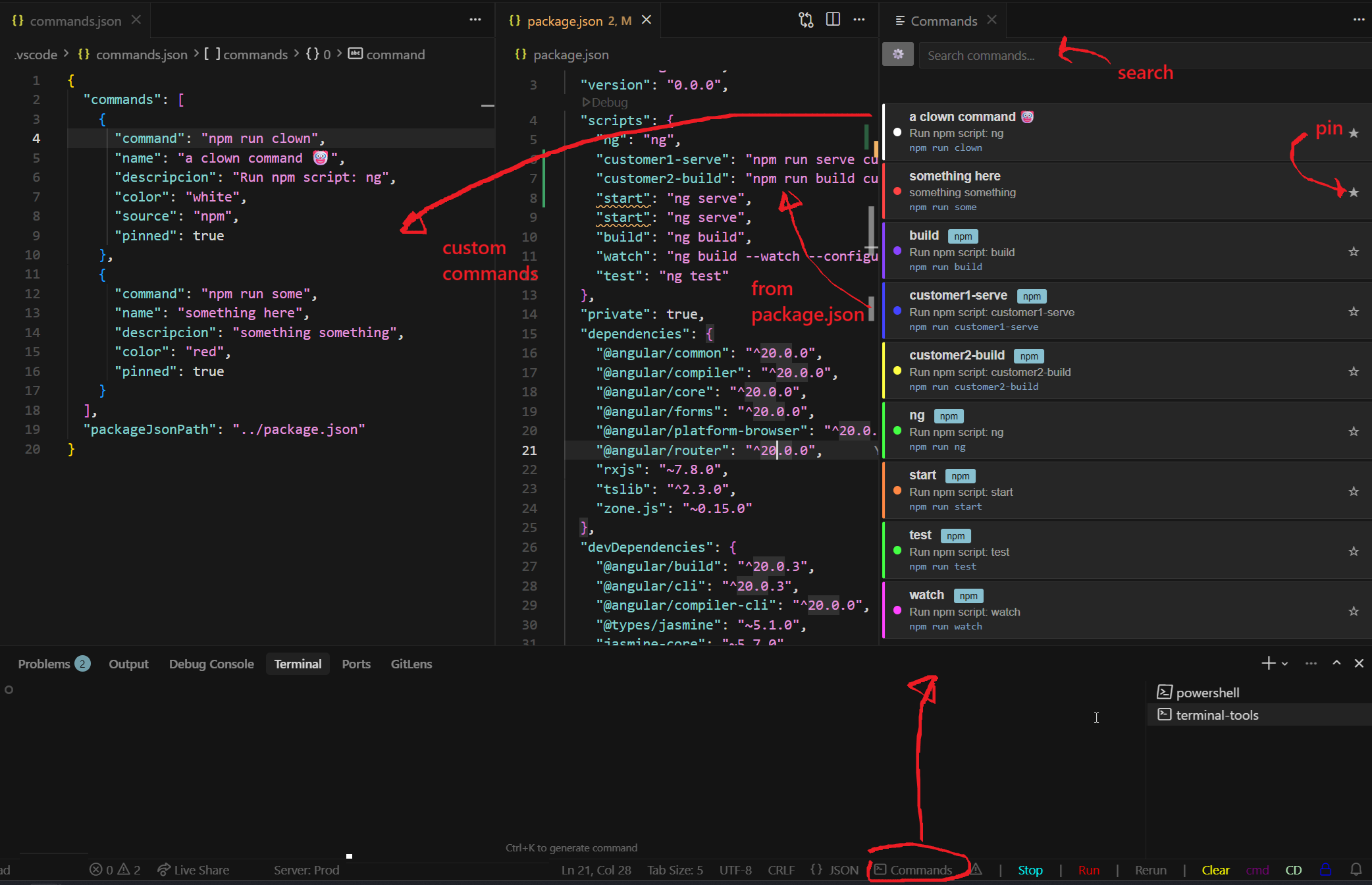
Easily find, search, organize and execute commands, both from package.json or from commands.json (custom file)
Too many scripts in your repo/monorepo? Tell me about it!
Too many custom scripts that you cannot longer reach with the upwards key? Forget about it!
Features
- Specify your package.json and get all the commands from there
- Define custom commands in a JSON file
- Quick access via status bar button
- Color-coded command buttons
- Execute commands in the active terminal
- Search commands
- pin/unpin frequently used commands on top
Usage
- Click the status bar button "Commands" (bottom right):
- Optionally, specify the path to your package json (usually "../package.json"):
- Optionally, define custom commands in the following format:
- Select a command to execute it in the active terminal
[
  {
    "command": "npm run dev",
    "name": "Start Dev Server",
    "descripcion": "Start the development server",
    "color": "green"
  },
  {
    "command": "npm run build",
    "name": "Build Project",
    "descripcion": "Build the project for production",
    "color": "blue"
  },
]
{
  "commands": [
    {
      "command": "npm run dev",
      "name": "Start Dev Server",
      "descripcion": "Start the development server",
      "color": "green",
	 "pinned": true
    },
    {
      "command": "npm run build",
      "name": "Build Project",
      "descripcion": "Build the project for production",
      "color": "blue"
    }
  ],
  "packageJsonPath": "../package.json"
}
The packageJsonPath field is optional. If specified, it should be a relative path from .vscode/commands.json to your package.json file. All scripts from that package.json will be automatically included as commands.

