Skip to content
| Marketplace
Sign in
Visual Studio Code>Themes>Neon SunsetNew to Visual Studio Code? Get it now.
Neon Sunset

Neon Sunset

SoftService

|
23 installs
| (0) | Free
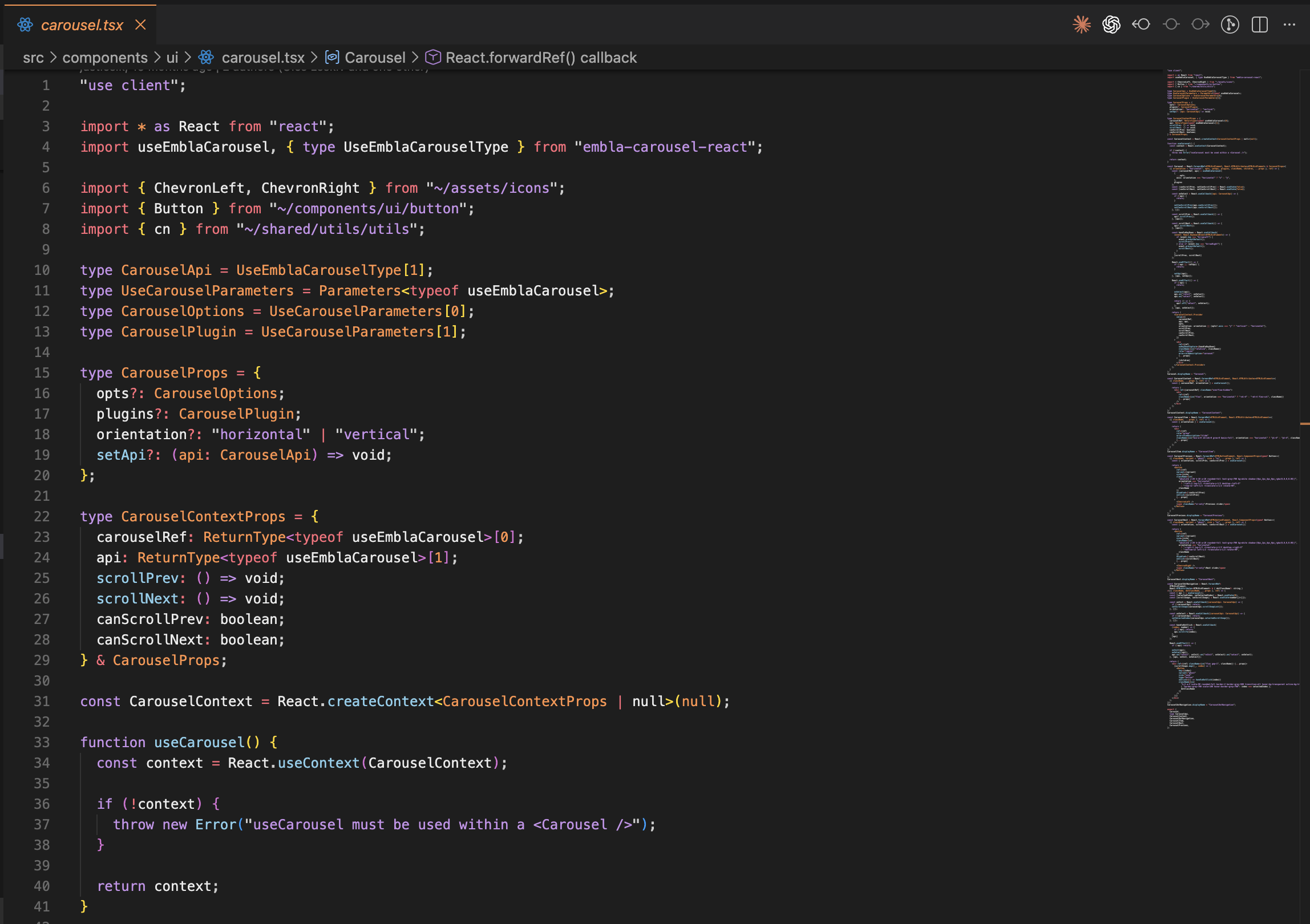
A vibrant dark theme with warm sunset colors - coral, orange, sky blue, and purple accents on a sleek dark grey background.
Installation
Launch VS Code Quick Open (Ctrl+P), paste the following command, and press enter.
Copied to clipboard
More Info

Neon Sunset

A vibrant dark theme for Visual Studio Code with warm sunset colors.

Screenshot

Screenshot

Color Palette

Color Hex Usage
🔴 #FF6B7A Coral - HTML tags, operators, imports
🟠 #FF9248 Orange - Types, classes, JSX components, constants
🔵 #87CEEB Sky Blue - Functions, props, object properties
🟣 #C792EA Purple - Keywords, strings
⬛ #1e1e1e Dark Grey - Background

Installation

From VS Code Marketplace

  1. Open VS Code
  2. Go to Extensions (Cmd+Shift+X / Ctrl+Shift+X)
  3. Search for "Neon Sunset"
  4. Click Install
  5. Press Cmd+K Cmd+T / Ctrl+K Ctrl+T and select Neon Sunset

Manual Installation

  1. Download the .vsix file
  2. Open VS Code
  3. Go to Extensions
  4. Click the ... menu and select "Install from VSIX..."
  5. Select the downloaded file

Supported Languages

Optimized syntax highlighting for:

  • JavaScript / TypeScript
  • React (JSX/TSX)
  • HTML / CSS
  • JSON
  • Markdown
  • And many more...

Feedback

Found an issue or have a suggestion? Feel free to open an issue on the GitHub repository.

License

MIT License

  • Contact us
  • Jobs
  • Privacy
  • Manage cookies
  • Terms of use
  • Trademarks
© 2026 Microsoft