UI Designer
Design the interface where the code lives. A Figma-class design tool inside VS Code: one .design file next to
the code, and a ud command line that gives Claude Code and your scripts every editor command.
- A file in git, not a cloud document. A
.design file is JSON: a consolidated tree plus a write-append list
of events, one per line. Diffs are readable, branches merge, and every change is signed with who made it.
- A real design tool. Pages, frames, shapes, a pen with vector networks and booleans, text with real shaping,
auto layout and grid layout, components with variants, styles, variables with modes, libraries, prototyping with
smart animate, Dev Mode inspect and code generation.
- Built for agents.
ud speaks the Figma MCP tools (use_figma, get_metadata, get_design_context,
get_screenshot, …) for a local file, and ud mcp serves them over MCP. A skill or script written for Figma
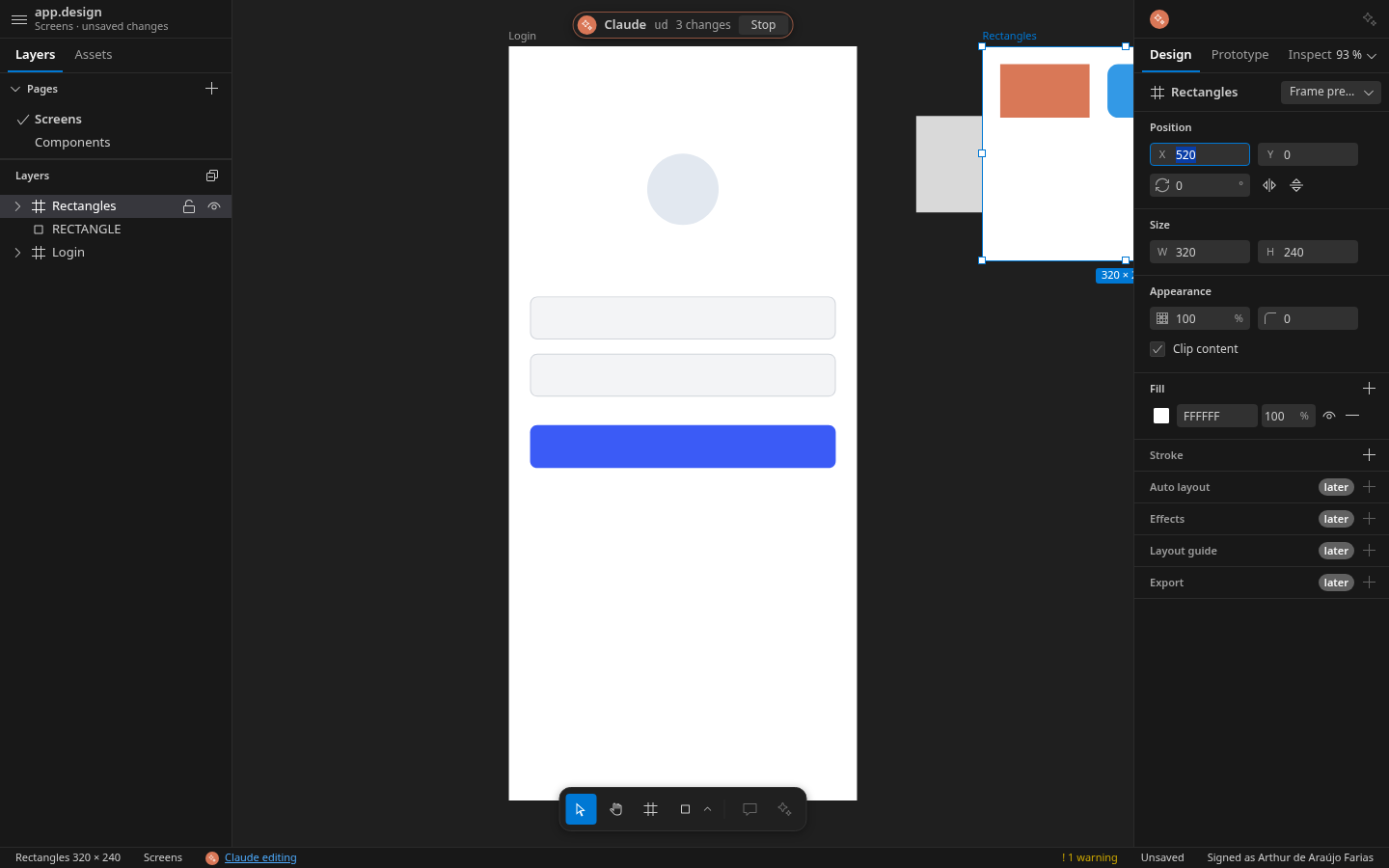
works here. While the file is open, agent edits appear live, each call is one undo step, and Stop is always
one key away (Ctrl+Shift+Escape).
Website and documentation: https://soft-forge.dev/vscode-extension-ui-designer/
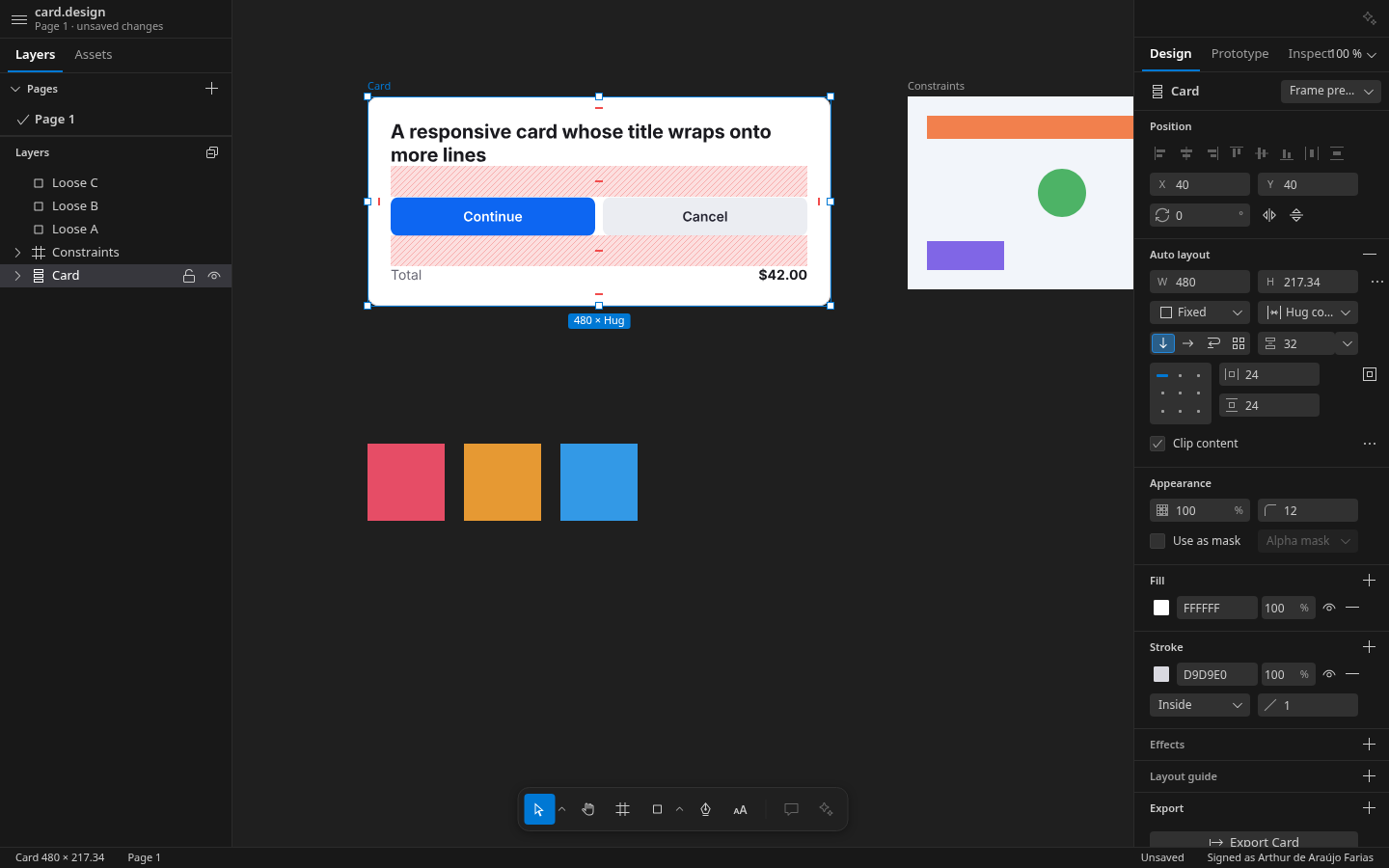
A 5-minute tour
1. Draw. Run UI Designer: New Design, pick a template, and draw with R, O and the shapes flyout. A design is
one .design file next to your code. (Your first design)
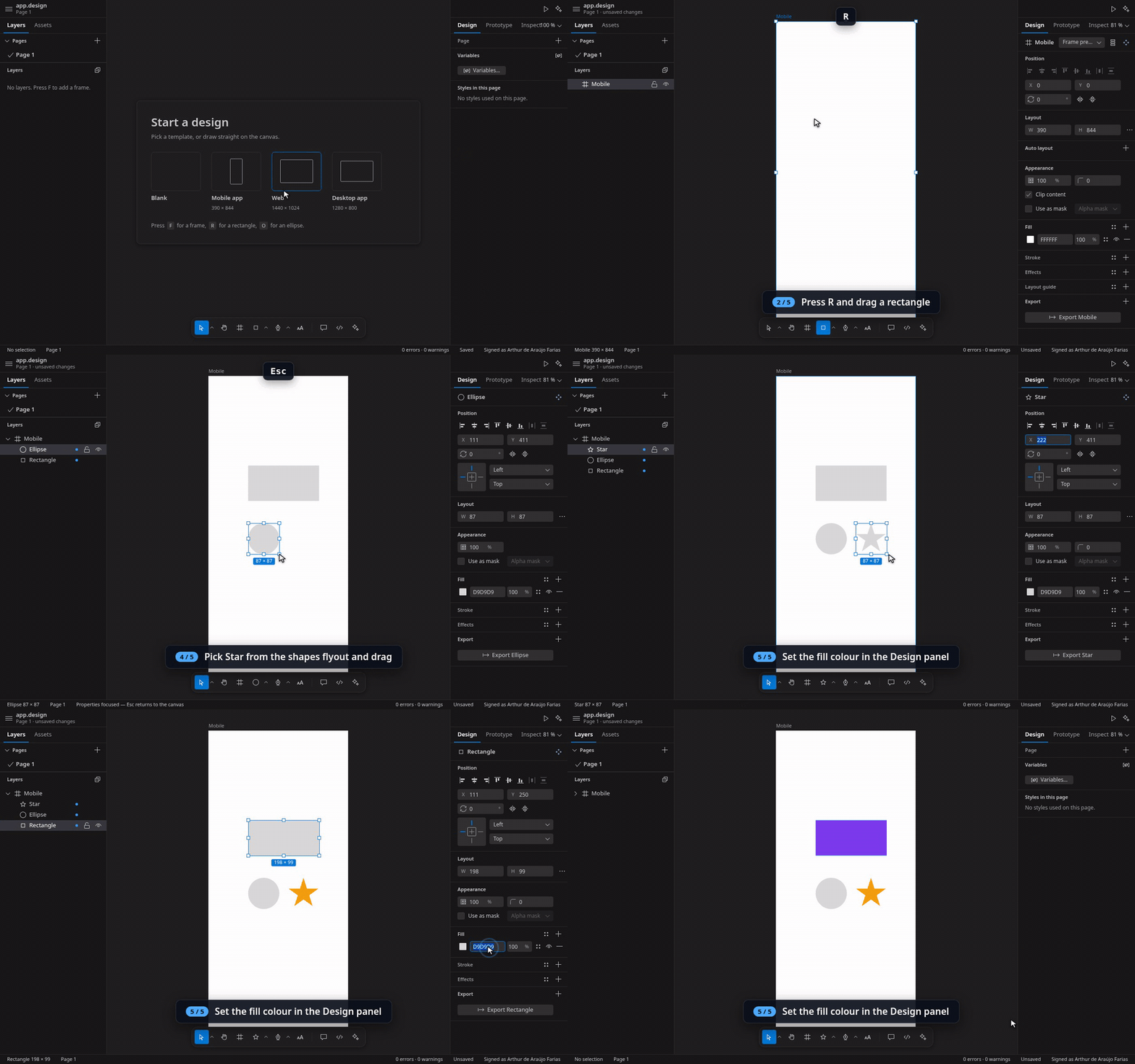
2. Reuse. Ctrl+Alt+K makes a component; drag instances from Assets, override their text, swap them.
(Layout, components and variables)
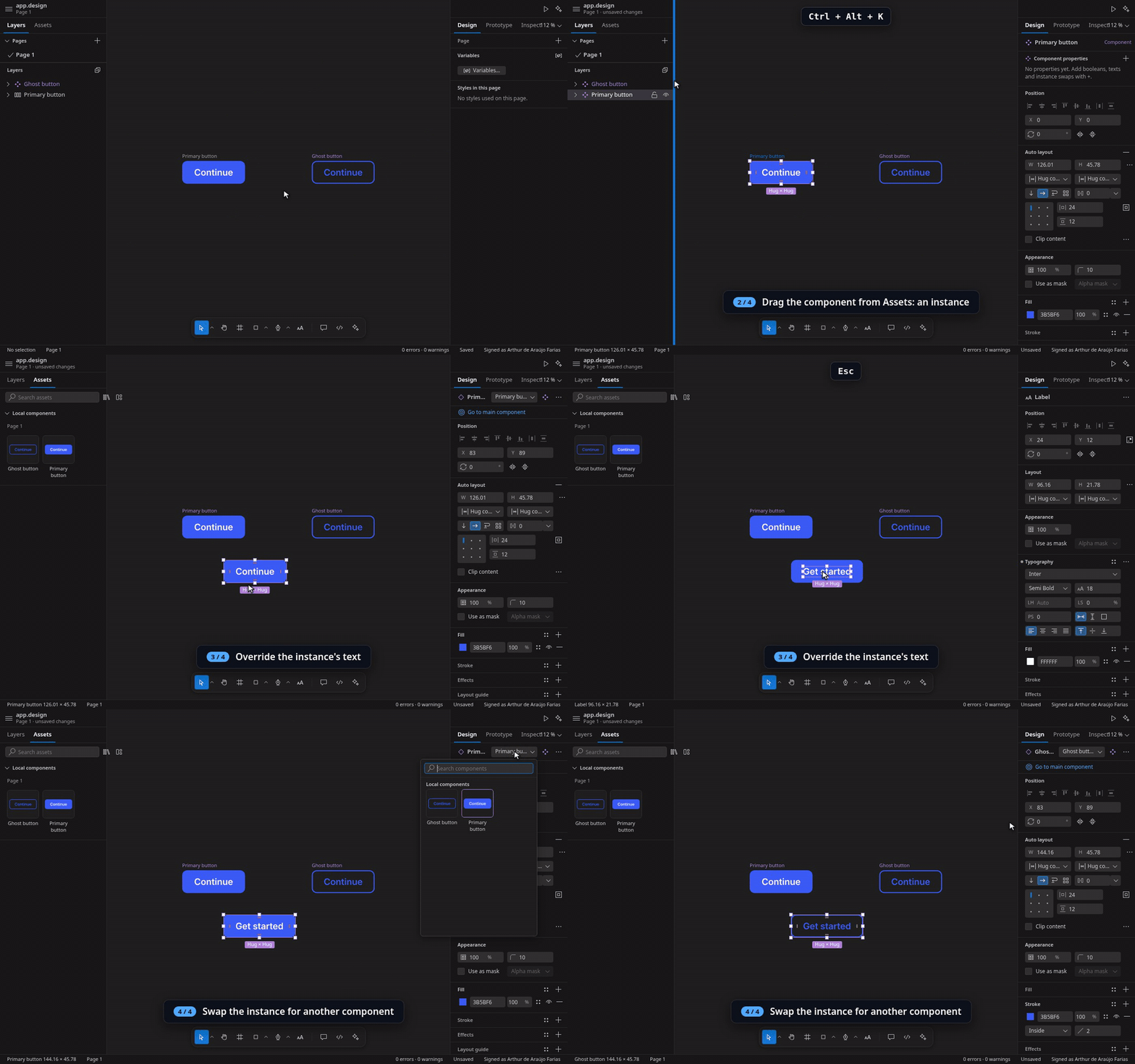
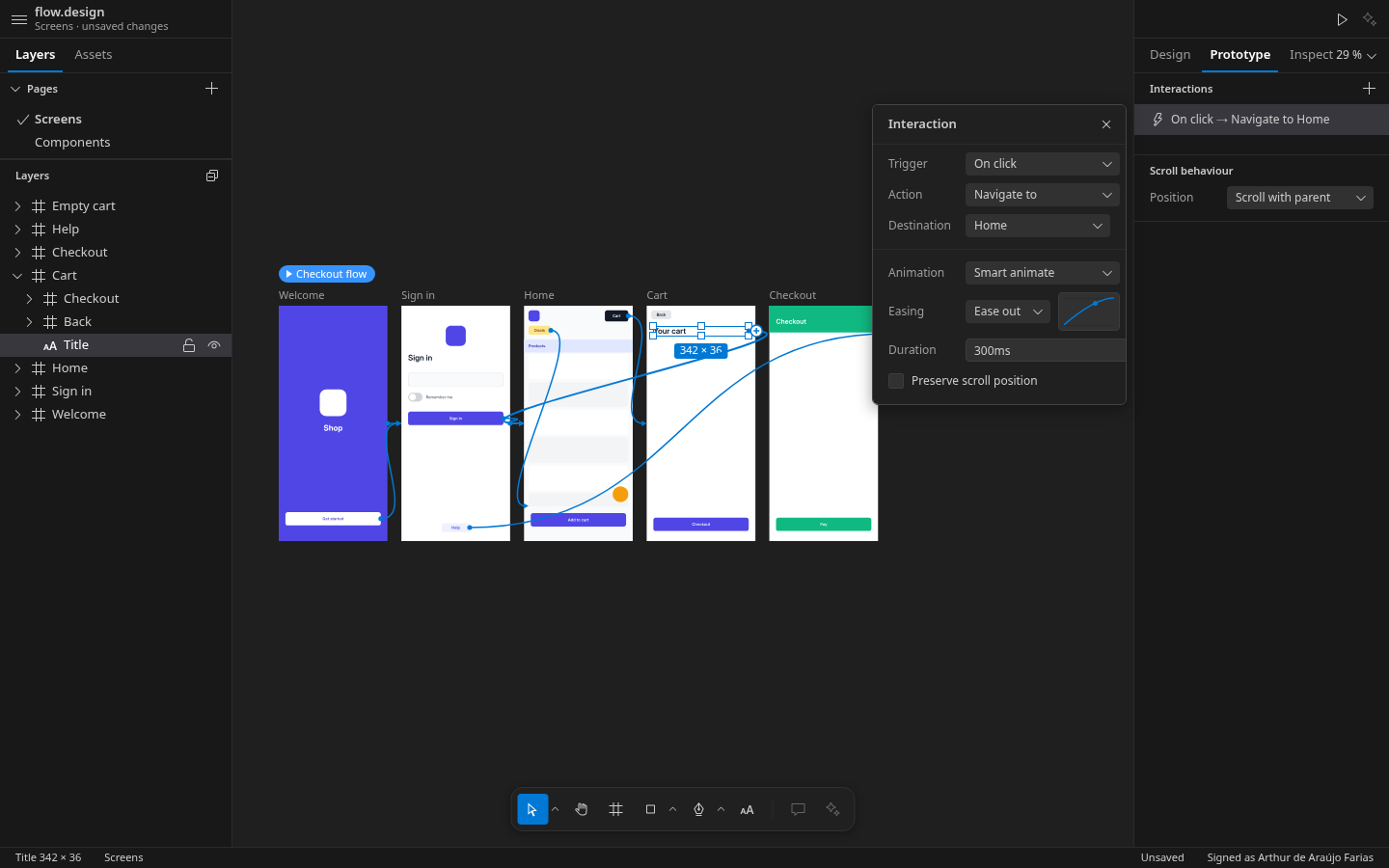
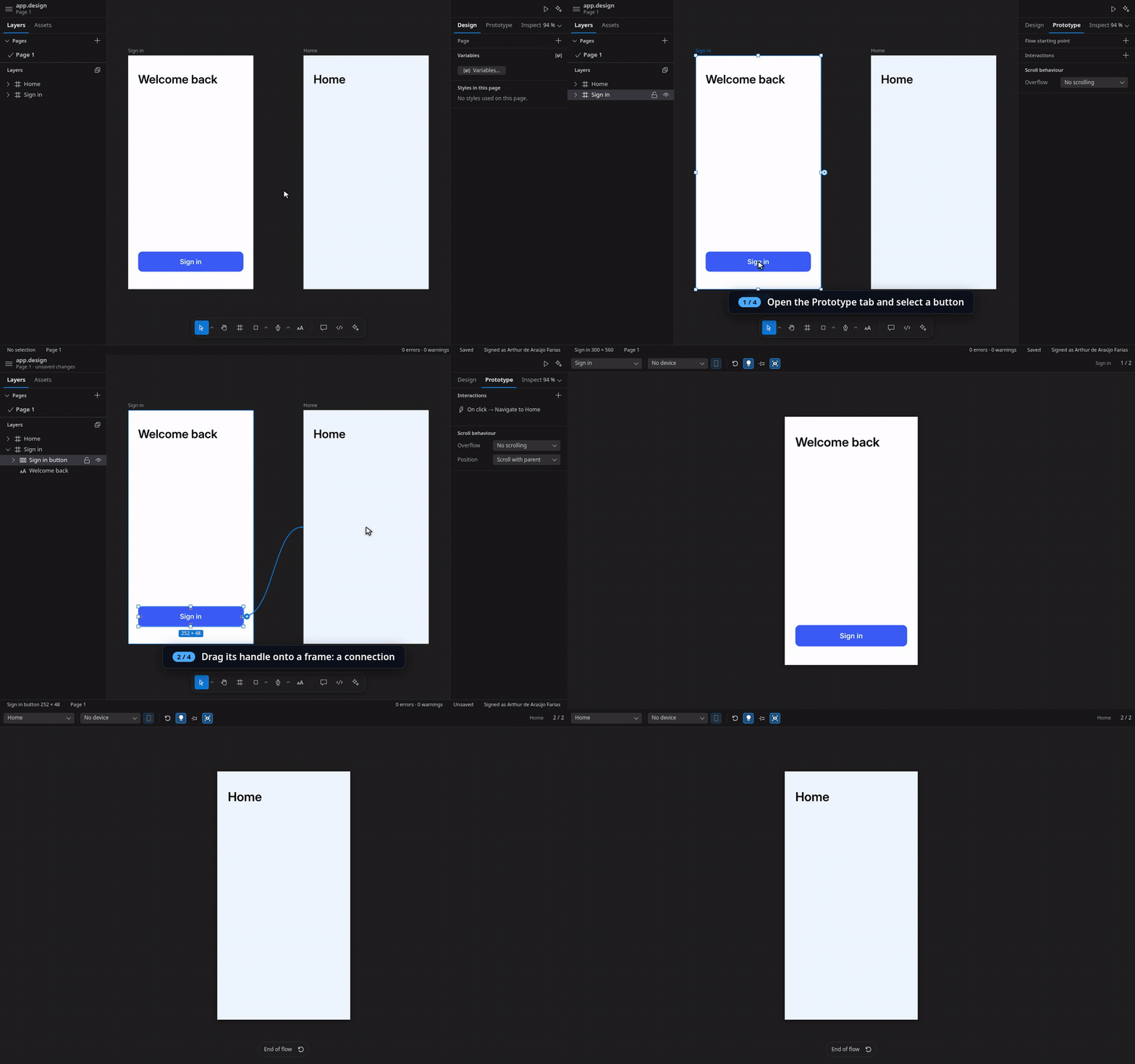
3. Prototype. Drag a connection from a button to the next screen in the Prototype view and play it with
Ctrl+Alt+Enter. (Prototyping)
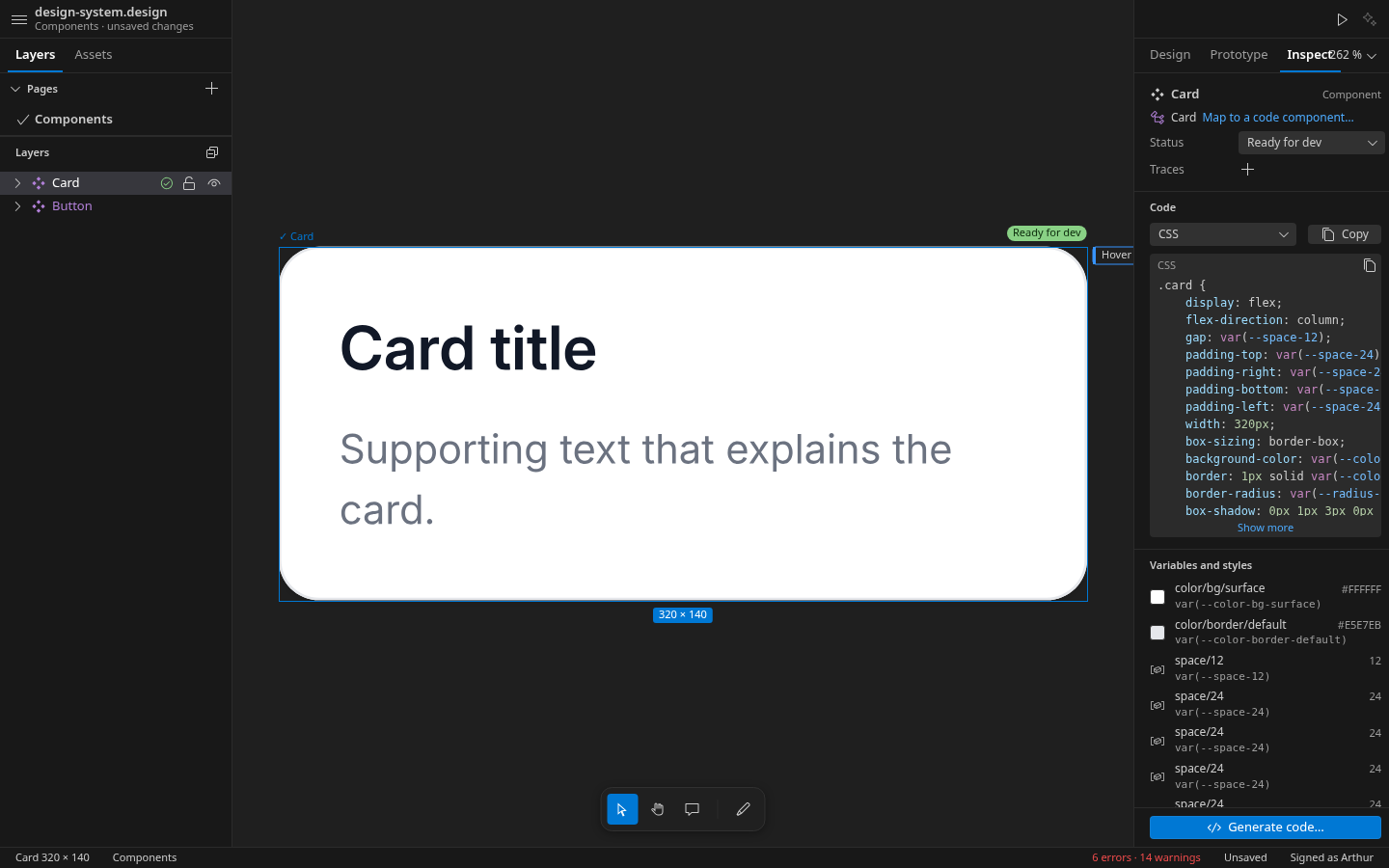
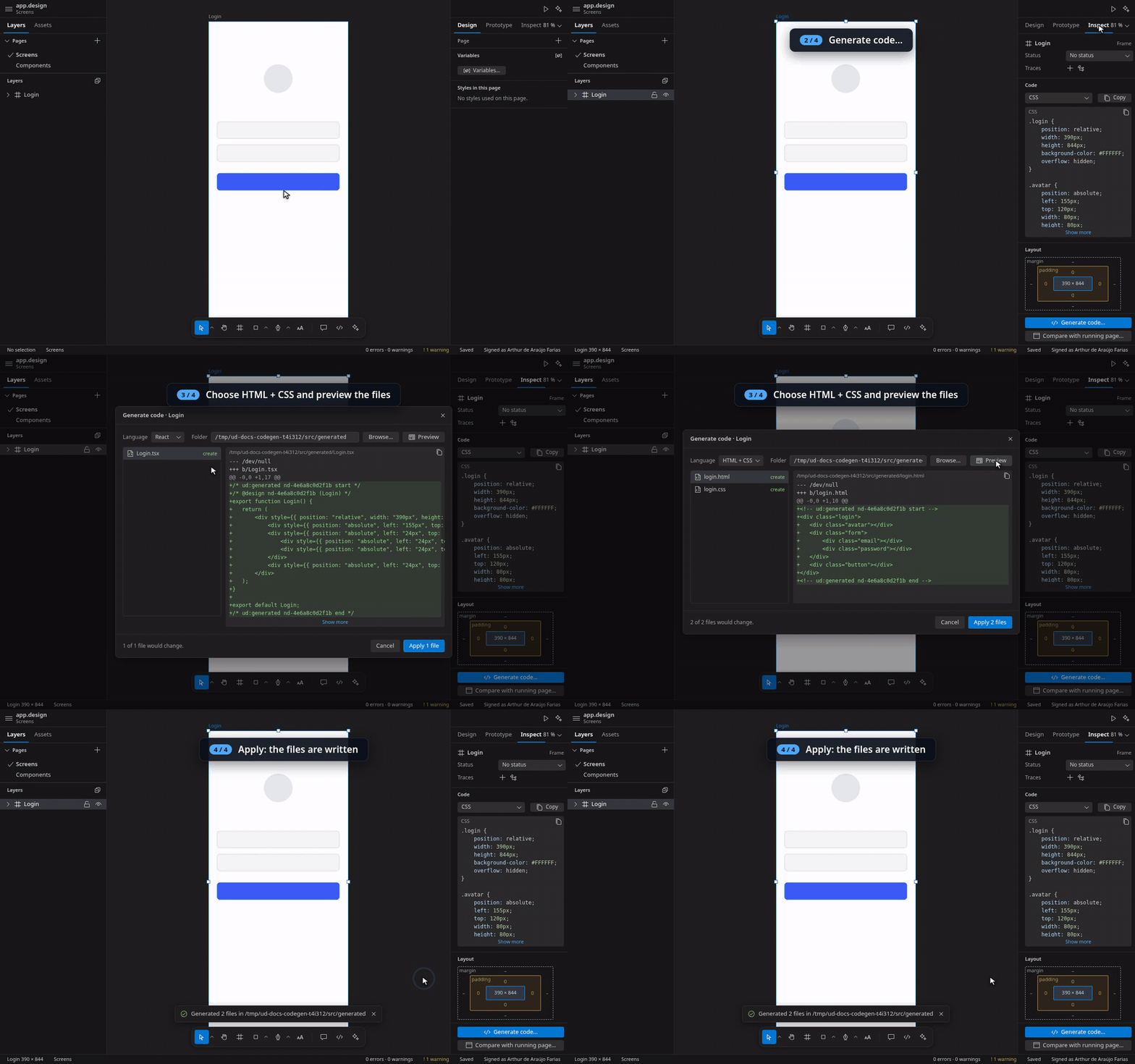
4. Hand off. Inspect shows measurements and code; Generate code… previews the files and writes them into
the workspace. (Handoff to code)
5. From the terminal. ud reaches every command of the editor, so Claude Code and your scripts design the same
file, live in the open editor. (Command line and agents)

ud new designs/app.design --template mobile
ud tree designs/app.design --depth 2
ud use_figma designs/app.design --code 'const f = figma.createFrame(); f.name = "Card"; return f.id;'
ud render designs/app.design --node "Card" --out card.png
ud mcp                      # the Figma MCP tools over stdio, for any MCP client
UI Designer: Let Claude Code Design in This Folder installs the skills into .claude/skills/, and
ud mcp install registers ud mcp in .mcp.json. Press Ctrl+/ for Quick actions and Ctrl+Shift+? for
every keyboard shortcut.
Features
| Area |
What you get |
| Foundations |
The .design format, the custom editor with canvas, layers and undo, the command registry, ud with the live bridge, ud mcp, use_figma with the Plugin API, Claude Code skills |
| Drawing |
Text engine (HarfBuzz shaping, bidi, line breaking, text on a path), fills, gradients, images, effects (progressive blur, noise, texture), masks, export to PNG, JPG, WebP, SVG and PDF, Quick actions, Run Script |
| Vector |
Pen and vector edit mode, vector networks, booleans, flatten, outline stroke, offset, simplify |
| Layout |
Constraints, auto layout with wrap, grid layout, rulers and guides, version history and saved versions |
| Design systems |
Components, variants, instances and overrides, styles, variables with modes and expressions, libraries with updates, find and replace |
| Prototyping |
Flows, interactions, overlays, scroll, smart animate and springs, the preview player and preview in the browser |
| Handoff |
Inspect (Dev Mode), code generation (CSS, HTML, React, Tailwind, SwiftUI, Compose, custom elements), code map, design tokens export, lint, comments |
| AI |
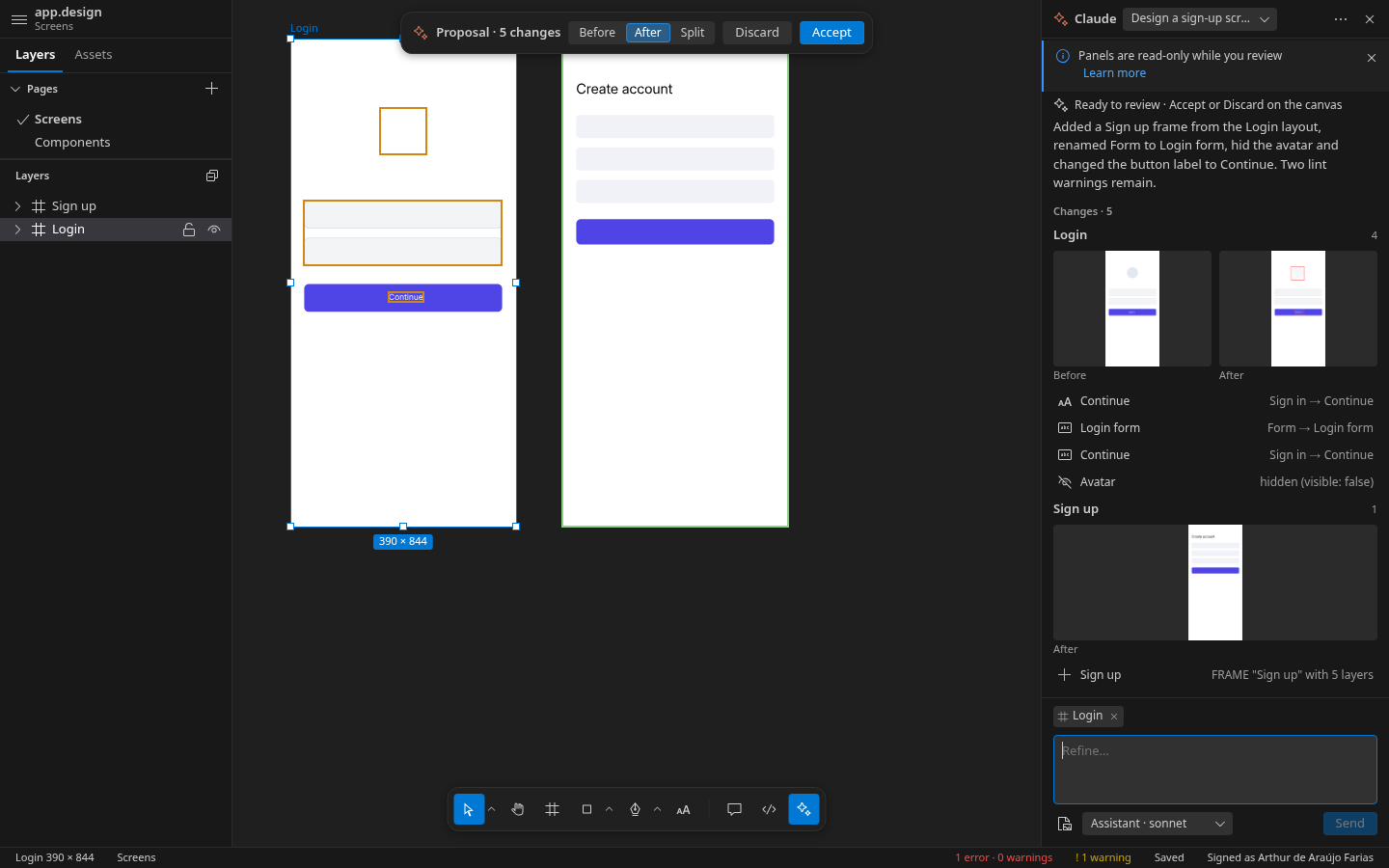
The AI panel with Claude Code, proposals you review before they are kept, design from and to code, review, VS Code chat tools |
| Interop |
Figma import with a report, Sketch and Penpot import, HTML import and page capture, live-page compare, prototype site export, traces to Project Board and Software Board items |
| Editing |
The Layers panel edits the layers (drag and drop, a layer menu with Cut, Copy, Paste, Duplicate, Delete, Arrange and Create ▸), the canvas menu with Properties…, the focus on a new layer's first property |
| Everywhere |
Panels as VS Code views you arrange, VS Code for the Web (vscode.dev, github.dev), co-editing through Live Share, English and Portuguese (Brazil), keyboard access everywhere, screen reader names, High Contrast themes |
Install
- Marketplace: search for UI Designer in the Extensions view (Ctrl+Shift+X), or
code --install-extension SoftForge.softforge-ui-designer. VS Code 1.108 or newer.
- VSIX: Extensions: Install from VSIX…, or
code --install-extension softforge-ui-designer-1.2.0.vsix.
- vscode.dev and github.dev: open a repository in VS Code for the Web and install UI Designer from the
Extensions view;
.design files open in the editor there. ud, the AI panel and the importers stay on the
desktop (UI Designer on the web).
Then open any *.design file or run UI Designer: New Design. ud is on the PATH of every new integrated
terminal; outside VS Code it needs Node.js 22. See Installing
and, to remove it, Uninstalling.
Licensing
UI Designer is proprietary software sold as a SoftForge subscription. Reading is never gated: your files always
open, render and export.
| Plan |
Price |
What you get |
| Trial |
free, 30 minutes |
Everything, no sign-in; then the Free plan |
| Free |
free |
Open and view every file, Inspect and snippets, comments, exports of images and tokens, saving versions, every read tool of ud and ud mcp |
| Pro |
4.00 / month or 40.00 / year, 2 machines |
Everything: editing in the editor and through ud, code generation, the AI panel, publishing libraries |
| Team |
15.00 / month, 5 machines |
Everything in Pro, shared libraries, one bill for the team |
Everything about your plan is in one menu, UI Designer: Subscription… (the licence item of the status bar, the
key in the editor's title bar): sign in, see the plans, enter or remove a licence key, manage your plan, bills and
devices. In a terminal: ud license status, ud license activate <key>, ud license deactivate. See
Plans and licensing, the
licence and the
third-party notices.
Documentation
The user guide goes from installing to
uninstalling, with a short clip or terminal session on every page. The
ud command reference lists every
command, Figma MCP tool and parameter; the file format
has its JSON Schema; the
specifications are published from the
project board. The editor itself is designed in UI Designer: its design is
planning.design, next to
the board and the architecture model at the repository root.
Links
For the owner
A build sells plans only once it is connected to its product on the Soft Forge Payments platform. Run
npm run platform:connect -- https://host/payments once from your own machine (it signs you in as an owner of the
business in the browser, creates the product and the plans of plans.json, and writes
src/licensing/productConfig.ts and the sponsor link). After changing plans.json, npm run platform:sync.
Releasing a version is a checklist in the development guide:
Releasing.
npm ci
npm run compile          # host, CLI and tests; the webview-safe layers into media/lib; esbuild bundles
npm run dev              # dev server with sample/app.design on http://localhost:4173 (?theme=light, ?theme=hc)
npm run lint && npm run test:unit
npm run docs:gen && npm run docs:build && npm run docs:check   # the documentation site (docs.src → docs)
npm run design:build && npm run design:render                  # the editor's design, planning.design, and its images
npm run package          # softforge-ui-designer-<version>.vsix, checked against the 25 MB budget
| |