Tailwind Prism
Tailwind Prism is a VS Code extension that makes long Tailwind CSS class strings readable again by adding subtle, semantic syntax highlighting.
It highlights Tailwind utilities based on what they mean, variants, modifiers, arbitrary values, so you can scan and edit complex class lists faster, without changing how your editor works.
Features
Semantic Tailwind highlighting: Variants (hover:, sm:), important modifiers (!), arbitrary values ([data-*]), and utilities are highlighted distinctly.
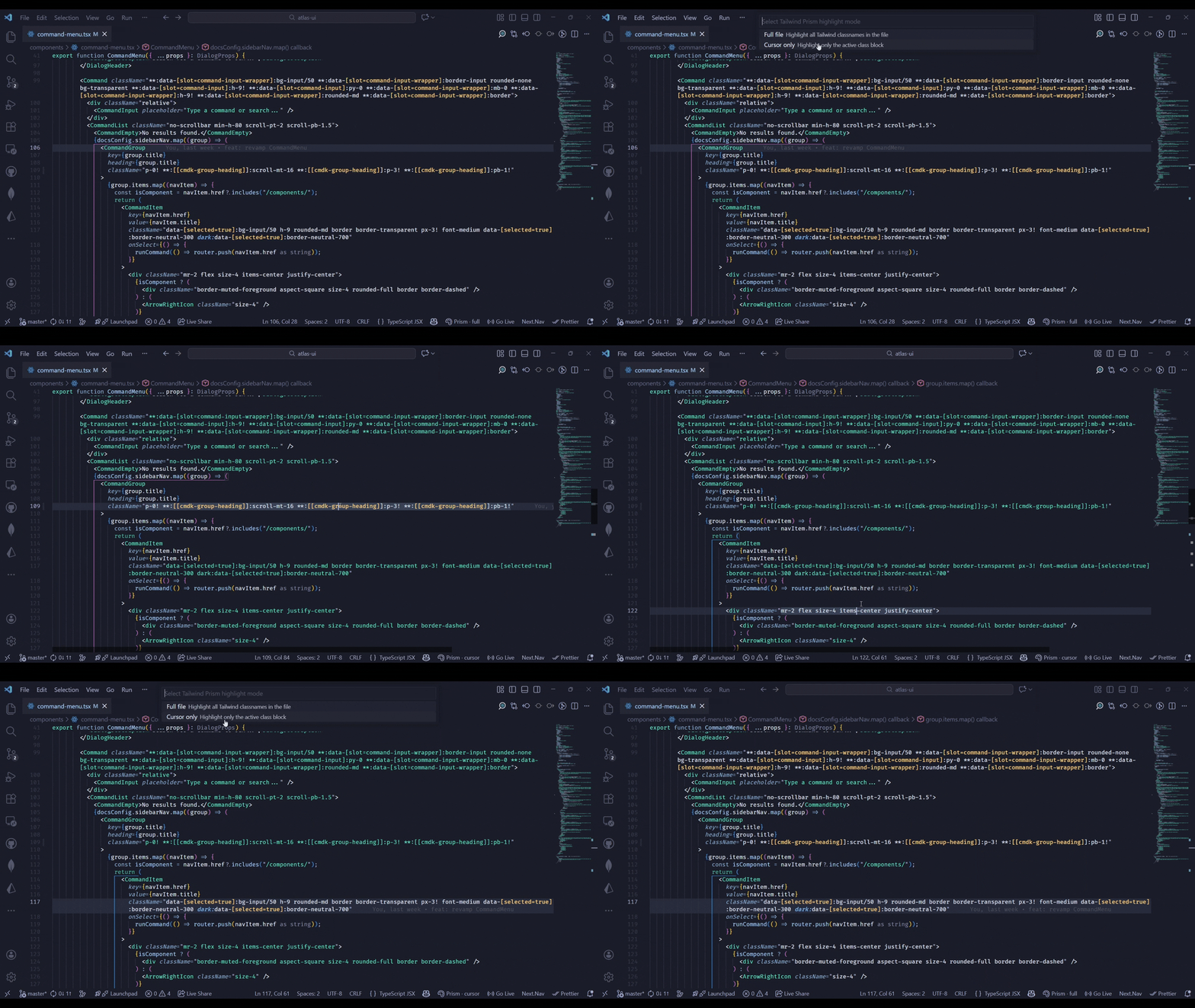
Full file or cursor mode: Highlight all Tailwind classes in a file, or only the active class block under your cursor.
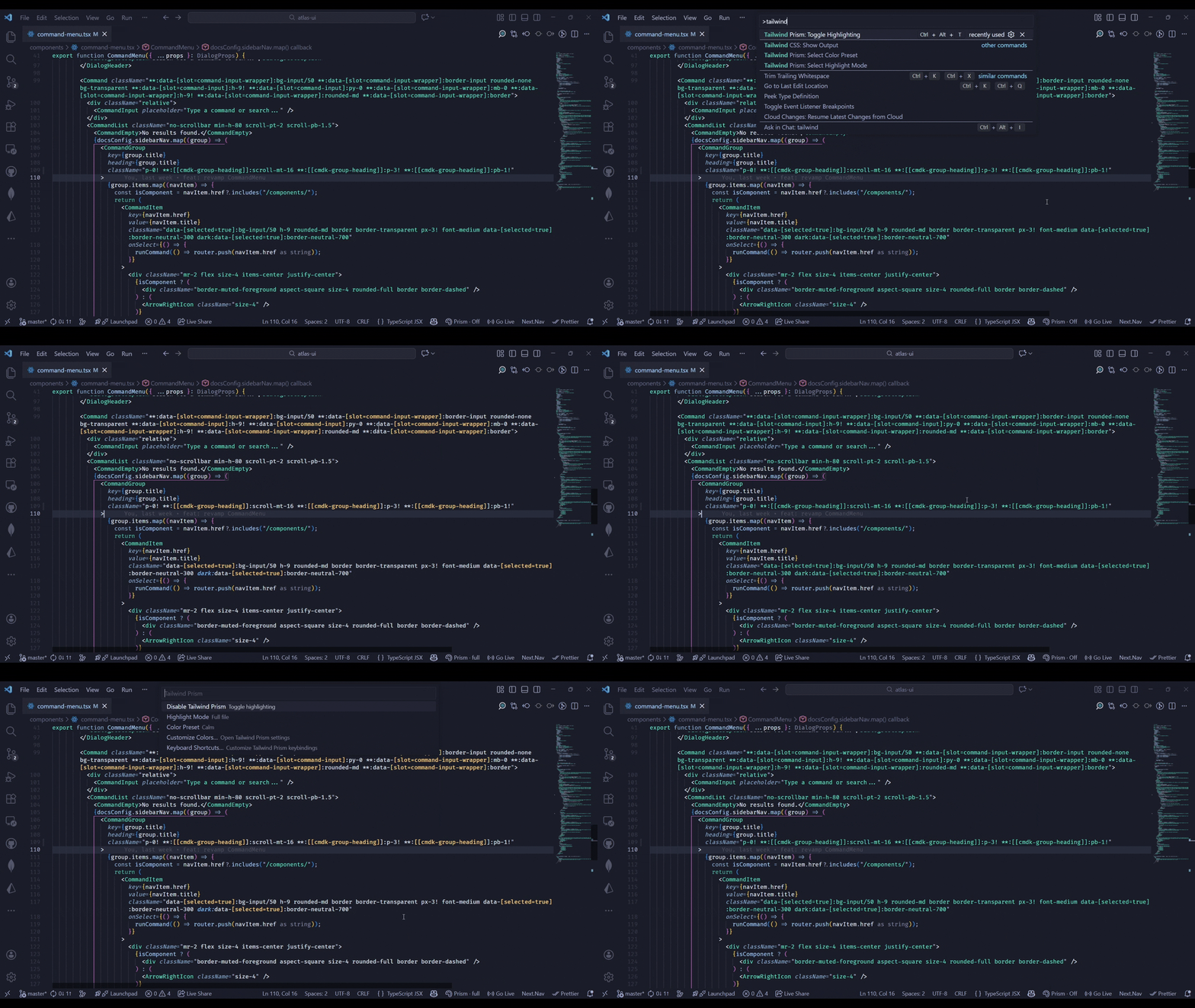
Toggle anytime: Enable or disable Tailwind Prism instantly using a command or keyboard shortcut.
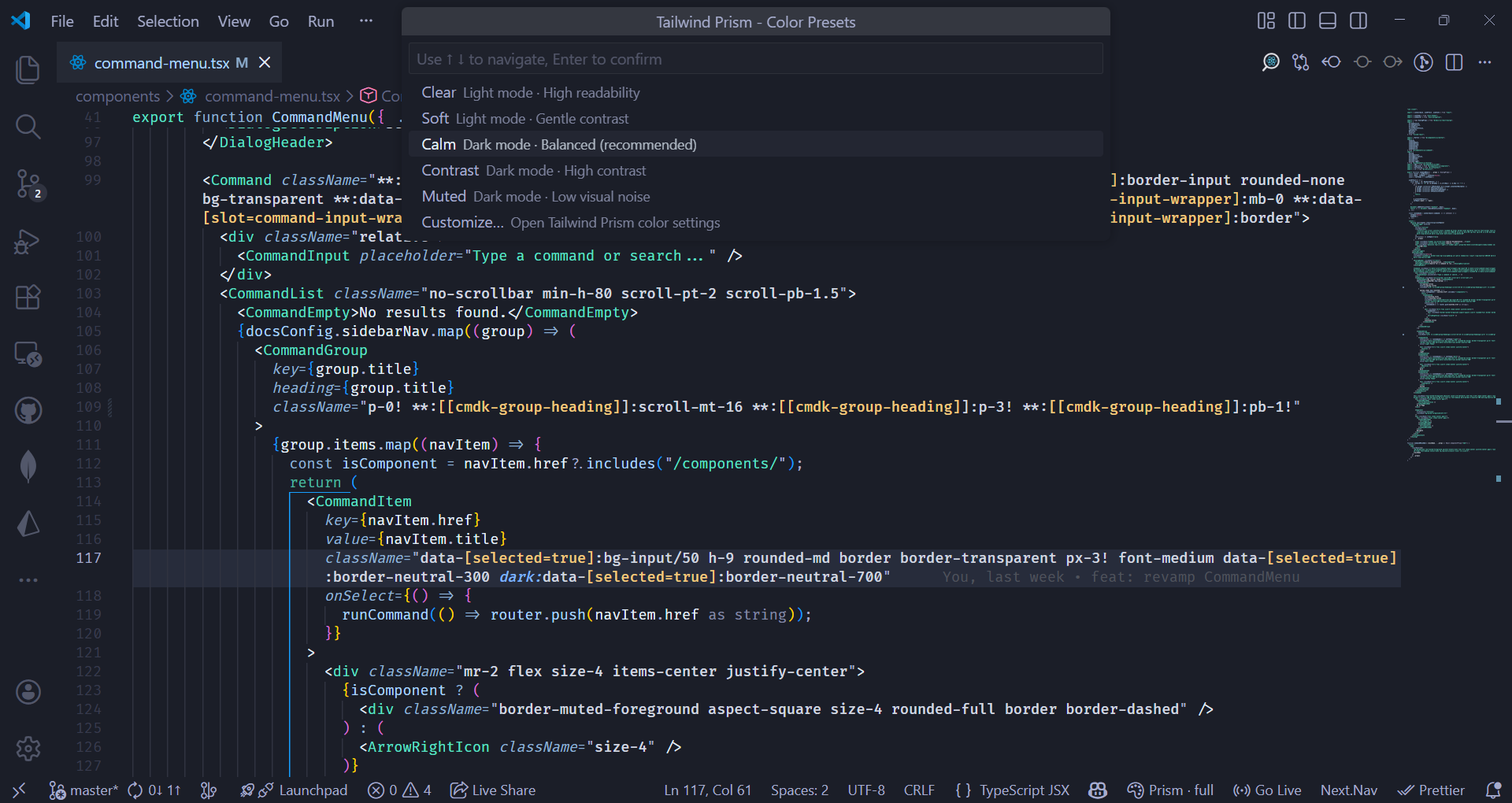
Color presets & customization: Includes built-in color presets for light and dark themes, with full control over individual colors if needed.
Works with real-world patterns: Supports className, cn(), clsx(), classnames(), template literals, and conditional class logic.
Lightweight & non-intrusive: No linting, no formatting, no code transformations. Tailwind Prism only improves readability.
Screenshots & Demos
Highlight Mode Demo
Color Presets
Usage
Once installed, Tailwind Prism can be enabled or disabled at any time.
- Toggle highlighting via the command palette
- Switch between Full file and Cursor only highlight modes
- Change color presets or customize colors in settings
All behavior is opt-in and configurable.
Keyboard Shortcut
By default:
- Windows / Linux:
Ctrl + Alt + T
- macOS:
Cmd + Alt + T
You can customize this shortcut in VS Code keyboard settings.
Configuration
Tailwind Prism provides the following settings:
- Enable or disable highlighting
- Choose highlight mode (full file or cursor)
- Select a color preset
- Override individual colors for:
- variants
- important modifiers
- arbitrary values
- utilities
All settings are available under Settings → Tailwind Prism.
Compatibility
- Visual Studio Code
- Cursor
- Windsurf
(All VS Code–compatible editors using the VS Code Marketplace and OpenVSX)
Philosophy
Tailwind Prism is intentionally focused.
It does not:
- lint
- autocomplete
- format
- enforce opinions
It simply adds clarity, so you can reason about Tailwind CSS faster.
License
Licensed under the MIT license.

