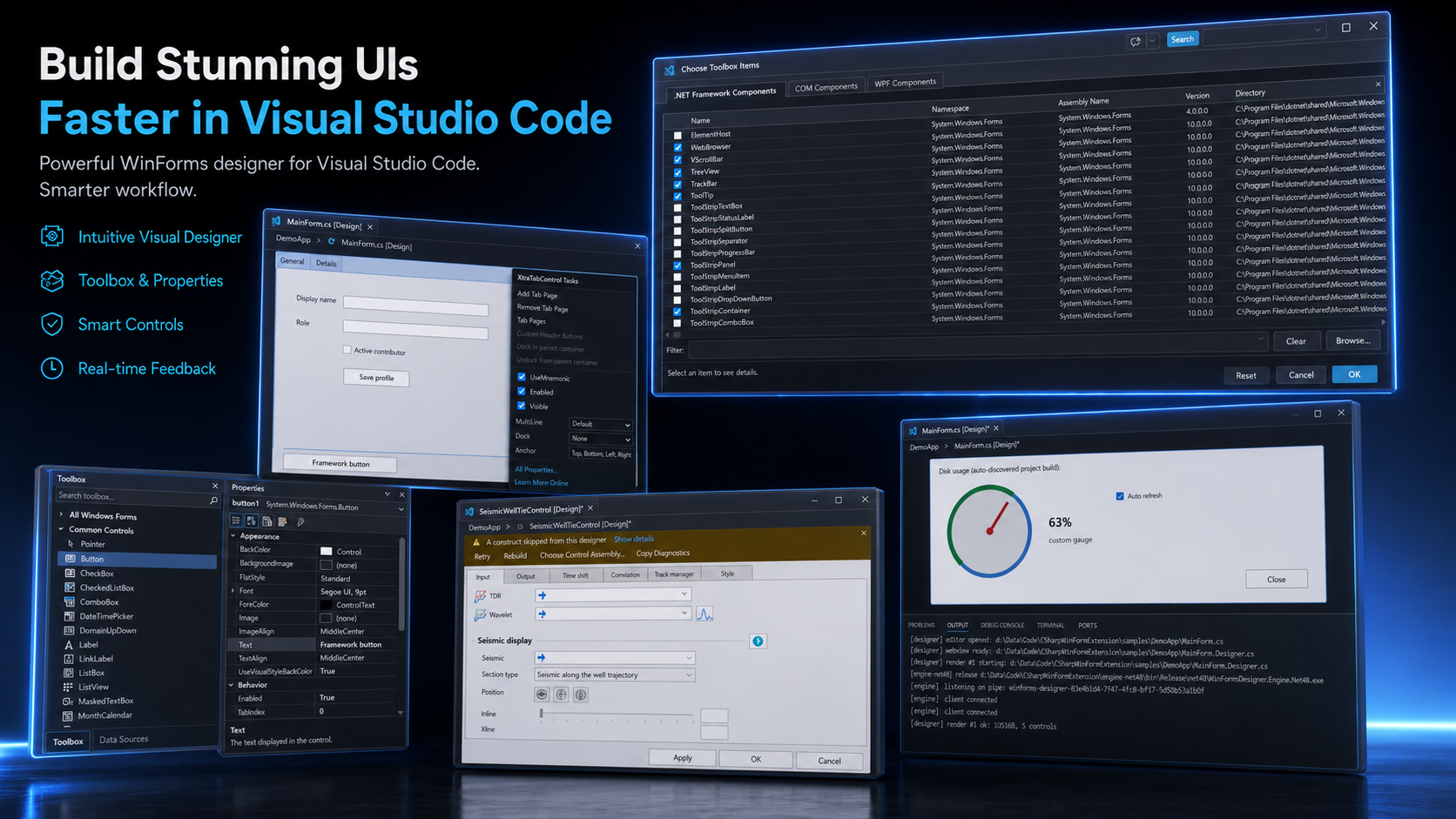
A Visual Studio–style WinForms form designer, running natively inside VS Code.
Open a form's Form1.cs and get a live, interactive preview of the rendered form — click controls, edit properties, drag and resize, wire events, and save minimal changes back into .Designer.cs. No round-trip through Visual Studio.
✅ 2.0.0. Windows x64 · .NET 10 Desktop Runtime · trusted workspace. Linux, macOS and WSL are not supported.
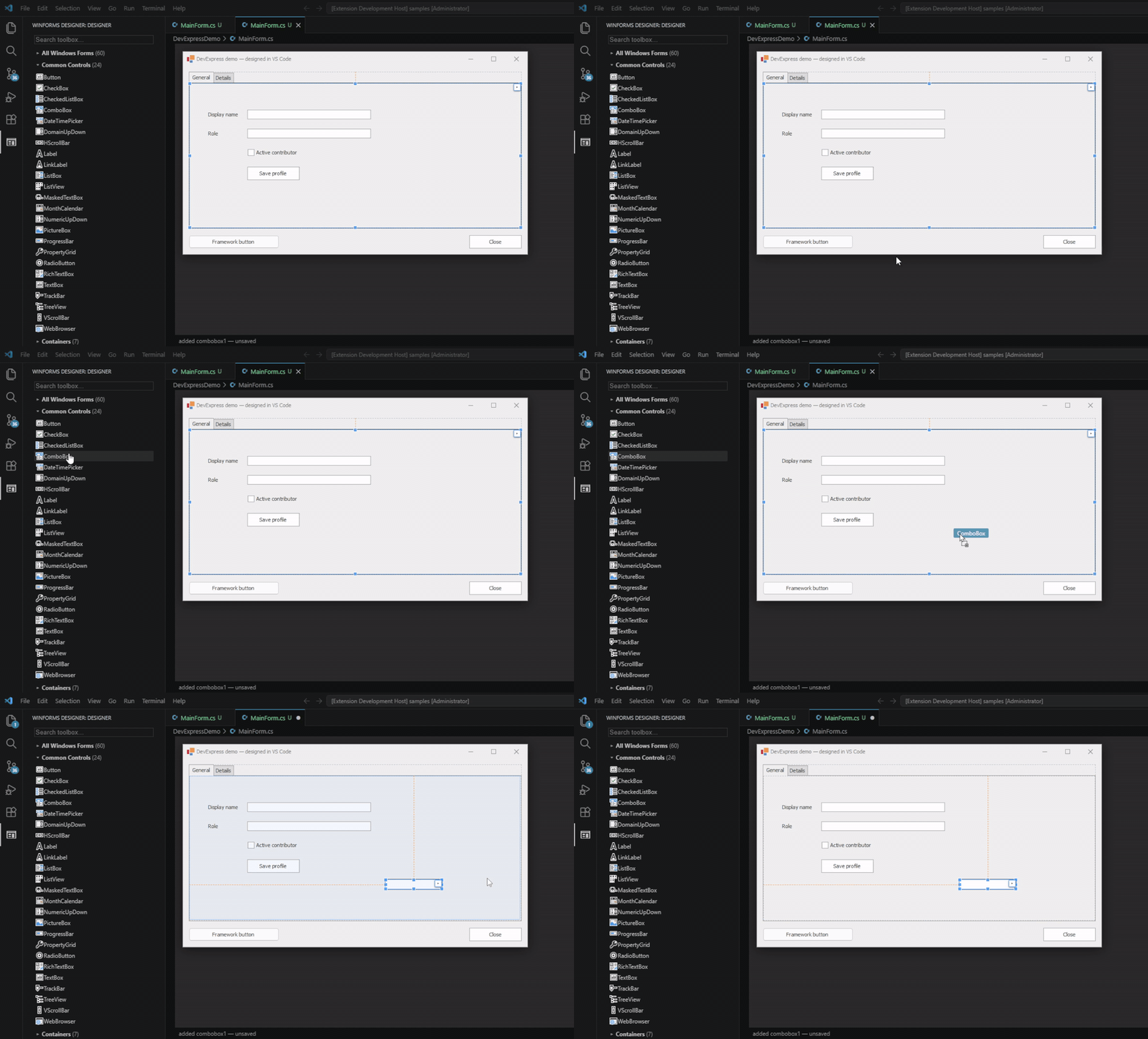
Drag & drop, live
Drop a control from the toolbox onto a DevExpress form and it lands where you put it — snaplines, selection
handles and all — while the change goes back into .Designer.cs as a minimal edit.
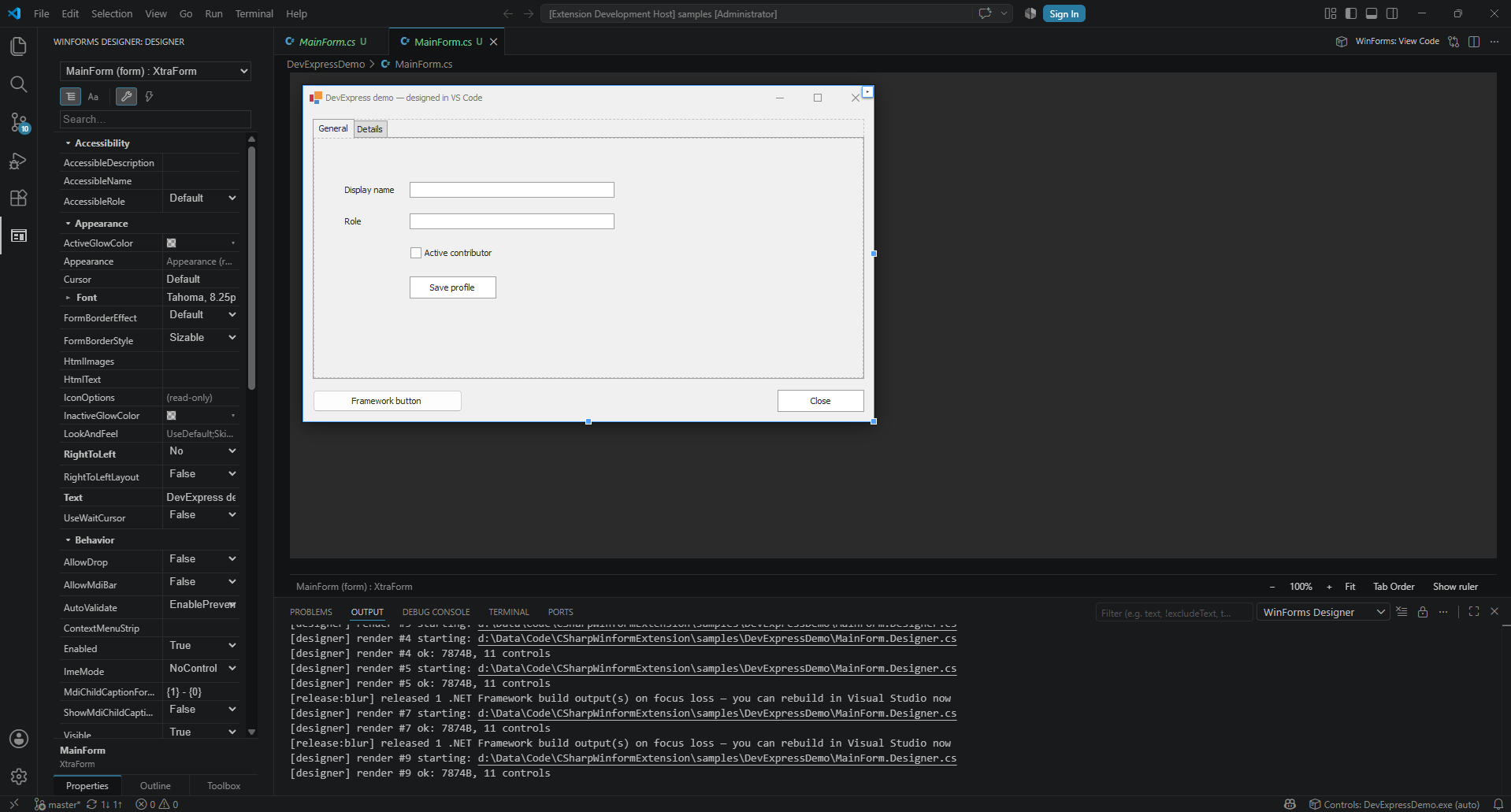
Screenshots
A DevExpress form, designed in VS Code. The canvas is your live .Designer.cs replayed onto the real vendor
controls; the property grid is the XtraForm itself, not a stand-in.
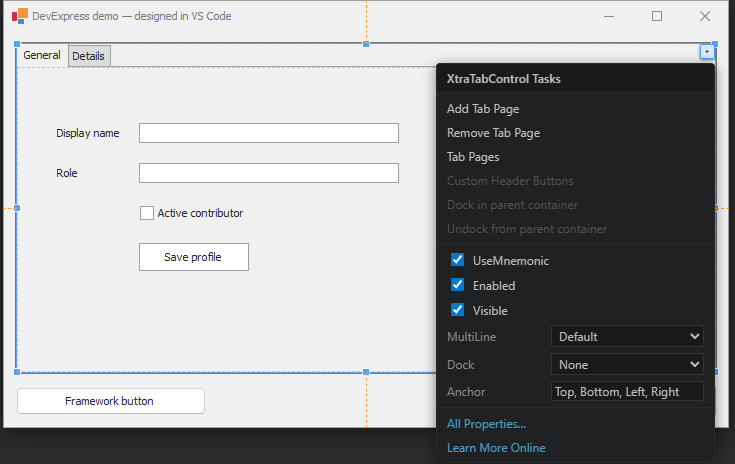
Vendor smart tags — the control's own designer verbs, read off the compiled type:
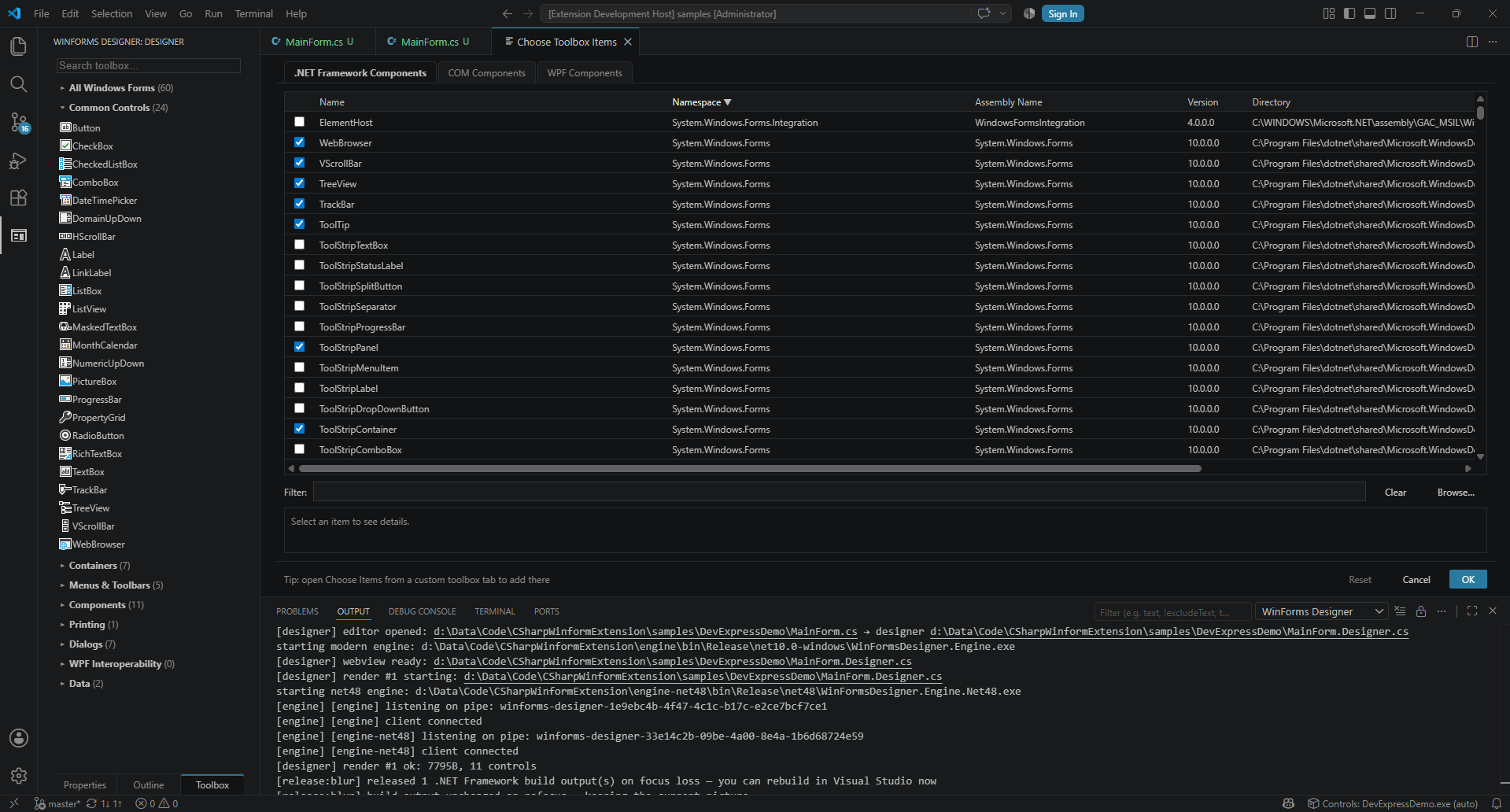
Choose Toolbox Items — framework, project and browsed assemblies, with sortable columns:
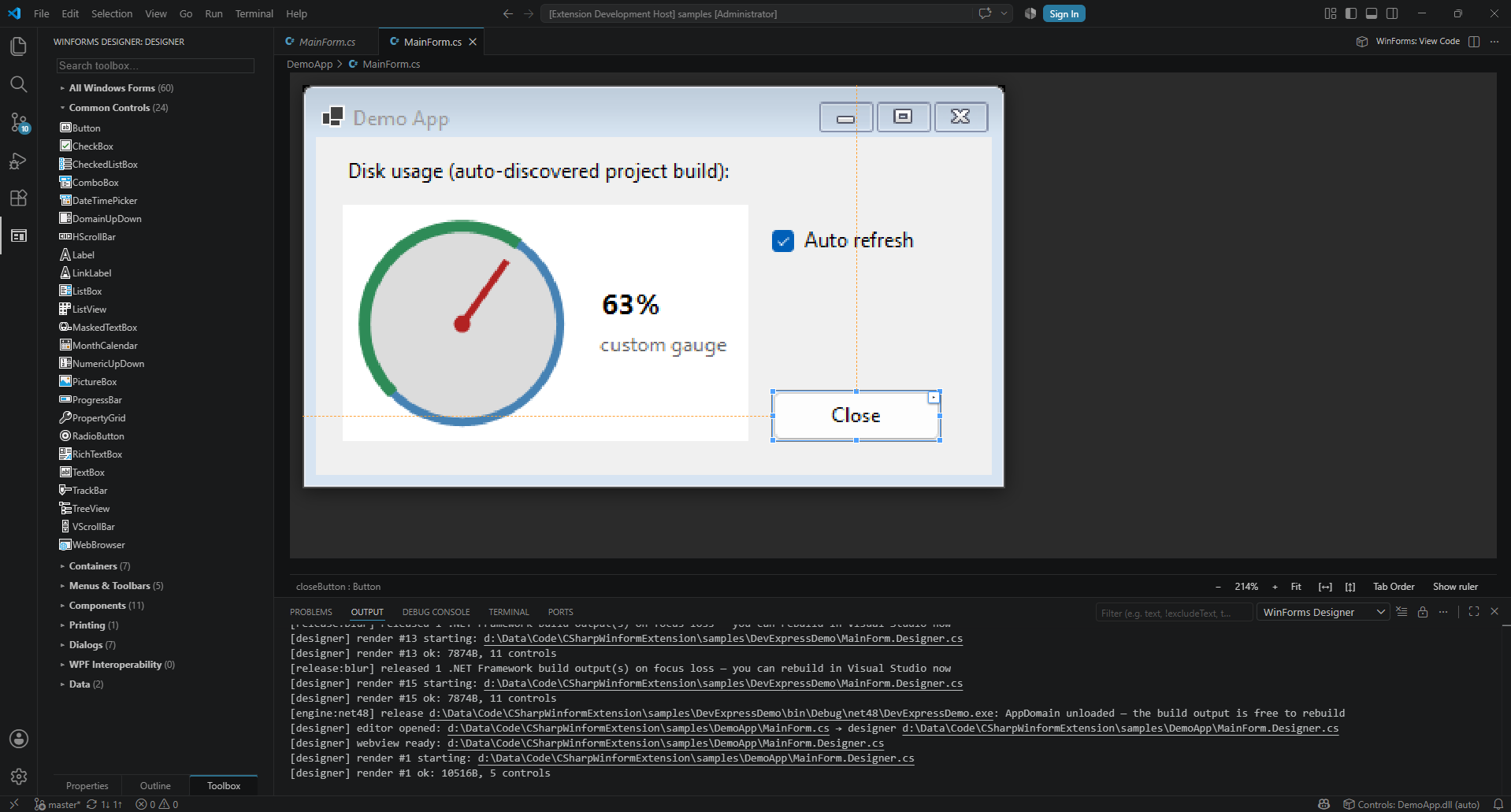
Zoom, snaplines and your own controls — a custom gauge painted by its real OnPaint at 214%:
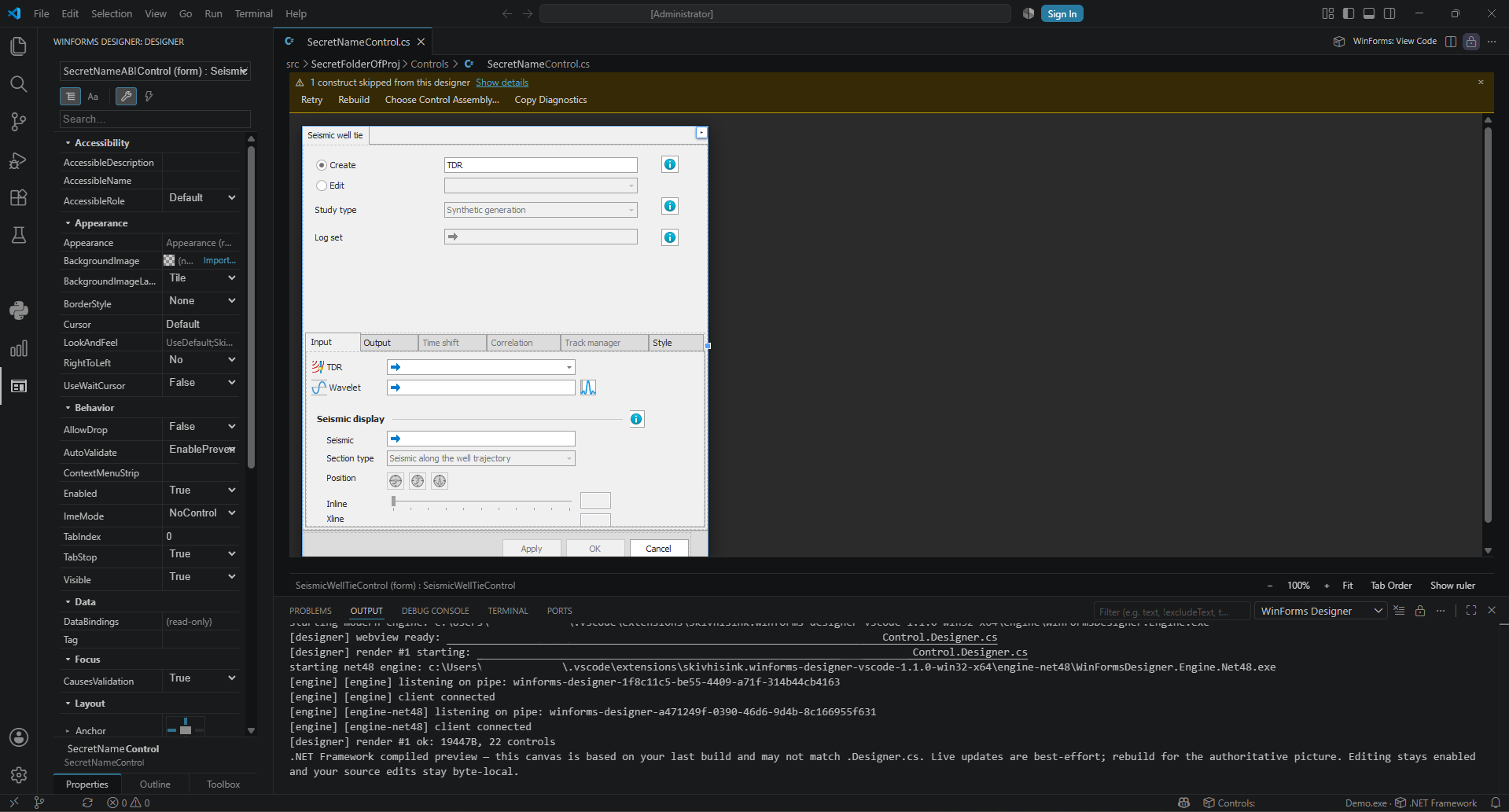
A real production form — hundreds of controls, a third-party suite, and an honest disclosure when a construct
falls outside what the designer can replay:
Getting started
- Open an existing form's
Form1.cs, or right-click a project folder and choose Add → Windows Form.
- Click a control to select it, then edit it in Properties or drag/resize it on the canvas.
- Add controls from the Toolbox; press F4 to focus Properties.
- Save — only the changed lines are written back into
.Designer.cs.
What you get
Canvas. Select, move, resize with 8 handles, nudge with arrows, multi-select and rubber-band, group move/delete,
reparent, z-order, copy/paste, duplicate (Ctrl+D), lock, align / distribute / make-same-size, tab-order editor,
snaplines, smart tags, right-click menu. Hold Alt during a drag to suppress snapping.
Properties. Primitives, enums, and VS-style editors for Color, Font, flags enums, Anchor/Dock,
Cursor and images. Non-default values are bold; right-click Reset restores the default.
Component-reference properties become dropdowns of compatible components.
Real controls, really rendered. Your controls — including custom and third-party ones — are instantiated and
painted, so the preview matches runtime. Stays crisp on 4K.
.NET Framework & DevExpress. net4x forms render on a bundled .NET Framework 4.8 engine that interprets your
live source onto the compiled controls, so classic suites like DevExpress look pixel-accurate. Each form is
routed to the right engine automatically.
Menus & toolbars, edited on the canvas. A "Type Here" slot to add, double-click or F2 to rename, click
and Delete to remove — including nested submenus, off-tree ContextMenuStrip, and the overflow area. Each item
gets its own property grid with an Events tab.
Collection editors. The … button opens a VS-style editor for string collections, ListView.Columns,
DataGridView.Columns, TabControl.TabPages ordering, and TreeView.Nodes.
Layout panels. Drag children between live TableLayoutPanel cells or within a FlowLayoutPanel, edit
column/row styles, and work through SplitContainer panels.
Tabs. Navigate, rename, add, delete and reorder tab pages; the active page is remembered per form.
Images & .resx. Render images from a form's sibling .resx, and import or clear Image, BackgroundImage
and Icon.
Localized forms. Edit Localizable = true forms in the neutral or a chosen culture. Values, geometry, images,
RightToLeft and Reset go to the .resx; generated source stays clean.
Data binding. Edit DataBindings, pick a DataSource, and maintain bound DataGridView columns. The preview
doesn't evaluate bindings — neither does Visual Studio's.
Events. Wire, unwire and rewire handlers, generate a stub, jump to the body, or double-click a control for its
default event.
Toolbox. 69 framework items across Common Controls, Containers, Menus & Toolbars, Data, Components, Dialogs
and Printing — including non-visual components (Timer, ImageList, ErrorProvider, BindingSource,
ContextMenuStrip, BackgroundWorker, FileSystemWatcher) that land in the component tray, and the common
dialogs. Plus controls discovered from your project and its references. The palette follows the open form's
runtime, so a net4x form also gets the .NET Framework-only controls that do not work on modern .NET.
Choose Toolbox Items hides or restores them and keeps custom tabs.
Component tray & document outline for non-visual components and the control hierarchy, with safe drag/reparent.
Explorer integration. Right-click a folder → Add → Windows Form, User Control, Component or Class. Creating
a form is one undoable transaction across .cs / .Designer.cs / .resx.
High-DPI advisor. For a form using AutoScaleMode.None, WinForms: Preview High-DPI Scaling Fix… shows the
exact None → Font change as a read-only diff before you apply it.
7 languages. English, Русский, 简体中文, Français, Deutsch, Español, हिन्दी — via winformsDesigner.language.
What it won't do
Safety is the point: an edit the designer can't write correctly is refused with a stated reason, never guessed.
- Saves are byte-local. Only the lines you changed move; everything else is preserved exactly.
- Forms it can't fully regenerate — a binary
.resx, an unresolved base type, an unrepresentable statement —
stay editable through targeted edits, but whole-file regeneration is refused and the reason is named.
- On the .NET Framework engine, a construct the interpreter can't reproduce falls back to a render of your
last build, with the reason disclosed. Never a silent mismatch.
- Not supported: x86, COM and ActiveX projects; arbitrary vendor-specific property editors and hosted
designers beyond the framework routes. These refuse before touching your files.
- Windows ARM64: a
win32-arm64 package is published and genuinely contains an ARM64 engine, but it has never
been run on ARM64 hardware — all testing happens on x64. Treat it as unverified.
See ARM64 notes.
If something goes wrong, run WinForms: Export Designer Diagnostics and attach the output to an issue.
Requirements
- Windows x64 — WinForms is Windows-only.
- .NET 10 Desktop Runtime matching the VSIX architecture.
- .NET Framework 4.8 — only for
net4x / DevExpress projects. Rendered by a bundled engine.
- A trusted workspace — see below.
Settings
| Setting |
Default |
Description |
winformsDesigner.autoOpenDesigner |
true |
Open the designer automatically when a form's .cs becomes active. |
winformsDesigner.language |
en |
UI language of the designer (set here, not from VS Code's display language). Needs a Reload Window. |
winformsDesigner.layoutMode |
snapLines |
Placement policy: snapLines, snapToGrid, or none. |
winformsDesigner.gridSize |
8 |
Grid cell size in logical pixels (2–128) for Snap to Grid and Ctrl+Arrow. |
winformsDesigner.showGrid |
false |
Show the placement grid. |
winformsDesigner.placementSnapOverrideModifier |
alt |
Modifier that suppresses snapping during one drag (alt, control, shift, disabled). |
winformsDesigner.deleteFormSiblings |
true |
Delete a form's .Designer.cs and .resx together with the form, as one undoable operation. |
winformsDesigner.assemblyPath |
"" |
Explicit path to the built control assembly. Empty = auto-discovery. |
winformsDesigner.toolbox.autoDiscoverProjectControls |
true |
Discover toolbox controls from the owning project and its references. |
winformsDesigner.toolbox.runtimeFilter |
auto |
Which runtime's controls the toolbox offers. auto follows the open form; modern / net48 pin it; all shows everything. |
winformsDesigner.net48.probeDirectories |
[] |
Extra directories the net48 engine searches for control assemblies (e.g. a control SDK installed outside the project output). Needs a Reload Window. |
winformsDesigner.net48.releaseOnExternalBuild |
true |
Hand the net48 build output back when an external build (Visual Studio, msbuild) needs it, so it never fails with MSB3027. |
winformsDesigner.net48.releaseOnFocusLoss |
false |
Release the net48 output on every focus loss. Rarely needed — use it when something outside VS Code replaces files in the output directory. |
winformsDesigner.net48.isolateRenderWindows |
true |
Run the net48 preview on a hidden desktop, so a form's own Load/Shown code can't put windows on your screen. |
Security & workspace trust
Rendering a designer loads and runs your project's control assemblies — constructors and OnPaint execute during
preview. The extension is therefore disabled in untrusted workspaces, and the engine interprets .Designer.cs
through strict allowlists rather than executing arbitrary code from the file. Only open projects you trust.
Support matrix
| Capability |
Modern (net8.0 / net9.0 / net10.0-windows) |
.NET Framework 4.8 (net4x / DevExpress) |
| Render · select · property grid · collection editors |
✅ |
✅ |
| Move / resize / align / z-order / copy-paste / duplicate / lock |
✅ |
✅ |
On-canvas menu & toolbar editing · .resx images · ImageList |
✅ |
✅ |
Localized forms · RTL · per-culture .resx |
✅ |
✅ |
| Tab pages · component tray · outline · events |
✅ |
✅ |
| Data binding edits |
✅ (bindings not evaluated in preview) |
✅ (preview from last build) |
| Inherited forms (derived fields editable, inherited read-only) |
✅ |
✅ |
| Byte-local save |
✅ |
✅ |
| Overall |
Stable |
Live-source preview + disclosed compiled fallback |
Links


