Supercharge your brain
Cortex keeps your working context directly inside your project.
Offload thoughts, tasks, and work in seconds. Everything stays bound to your workspace, so you can pick up right where you left off anytime.
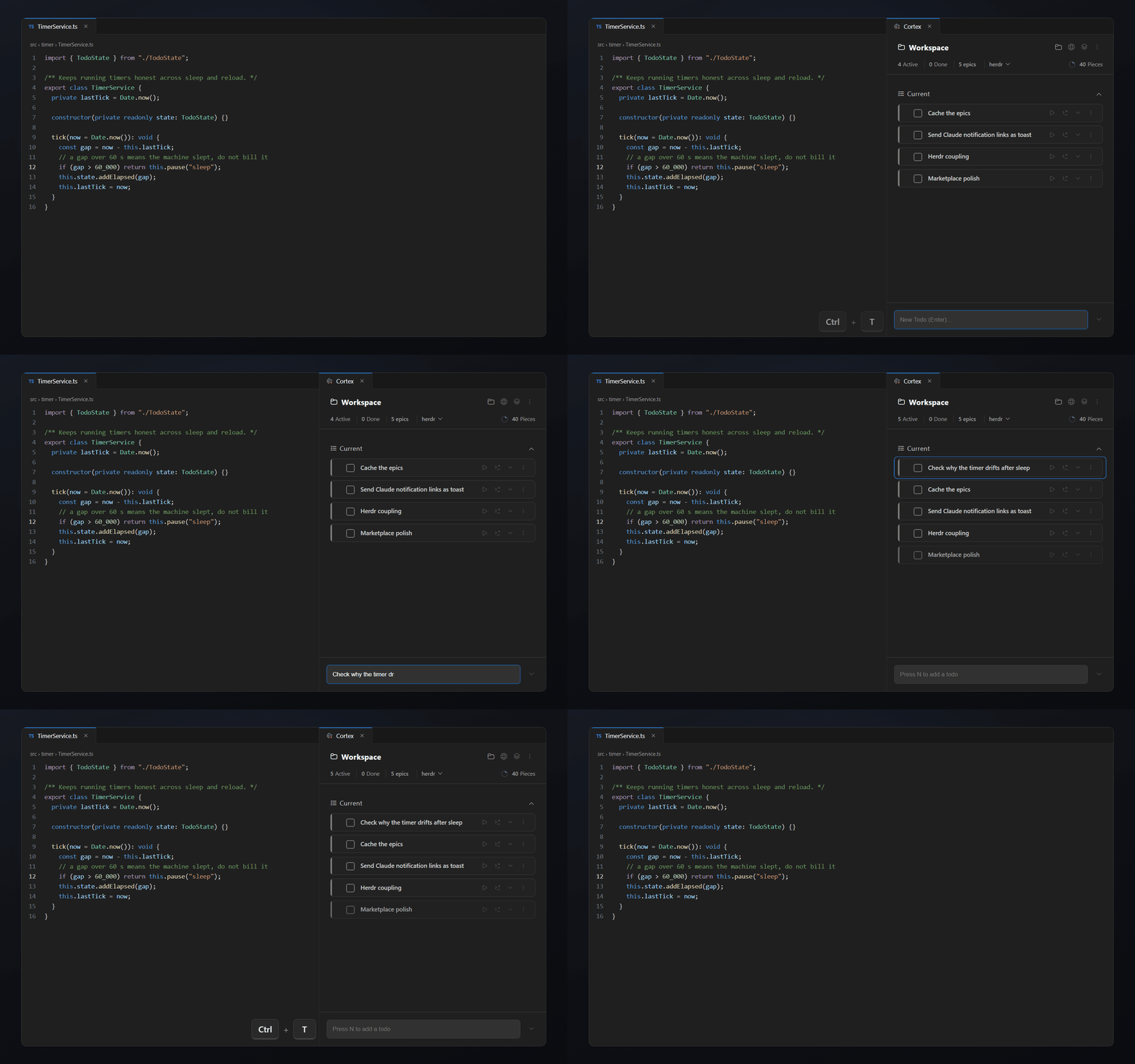
⌨️ Ctrl / Cmd + T — and you're in
No setup. No config. Open Cortex and start offloading.
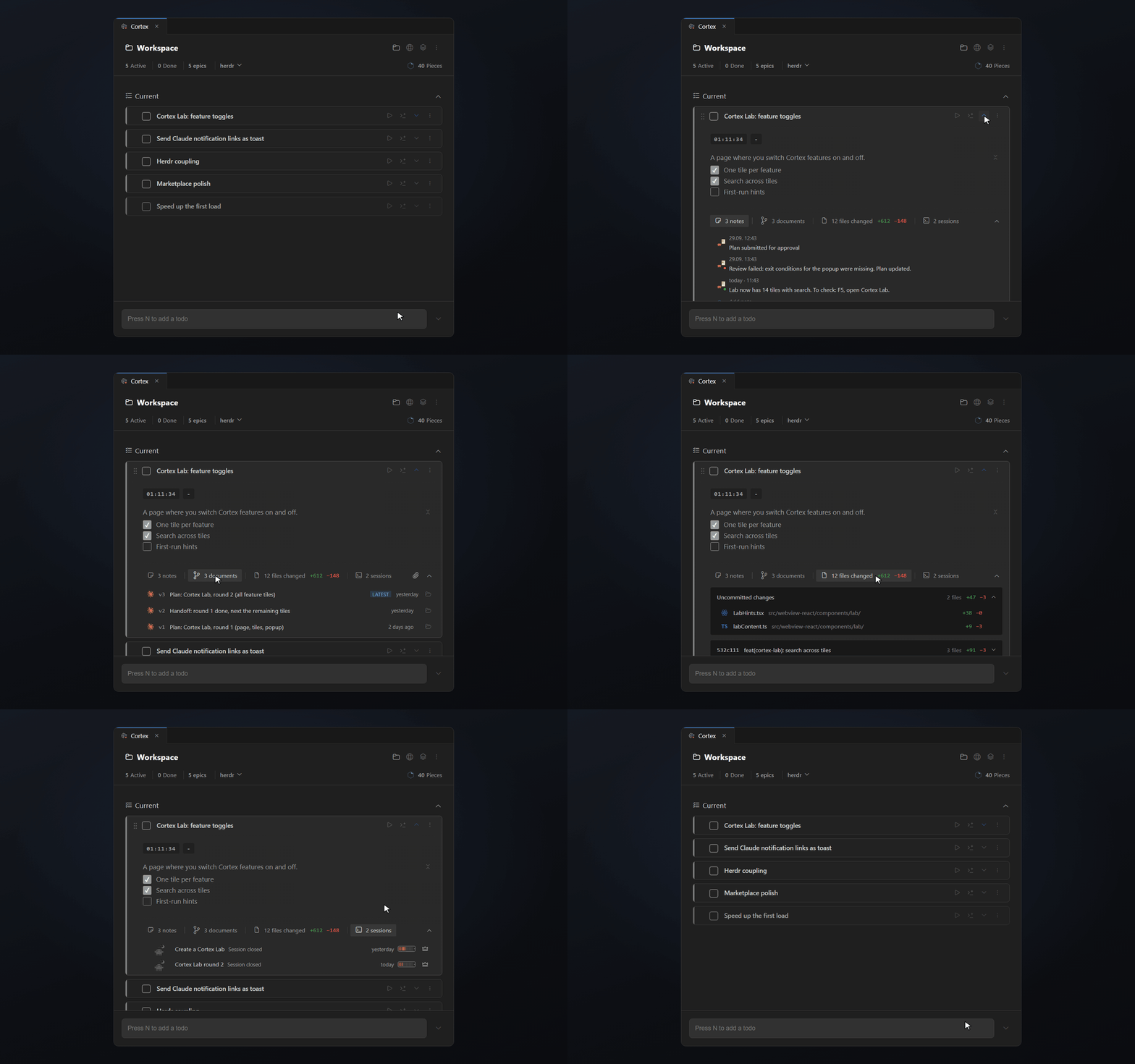
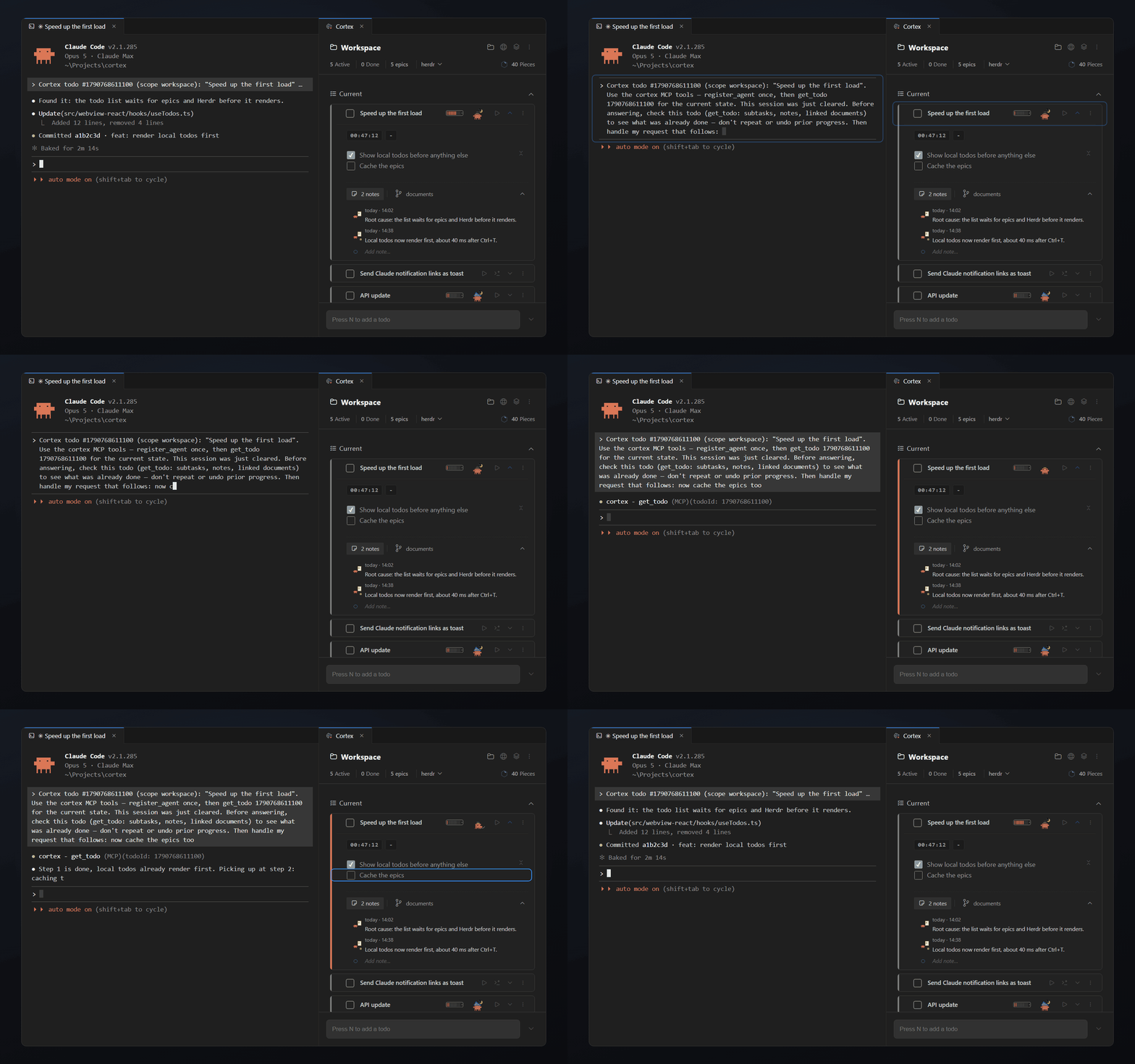
Your context stays with the task
When you return to a task, the context should already be there. Cortex keeps descriptions, notes, documents, changes, and Claude sessions directly attached to the todo, so you do not have to reconstruct where you left off.
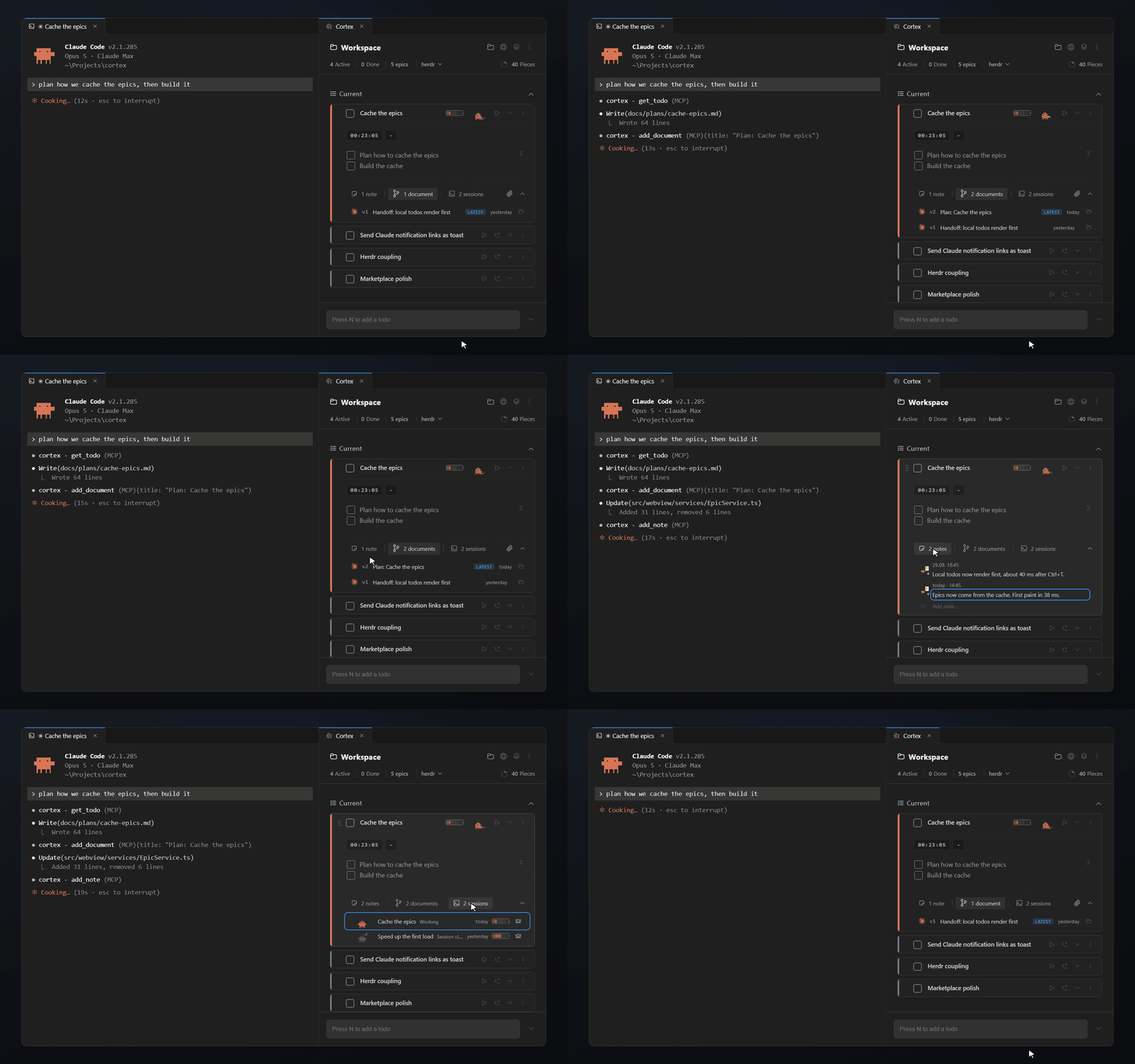
Claude's work stays connected to the task
Plans, recaps, and Claude sessions should not disappear inside isolated chats. Cortex links them directly to the task they belong to, so you can instantly find and reuse them later.
New session. Same working context.
With Cortex, you do not have to rebuild the context from scratch. It automatically gives the next session everything it needs: the goal, what has already been done, and the documents that belong to the task.
Let AI create and handoff, link it. You have everything important.
That means less repeated context and fewer wasted tokens.
Keep your work inside the workspace
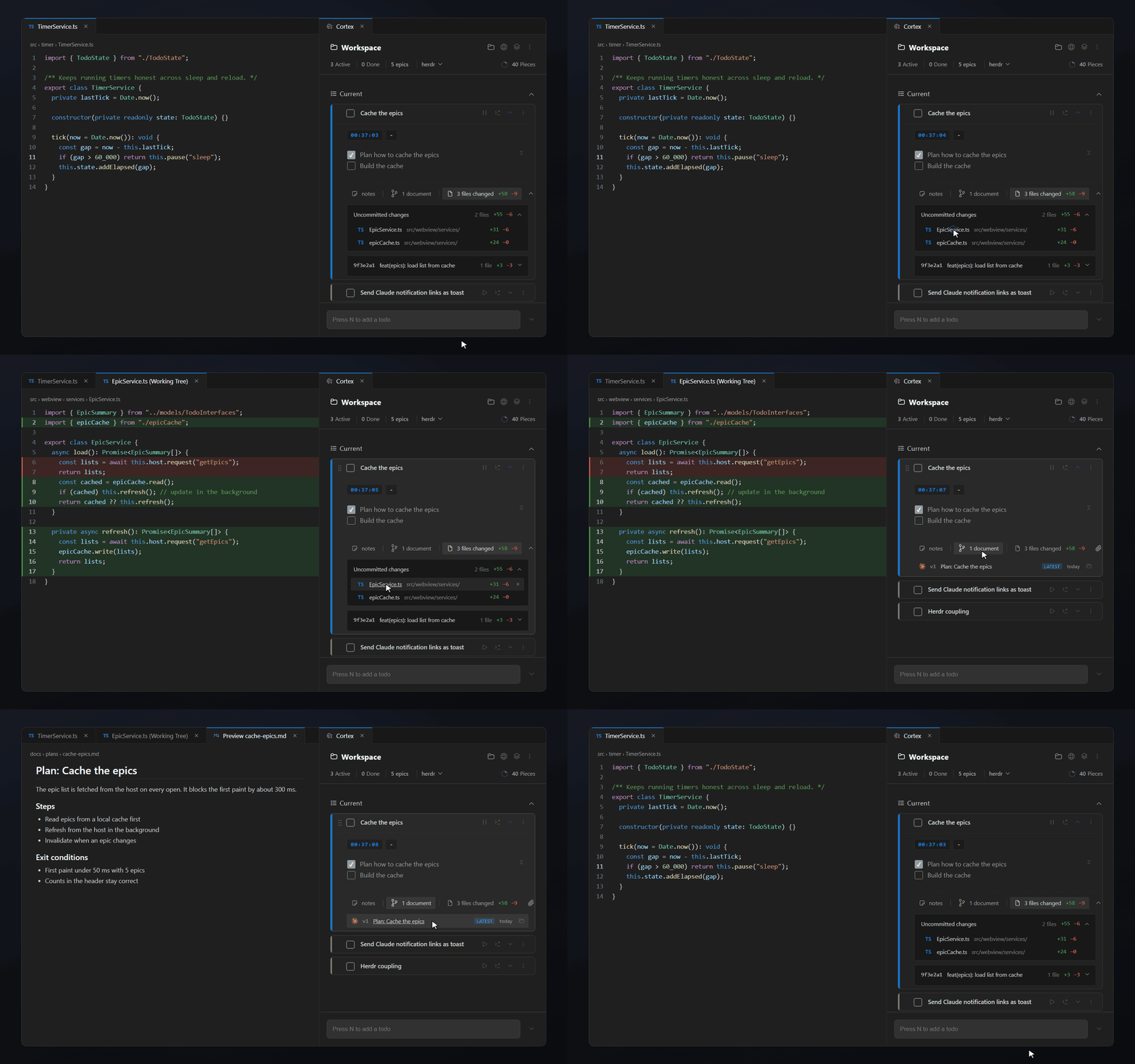
Project managers are for bigger goals. Cortex is for the short-term tasks, ideas, notes, and context you need while working. Open your workspace and everything you planned, changed, and still need to do is already there.
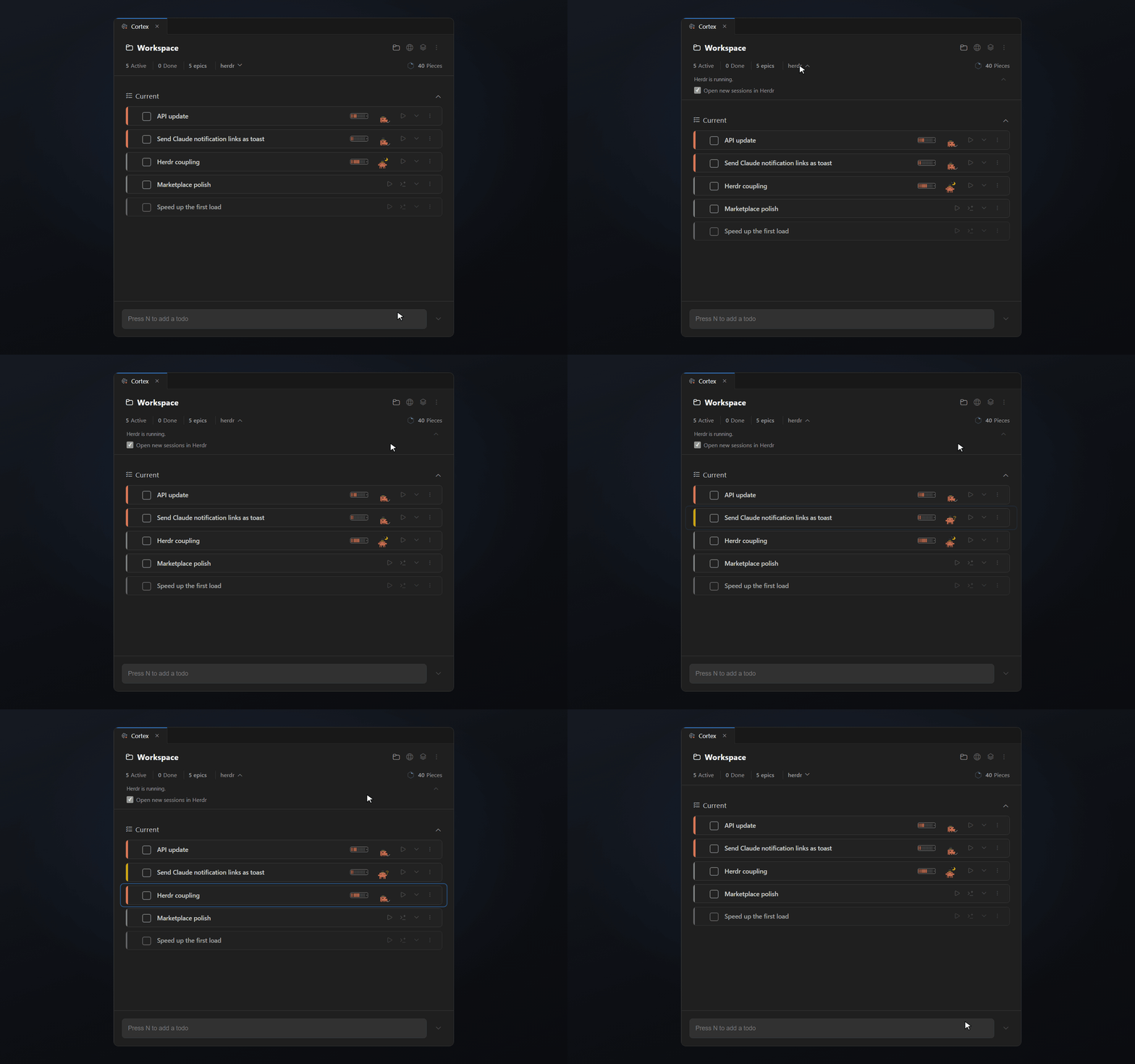
Works with Herdr
Prefer running Claude in Herdr? Cortex picks it up automatically. Sessions link to their task, show their live status, and a click takes you straight to the right pane. No setup needed.
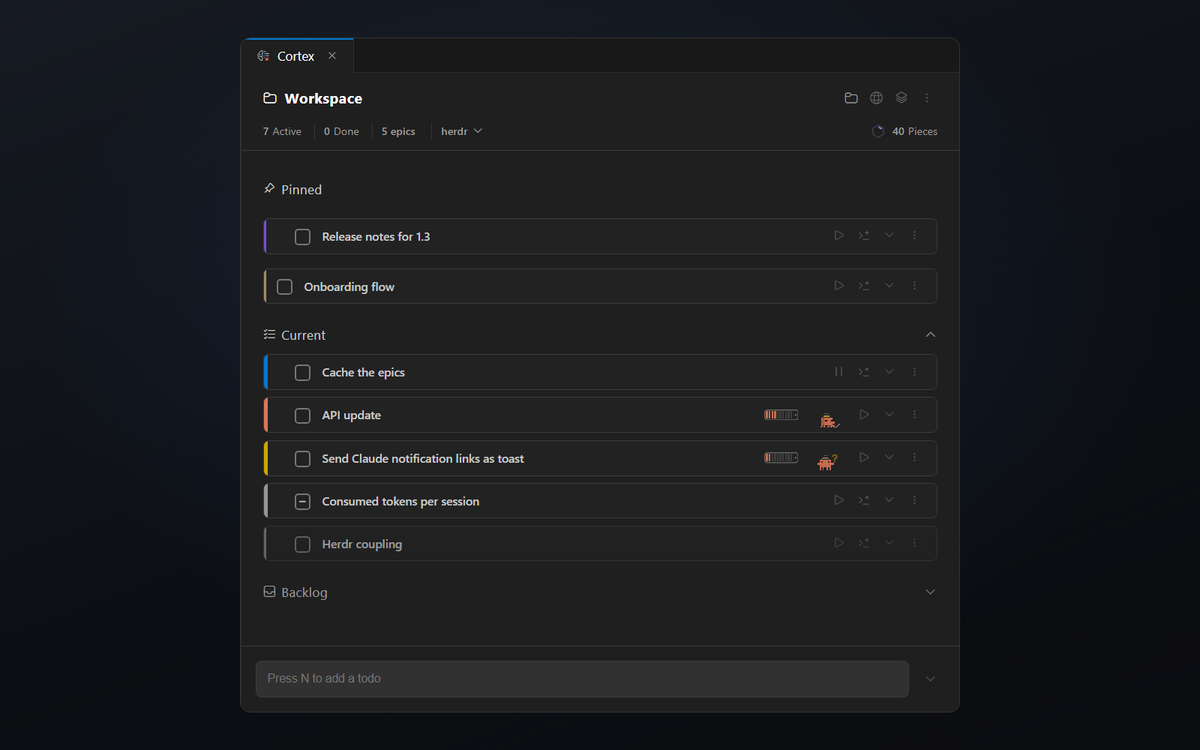
See what matters right now
Cortex keeps active tasks, pending items, and ideas for later clearly separated. With Current, Pending, Pins, Backlog, and Epics, you can immediately see what matters now and what can wait.
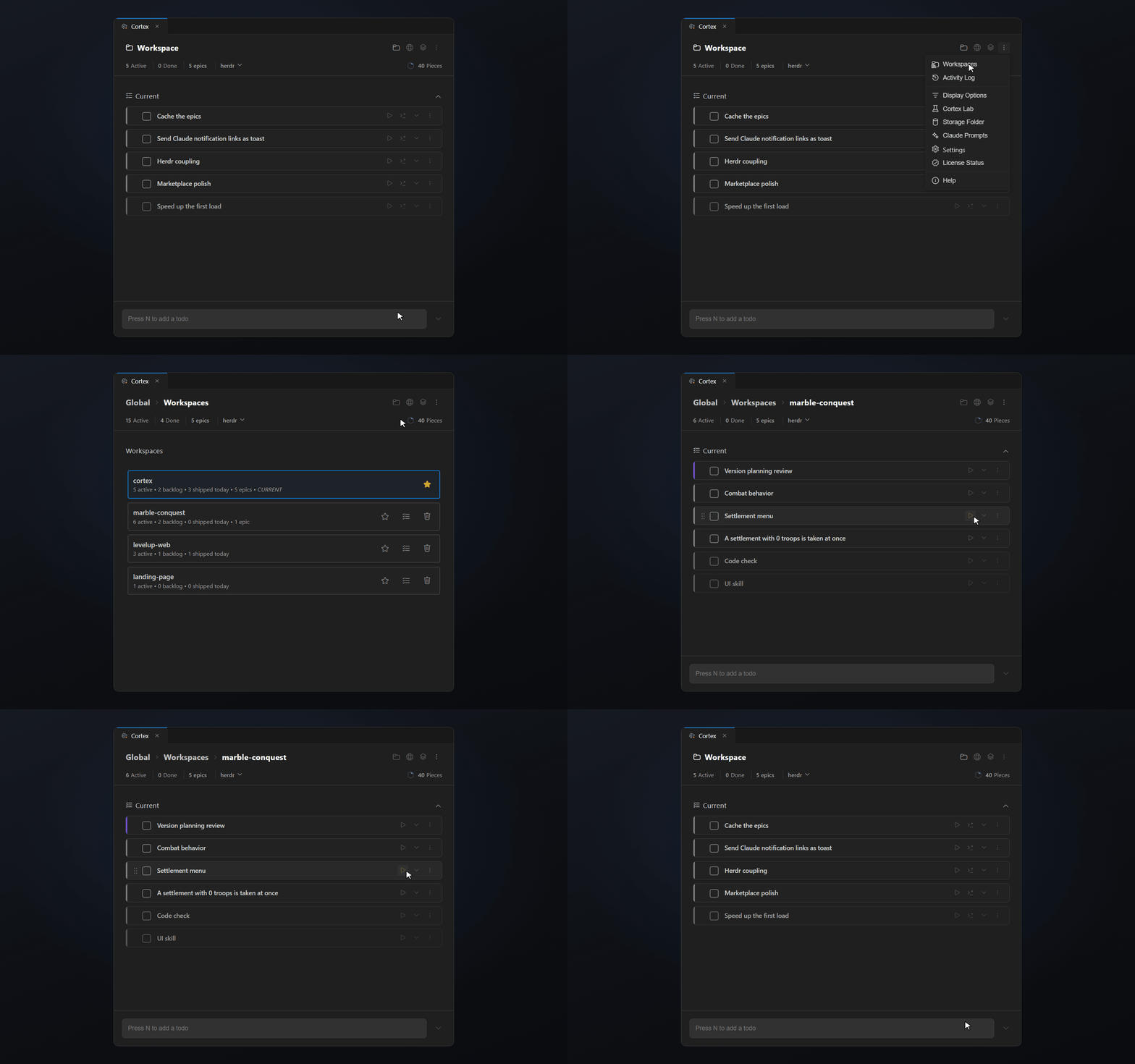
See open work across projects
You should not have to open every project just to see what is still waiting there.
With Inline Workspaces, you can immediately see:
- which projects still have open todos
- how many are still active
- jump directly into their tasks
- without fully switching workspaces
Make Cortex fit your workflow
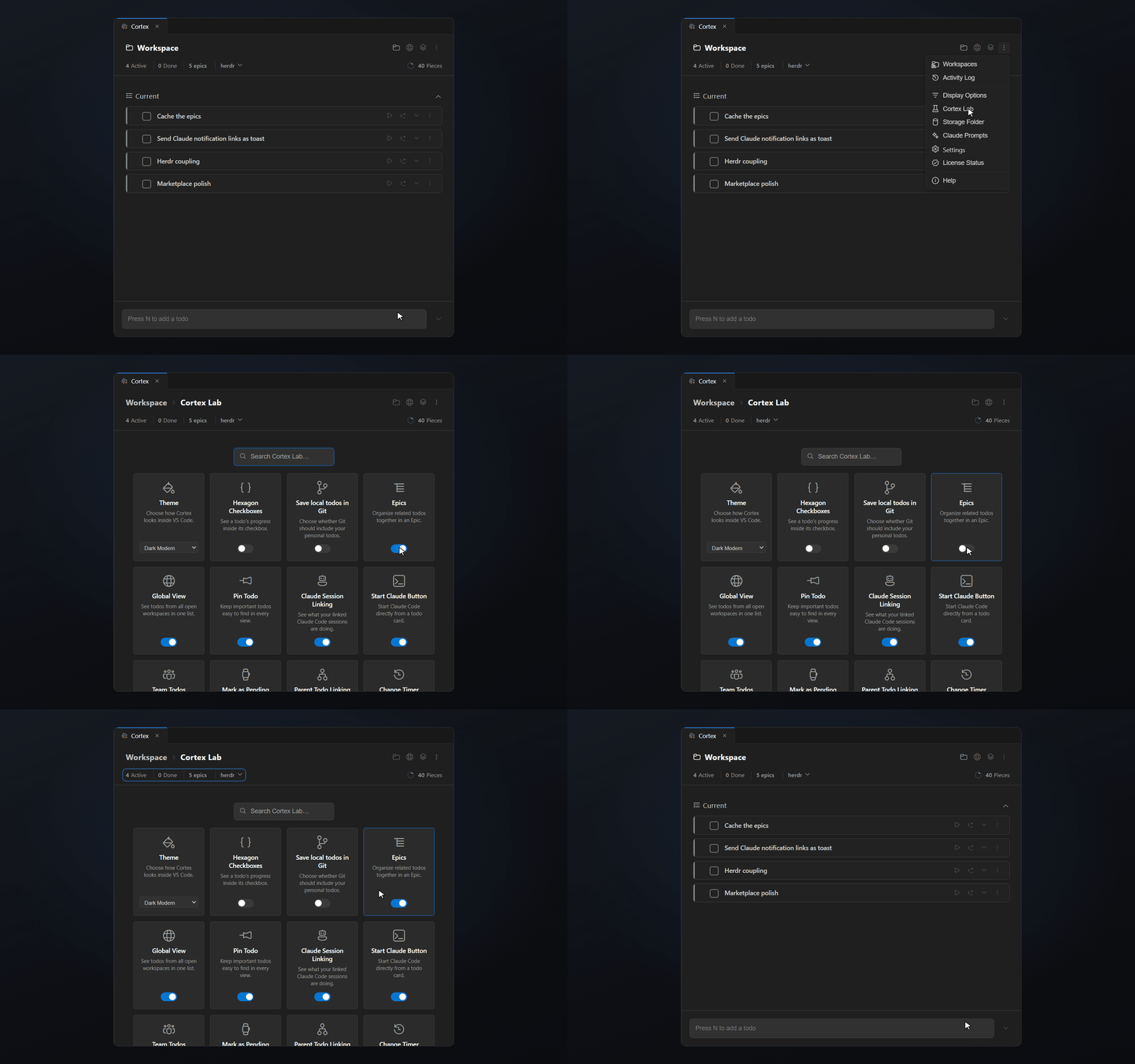
Not every developer works the same way. In Cortex Lab, you decide which features are visible and how Cortex fits into your workflow.
Enable only what you actually need.