Tough Guy Pink 猛男粉
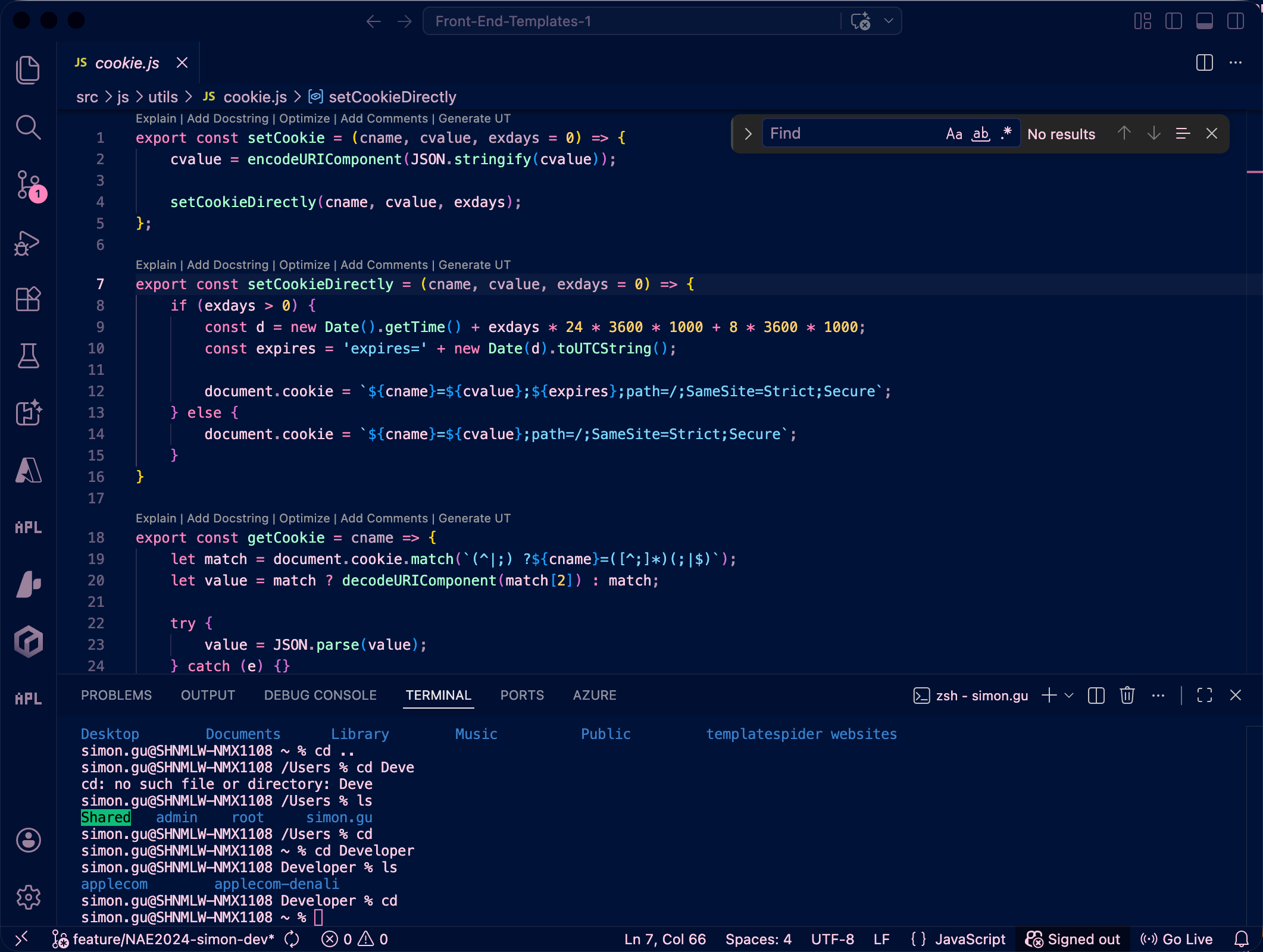
A dark color theme for VS Code and Cursor: deep navy background with pink highlights.
Preview
The screenshot is served from a public HTTPS URL (GitHub raw) so it displays correctly on the Visual Studio Marketplace. Do not replace it with relative paths like images/... or the listing image may break.
Usage
- Open the Command Palette:
Cmd+Shift+P (macOS) or Ctrl+Shift+P (Windows / Linux)
- Run Preferences: Color Theme
- Pick 猛男粉 (Tough Guy Pink) - Dark or 猛男粉 (Tough Guy Pink) - Light
Development
This folder is the extension root (same structure as the official theme sample). Open it in VS Code or Cursor and press F5 to launch the Extension Development Host.
npx @vscode/vsce package
Outputs tough-guy-pink-<version>.vsix. Install via Install from VSIX….
Repository & IDs
First-time push
Create an empty GitHub repository simongu-mullenlowe/tough-guy-pink (skip “Add a README” if you already have local commits), then:
git branch -M main
git remote add origin git@github.com:simongu-mullenlowe/tough-guy-pink.git
git push -u origin main
If needed first: git init && git add . && git commit -m "Initial commit".
Publishing
Bump version in package.json before each Marketplace upload (e.g. 0.0.8 → 0.0.9), or use vsce publish patch.
License
MIT
简体中文
猛男粉 是一套深色主题:深蓝背景、粉色强调,适用于 VS Code / Cursor。
预览: 上图使用 GitHub raw 的 HTTPS 直链,保证 Marketplace 详情页能显示;请勿改为相对路径以免裂图。
使用: 命令面板 → Preferences: Color Theme → 选择 猛男粉 (Tough Guy Pink) - Dark 或 Light。
开发: 本目录即扩展根目录,按 F5 可调试。执行 npx @vscode/vsce package 生成 .vsix。
仓库: simongu-mullenlowe/tough-guy-pink · Marketplace 发布者 ID:SimonGu。
发布: 每次上架前递增 version 或使用 vsce publish patch。
许可证: MIT

