Markdown Reviewer
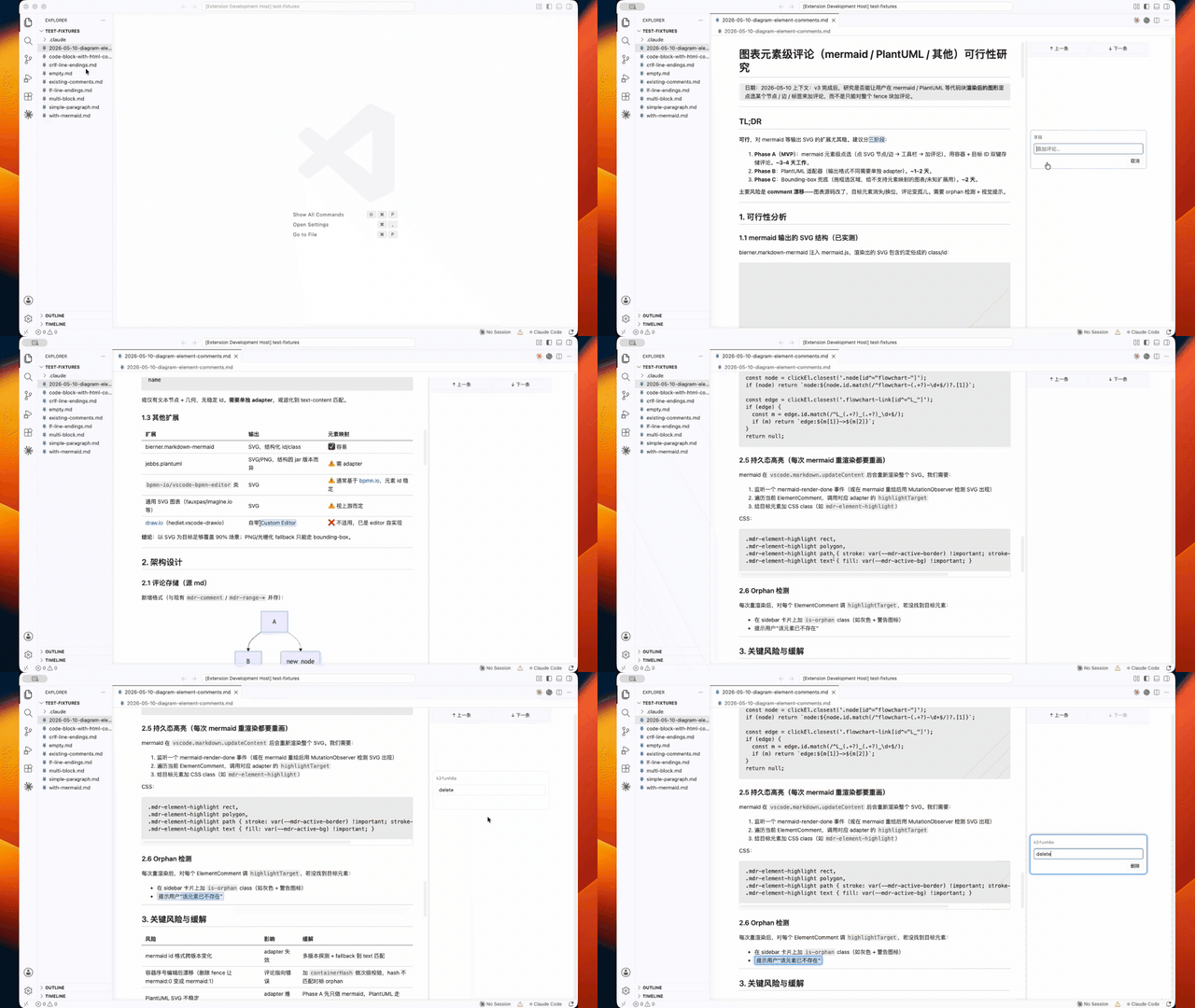
Review Markdown the way you review a document — not a diff. Open a .md file in the Markdown Review editor, select anything in the rendered view (a sentence, a code range, a diagram node), and write a note. Comments are stored as <!-- mdr … --> HTML comments inside the Markdown source itself: no sidecar database, no proprietary format. The annotated file feeds straight into AI workflows (Claude Code, Cursor, …) as a self-contained revision brief.
Why
Reviewing AI-generated documents in a code editor is awkward: notes in a separate file lose their anchors, inline TODOs clutter the prose, and diff views don't fit prose review. Markdown Reviewer gives you a clean reading view with Feishu/Google-Docs-style margin comments — while keeping the source machine-readable, so the next AI round can apply every note exactly where it belongs and clean up after itself.
Highlights
- Prose — drag-select rendered text; selections snap live to safe Markdown boundaries, and character-precise spans survive inline code, tables, lists, and CRLF files.
- Code blocks — select inside a fenced block; the anchor records exact
line:col spans plus a quote for recovery.
- Whole diagrams — click a Mermaid/PlantUML diagram to comment on it as a unit.
- Diagram elements — click or marquee-select a single Mermaid node/edge (all diagram types,
sequenceDiagram messages included) or a top-level element of a local SVG. Element comments map back to the exact fence line (Mermaid) or name the external file and element (SVG), so an AI knows precisely what to change.
- Hover highlights show what's selectable; pending, active, and orphaned comments each have distinct visuals.
A real review reading room
- Immersive review view — rendered document + anchored comment rail; cards float at their anchor's height, stack without overlapping, and stay in two-way sync with highlights.
- Comment rail — full-height, visually separated; sticky Prev / Next buttons jump through comments in document order.
- Click-to-edit — click a comment's text to edit in place (caret at the end). Unchanged text reverts on blur; modified text keeps an “unsaved” badge until you explicitly commit with
Enter — blur never writes to your file.
- TOC panel — heading tree with per-branch folding, comment dots (bubbling up through collapsed branches), scroll-spy highlight of the current section, drag-to-resize width, and an optional floating mode: a slim 24 px strip that expands into an overlay on hover, so the document never reflows.
- Fullscreen viewer — hover any image, local SVG, Mermaid or PlantUML diagram and click ⤢: zoom to cursor (25–400 %), pan by dragging,
Esc or ✕ to close. Vector content stays crisp at any zoom.
- In-page find —
Cmd+F / Ctrl+F floating find bar with match navigation.
Self-contained and offline
- Rendering is fully bundled — markdown-it, Shiki syntax highlighting (curated light/dark themes), KaTeX math, Mermaid. No network access for rendering.
- PlantUML is off by default; when enabled it runs a locally-managed server (your Java + a downloaded jar, or a server URL you configure). Diagram source never leaves your machine.
- Local
.svg images are inlined and sanitized (scripts, event handlers, and external references stripped) so their elements become selectable — safely.
Your Markdown is the database. Two physical shapes, discriminated by kind:
Point marker — anchors to the element right before it (code blocks, diagrams, diagram/SVG elements):
```mermaid
graph TD
  A[Start] --> B{Choice}
```
<!-- mdr id="c-a1b2c3" kind="mermaid-element" ref="A" span="1" quote="  A[Start] --> B{Choice}": rename Start → Ingest -->
Wrapping pair — physically encloses a prose span:
<!-- mdr-start id="c-x9y8z7" kind="text": tighten this paragraph -->
…the selected prose…
<!-- mdr-end id="c-x9y8z7" -->
- When the first comment is added, an invisible
<!-- mdr-guide --> block is injected at the top of the document (and removed with the last comment). It teaches any downstream AI — with zero extra context — how to read the markers, apply each note, and clean up. Toggle with markdownReview.guide.enabled.
- Comment text is escaped (
\|, \<, \>, \n, \r, \\), so markers stay well-formed inside tables and near inline HTML.
- Resolving a comment deletes its marker — no status fields, no archive. The source stays truthful.
- Markers written by older versions (0.2.x) are still read and lazily migrated on edit; opening a file never rewrites it.
Usage
- Open any
.md file → right-click → Open With… → Markdown Review (or run Markdown Review: Open in Review View).
- Select text, click a code range, click a diagram — or click/marquee a diagram element. A floating 💬 bubble appears.
- Type your note, press Enter. The marker lands in the source; the card lands in the rail.
- Hand the file to your AI workflow. It applies each note where it's anchored, deletes the markers, and the review round is done.
Settings
| Setting |
Default |
Effect |
markdownReview.layout.readingWidth |
760 |
Max reading width of the document column (px) |
markdownReview.toc.mode |
fixed |
TOC panel mode: fixed reserves space; floating docks a 24 px strip that expands on hover |
markdownReview.toc.width |
220 |
TOC panel width (px); dragging the resize handle updates it |
markdownReview.mermaid.enabled |
true |
Render Mermaid diagrams (client-side); off = highlighted code |
markdownReview.plantuml.enabled |
false |
Render PlantUML via a locally-managed server |
markdownReview.plantuml.javaPath |
"" |
Java executable for the local PlantUML server; empty = java on PATH |
markdownReview.plantuml.server |
"" |
Advanced: existing PlantUML/Kroki server URL; empty = plugin-managed local server |
markdownReview.math.enabled |
true |
Render $…$ / $$…$$ with KaTeX |
markdownReview.code.lightTheme |
github-light |
Shiki theme in light VS Code themes |
markdownReview.code.darkTheme |
github-dark |
Shiki theme in dark VS Code themes |
markdownReview.guide.enabled |
true |
Inject/remove the AI guide block with the first/last comment |
Design principles
- The source is the storage. Comments live in the file, travel with the file, and disappear when resolved.
- Explicit commit. Nothing is ever written on blur or by accident —
Enter/Save is the only path to your file.
- Self-contained. Rendering, review UI, and the AI protocol all work offline, with no companion services.
Architecture decisions are documented in docs/adr/.
License
MIT. Source on GitHub. Development notes: DEV.md.
| |


