PDF Translate for VSCode
Translate PDF documents while preserving layout, formulas, and figures. Powered by PDFMathTranslate.
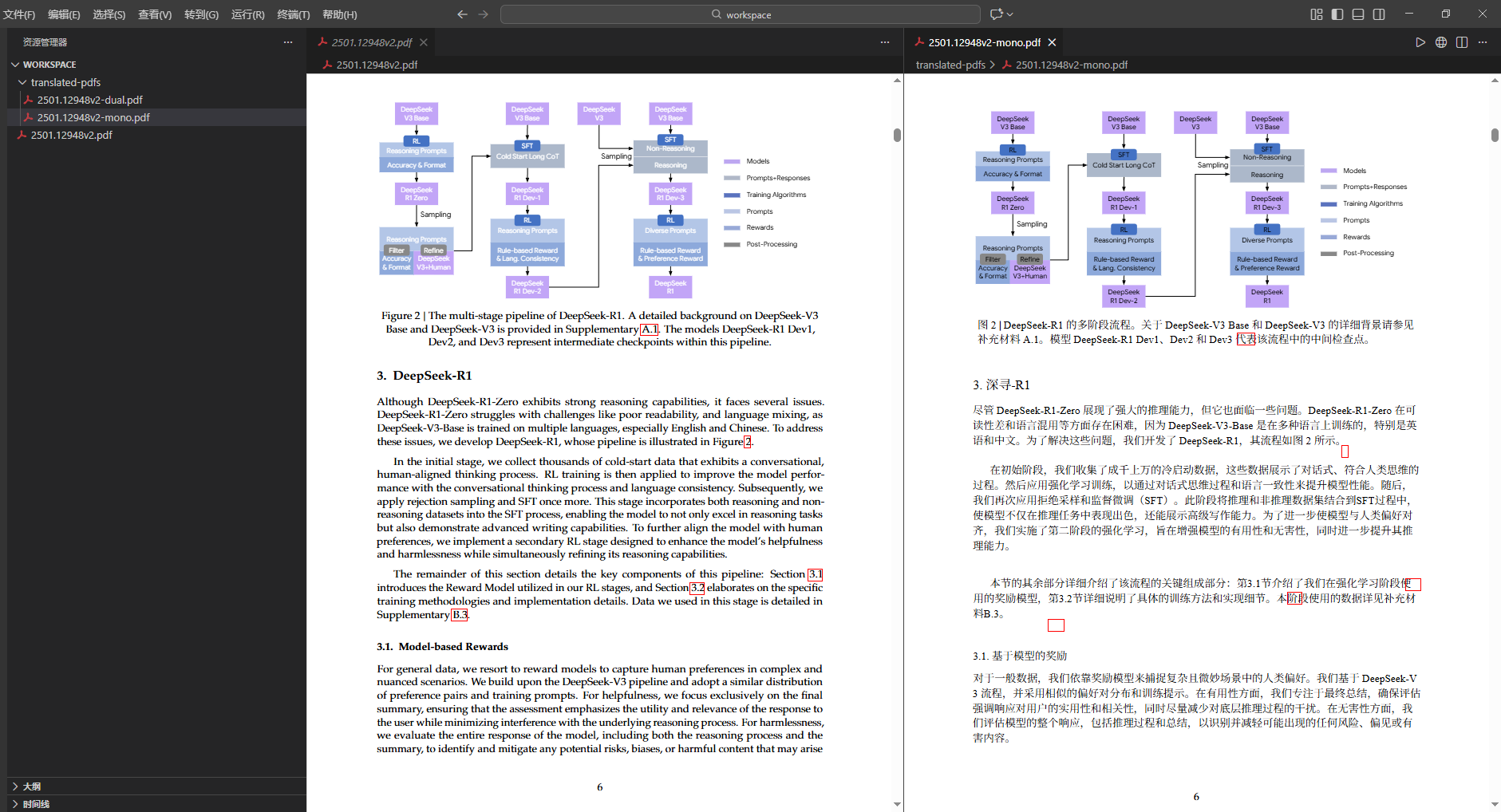
Features
- Auto Environment Setup - Automatically installs uv and pdf2zh if not present
- Layout Preservation - Maintains original formatting, formulas, and figures
- 40+ Languages - English, Chinese, Japanese, Korean, French, German, and more
- 14+ Translation Services - Google, Bing, OpenAI, DeepL, Gemini, etc.
- Page Range Selection - Translate specific pages (e.g., 1-3,5)
- Dual Output - Generates translated-only and bilingual versions
- Real-time Progress - Shows translation progress with cancel support
- One-Click Translate - Right-click any PDF to translate
Quick Start
Automatic Setup (Recommended)
Just right-click a PDF and select Translate PDF - the extension will automatically install all dependencies if needed!
The progress window shows real-time installation status:
Initializing PDF Translation Environment
Downloading onnx (15.6MiB)
Manual Installation (Optional)
If you prefer to install dependencies manually:
Windows (PowerShell):
powershell -ExecutionPolicy ByPass -c "irm https://astral.sh/uv/install.ps1 | iex"
uv tool install --python 3.12 pdf2zh
macOS / Linux:
curl -LsSf https://astral.sh/uv/install.sh | sh
source $HOME/.local/bin/env
uv tool install --python 3.12 pdf2zh
Translate PDF
- Right-click a PDF file → Translate PDF
- Or press
Ctrl+Shift+P → Translate PDF
Configuration
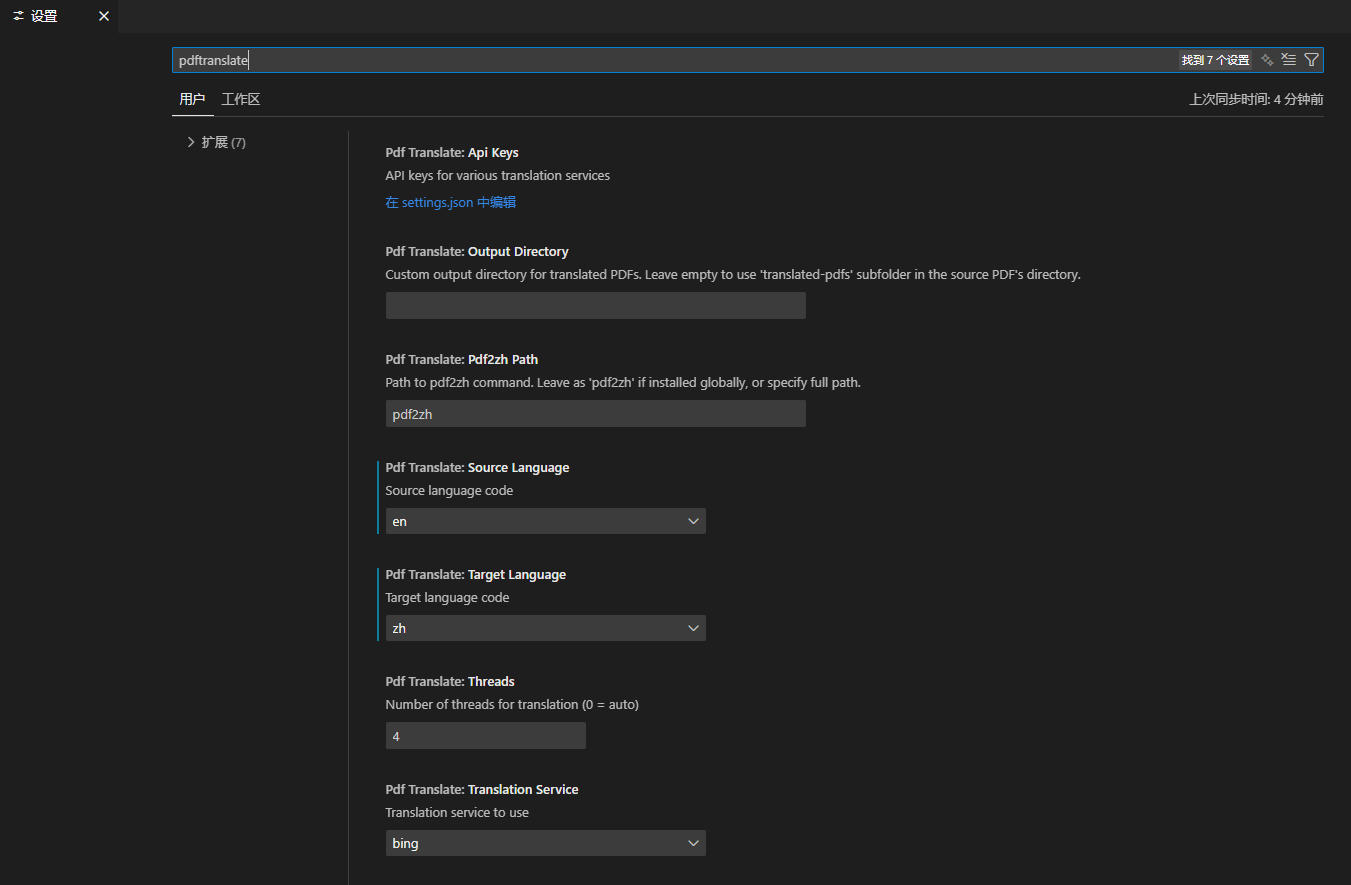
| Setting |
Default |
Description |
sourceLanguage |
en |
Source language |
targetLanguage |
zh |
Target language |
translationService |
bing |
Translation service |
threads |
4 |
Parallel threads |
pageRange |
(empty) |
Page range (e.g., 1-3,5) |
Translation Services
| Free (No API Key) |
API Key Required |
Local |
bing (recommended) |
openai |
ollama |
google |
deepl |
|
deeplx |
gemini, deepseek, zhipu |
|
API Keys
{
  "pdfTranslate.apiKeys": {
    "DEEPSEEK_API_KEY": "sk-xxx",
    "DEEPSEEK_MODEL": "deepseek-chat"
  }
}
Refer to PDFMathTranslate/blob/main/docs/ADVANCED.md#services for detailed environment variable names
Output
Translated files are saved to translated-pdfs/ folder:
my-document.pdf
translated-pdfs/
  ├── my-document-mono.pdf   (translated)
  └── my-document-dual.pdf   (bilingual)
Troubleshooting
pdf2zh not found
The extension will automatically install pdf2zh when you first translate a PDF. If auto-installation fails:
- Check the Output panel for detailed error messages
- Restart VSCode and try again
- Manual installation: Run
PDF Translate: Setup Environment from Command Palette
- Set custom path in settings:
{ "pdfTranslate.pdf2zhPath": "C:\\Users\\Name\\.local\\bin\\pdf2zh.exe" }
Google Translate fails
Use Bing instead (works without proxy):
{ "pdfTranslate.translationService": "bing" }
Links
License
AGPL-3.0

