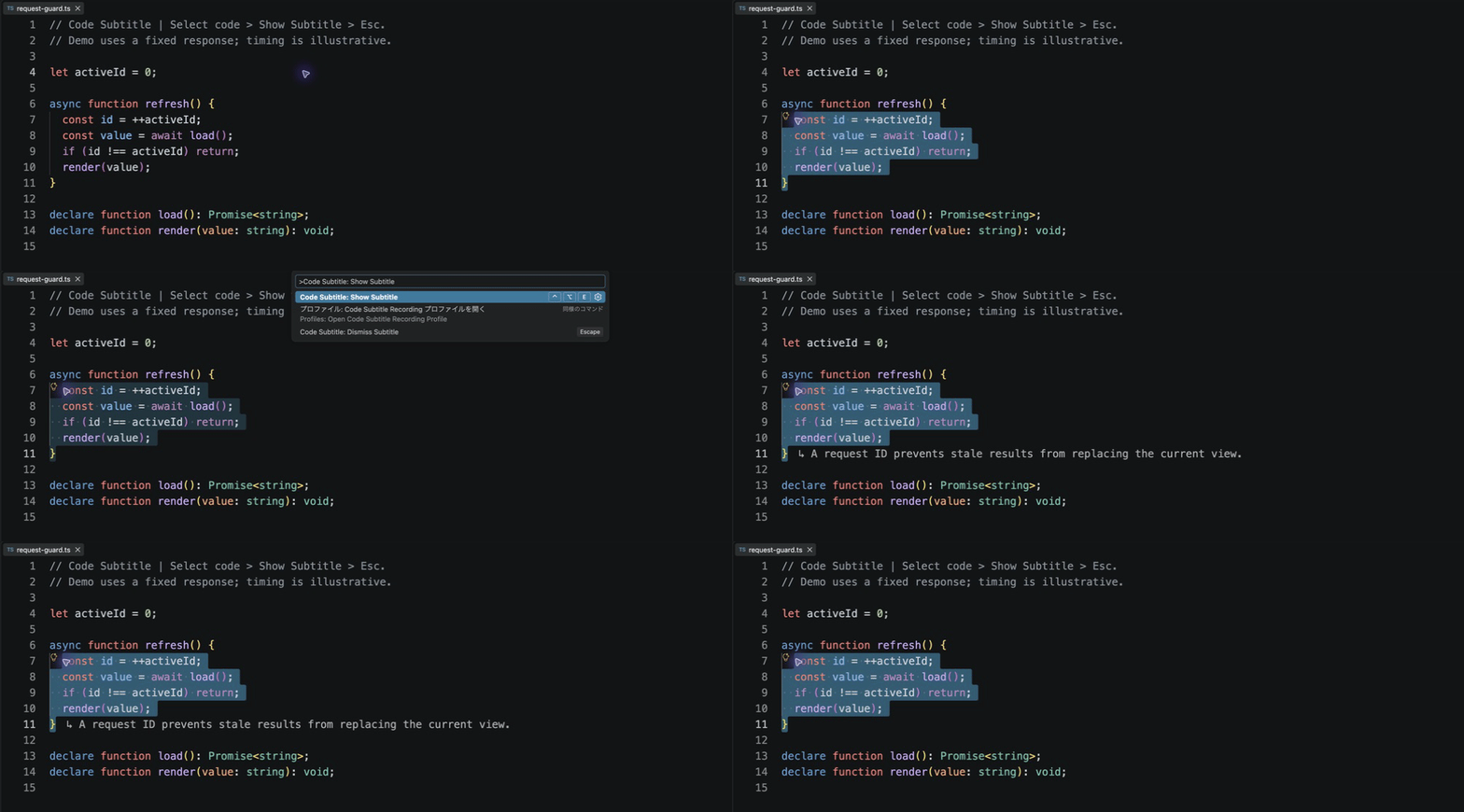
Code Subtitle — Preview
What it doesSelect code or a short comment, or place the cursor on a non-empty line, and run Code Subtitle: Show Subtitle to display a temporary, streamed explanation beside it. Subtitles are aimed at experienced engineers reading OSS or reviewing code. They connect a visible mechanism to one useful responsibility, invariant, failure boundary, or tradeoff. For example, a request-ID guard can explain why a late response cannot overwrite the current view. The model is instructed to avoid syntax narration and unsupported design intent; comments alone receive a faithful short translation. How to use it
Recorded in VS Code using a fixed-response demo provider. The animation shows the real extension UI; response text and timing are illustrative, not a live-model quality or speed measurement. Use When a request cannot complete for a reason you can fix in the editor (selection too large, unusable or overlong output, timeout, or a failed request), a short hint appears in the subtitle slot and disappears after a few seconds. Problems that need attention elsewhere, such as no available model or denied access, are shown as notifications. The Windows/Linux default avoids the Model and languageThe extension uses a language model exposed through VS Code. It has no API-key setting or separate backend. With Data and privacyOnly explicit commands send the selected text and up to five adjacent lines on each side. Optional semantic context also includes bounded language-service type information, documentation, and one-hop definition excerpts from the same workspace folder. It queries at most three selected identifiers, waits at most 600 ms, and includes up to 4,000 UTF-16 code units of extra evidence. Missing or slow providers fall back to the selection and adjacent lines. Untitled files and untrusted workspaces use that basic path as well. Disable Code Subtitle does not modify source files, persist code or responses, or send telemetry. Model-provider data handling is governed by that provider and your organization. See the VS Code Language Model API guide. Output language follows VS Code's display language. Override it with SettingsSet LimitationsThis preview requires desktop VS Code 1.135 or newer. Long lines and narrow editors can clip line-end decorations. Display readability, screen-reader behavior, live-model quality, and performance still require manual acceptance. Notebook, browser, and Remote environments are outside initial validation. This is an early preview. The source is available under the MIT License. |