🤖 AI Copilot Reviewer
AI-powered code review assistant for VS Code using Google Gemini API.


🔑 IMPORTANT: Setup API Key First
Method 1: Manual Setup (Recommended)
Step 1: Get FREE API Key
Visit: https://aistudio.google.com/app/apikey
- Click "Get API Key" → "Create API Key"
- Copy your API key (starts with
AIza...)
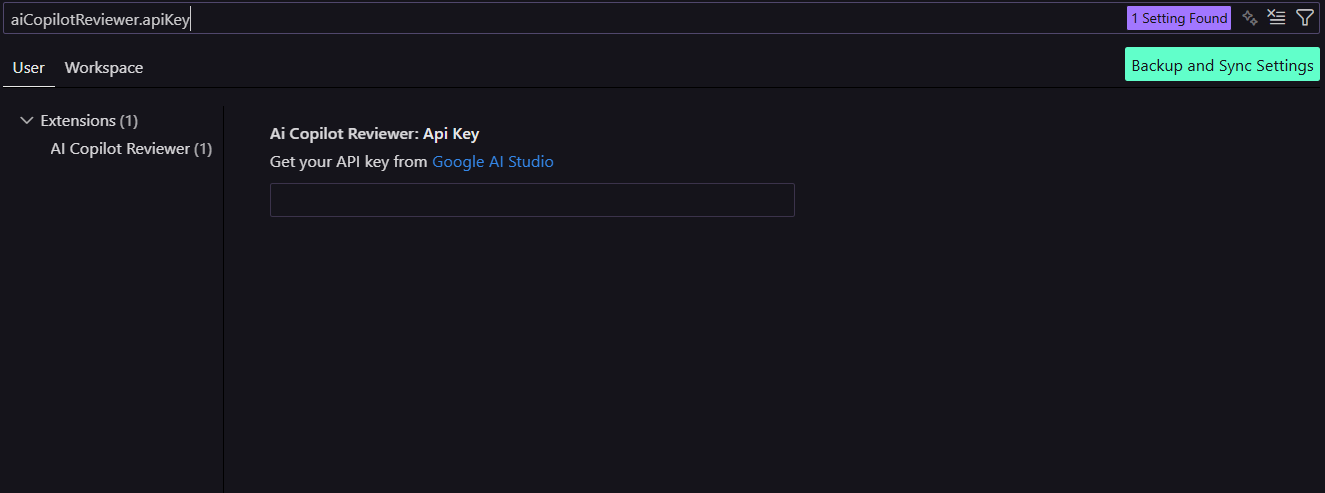
Step 2: Add to VS Code Settings
- Press
Ctrl+, (or Cmd+, on Mac) to open Settings
- Search for:
aiCopilotReviewer.apiKey
- Paste your API key in the text box
- Press Enter

✅ Done! Extension is ready to use.
Method 2: Automatic Prompt
- First time using any feature, extension will automatically ask for API key
- Just paste and press Enter

✨ Features
- 💬 Interactive AI Chat - Ask questions about your code in real-time
- 🔍 Automatic Code Review - Get instant feedback on your code quality
- 🐛 Bug Detection - AI finds bugs, security issues, and bad practices
- ✨ AI-Powered Fixes - Quick fixes with
Ctrl+. (or Cmd+. on Mac)
- 🧪 Test Generation - Auto-generate unit tests for your functions
- ♻️ Smart Refactoring - Improve code readability and performance
- 🎯 Multi-Language Support - JavaScript, TypeScript, Python, Java, C++, C, Go, Rust
📸 Screenshots
AI Chat Panel

Code Review in Action

One-Click Fixes

🚀 Installation
From VS Code Marketplace:
- Open VS Code
- Press
Ctrl+Shift+X (or Cmd+Shift+X on Mac)
- Search for "AI Copilot Reviewer"
- Click Install
- Set up API key using steps above ⬆️
From Source (Development):
| |


