A feature-rich Markdown preview extension for VS Code with powerful table filtering, sorting, column tools, Mermaid, TOC, search, and source navigation.
Installation
Launch VS Code Quick Open (Ctrl+P), paste the following command, and press enter.
Markdown Workbench S is a VS Code Markdown preview extension focused on powerful table filtering and sorting. It also provides Mermaid rendering, a table of contents, document search, code-block tools, themes, and double-click source navigation.
Demo
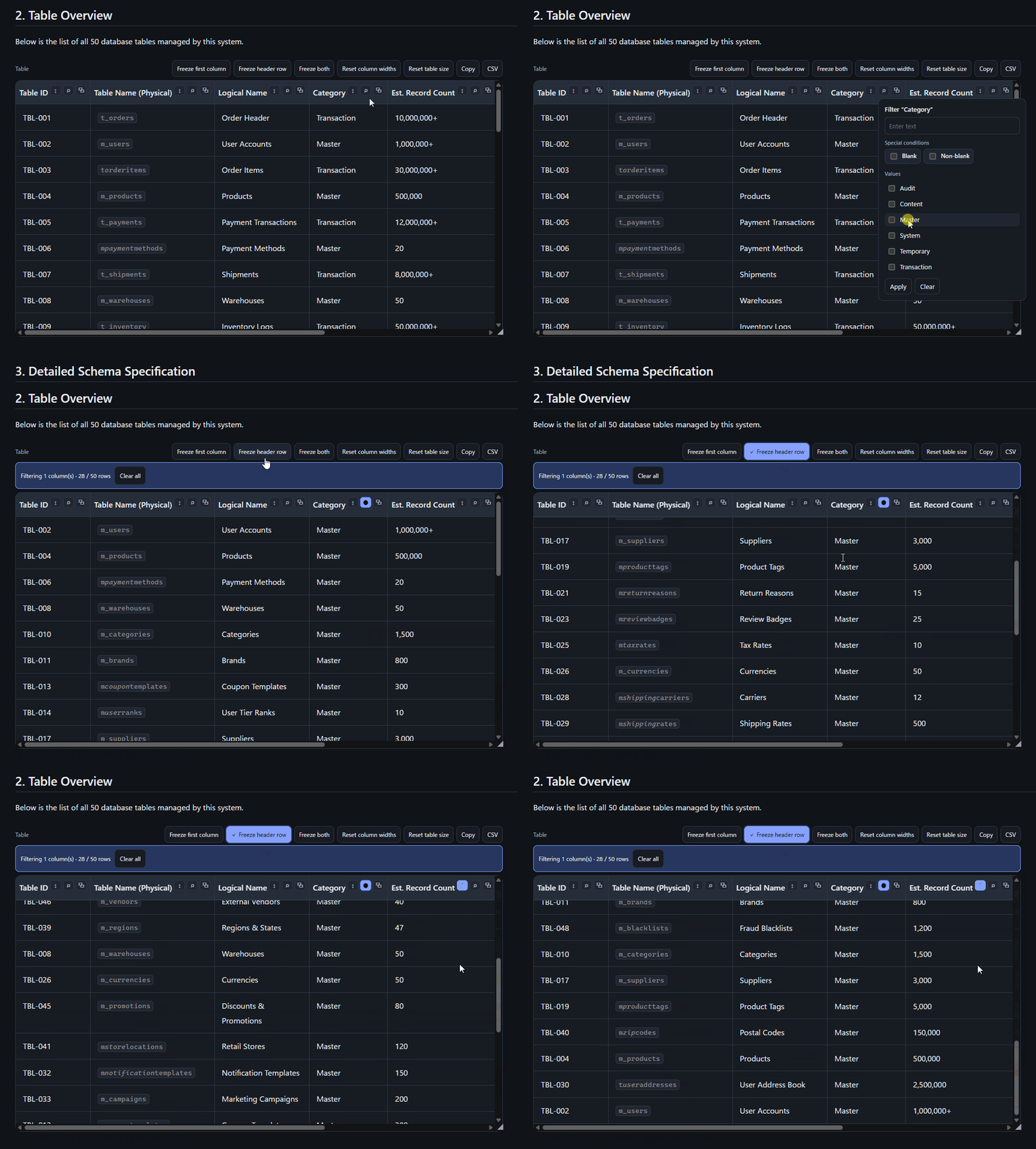
Interactive Table
Sticky header, instant filtering, and column sorting in action.
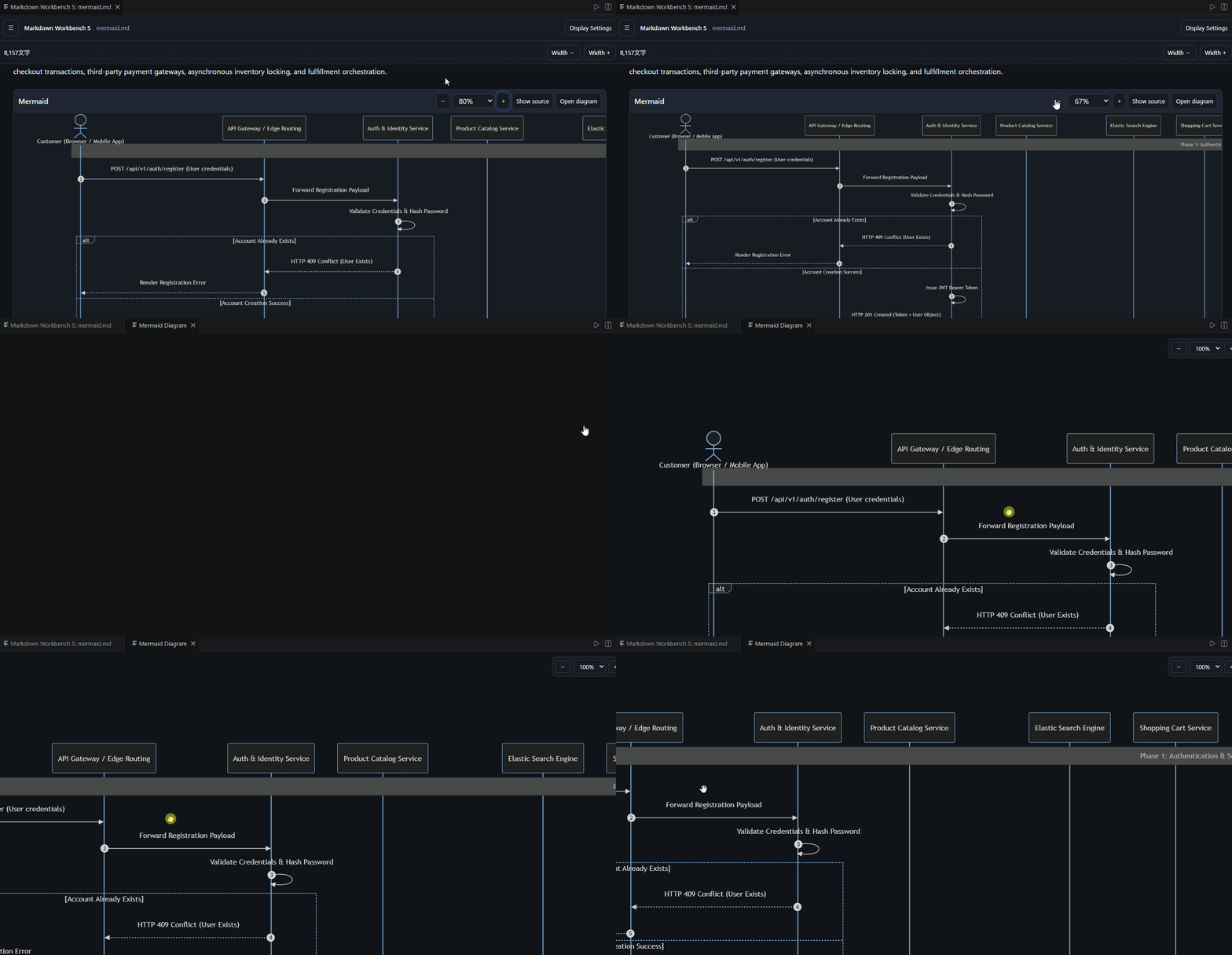
Interactive Mermaid Diagrams
Resize, pan freely, or open Mermaid diagrams in a new tab for a detailed view.
Features
Powerful Table Support
Table filtering with per-column filters
Table sorting with ascending/descending controls
Freeze the first column, header row, or both
Resize table columns and table size
Copy the current table view
Export the current table view as CSV
Preserve filtering and sorting when navigating table content
Double-click a table cell to jump to the corresponding Markdown source
Mermaid Diagrams
Render Mermaid diagrams directly in the preview
Resize Mermaid diagram containers
Pan diagrams by dragging
Open diagrams in a separate tab for a larger view
Automatically adapt Mermaid rendering to the selected theme
Navigation and Search
Table of Contents with hierarchical headings
Preserve heading levels up to H10
Document search
Collapsible sidebar
Navigate from the preview directly to the corresponding Markdown source by double-clicking
Code Blocks
Copy code blocks
Toggle line wrapping
Collapse and expand code blocks
Syntax highlighting
Language labels for code blocks
Support for indented code blocks
Display and Customization
Light, Dark, and High Contrast themes
System theme support
English / Japanese UI
Adjustable font size
Adjustable line height
Adjustable content width
Code wrapping settings
Sidebar display settings
Preview Experience
Live Markdown preview
Smooth navigation between Markdown source and preview
Preview state preservation when returning to the same document
Local bundled libraries with no CDN or external API dependency
Usage
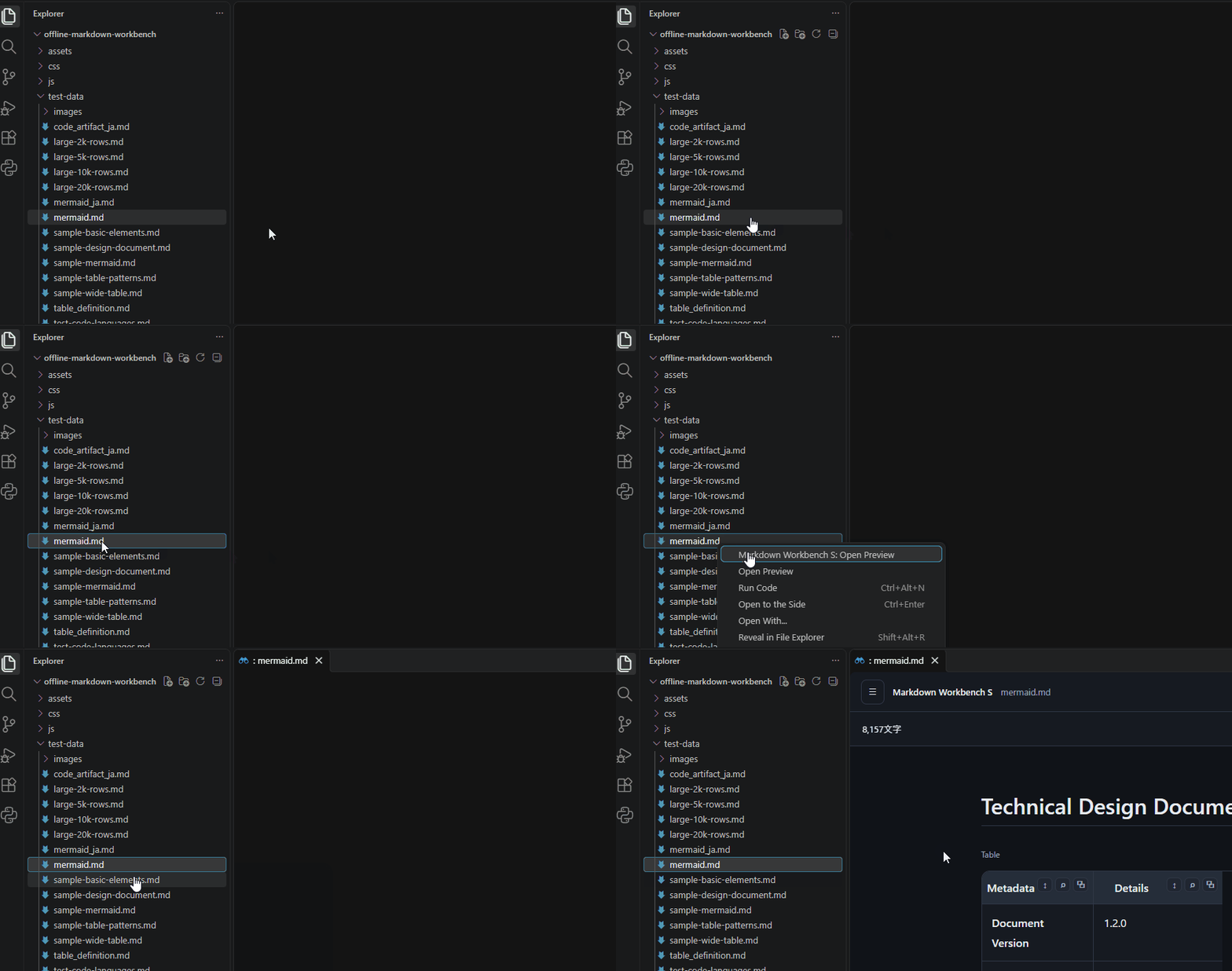
From the Explorer
Select a Markdown file in the Explorer.
Right-click the file and select Markdown Workbench S: Open Preview.
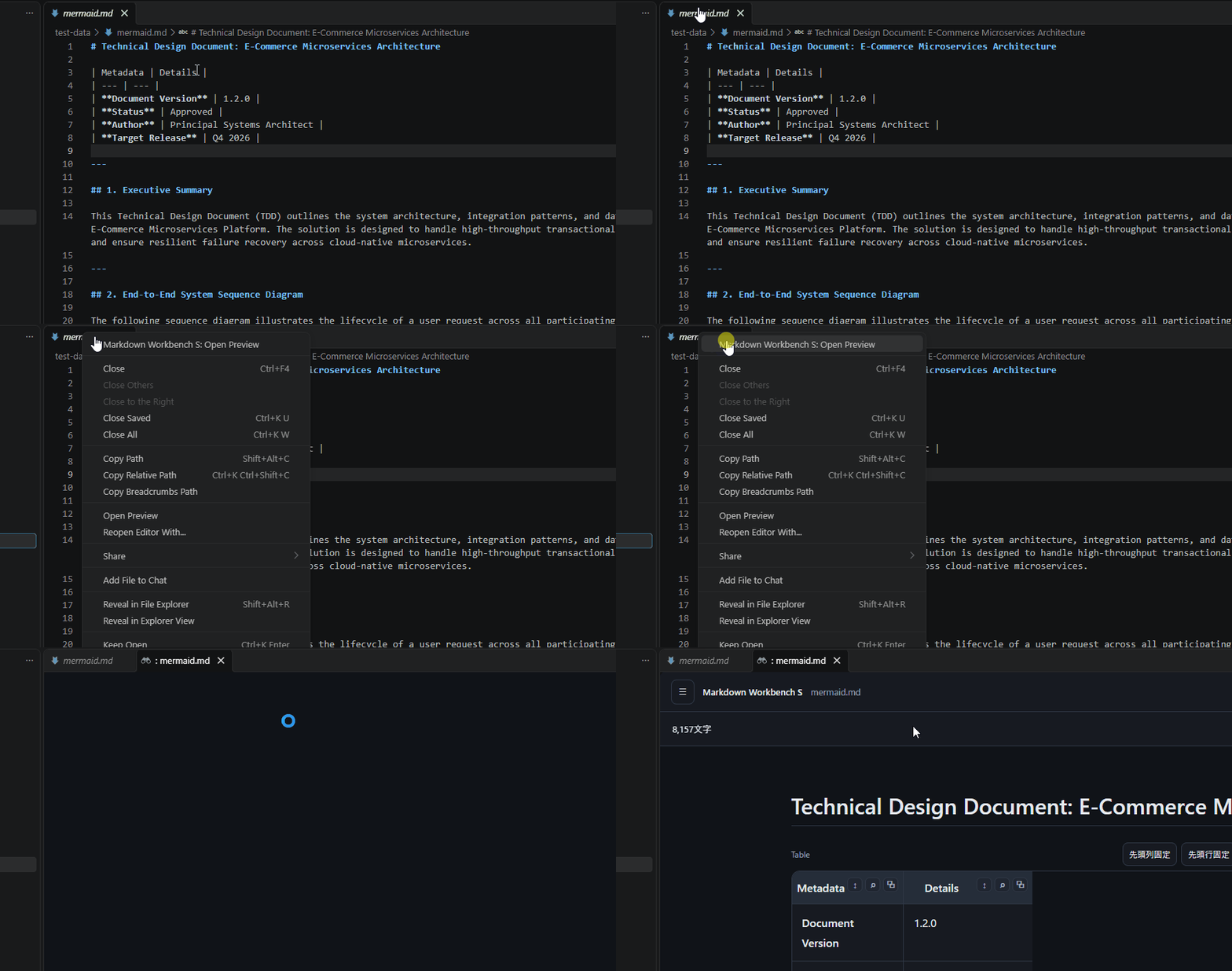
From the Editor Tab
Open a Markdown file in VS Code.
Right-click the Markdown file's editor tab and select Markdown Workbench S: Open Preview.
From the Command Palette
Open a Markdown file in VS Code.
Open the Command Palette and run Markdown Workbench S: Open Preview.
Double-click a rendered block to jump to the corresponding location in the Markdown source.