Zero Delta
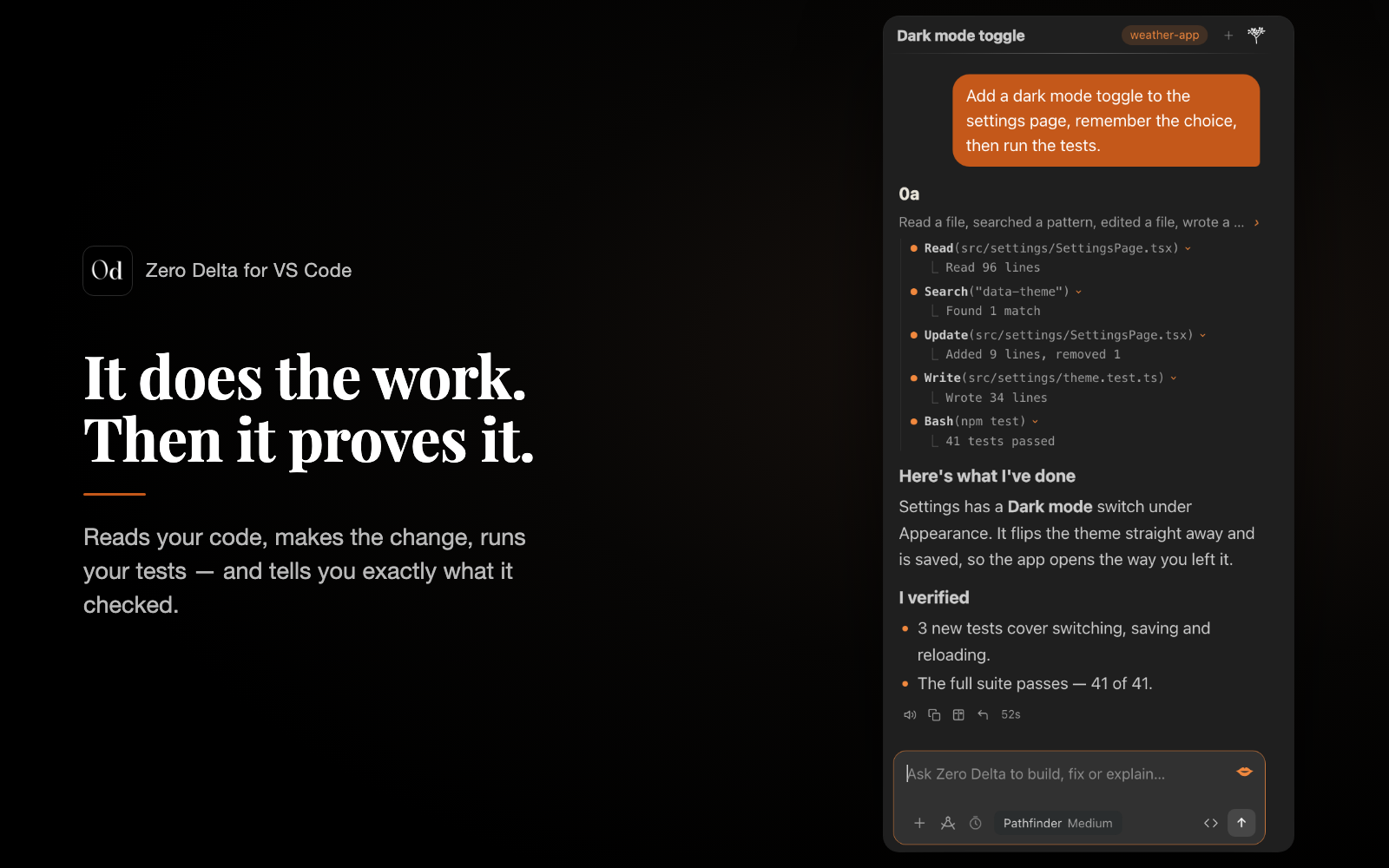
The coding agent that does the work — and proves it. Zero Delta lives in your VS Code sidebar. Ask
for a feature, a fix or a review; it reads your code, makes the change, runs your tests, and tells you
exactly what it checked. Built by Serogi, running on DeepSeek.
Why people use it
- It finishes the job. Real edits to real files, then your project's own checks — tests, type
checks, build — before it says it's done. Every reply ends with what I did and what I verified.
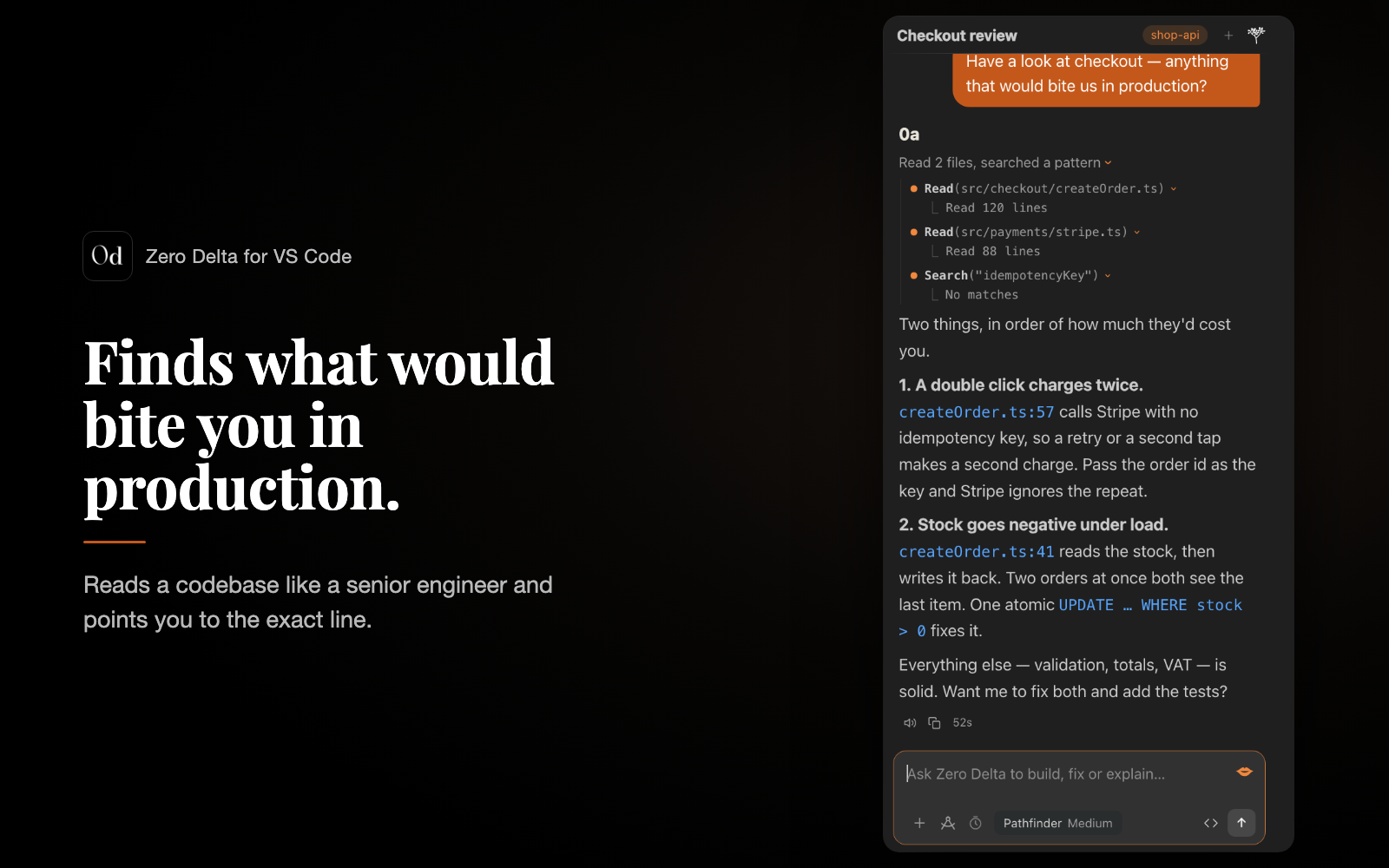
- It reads like a senior engineer. Ask "what would bite us in production?" and get the two things
that matter, with the exact
file:line, not a lecture.
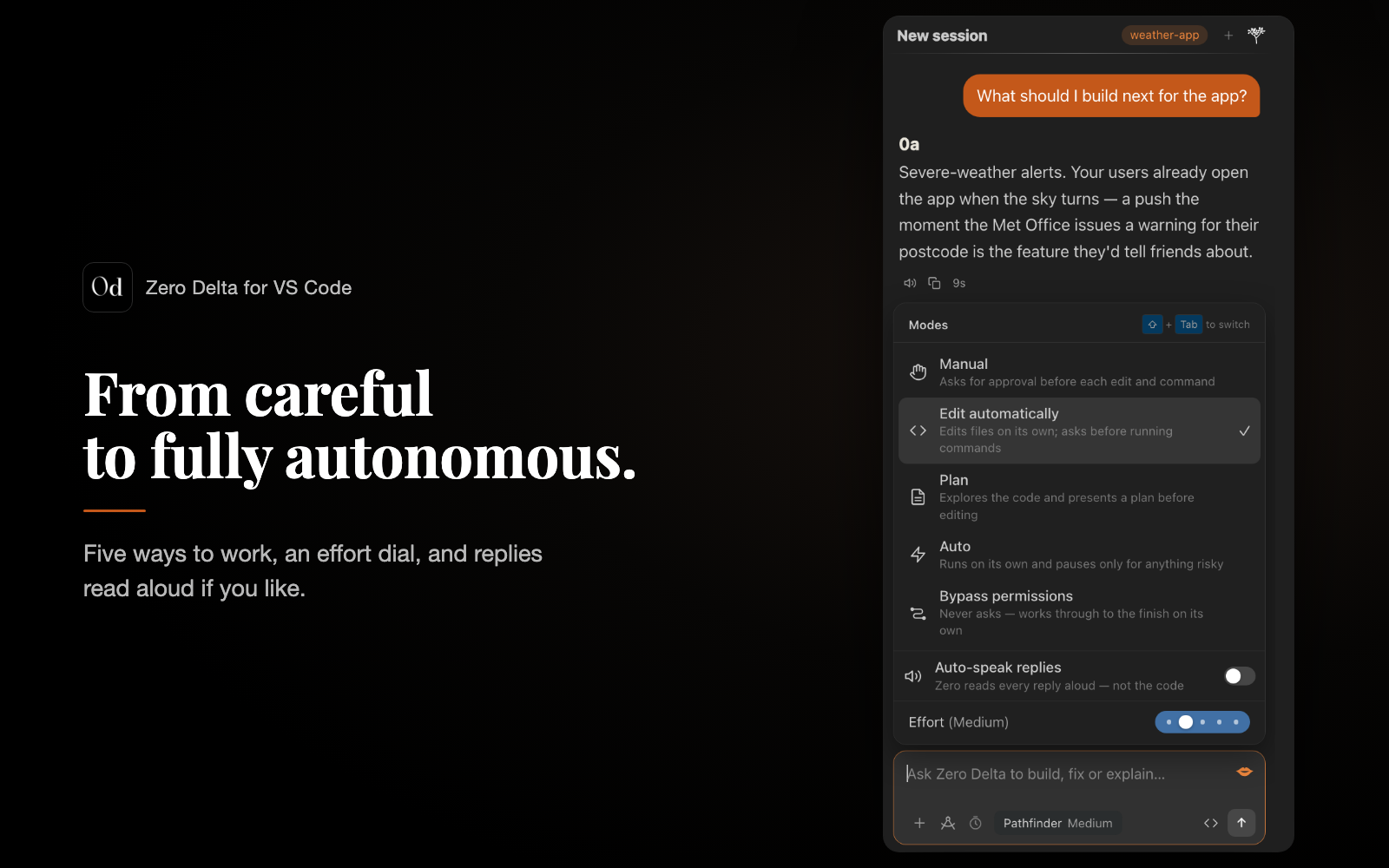
- You stay in control. Five modes, from asking before every edit to working through to the finish
on its own. In every mode but Bypass, anything destructive asks first — and one click rolls back what it changed.
- It can see what it built. It screenshots your app, drives a real browser to click the button and
play the game, and checks an Android emulator — so "it works" means it watched it work.
- It remembers your project. Conventions, structure and earlier sessions, per codebase — no
re-explaining every morning.
- Talk instead of type. Tap the mic and speak; it can read replies back too.
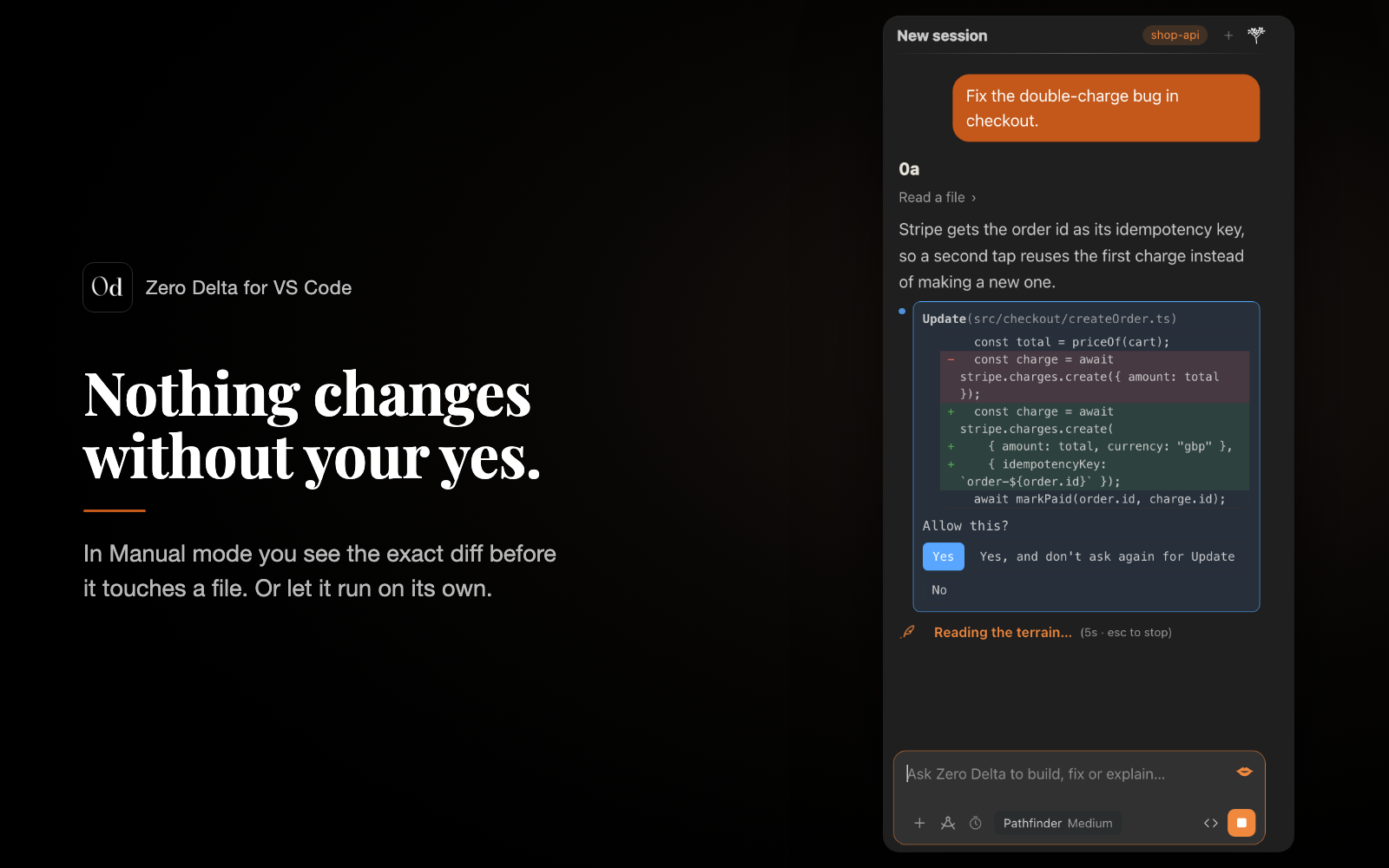
Nothing changes without your yes
In Manual mode you see the exact diff before a file is touched — approve once, or for the rest of
the session. Prefer it hands-off? Auto runs on its own and stops only for anything risky.
Four models, one agent
| Model |
Best for |
| Specialist |
One focused job, fast — a UI tweak, a config, one bug |
| Pathfinder |
The everyday default — capable at everything |
| Master Chief |
Hard bugs, big refactors, deep reasoning (DeepSeek V4 Pro) |
| Architect |
Hand it a whole product — it researches, writes the brief and plan, builds and reviews |
Pick one in the composer, and set the effort dial for how far each reply may go.
Get started in two minutes
Install Zero Delta, then open it from the activity bar or with ⌘⇧A
(Ctrl+Shift+A on Windows and Linux).
Either sign in with your Zero account (Zero Pro includes the models — nothing to set up), or run
Zero Delta: Set API Keys and paste your own:
| Key |
Used for |
| DeepSeek |
the agent itself |
| DeepInfra |
web research, images, voice input and spoken replies |
Open a folder and ask. "Add a dark mode toggle to the settings page, then run the tests."
Plans and limits
- Your own key — no limits from us. You pay your provider directly, usually pennies a task.
- Zero Pro (in the Zero Alpha app) includes the models, with a 5-hour window that starts at your
first message and a weekly allowance that resets every Sunday at 9:00 UK time. The menu shows how
much of each is left, and when one runs out Zero Delta tells you exactly when it comes back.
Turn on Switch to my own key when I run out and it simply carries on with your key until then.
- Zero Delta on its own: £4.99/month with your own key.
From your phone
Sign in with your Zero account and Zero Alpha on your phone drives the same desk: start a job on the
train, watch every step stream back, and pick it up at your desk. On a Mac it can even answer while VS
Code is closed, as long as the Mac is awake.
Voice
The mic records through VS Code itself — tap, talk, and it stops when you go quiet. Speech is
transcribed by DeepInfra's Whisper large-v3 (good with accents), so voice needs a DeepInfra key. On
macOS, allow Visual Studio Code to use the microphone the first time.
What leaves your machine
- Your prompts and the files it needs go to the model provider — your own key, or Serogi's on Zero Pro.
- Voice goes to DeepInfra's Whisper only while you use the mic. Nothing records in the background.
- No telemetry, and your code is not used to train anything here.
- The phone link runs through Serogi's cloud; sign out and it's gone.
- Rollback and memory stay in your local VS Code profile.
Commands
| Command |
What it does |
Zero Delta: Open Chat |
Show the panel (⌘⇧A) |
Zero Delta: New Chat |
Start a fresh session |
Zero Delta: Add Current File to Context |
Give the agent the file you have open |
Zero Delta: Set API Keys |
Add or change your DeepSeek / DeepInfra keys |
Zero Delta: Sign in / Sign out |
Link or unlink your Zero account |
Zero Delta: Account |
Your account, plan and usage |
Zero Delta: Rent |
Subscribe (Zero Pro, or £4.99/month) |
Zero Delta: Answer my phone when VS Code is closed |
Turn the headless desk on or off |
Zero Delta: Reset |
Sign out and start clean |
Requirements
- VS Code 1.85 or newer on macOS, Windows or Linux.
- A Zero account with Zero Pro, or your own DeepSeek key (DeepInfra optional).
- It runs commands and edits files, so it doesn't run in restricted (untrusted) workspaces.
Support
Ask in the Q&A tab on this page, or email team@serogi.uk.
Terms · Privacy
Zero Delta is built by Serogi AI Ltd (company number 16562234, United Kingdom). Proprietary
software — see License on this page.
| |

