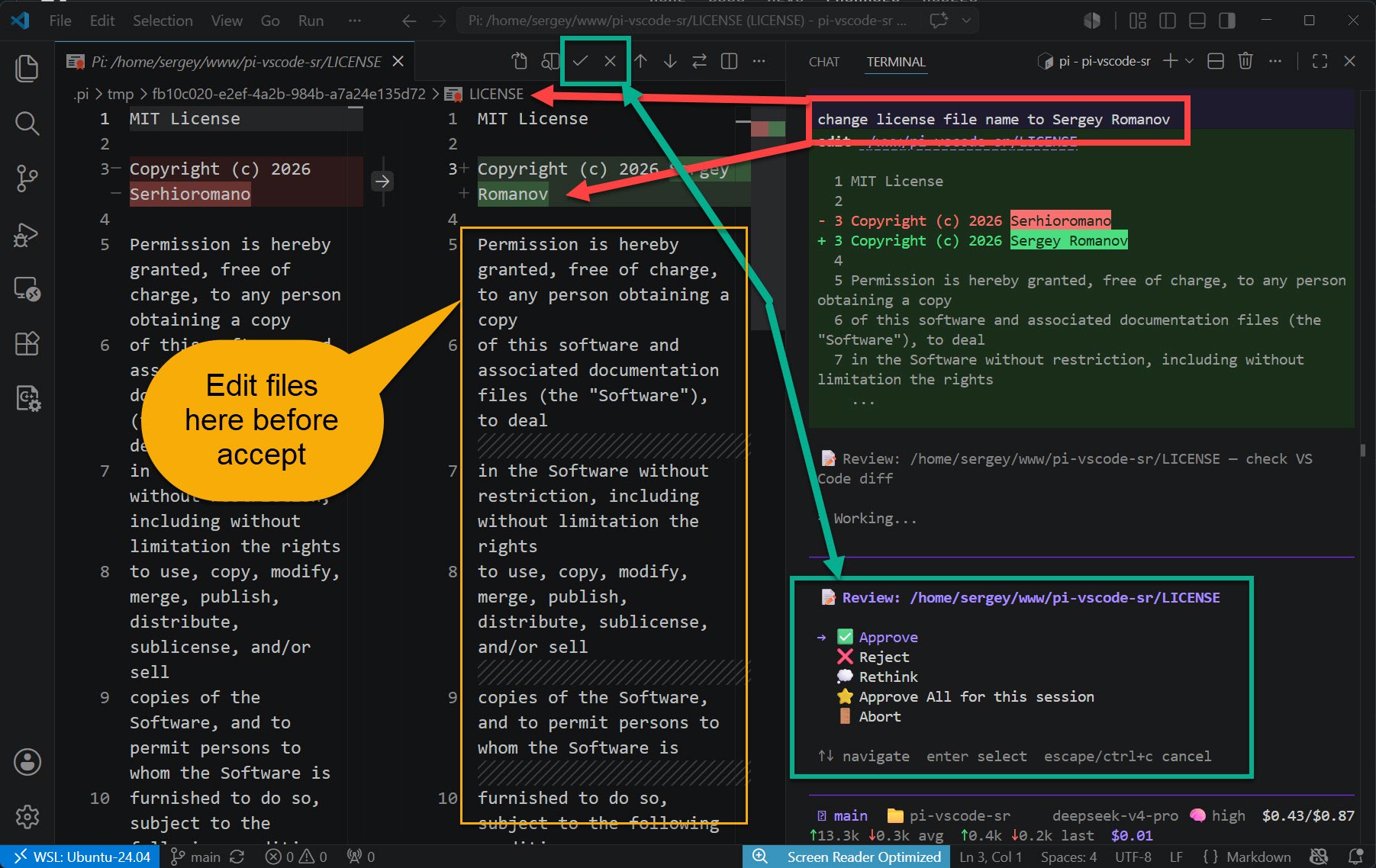
Review and approve file changes proposed by Pi agent. Also controllable from the terminal TUI (Approve, Reject, Rethink, Approve All, Abort) — both interfaces work in parallel.
Installation
Launch VS Code Quick Open (Ctrl+P), paste the following command, and press enter.
Code review companion for the Pi Coding Agent. When Pi proposes a file change, you can review it either in VS Code's diff editor or directly in the terminal — both interfaces work in parallel, and whichever responds first wins.
Rethink (terminal only) — discards the change and sends feedback back to the agent so it can try again
Approve All (terminal only) — auto-approves all changes for the rest of the current prompt
Abort (terminal only) — immediately stops the agent session
How it works
Pi agent wants to write or edit a file
The pi-vscode-sr npm package intercepts the tool call and writes a review request to .pi/review-requests/{uuid}.json
The terminal TUI appears immediately; simultaneously, this VS Code extension watches for new requests, opens a diff editor with Accept/Reject buttons
You can respond in either interface — they race, and whichever answers first wins
Your decision is written to .pi/review-results/{uuid}.json — Pi reads it and either applies or discards the change
Prerequisites
Install the Pi extension first:
[!IMPORTANT]
Add into .gitignore file
.pi/review-requests/
.pi/review-results/
.pi/tmp/
.pi/.vscode-ready
pi install npm:pi-vscode-sr
Or install locally (Recommended):
[!IMPORTANT]
I recommend to install it locally because not every folder is a project of Visual Studio Code. Although there is a mechanism to detect if project is opened in VS Code or not anyway it could lead to unexpected behavior.