CodeAlong for VS Code
Coding tutorials that wait for you.
Start typing in VS Code and the coding tutorial you're watching in Chrome pauses. Stop typing, and it
rewinds two seconds and continues. No more pausing, switching windows and pressing play a hundred times.
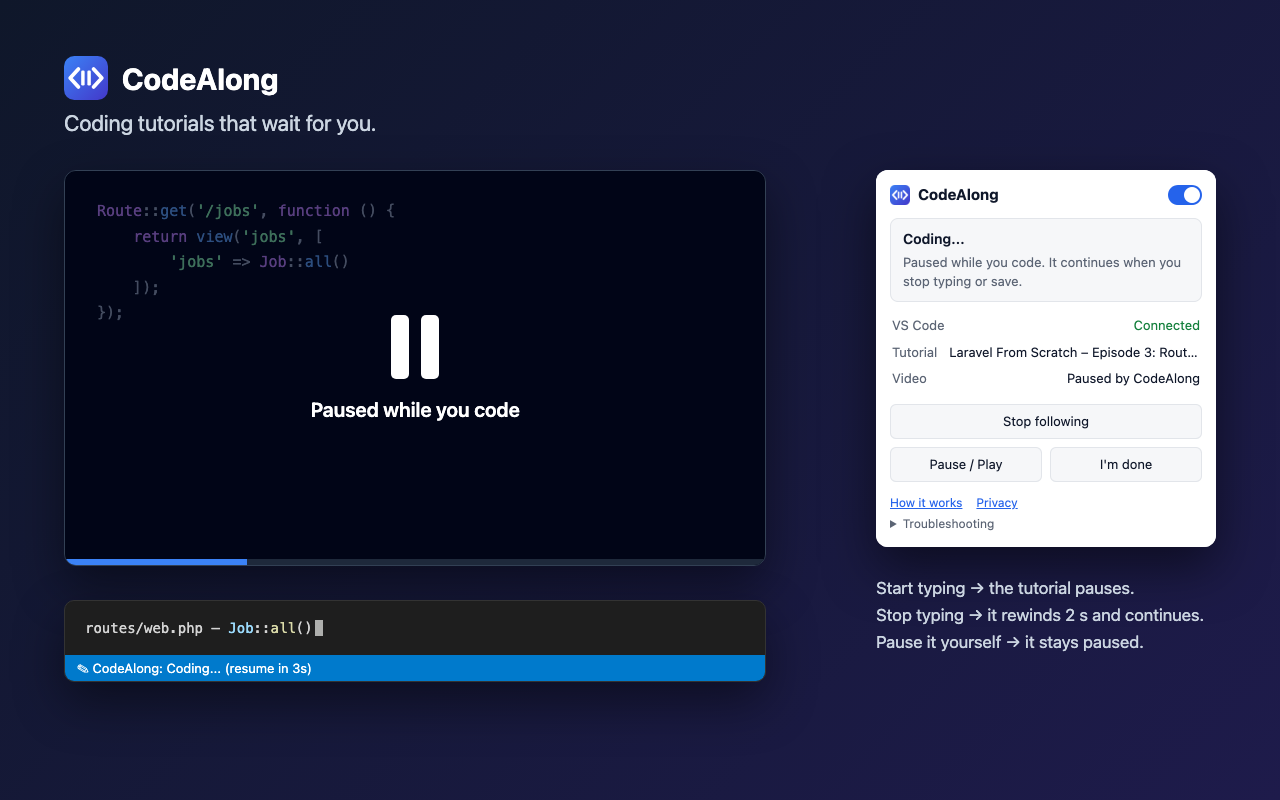
CodeAlong has two parts. This extension notices that you are coding. The CodeAlong Chrome
extension pauses and plays the video. Install both. They find each other automatically.
Run CodeAlong: Get the Chrome Extension from the Command Palette.
Getting started
- Install this extension and the CodeAlong Chrome extension.
- In Chrome, open a tutorial, click the CodeAlong toolbar icon and choose Follow this tab.
- Code along. The status bar shows what CodeAlong is doing.
The Get Started with CodeAlong walkthrough (Help → Welcome) covers the same in four short steps.
When does it pause and continue?
| When you… |
CodeAlong… |
| start typing while the tutorial plays |
pauses it |
| stop typing for 5 seconds |
rewinds 2 seconds and continues |
| save the file |
continues about a second later |
| pause the video yourself |
never starts it again on its own |
| press play while you're still typing |
lets it play |
Commands and shortcuts
| Command |
Shortcut |
| CodeAlong: Pause or Play Tutorial |
Ctrl+Alt+P (macOS ⌃⌥P) |
| CodeAlong: I'm Done – Continue Tutorial |
Ctrl+Alt+D (macOS ⌃⌥D) |
| CodeAlong: Turn On/Off |
|
| CodeAlong: How CodeAlong Works |
|
| CodeAlong: Get the Chrome Extension |
|
Click CodeAlong in the status bar for a menu with all of these.
Settings
| Setting |
Default |
Description |
codealong.enabled |
true |
Turn automatic pausing and resuming on or off. |
codealong.pauseOnTyping |
true |
Pause when you start editing code. |
codealong.resumeAfterIdle |
true |
Continue when you've stopped typing. |
codealong.idleDelaySeconds |
5 |
Seconds without typing that count as "done". |
codealong.resumeOnSave |
true |
Saving a file counts as "done" (auto save is ignored). |
codealong.resumeOnTutorialFocus |
false |
Continue when you switch back to the tutorial tab. |
codealong.rewindBeforeResume |
true |
Rewind before continuing automatically. |
codealong.rewindSeconds |
2 |
How far to rewind. |
codealong.debugLogging |
false |
Log events to the CodeAlong output channel. Code is never logged. |
Privacy
Everything stays on your computer. CodeAlong never reads, stores or sends your code and doesn't
record keystrokes. It only notices that a file changed or was saved, and passes that signal to
the Chrome extension over a local connection that websites can't use. No account, no analytics.
Privacy policy.
The extension runs on your local machine even in Remote / WSL / Dev Container windows, because that
is where Chrome is.
Feedback
Report a bug or request a feature ·
Source code · MIT license

