SayCode by Saywork
Saywork's AI worker for code, inside VS Code. Open any folder, then talk or type. SayCode builds, fixes and explains in your real project, uses websites in your own Chrome, and shows you every step as it goes.
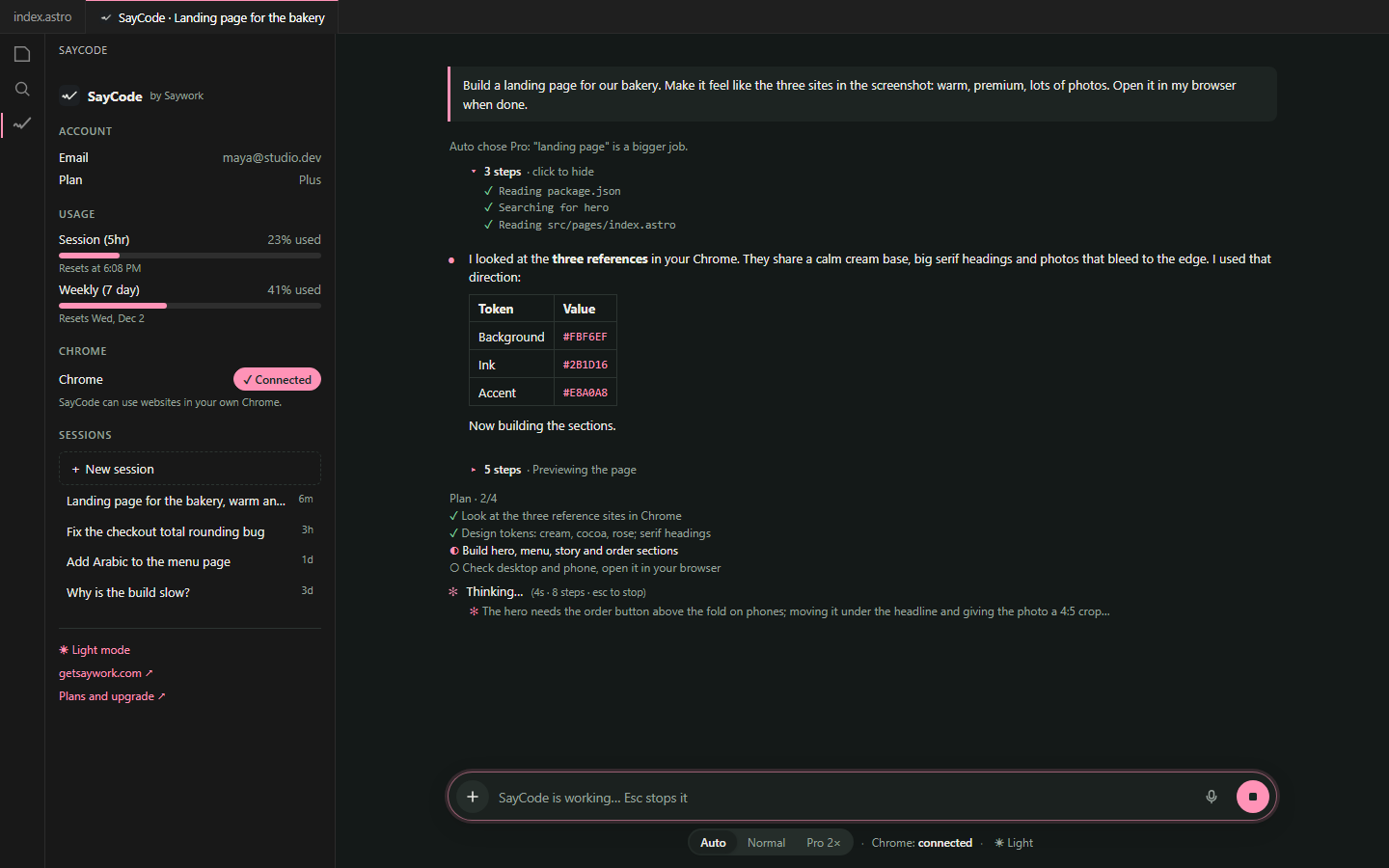
What you can do
- Build anything. Websites, web apps, mobile apps, APIs, scripts and games. SayCode picks a standard stack, makes it run, and then polishes it.
- Talk instead of typing. Press the mic and speak in English, Arabic or any other language. Your words appear in the box, cleaned up and ready to send.
- Paste a screenshot. Drop a picture of a design or an error straight into the box, and SayCode works from it.
- It looks before it designs. Name a site or style ("like Pinterest") and SayCode opens it in your Chrome, studies it, then designs from what it saw.
- See every step. Steps fold into one line you can open. A live plan shows what's done and what's next, and you can see what SayCode is thinking.
- Pick up where you left off. Every conversation is saved per folder. Open one from the sidebar and keep going.
The crew
For a big job, SayCode doesn't work alone. It splits the job into parts and hands each one to a named helper, like Pip the fox or Juno the owl. The helpers work at the same time, and you can watch each of them in the crew card.
- One board, one library. The helpers share a board of what they found and a folder of what they made, so nobody repeats anyone else's work.
- Facts with sources. A fact goes on the board only with the page, file or command it came from. SayCode builds the result from those.
- Light on usage. Each helper carries only its own part, not the whole conversation. Only the helper with the hardest job thinks, and only one at a time uses your Chrome.
Light or dark
One click under the input switches between Saywork's dark and light looks.
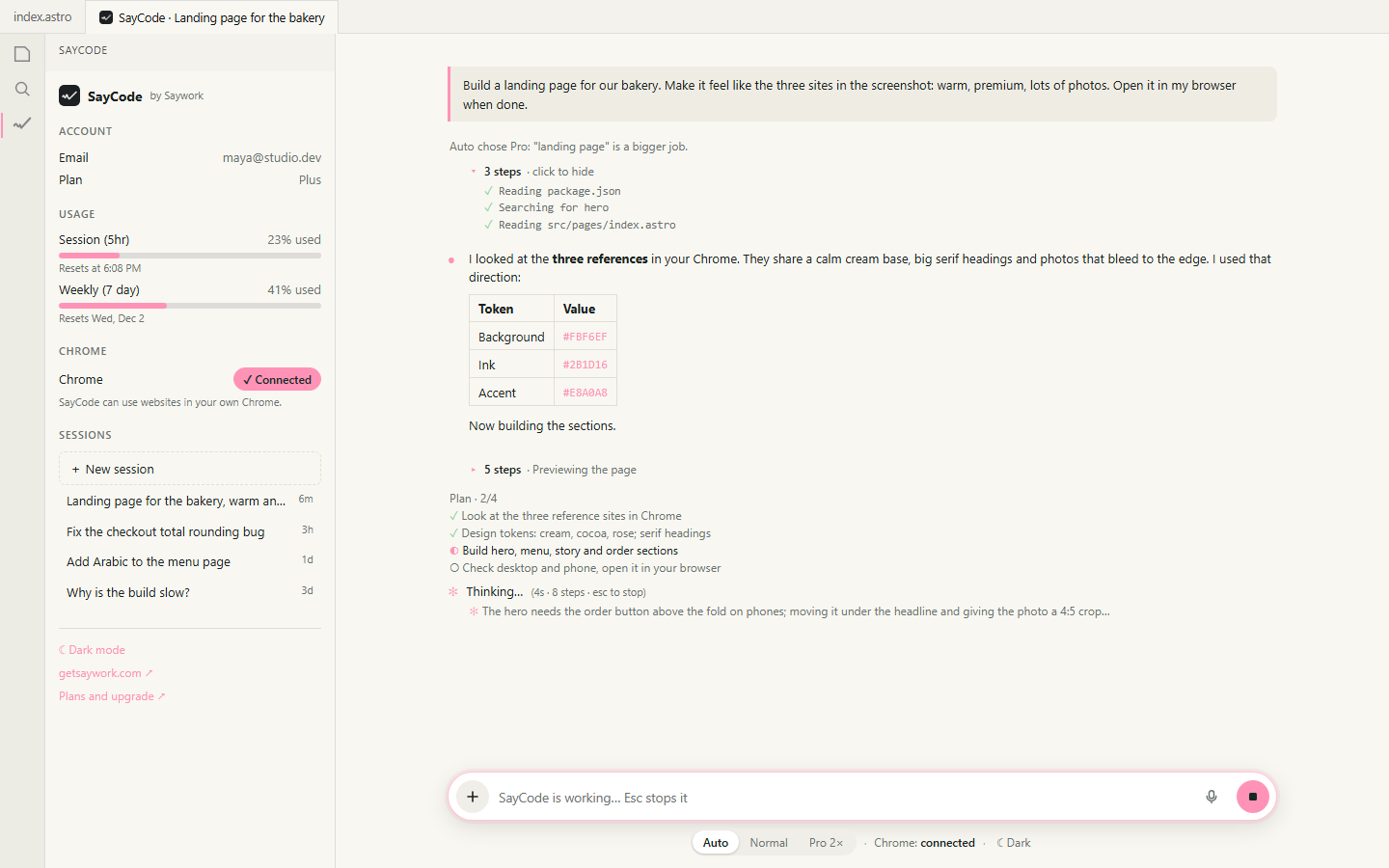
Modes
| Mode |
What it does |
| Auto (default) |
Picks Normal or Pro for each request, and tells you why. |
| Normal |
Quick answers and edits. Your normal usage. |
| Pro |
Thinks harder and double-checks its work. For big or tricky jobs. Uses 2× usage. |
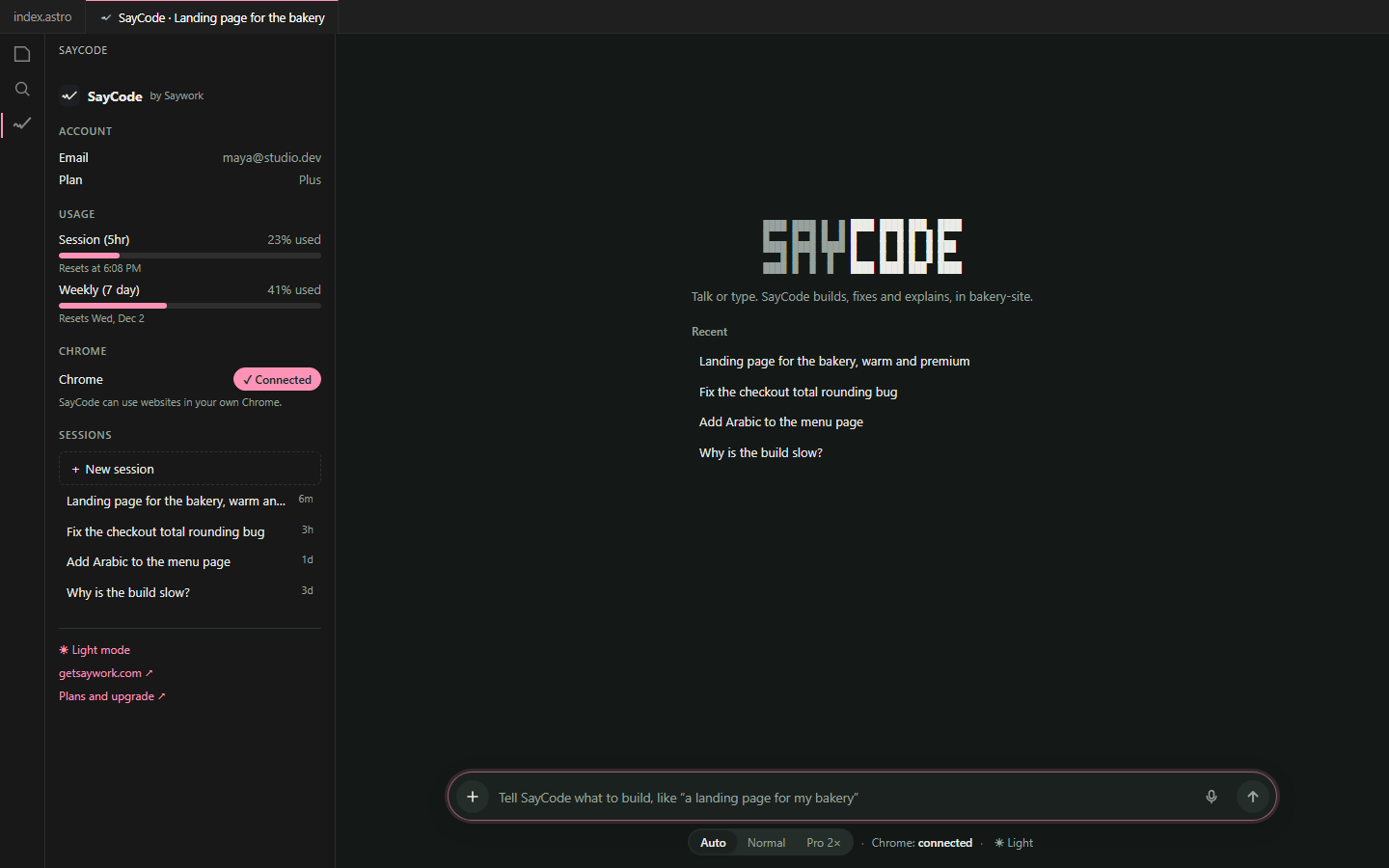
Getting started
- Install SayCode by Saywork, then click the SayCode icon in the Activity Bar.
- Sign in with Saywork in your browser (Google, Apple or email). It's the same account as the Saywork app.
- Optional: Connect your Chrome. Get Saywork for Chrome and sign in with the same account. The badge turns pink when it's connected. No app needed.
- Open a folder and say what you want.
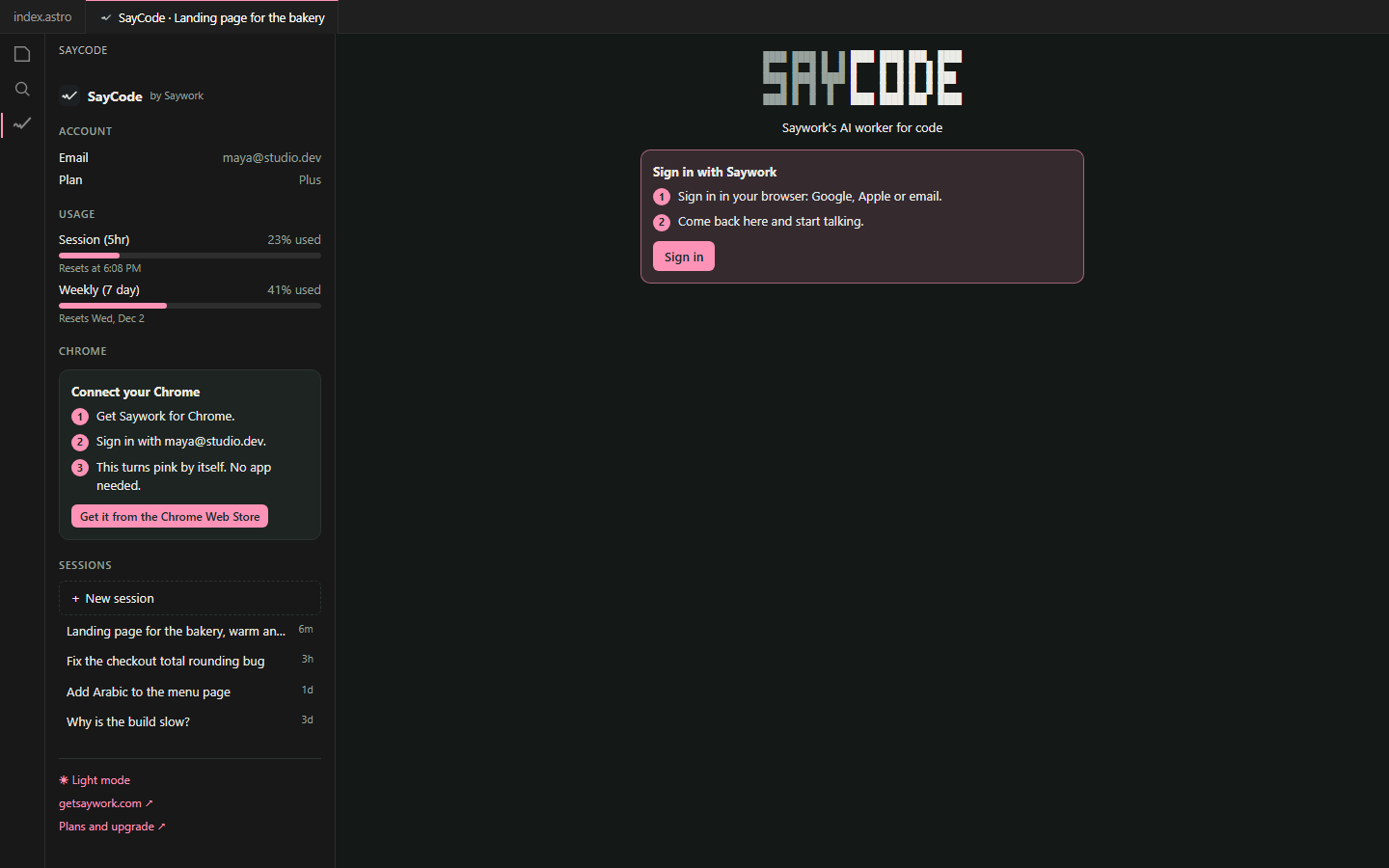
The first time, SayCode sets itself up (a one-time download from getsaywork.com). It needs Node.js 22 or newer on your computer.
Your usage
The sidebar shows your 5-hour and 7-day usage bars and when each resets. SayCode uses your Saywork plan. If you run out, it tells you when your usage comes back and how to upgrade.
Shortcuts
Ctrl+Alt+S (Cmd+Alt+S on Mac) opens SayCode.Enter sends, and Shift+Enter starts a new line.Esc stops SayCode.
Good to know
- SayCode works with one Saywork account per computer, the one first used on it. Your conversations stay on your computer.
- SayCode also runs in your terminal: type
saycode in any folder.
Made by Saywork.
| |

