Astro Doctor for VS Code
Astro Doctor diagnostics, hovers, and quick fixes right in your editor.
Features
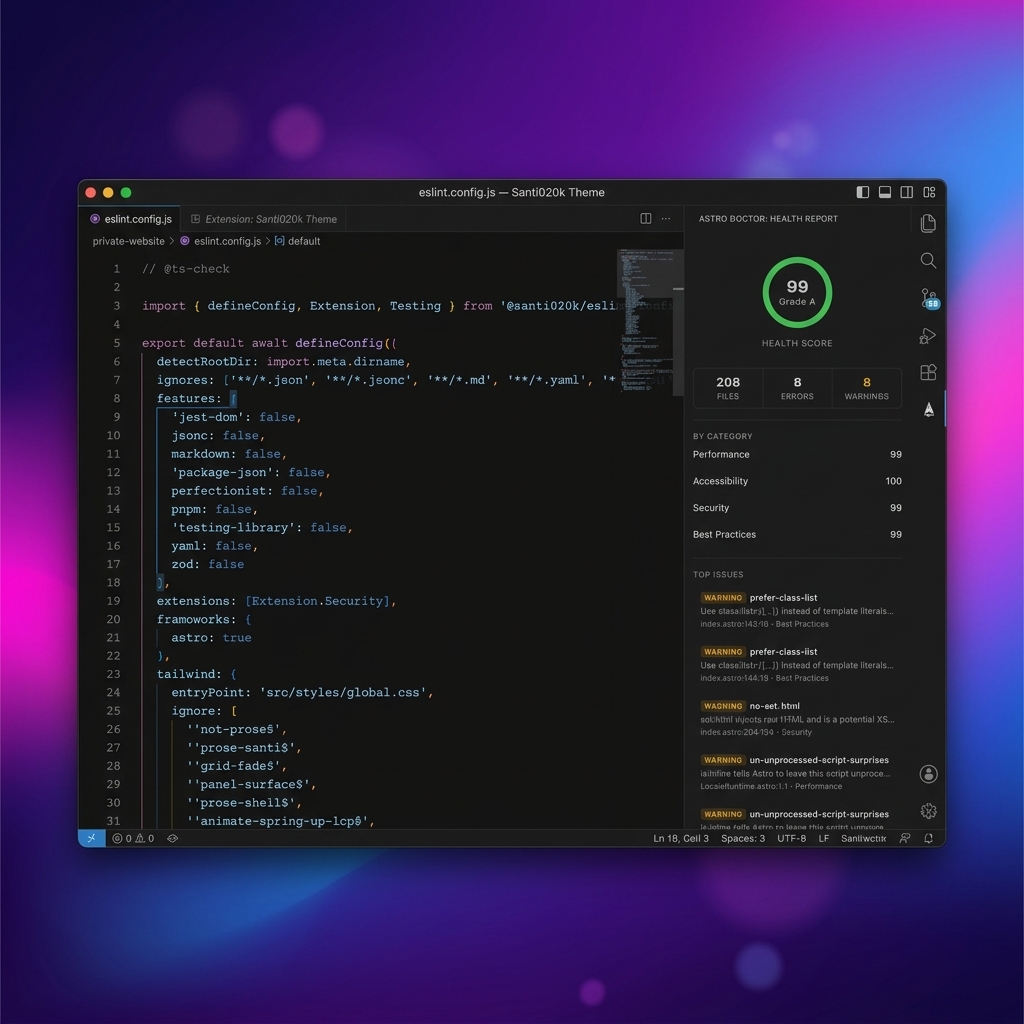
- Live Diagnostics: Real-time linting and health checks for your Astro files using Astro Doctor rules.
- Quick Fixes: Apply safe rule fixes where supported and offer suppression actions for the rest.
- Health Sidebar: Provides a visual health report with a score ring and category breakdown of issues (Performance, Accessibility, Security, etc.) inside the VS Code Sidebar.
- Hover Info: Get detailed explanations and rule documentation when hovering over reported issues.
Extension Settings
This extension contributes the following settings:
astroDoctor.enable: Enable or disable Astro Doctor features (default: true).astroDoctor.serverPath: Optional path to a custom astro-doctor executable. This always wins over the environment defaults.astroDoctor.nodePath: Optional path to the Node.js executable used by the bundled language server. When empty, the extension resolves Node.js from your shell environment.astroDoctor.scanOnType: Re-scan files live as you type from the unsaved buffer (default: true).astroDoctor.trace.server: Trace communication with the underlying Astro Doctor Language Server (off, messages, verbose).
The extension requires VS Code 1.125 or newer and Node.js ^22.22.3 || ^24.16.0 || >=26.3.0 for the bundled language server. It resolves version-manager installations such as NVM and fnm through your shell, even when VS Code was launched from the Dock or application menu.
Development Environments
The extension reads ASTRO_DOCTOR_EXTENSION_ENV when it starts:
local: Used by the VS Code debug workflow. It prefers the monorepo CLI at packages/astro-doctor/dist/bin/astro-doctor.js, then a workspace-local node_modules/.bin/astro-doctor, then the bundled server.production: Used to smoke-test packaged behavior. It prefers the bundled dist/server.mjs, launched with the supported node executable from the user's environment, then falls back to a workspace-local node_modules/.bin/astro-doctor.
If the variable is not set, VS Code development mode behaves like local; installed extension mode behaves like production.
The Astro Doctor output channel prints the selected environment on activation.
Development Workflow
You do not need to build and install the VSIX for every change. Use the Extension Development Host:
- Run
pnpm install once from the repository root.
- Start the dev task with
Terminal: Run Task -> vscode-astro-doctor: dev.
- Open Run and Debug, select
Astro Doctor: Local (Watch), and press F5.
- Test inside the Extension Development Host window that opens.
The dev task builds the plugin, CLI/LSP, and extension once, then starts the watchers:
pnpm --parallel --filter @santi020k/eslint-plugin-astro-doctor --filter @santi020k/astro-doctor --filter vscode-astro-doctor run dev
Use Astro Doctor: Restart Server after changing the CLI or LSP code in packages/astro-doctor. Use Developer: Reload Window inside the Extension Development Host after changing activation, commands, sidebar code, or package contribution metadata.
For a one-off debug session without starting watchers first, select Astro Doctor: Local (Build Once). For packaged-behavior smoke testing, select Astro Doctor: Production.
Only run pnpm --filter vscode-astro-doctor run package and install the generated VSIX when validating the final packaged artifact.
Commands
Astro Doctor: Scan WorkspaceAstro Doctor: Scan Current FileAstro Doctor: Apply All Safe Fixes in FileAstro Doctor: Restart ServerAstro Doctor: Show OutputAstro Doctor: Open Documentation
Links

