Sanny Builder Library for VS Code
Scripting companion for CLEO Redux, powered by the
Sanny Builder Library.
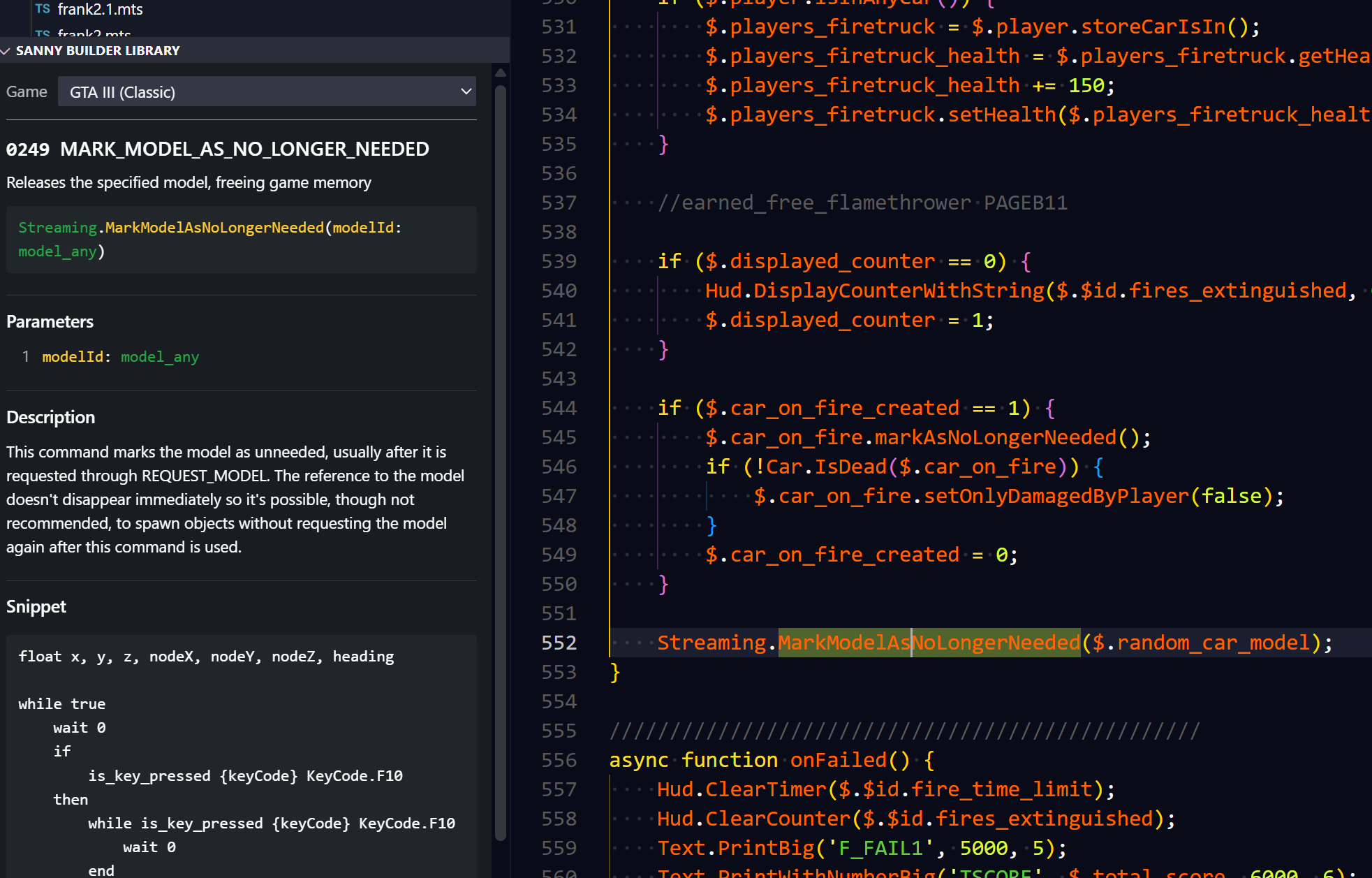
Put the cursor on a scripting command and the Sanny Builder Library shows its opcode, description, parameters, notes.
Getting started
- Install the extension.
- Pick your game in the Game dropdown, or run SBL: Select Game.
- On first use it downloads the library (~3.9 MiB) once and caches it. After that it works offline.
Commands
| Command |
Default keybinding |
Purpose |
SBL: Select Game |
— |
Choose the game — same as the card's Game dropdown |
SBL: Show Command Card |
Ctrl+Alt+S C |
Reveal the card view in the sidebar |
SBL: Refresh Library |
— |
Re-download the dataset |
SBL: Clear Cached Library |
— |
Delete the cached archive |
SBL: Open Command in Sanny Builder Library |
— |
Open the card's command on the website (the card also links it) |
Settings
| Setting |
Default |
Purpose |
sbl.game |
"" (unset) |
The selected game. Set it via the card's Game dropdown or SBL: Select Game. |
sbl.sourceUrl |
the official codeload ZIP |
Point at a local mirror or fork. Must be a ZIP URL. |
sbl.panel.autoFollow |
true |
Keep the card in sync with the cursor. |
What it understands
- Static and constructor calls:
Pad.IsButtonPressed(0, 17), Car.Create(...),
Object.CreateNoOffset(...).
- Instance calls:
$.meat_phone.turnOn(), c.delete(), this.door.setHeading(90).
.ts, .mts, .js, .mjs files.
The cache
Stored globally (not per workspace) under VS Code's extension storage:
<globalStorage>/sbl/library.zip
<globalStorage>/sbl/meta.json
The archive is read lazily — entries are inflated on demand and never extracted to disk.
Credits
Copyright (c) 2026 Seemann
MIT licensed.
| |

