ISTA - Worktree + TMUX Manager






The colorful VS Code sidebar for people whose git worktrees keep kicking over their terminal stack.
Why This Extension Exists
Every new feature, major code change, migration, and refactor lives in its own git worktree. Each worktree means a different folder to cd into, a different terminal to track, and a different context to keep in your head. It is not uncommon to have ten or more active worktrees at once, and it gets disorienting fast — which worktree belongs to which feature, which terminal is running the right branch, and where did that Claude session end up? This VS Code extension was built to tame that chaos. It gives you a sidebar where every worktree gets its own color-coded row, each row can launch a tmux terminal preconfigured with Codex, Claude, or any custom CLI tool, and you can see everything at a glance so you can stop guessing and start shipping. We chose tmux as the terminal backend because it handles long-running coding sessions and large output plans without crashing, and if a process does crash or your connection drops, tmux preserves the session so you can reattach and pick up right where you left off.
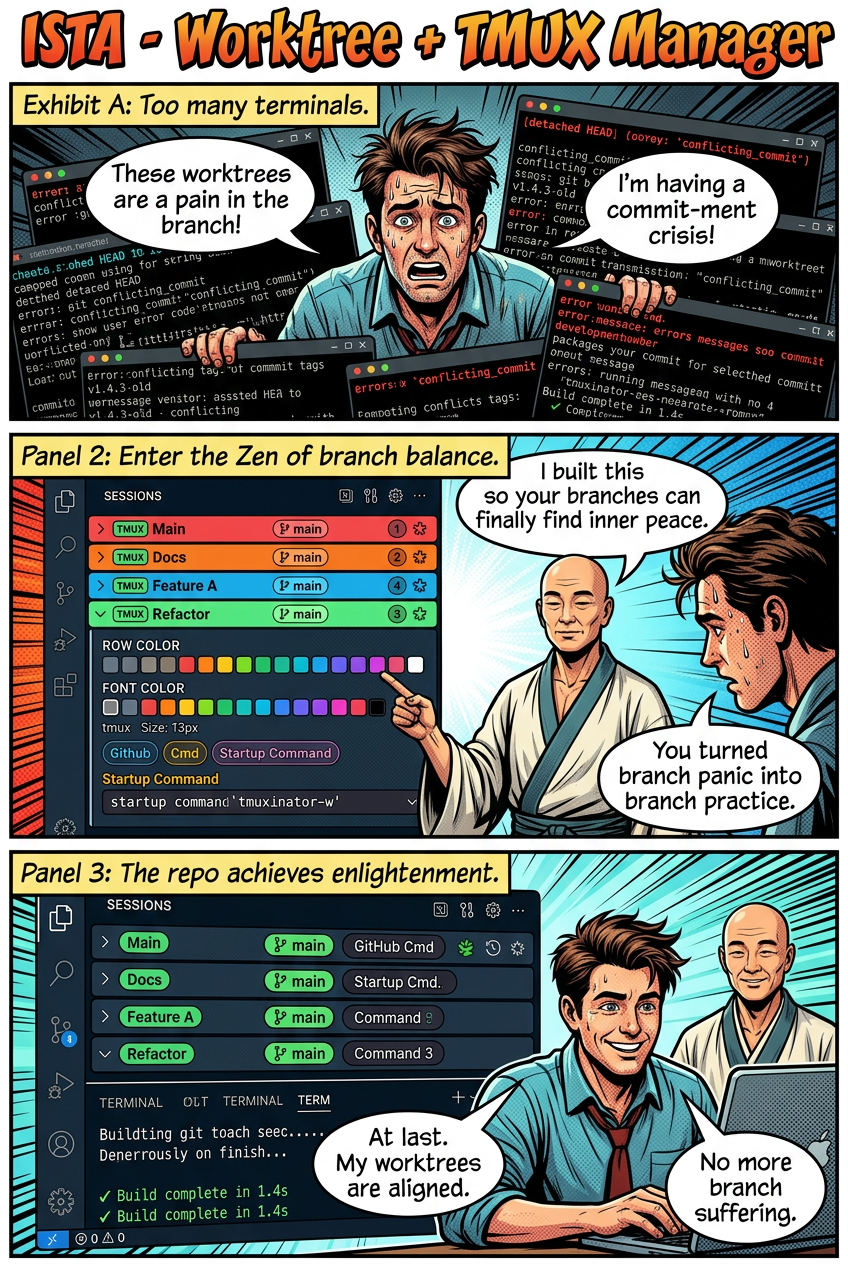
Branch Suffering, Meet Branch Enlightenment
tmux-branch-manager is the repo.
ISTA - Worktree + TMUX Manager is the extension.
The pitch is simple:
- Coder one is trapped in worktree chaos.
- Coder two has achieved branch enlightenment.
- The cure is a secondary-sidebar control panel for color-coded tmux sessions, saved worktree targets, startup commands, and an embedded terminal preview.
This is not a fake productivity potion. It is a real VS Code extension that gives your sessions names, colors, branch context, and enough structure that you can stop playing terminal roulette.
What The Extension Actually Does
| Chaos |
ISTA Counterspell |
| "Which terminal was my feature branch?" |
Color-coded session rows with branch badges |
| "Why did I open six shells again?" |
Seeded default sessions and one-click new rows |
| "Where did this command belong?" |
Saved startup commands, including Claude and Codex presets |
| "Which worktree is this attached to?" |
Worktree-aware targets in the sidebar UI |
| "My sidebar looks like a crime scene." |
Row colors, font colors, font size, names, ordering, and saved appearance |
| "Now I need an actual terminal." |
Embedded terminal preview right inside the view |
See The Thing
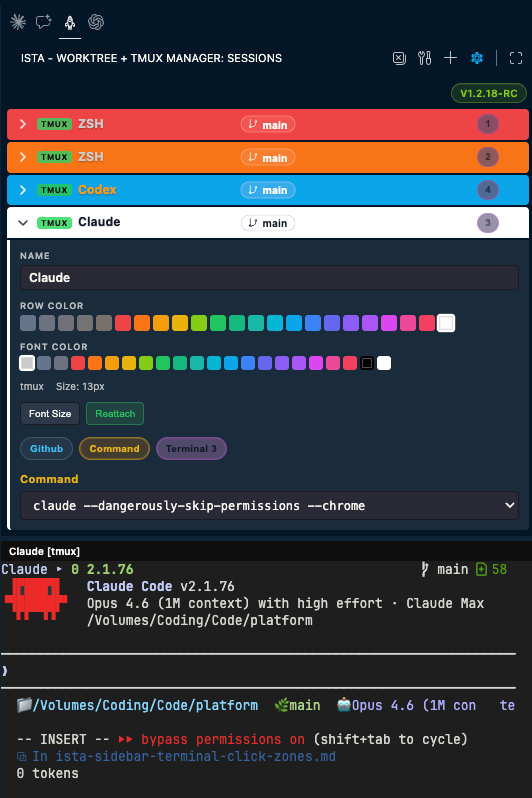
What you are looking at in the screenshot:
- Four packaged starter rows
- Color swatches for row and font styling
- Worktree and command controls
- A tmux-backed terminal preview in the lower pane
- A sidebar view built for fast branch switching without opening a terminal zoo
Why This Exists
Git worktrees are powerful. They are also very good at turning a normal afternoon into:
- "Why am I on the wrong branch?"
- "Why is this terminal still alive?"
- "Why did I run the right command in the wrong repo again?"
ISTA takes that pain and turns it into a tidy sidebar workflow:
- one row per session
- one obvious worktree target
- one obvious startup command
- one obvious color so your brain stops filing incident reports
Quick Start
Use The Extension
Required runtime for live sidebar sessions:
tmux- a supported bundled PTY runtime
- macOS, Linux, or WSL2 for the one-click install flow
Nice things you do not need to install separately:
- xterm
- the sidebar nerd font, because the extension ships MesloLGS Nerd Font
When dependencies are missing, the extension can:
- check requirements
- install the runtime pieces for you on supported platforms
- install the optional Forest-style zsh + Powerlevel10k shell profile
Hack On The Repo
# Prerequisites: Node >= 20, pnpm >= 9
pnpm install

# Compile TypeScript and run all tests (unit + harness)
pnpm test              # Unit tests (persistence, sync-default-config)
pnpm run test:harness  # Integration harness (13 tests, no tmux/pty needed)

# Bundle webview + extension into dist/
pnpm bundle

# Build the distributable VSIX
pnpm package
The packaged VSIX lands in the repo root as ista-sidebar-terminal-<version>.vsix.
Build Architecture
src/*.ts  ──→  esbuild  ──→  dist/extension.js     (Node/CJS, vscode + node-pty external)
src/webview-client.ts  ──→  esbuild  ──→  media/webview.js  (browser IIFE, xterm bundled)
dist/extension.js runs in the VS Code extension host (Node.js)media/webview.js runs in the sidebar webview (browser sandbox)node-pty is not bundled by esbuild — it ships as a native module in node_modules/- tmux 3.6a is bundled in
bin/darwin-arm64/ for macOS ARM (self-contained, no Homebrew needed)
The darwin-arm64 VSIX includes bundled tmux + node-pty prebuilds. For other platforms:
| Platform |
tmux |
node-pty |
| macOS ARM |
Bundled in bin/darwin-arm64/ |
Prebuilt in node_modules/node-pty/prebuilds/ |
| macOS Intel |
System (Homebrew) or bundleable |
Prebuilt in node_modules/node-pty/prebuilds/ |
| Linux/WSL2 |
System (apt install tmux) |
Compiled from source via bootstrap-runtime.js |
Local Install
pnpm run install-ext
Built-In Default Sessions
Fresh workspaces can be seeded from templates/default-ista-terminals.json.
The current packaged defaults are:
ZSH in redZSH in orangeClaude with the Claude startup command presetCodex with the Codex startup command preset
That means a coworker can install the VSIX and get a sensible launch pad without importing your machine-specific config.
Daily Workflow
- Open the
ISTA - Worktree + TMUX Manager view in the secondary sidebar.
- Pick or create a row.
- Set the row name, colors, and startup command.
- Point the row at the worktree or branch you care about.
- Focus the session and do the actual work instead of hunting for the right terminal tab.
Commands You Will Actually Use
| Command |
What it does |
New Terminal |
Adds another sidebar session row |
Close All Terminals |
Ends the current swarm before it becomes folklore |
Install Dependencies |
Offers one-click runtime setup on supported platforms |
Check Dependencies |
Writes the current dependency report to the Output panel |
Enable Saved Custom Rows |
Persists your custom row appearance |
Reset Saved Custom Rows |
Restores the packaged defaults when your experiments get weird |
Repo Layout
| Path |
Purpose |
src/ |
Extension source, tmux/runtime wiring, webview provider, and client |
bin/ |
Bundled platform binaries (tmux + dylibs per platform-arch) |
media/ |
Icons, fonts, webview bundle, screenshot, and comic assets |
templates/ |
Packaged session defaults and shell templates |
scripts/ |
Install and packaging helpers |
test/ |
Unit tests, integration harness, fake runtime, vscode mock |
plans/ |
Larger execution plans |
Common Dev Commands
pnpm test: compile the extension and run the Node test suitepnpm bundle: sync defaults, bundle the webview, and build dist/extension.jspnpm package: build and create the VSIX with vscepnpm run install-ext: local build/package/install helper
Release Notes For Humans
Release procedure lives in RELEASE.md.
The Vibe In One Sentence
This repo exists so your terminals can stop behaving like an unsupervised branch office.


