RePath
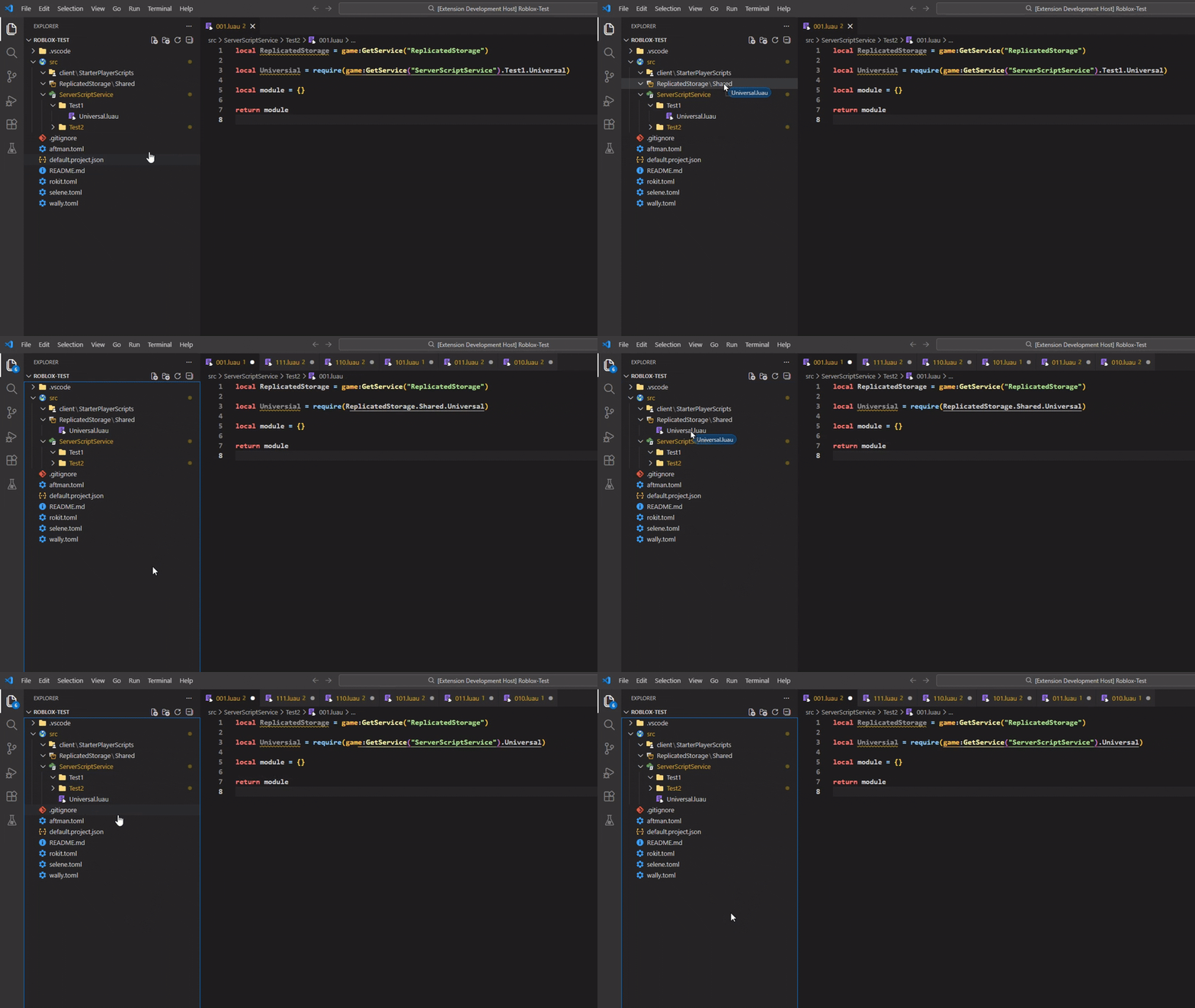
RePath is an Extension that watches your Explorer.
When you move a ModuleScript to a new location,
RePath automatically scans your scripts and updates the paths in your code to match the new location!
Features
- Automatic Path Detection: Fires when a script is parented to a new location
- Updates quickly: Updates
require() paths in existing scripts quickly
- Refactoring Friendly: Ideal for large scale projects where you need to change your code structure without breaking the game logic
Automatic Variable Service Detection
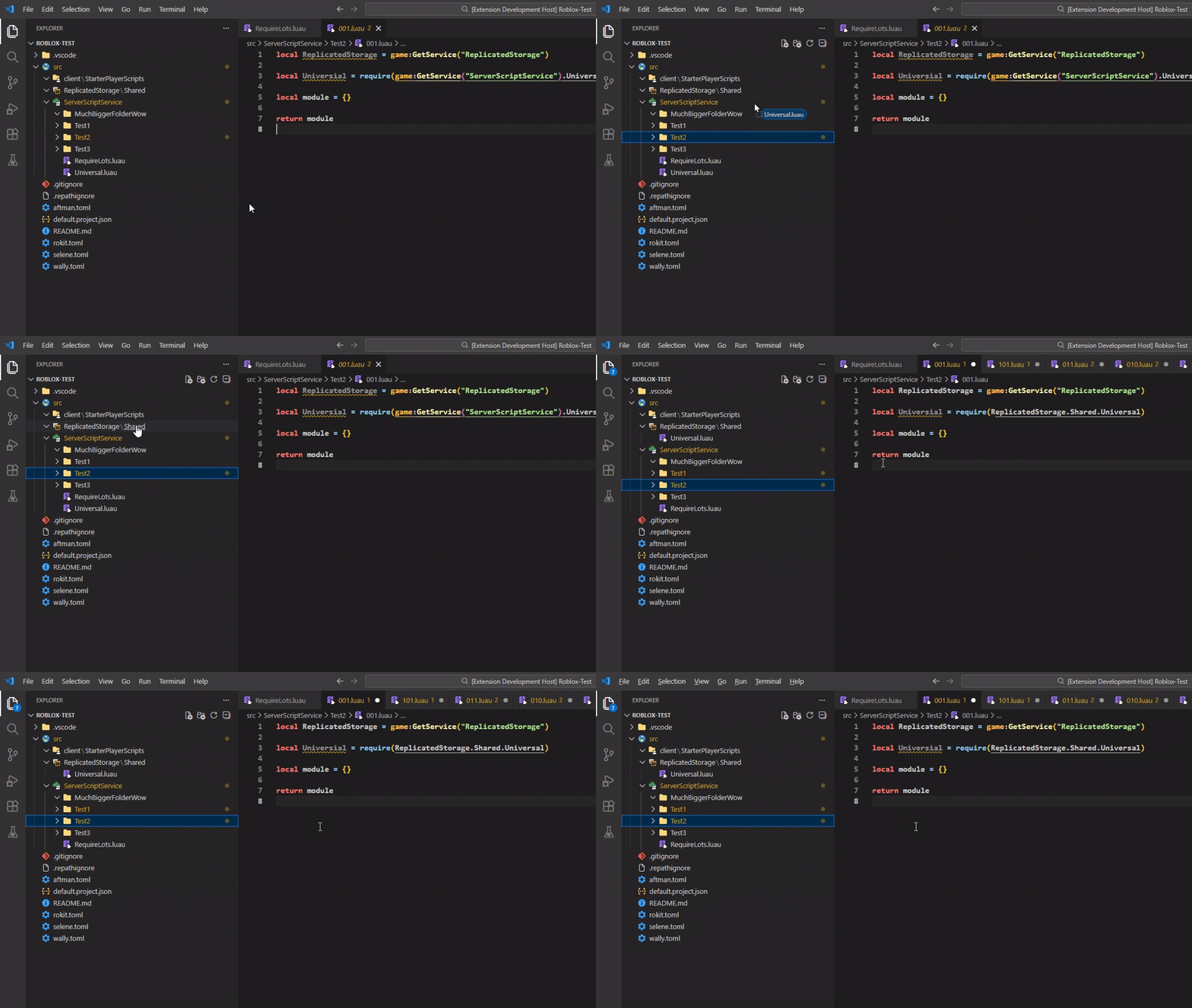 Variables containing Services (
local Service = game:GetService()) get included on the update (When changing the location of any script):
From local module = require(game:GetService().path) to local module = require(Service.path)
If there's no variable, then it will require the module directly with game:GetService()
.repathignore
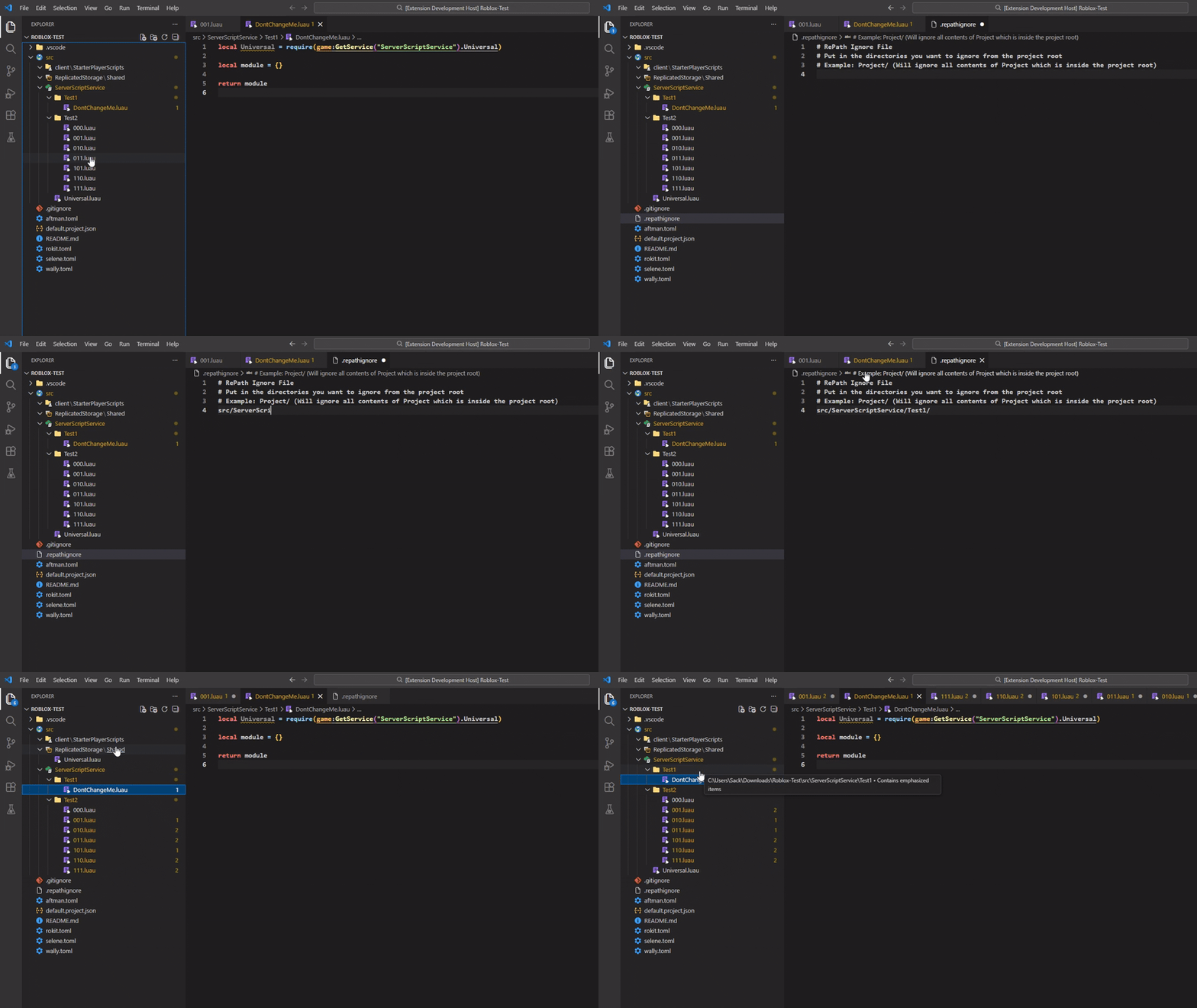 A file for excluding directories where you don't want to have things changed.
Useful for big packages.
A file for excluding directories where you don't want to have things changed.
Useful for big packages.
Use the command bar from VS Code to create a blank .repathignore file!
Multiple Files at once + Paths without require()
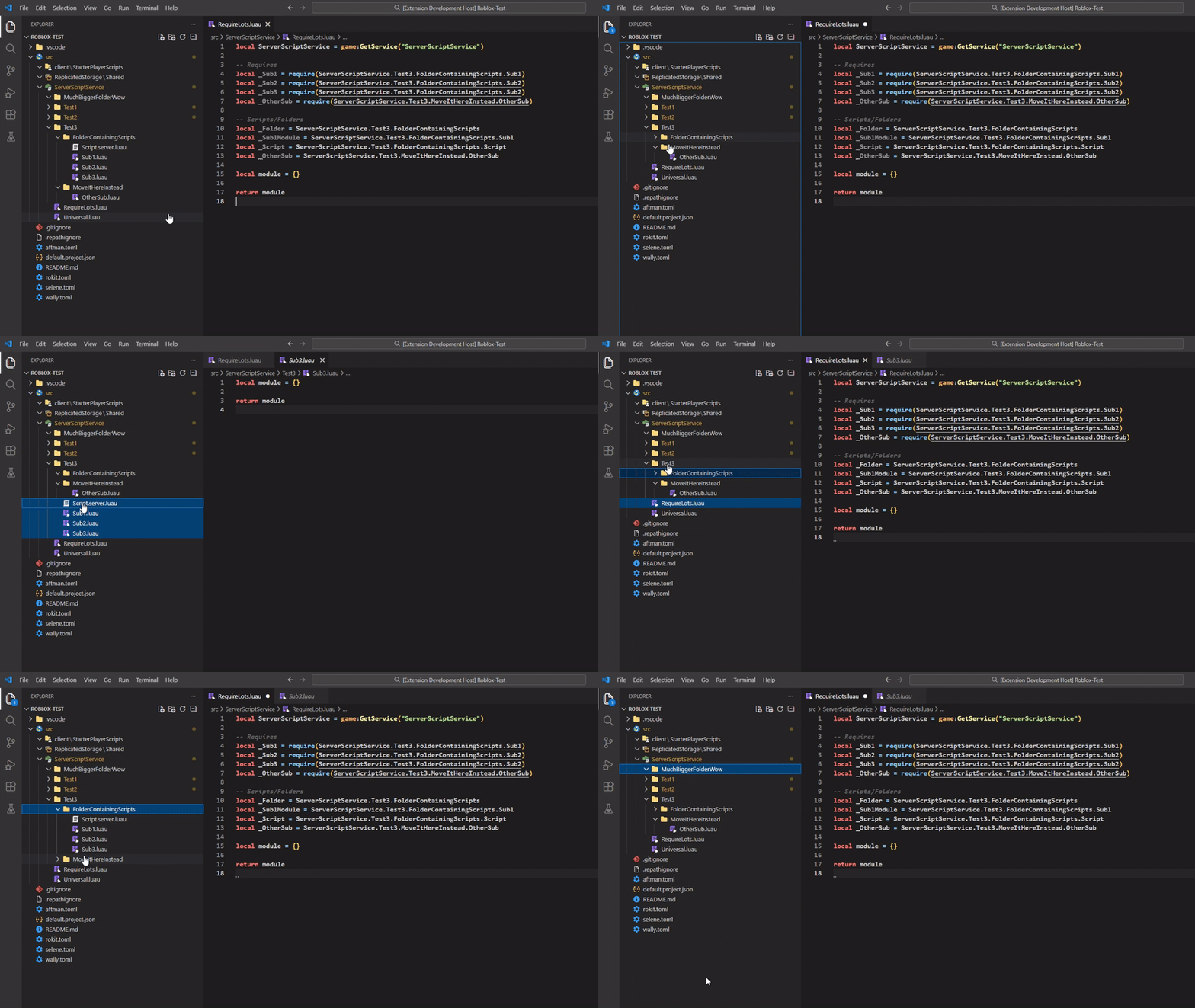
You can also move Folders around and every script requiring the scripts inside that folder
Will get their path changed. Multiple Folders and Scripts can be moved as well!
Paths without require() will also change
Setting for changing Files
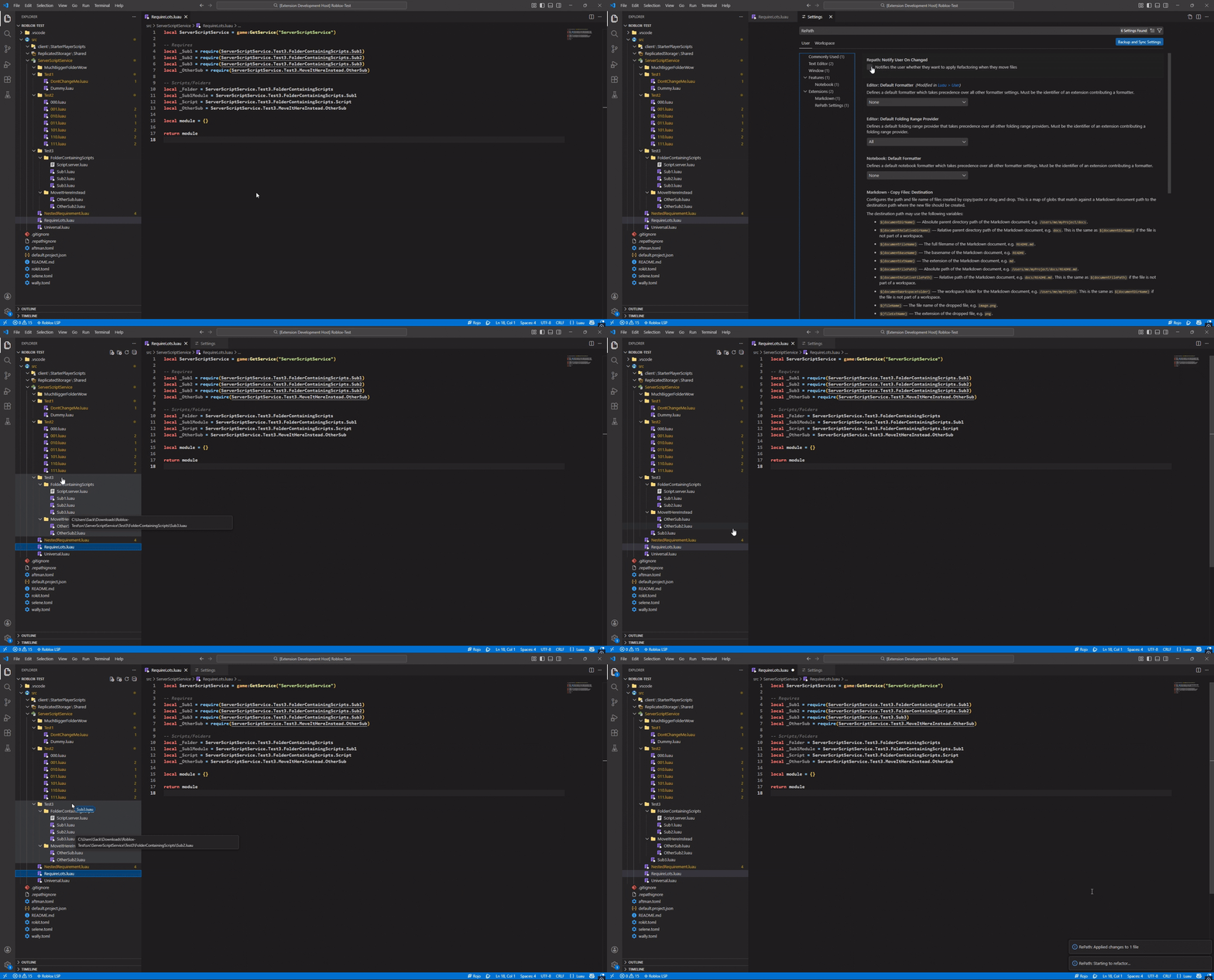
A setting that can be turned on or off. Use strg + , to access the settings on VS Code and type RePath to find it!
It sends a notification when changing files it will ask whether you want to refactor the paths or not
Notes & Feedback
I created this Extension to make code organization less punishing. Whether you’re doing a massive system refactor or just cleaning up a few folders, RePath saves you time.
Please let me know if you encounter any bugs or have any feature requests!
Requirements
Needs Rojo with its default.package.json file.
Warning
The repathing doesn't work on multiple nested variables:
local Service = game:GetService("ServerScriptService")
local SubPath = Service.sub.path

local module = require(Service.SubPath.more.path)

