Skip to content
| Marketplace
Sign in
Visual Studio Code>Other>Task HierarchyNew to Visual Studio Code? Get it now.
Task Hierarchy

Task Hierarchy

SMI IT Solutions Inc.

|
2 installs
| (0) | Free
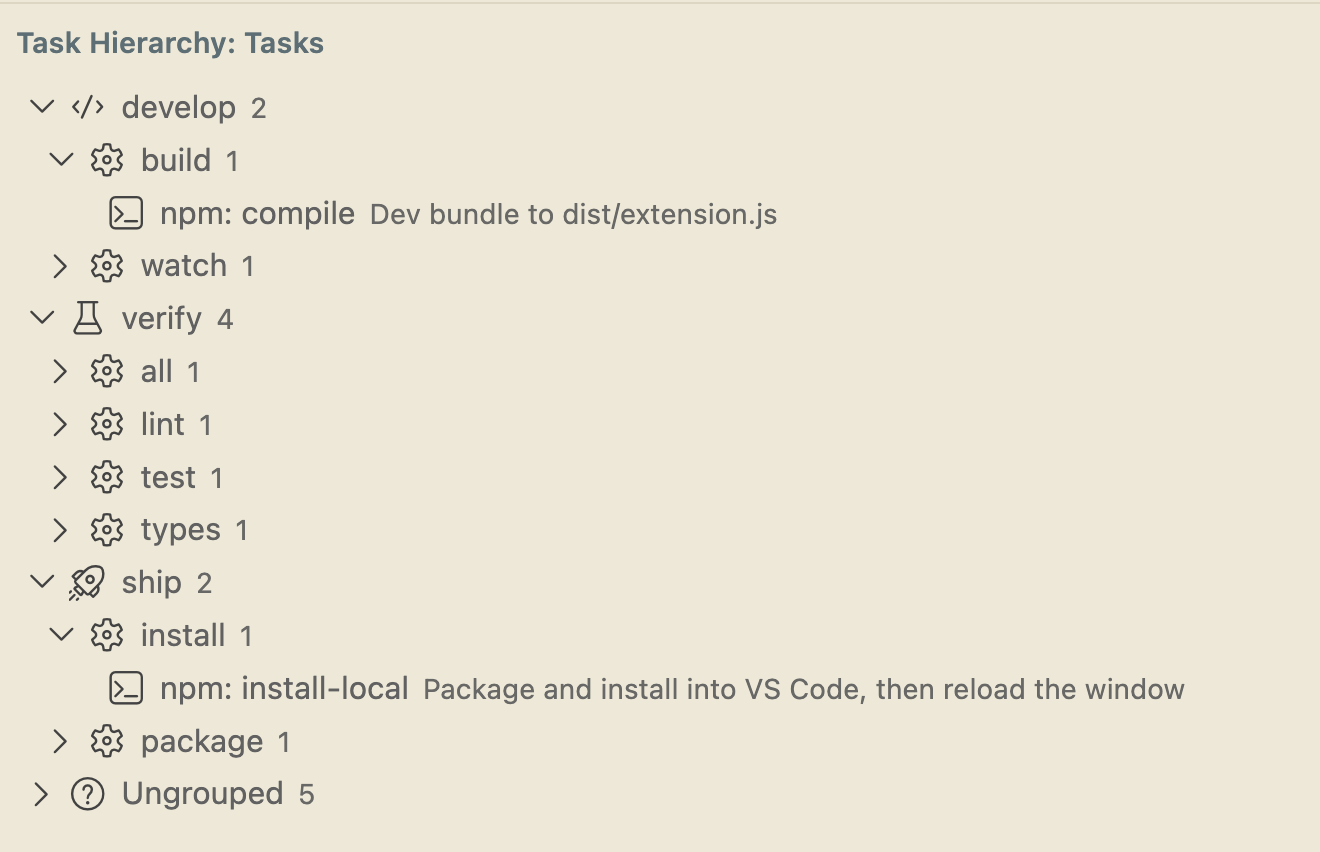
Group your VS Code tasks into a tree and run them from the sidebar. Tag a task's detail with @name:value - the order you write them is the nesting.
Installation
Launch VS Code Quick Open (Ctrl+P), paste the following command, and press enter.
Copied to clipboard
More Info

Task Hierarchy

A GUI for your VS Code tasks. Groups them into a tree so you can find one, and runs them from the sidebar.

Getting started

Add a detail property to any task in .vscode/tasks.json. Each @name:value is one level of the tree, and the order you write them is the order they nest.

{
  "label": "deploy api to production",
  "type": "shell",
  "command": "./deploy.sh",
  "detail": "@env:production @service:api @action:deploy"
}

That task lands under production › api › deploy. Tag the rest the same way and the tree builds itself:

production
  api
    deploy
    publish
  web
    deploy
staging
  api
    deploy
    publish
  web
    deploy

The name before the colon is there so the line still makes sense to whoever reads the file. Nothing has to be declared anywhere else — add a fourth tag and you get a fourth level, reorder two tags and that task moves.

The Task Hierarchy view

Running a group

Press ▶ on any group to run every task beneath it, one after another, stopping at the first failure. So ▶ on production › api runs that service's whole pipeline in order, and ▶ on production runs everything for that environment.

▶ on a single task runs just that one. ■ stops it.

More

  • Configuration — icons per level, sibling ordering, bulk-tagging tasks you already have, and finding tasks.json files in subfolders.
  • Report a bug or ask for a feature — for a bug, Task Hierarchy: Show Diagnostics from the Command Palette prints what was found and what ran, which is usually the whole answer.

License

MIT

  • Contact us
  • Jobs
  • Privacy
  • Manage cookies
  • Terms of use
  • Trademarks
  • Your Privacy Choices
  • Consumer Health Privacy
© 2026 Microsoft