SpecMD - Conditional Markdown
Markdown with variables and conditional blocks. Create a single source document and generate multiple variants for different products, versions, or regions.
Quick Start
1. Create config.yaml
productName: "My Product"
version: 2
isPremium: true
2. Create spec.smd
---
config: ./config.yaml
---

# ${productName} v${version}

@isPremium
  ## Premium Features
  This content only shows when isPremium is true.
@end
3. Preview
Press Alt+D to open preview.
That's it! Change values in config.yaml and see the preview update in real-time.
Features at a Glance
| Feature |
Syntax |
Description |
| Variables |
${name} |
Insert config values |
| Conditions |
@condition ... @end |
Show/hide content |
| Else/Elif |
@elif / @else |
Alternative conditions |
| Switch |
@switch var |
Select by value |
| Include |
@include file.smd |
Include other files |
| TOC |
[TOC] |
Auto table of contents |
Demo
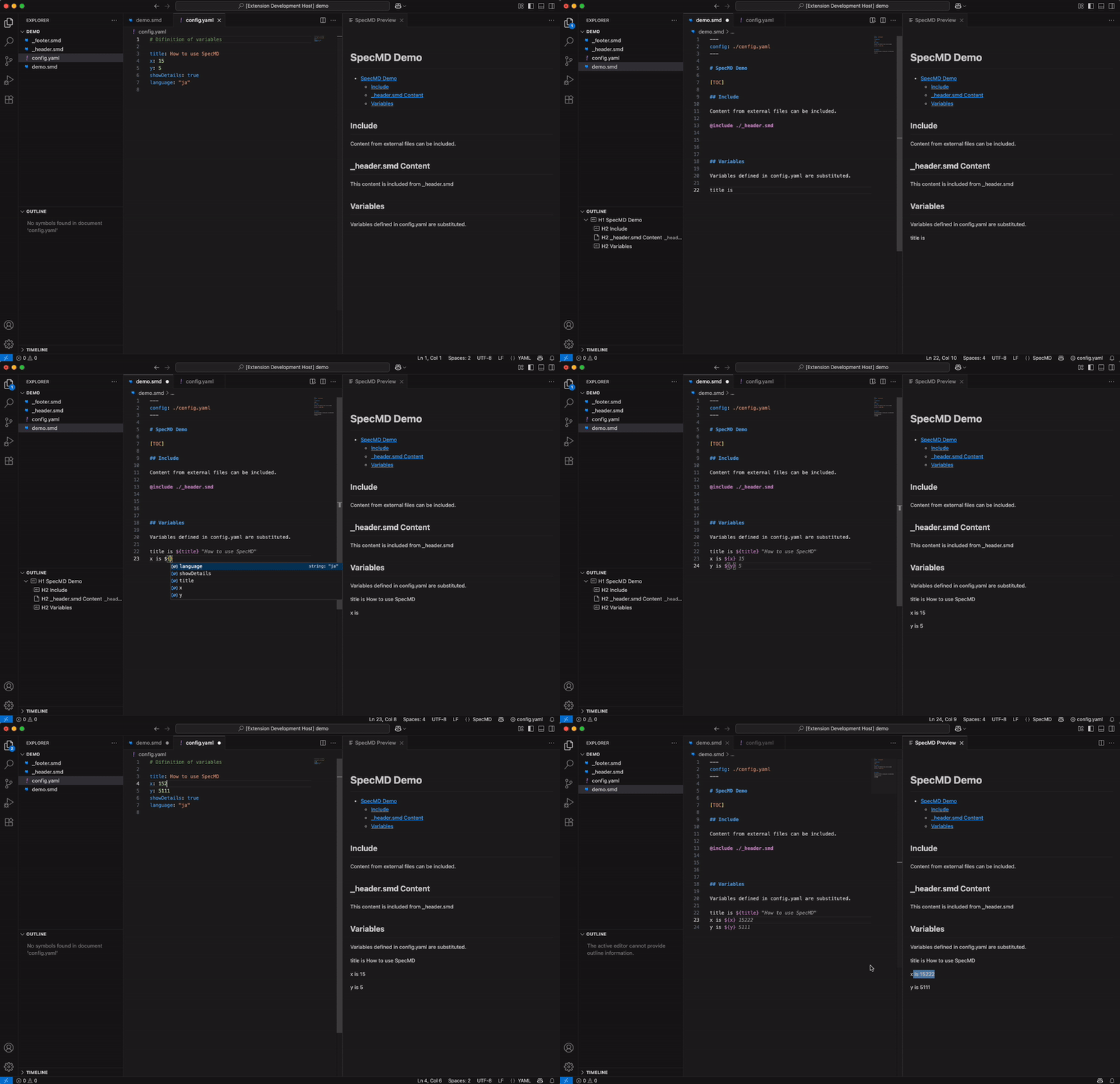
Variables
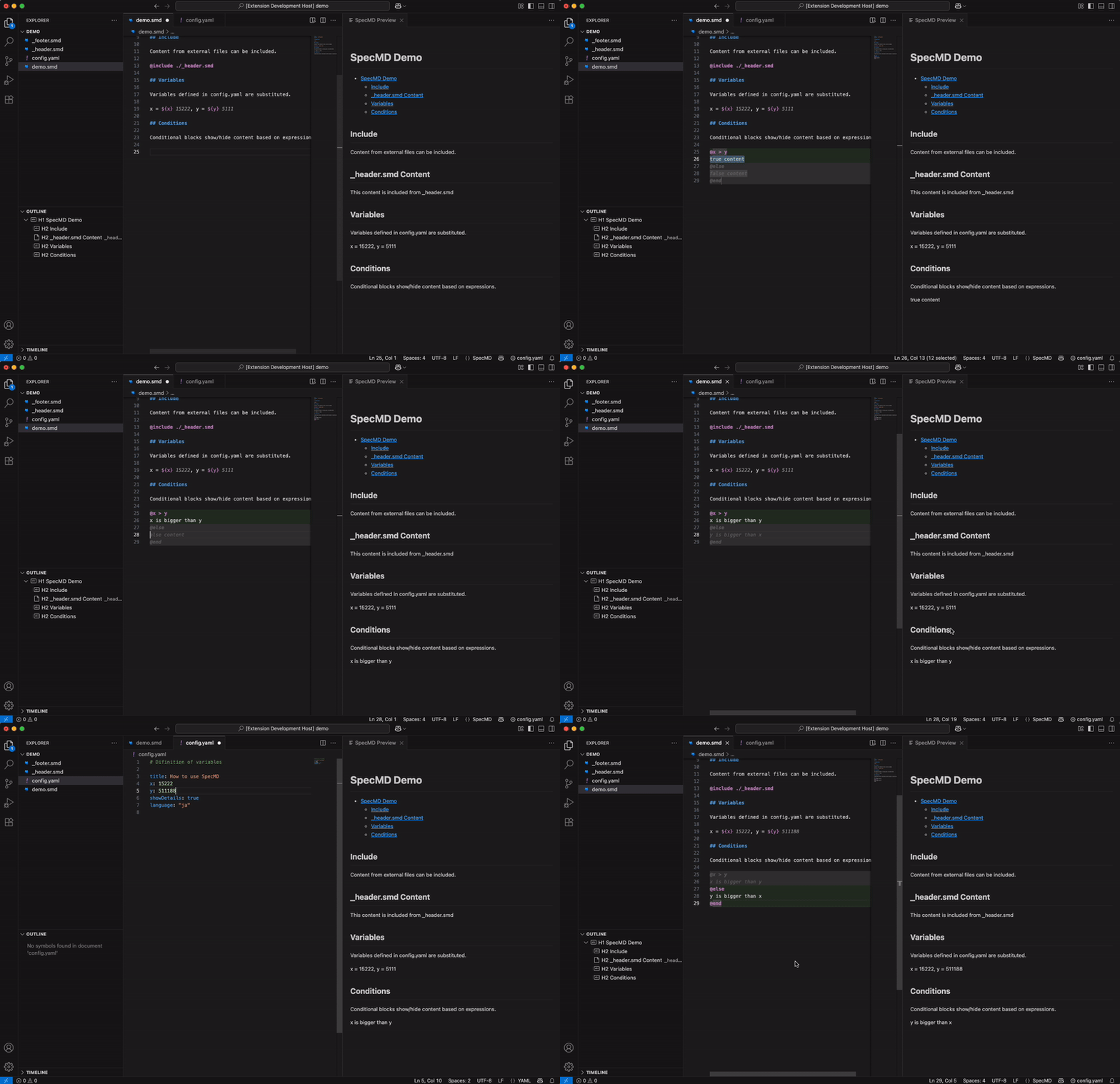
Conditions
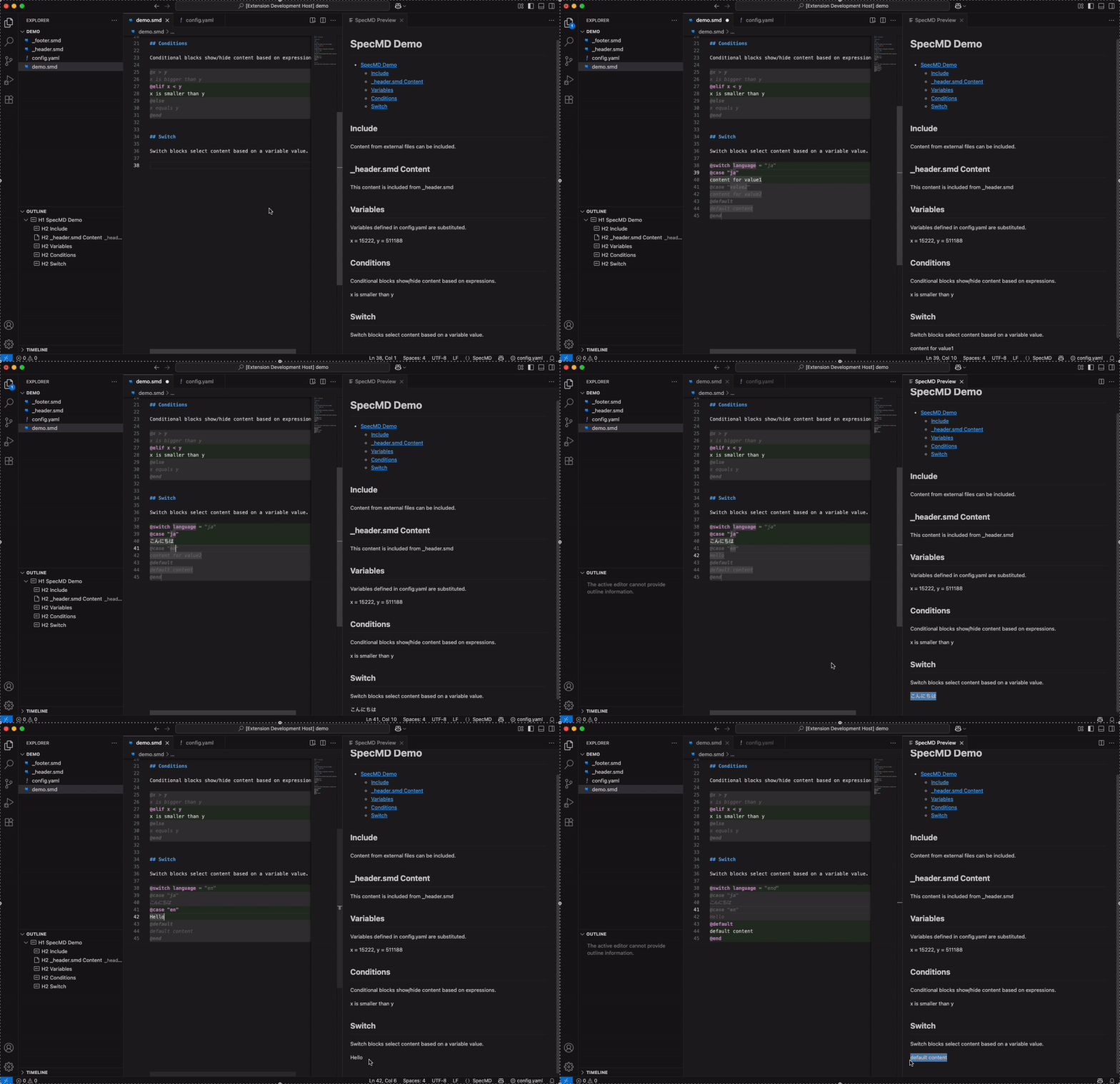
Switch/Case
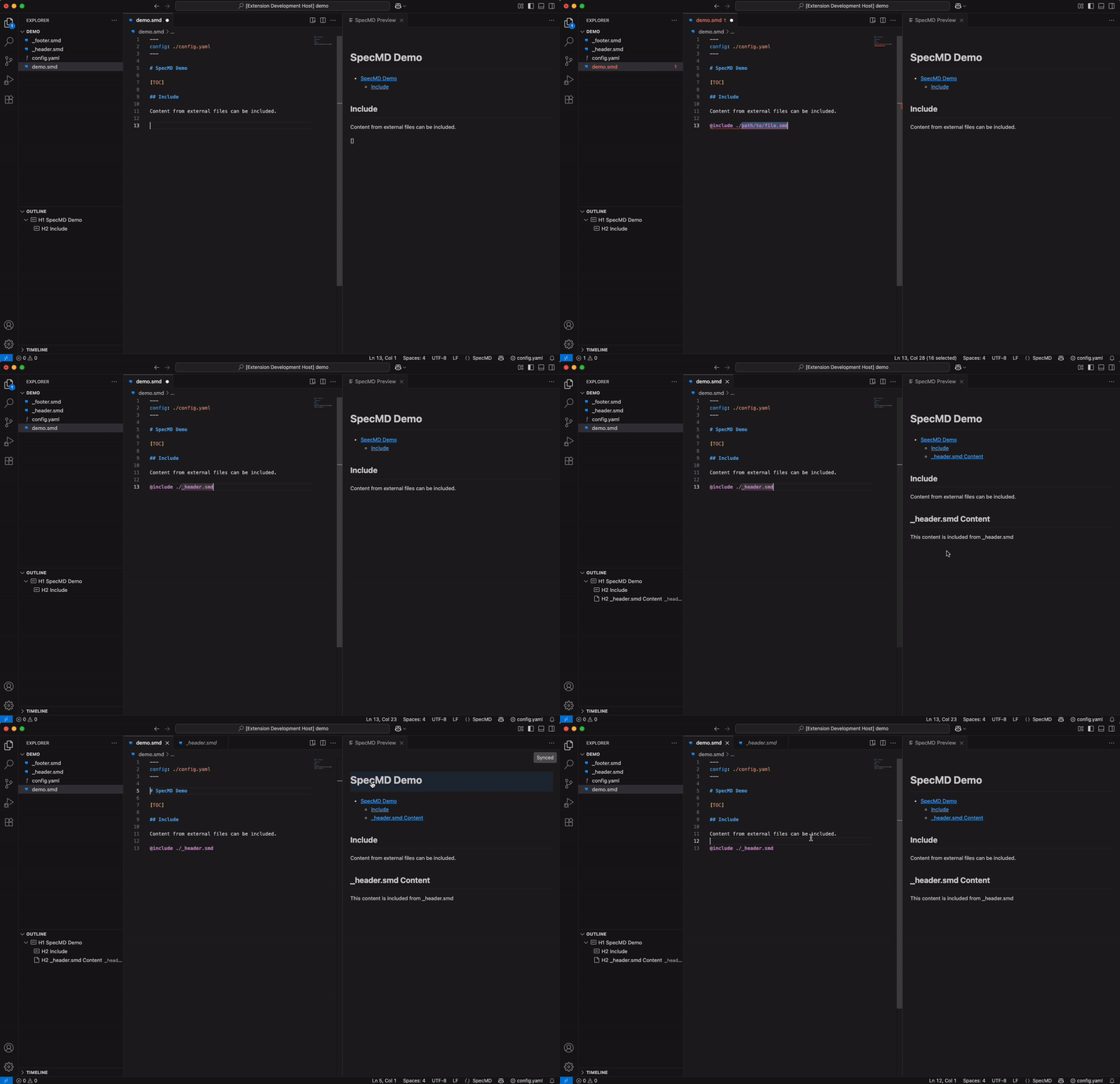
File Includes
Syntax Reference
Variables
Use ${variableName} to insert values from config.
Product: ${productName}
Version: ${version}
Conditions
Basic condition:
@isPremium
  Premium content here
@end
With comparison:
@version >= 2
  New features in v2+
@end
With elif/else:
@level >= 3
  Pro user
@elif level >= 2
  Standard user
@else
  Basic user
@end
Nested conditions:
@isPremium
  @version >= 2
    Premium v2+ features
  @end
@end
Alternative @if syntax (both work the same):
@if isPremium
  Premium content
@end
Operators:
| Operator |
Example |
== != |
@version == 2 |
> >= < <= |
@level >= 3 |
and or not |
@isPro and hasFeature |
() |
@(a or b) and c |
Switch/Case
@switch region
  @case "asia"
    100V
  @case "europe"
    230V
  @default
    120V
@end
Multiple values: @case "value1" or "value2"
Include
@include ./header.smd
@include ../common/footer.smd
@include ./data.csv
- Paths are relative to current file
- Ctrl+Click to jump to file
- CSV files are automatically converted to Markdown tables
Table of Contents
# Title

[TOC]

## Chapter 1
## Chapter 2
Config File (YAML)
Basic Variables
productName: "Widget Pro"
version: 2
isPremium: true
voltage: 100
Computed Values ($expr)
voltage: 100

displayVoltage:
  $expr: "voltage == 100 ? '100V' : '230V'"

isHighPower:
  $expr: "voltage >= 200"

label:
  $expr: "isPremium and version >= 2 ? 'Pro v2+' : 'Standard'"
Switch in Config ($switch)
region: "asia"

voltage:
  $switch: region
  asia: 100
  europe: 230
  us: 120
  $default: 100

plugType:
  $switch: region
  asia: "Type A"
  europe: "Type C"
  $default: "Type B"
Linking Config to Document
Option 1: External file
---
config: ./config.yaml
---
Option 2: Inline
---
productName: "Widget"
version: 1
---
Option 3: Both (inline overrides external)
---
config: ./config.yaml
productName: "Custom Name"
---
Editor Features
- Syntax Highlighting - Conditions colored by result (green=true, gray=false)
- Inline Values - See variable values and condition results
- Hover Info - Details on variables and expressions
- Autocomplete - Variables after
${, keywords after @
- Outline - Navigate headings (includes @include files)
- Go to Definition - Ctrl+Click on variables or @include paths
- Diagnostics - Warnings for undefined variables
- Live Preview - Real-time Markdown preview with search (Ctrl+F)
- Auto Format -
Shift+Alt+F to auto-indent @if/@switch blocks
- References Panel - See which files @include the current file (in Explorer sidebar)
- Dependency Graph - Visualize @include relationships
- Image Drop - Shift+Drop images to insert as Markdown
Image Drag & Drop
Drag image files into your .smd document while holding Shift to automatically insert a Markdown image reference with a relative path.
Supported formats: PNG, JPG, JPEG, GIF, WebP, SVG, BMP, ICO, TIFF
Example:
- Drag
images/screenshot.png into your document while holding Shift
- Inserts:

The alt text is automatically generated from the filename, and spaces are URL-encoded.
Preview Search
Press Ctrl+F in the SpecMD Preview to search within the document:
Enter or ↓ - Next matchShift+Enter or ↑ - Previous matchEscape - Close search
Before formatting:
@isPremium
@version >= 2
Premium v2 content
@end
@end
After Shift+Alt+F:
@isPremium
  @version >= 2
    Premium v2 content
  @end
@end
Commands
| Command |
Shortcut |
Description |
| Open Preview |
Alt+D |
Live Markdown preview |
| Export to Markdown |
Alt+Shift+D |
Save as .md file |
| Switch Configuration |
- |
Change config file |
| Refresh Preview |
- |
Force refresh preview |
| Refresh References |
- |
Update references panel |
| Show Dependency Graph |
- |
Visualize all .smd dependencies |
| Show File Dependencies |
- |
Dependencies of current file |
| Insert Table |
- |
Insert table with custom size (e.g., 3x4) |
| Insert Table from CSV |
- |
Paste CSV and convert to table |
| Import Table from CSV File |
- |
Import CSV file as table |
Access via Command Palette (Ctrl+Shift+P) or right-click menu.
Table Support
Snippets
| Prefix |
Output |
table2 |
2x2 table |
table3 |
3x3 table |
table4 |
4x3 table |
table5 |
5x4 table |
tr |
Table row |
Insert Table with Custom Size
- Open Command Palette (
Ctrl+Shift+P)
- Run "SpecMD: Insert Table"
- Enter size like
5x10 (5 columns, 10 rows)
Import from CSV
From clipboard:
- Copy CSV data
- Run "SpecMD: Insert Table from CSV"
- Paste CSV
From file:
- Run "SpecMD: Import Table from CSV File"
- Select .csv file
Press Shift+Alt+F to auto-align table columns:
Before:
|Name|Age|City|
|---|---|---|
|Alice|30|Tokyo|
|Bob|25|San Francisco|
After:
| Name  | Age | City          |
|-------|-----|---------------|
| Alice | 30  | Tokyo         |
| Bob   | 25  | San Francisco |
Snippets
| Prefix |
Output |
@if |
Condition block |
@ifelse |
Condition with else |
@switch |
Switch/case block |
@include |
File include |
toc |
[TOC] |
$var |
${name} |
frontmatter |
YAML front matter |
table2-table5 |
Tables (2x2 to 5x4) |
tr |
Table row |
Example: Multi-Product Docs
config-basic.yaml:
productName: "Widget Basic"
tier: 1
hasPremium: false
config-pro.yaml:
productName: "Widget Pro"
tier: 3
hasPremium: true
spec.smd:
---
config: ./config-basic.yaml
---

# ${productName}

## Features

@hasPremium
  ### Premium Features
  - Advanced analytics
  - Priority support
@end

@tier >= 2
  ### Extended Features
  Available for Standard and Pro tiers.
@end
Switch between configs using the status bar selector to preview different variants.
License
MIT

