Interval
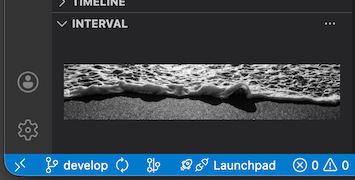
Interval is a VS Code extension that displays a single photograph in the sidebar.
Purpose
Interval exists to introduce a brief visual pause into the working environment.
Behavior
- One photograph is shown at a time.
- Photographs are displayed without captions, labels, or metadata.
- Images can be reloaded manually.
- The same photograph may appear again.
- There is no browsing, history, or recommendation mechanism.
What Interval Is Not
- It is not a productivity tool.
- It does not optimize workflow or focus.
- It does not analyze or adapt to user behavior.
- It does not explain or interpret the photographs.
Environment
- Interval retrieves photographs from a privately operated server.
- No personal data is collected.
- No tracking or analytics are performed.
- Network requests are limited and only occur on explicit user actions.
Requirements
- Requires VS Code 1.84 or later.
About the Author
This extension and its photographs are created by the same author.
Further works are documented here:
https://www.instagram.com/rsakuraizzz
| |

