Skip to content
| Marketplace
Sign in
Visual Studio Code>Programming Languages>MCU-Debug-AINew to Visual Studio Code? Get it now.
MCU-Debug-AI

MCU-Debug-AI

Runze Lee

|
1 install
| (0) | Free
High-performance MCU debugger with AI/MCP integration, real-time graphing, and local recording.
Installation
Launch VS Code Quick Open (Ctrl+P), paste the following command, and press enter.
Copied to clipboard
More Info

MCU-Debug-AI: Advanced MCU Debugging with AI & Real-time Visualization

High-performance MCU debugger extension with AI/MCP integration, hardware-accelerated real-time graphing, and local data recording.


1. Editor Integration & Local Recording

Make debugging workflows faster by adding expressions directly from the editor and recording Live Watch data to local files.

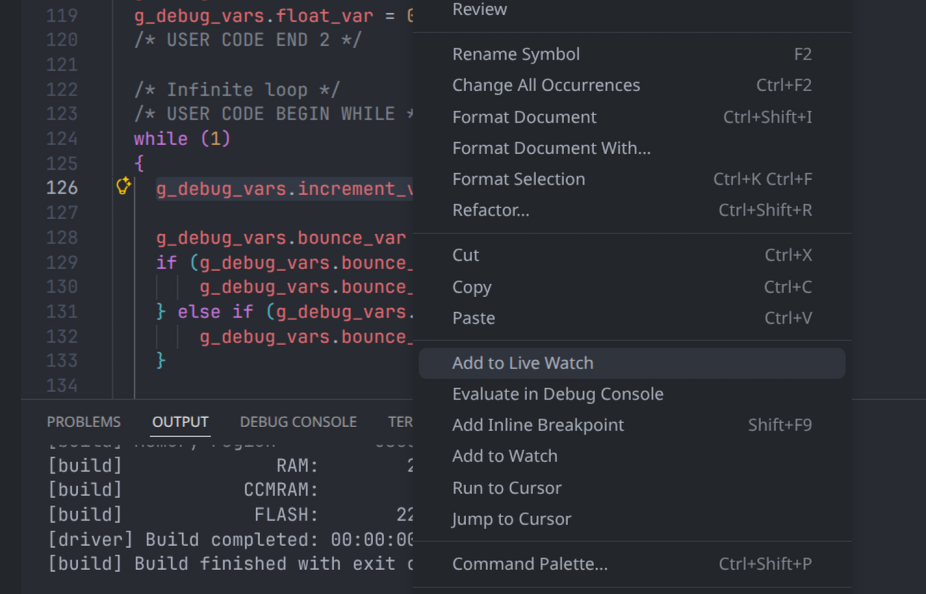
Quick Add from Editor

Select a C/C++ expression in the editor, right-click and choose "Add to Live Watch" to push the expression into the Live Watch panel instantly.

right_click

Local Recording (CSV / JSONL)

Record selected variables to a local file (CSV or JSONL) with high-precision timestamps. Supports automatic sanitization of GDB value formats.


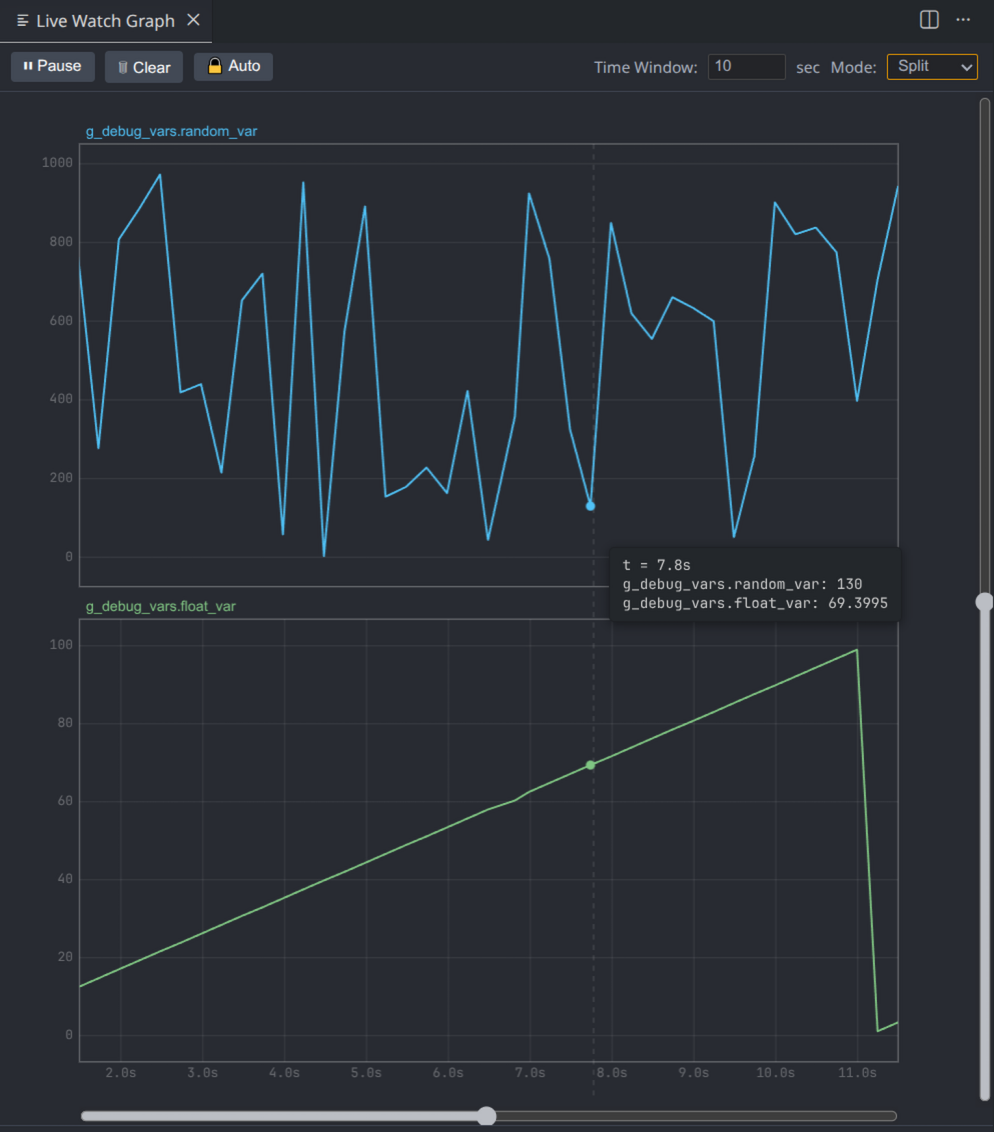
2. High-Performance Real-time Grapher

Hardware-accelerated HTML5 Canvas rendering engine for real-time variable visualization.

  • Dual Display Modes: Switch between "Split Mode" (independent Y-axes) and "Overlay Mode" (shared Y-axis).
  • Oscilloscope Auto-scroll: Real-time scrolling with manual "PAN MODE" for history navigation.
  • Precision Zoom: Dedicated sliders and mouse wheel support for Time and Y axes.

live_watch_graph


3. Model Context Protocol (MCP) Server

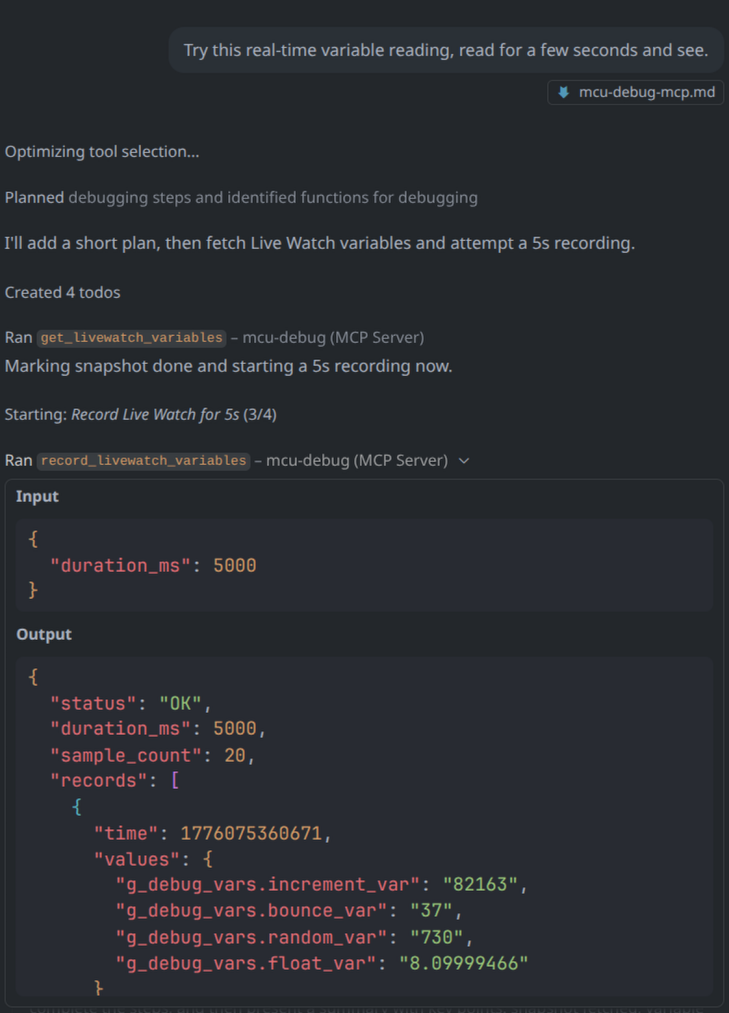
Embedded MCP server that exposes debugger state to external AI agents (Copilot, Cursor, Claude Desktop, etc.) without complex scripting.

Quick Start

  1. Run MCU-Debug-AI: Generate MCP Configuration for AI Agents from the Command Palette.
  2. Choose a configuration format and follow the generated setup guide (mcu-debug-mcp.md).

mcp

Key AI Tools

  • get_livewatch_variables: Snapshot of current debug state.
  • add_livewatch_variable: Add expressions via AI.
  • record_livewatch_variables: AI-driven data capture (Automatic or Manual-synchronized modes).

4. Relationship with Upstream

MCU-Debug-AI is a stable, production-ready fork of the mcu-debug project. Our focus is:

  • Lean & Stable: We include only mature, verified features to ensure a reliable engineering workflow.
  • AI-First: Deep integration with Model Context Protocol (MCP) for modern AI-assisted debugging.
  • Enhanced UI: Built-in high-performance visualization tools not found in the upstream.

5. Licenses

This project uses a multi-component license model:

  • VS Code Extension: MIT License
  • Rust Helper Binaries: Apache License 2.0

Note: This is an unofficial fork and is not affiliated with or endorsed by the upstream maintainers.

  • Contact us
  • Jobs
  • Privacy
  • Manage cookies
  • Terms of use
  • Trademarks
© 2026 Microsoft