Skip to content
| Marketplace
Sign in
Visual Studio Code>Other>Speak2BuildNew to Visual Studio Code? Get it now.
Speak2Build

Speak2Build

Rudra Parmar

|
2 installs
| (0) | Free
Speech-to-verified-code assistant for Python projects
Installation
Launch VS Code Quick Open (Ctrl+P), paste the following command, and press enter.
Copied to clipboard
More Info

Speak2Build for Visual Studio Code

Voice-first AI pair programmer for Python projects. Speak or type a request, review the generated patch, validate it, and approve changes from inside VS Code.

Features

  • Push-to-talk and hands-free voice input.
  • Local transcription with Whisper and Silero VAD.
  • Project-aware workspace context.
  • Configurable Gemini, Groq, Ollama, NVIDIA NIM, OpenAI, and custom providers.
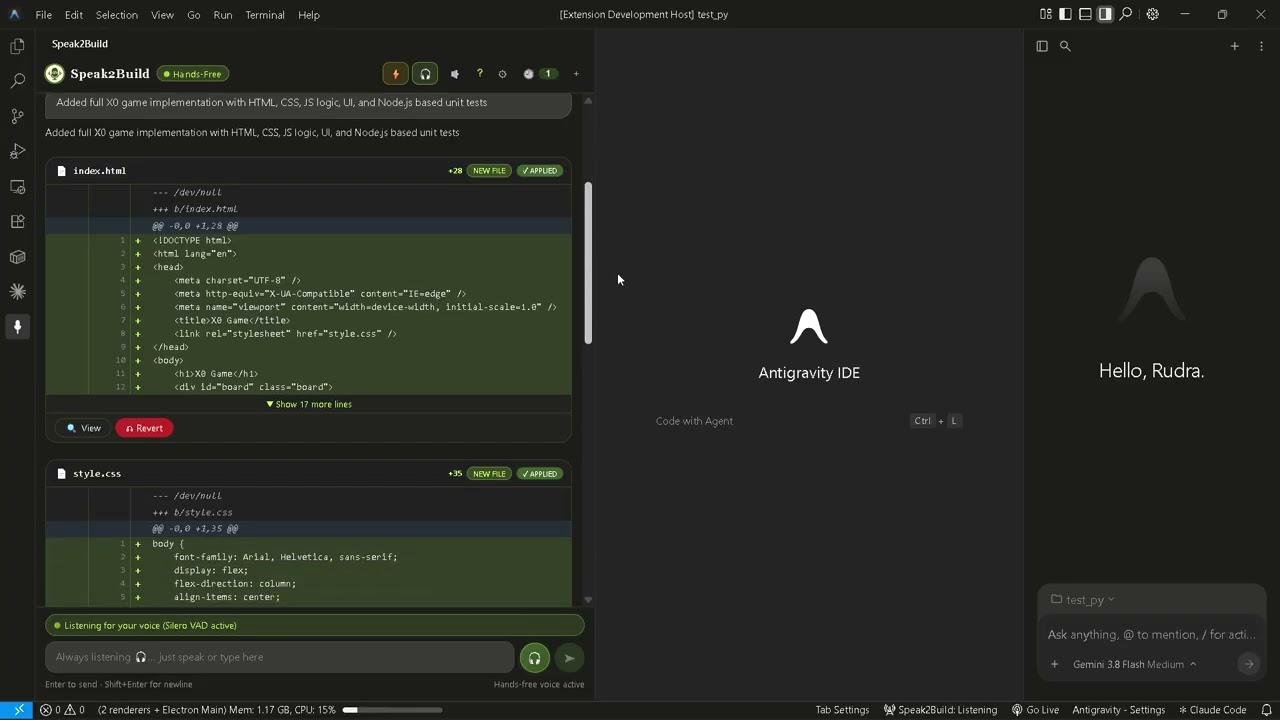
  • Unified diff review with voice or button-based apply and reject actions.
  • Pytest validation and AI-assisted repair.

Screenshots

Speak2Build home screen

LLM provider configuration

Voice-driven execution

Generated code diff

Test validation and auto-repair

Auto-repair output

Product walkthrough

Click the thumbnail to watch the product walkthrough

Watch the Speak2Build product walkthrough

Installation

From the repository:

npm install
npm run build

To package and install the VSIX:

npx @vscode/vsce package
code --install-extension speak2build-0.1.0.vsix

The extension automatically starts the local backend sidecar. For development, press F5 from the repository root to launch an Extension Development Host.

Settings

Configure these from Settings > Extensions > Speak2Build or the in-panel gear button:

  • speak2build.backendUrl: Backend URL, default http://127.0.0.1:8000.
  • speak2build.llmProvider: Provider identifier.
  • speak2build.llmApiKey: Provider API key; not needed for local Ollama.
  • speak2build.llmModel: Optional model override.

Keyboard shortcut

  • Ctrl+Alt+Space (macOS: Cmd+Alt+Space): Toggle voice recording.
  • Contact us
  • Jobs
  • Privacy
  • Manage cookies
  • Terms of use
  • Trademarks
  • Your Privacy Choices
  • Consumer Health Privacy
© 2026 Microsoft