Skip to content
| Marketplace
Sign in
Visual Studio Code>Visualization>RokRage VSDX ViewerNew to Visual Studio Code? Get it now.
RokRage VSDX Viewer

RokRage VSDX Viewer

RokRage

|
8 installs
| (0) | Free
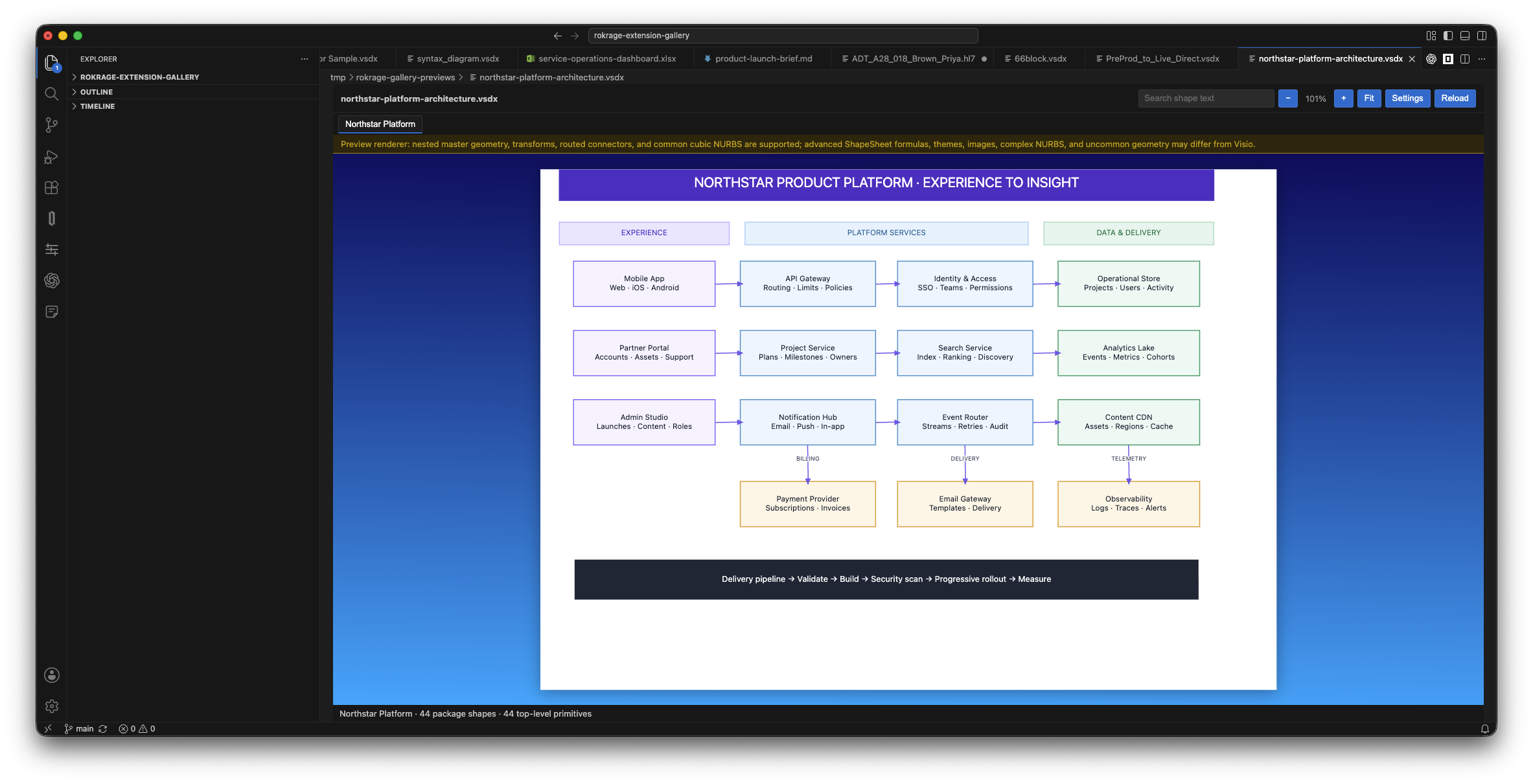
Preview modern Visio .vsdx drawings locally in VS Code or VSCodium, with page tabs, zoom, pan and text search.
Installation
Launch VS Code Quick Open (Ctrl+P), paste the following command, and press enter.
Copied to clipboard
More Info

RokRage VSDX Viewer

Preview modern Microsoft Visio .vsdx drawings directly in VS Code or VSCodium.

RokRage VSDX Viewer is a local, read-only viewer. It does not upload your drawings, modify them or require Microsoft Visio to be installed.

Features

  • Open .vsdx files as a read-only custom editor.
  • Switch between drawing pages using page tabs.
  • Zoom with the toolbar, mouse wheel or trackpad.
  • Fit the drawing to the available space.
  • Pan with the middle mouse button.
  • Search and highlight shape text.
  • Display common shapes, grouped shapes, text, flowchart lanes and routed connectors.
  • Reload automatically when the source file changes.
  • Customise the viewer background gradient.
  • Optionally prevent drawing text from being selected while dragging.

Getting started

  1. Install RokRage VSDX Viewer.
  2. Open a .vsdx file from the Explorer.
  3. If another editor is selected, right-click the file and choose Open With..., then select RokRage VSDX Viewer.

Privacy

Drawings are read and rendered locally by the extension. Their contents are not sent to a cloud service. The viewer is read-only and does not write changes back to the source file.

Supported format

  • Supported: modern Visio .vsdx drawings.
  • Not currently supported: .vsdm, .vstx, .vssx and legacy binary .vsd files.

Rendering limitations

The built-in renderer supports common Visio geometry, including lines, ellipses, arcs, Bézier curves, common cubic NURBS, rotation, flipping, grouped shapes, text alignment, cross-functional lanes and connector routes.

Some advanced Visio features are not yet fully reproduced, including ShapeSheet formulas, themes, complex NURBS and embedded images. Complex or vendor-specific drawings may therefore look different from the same file in Microsoft Visio.

Requirements

  • VS Code or VSCodium 1.90.0 or later.
  • Contact us
  • Jobs
  • Privacy
  • Manage cookies
  • Terms of use
  • Trademarks
© 2026 Microsoft