RokRage HL7 ToolkitA local-first HL7 v2 message viewer and editor for VS Code and VSCodium, with structured field inspection and safe document editing.
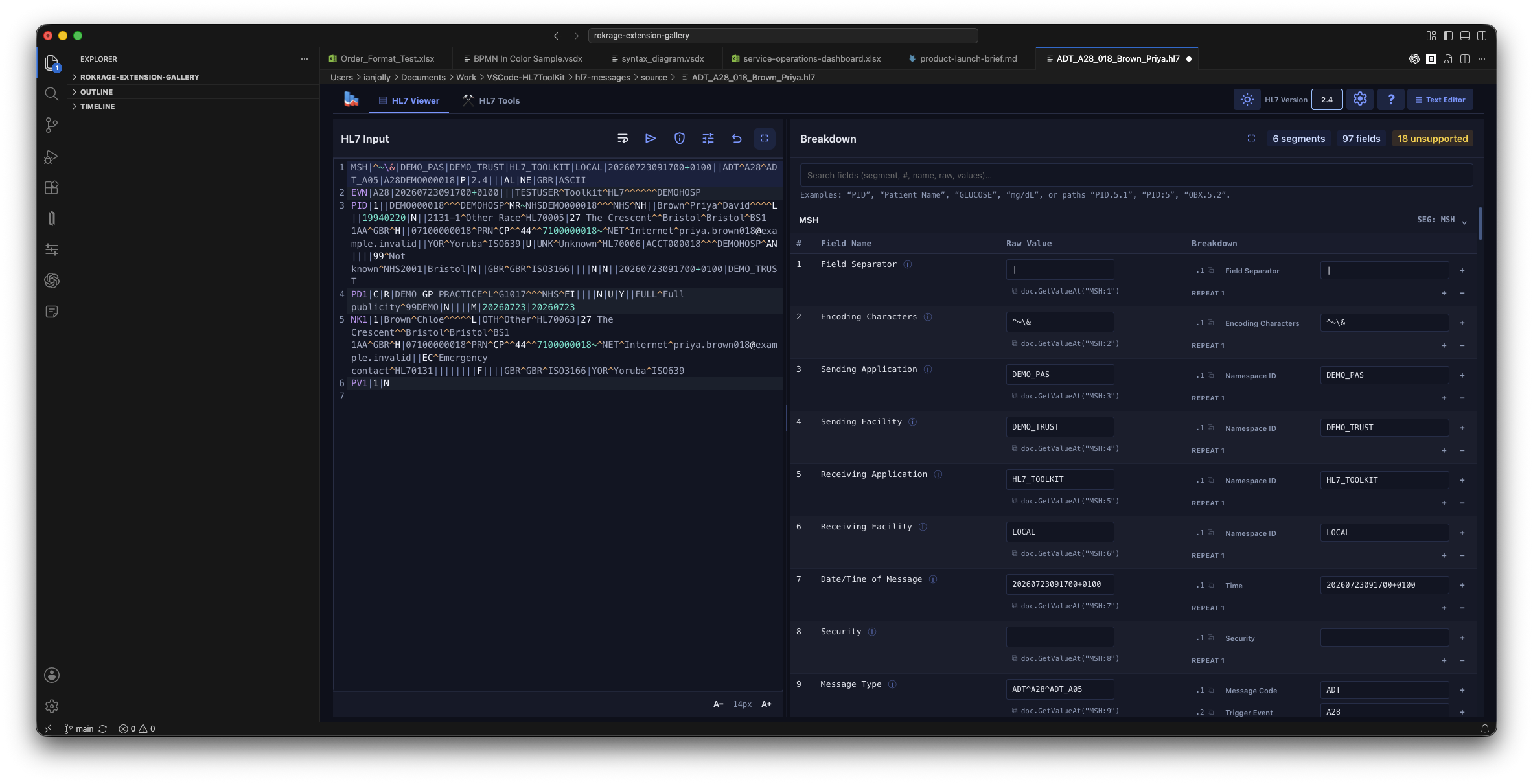
HL7 ViewerThe Viewer includes a one-click Text Editor action modelled on Markdown-PDF-Creator. It switches the current custom editor to a clean, full-height HL7 source editor while retaining a persistent toolbar with Return to HL7 Viewer. Source edits stay synchronised with the same VS Code text document, including dirty state, Undo, and Save. The editor-title actions and The HL7 Types tab lists 379 fixed HL7 v2 trigger events with searchable message and event pairs, such as HL7 message viewerOpening an Files can contain multiple messages. HL7 Input retains the complete file. The message selector shows each message's type, control ID, and timestamp. Previous and Next change the selected message. Moving the input cursor into a message also selects it. Clicking an input line number selects its message. Other messages dim slightly while remaining editable. Plain-text headings remain in HL7 Input but do not appear as segments or produce parsing warnings. Structured edits preserve these headings. The ! button opens the message-issues modal when parsing detects a problem. The modal lists each issue and its source line. Close the modal with Close or Escape. The Viewer and Segment Breakdown show only the selected message. Structured edits and PID anonymisation affect that message only. Other messages, batch wrappers, and unchanged line endings remain intact. Malformed sections show warnings and remain editable in HL7 Input. Valid messages remain available for structured edits. Each message uses its own delimiters and declared version. Field labels use the bundled HL7 2.3 or 2.4 catalog. Other versions show a catalog warning. HTTP Send sends the complete HL7 Input, including all messages and batch wrappers.
Use Reopen Editor With… if you want to switch between the toolkit viewer and VS Code's normal text editor. Supported field paths
Privacy and limitsMessage rendering and editing are local. Clinical data leaves the editor only when you explicitly use the HTTP sender. The viewer supports delimiter-led HL7 v2 ER7 content. The bundled field metadata currently targets commonly used HL7 2.3 and 2.4 structures; unknown fields still display their raw values. AcknowledgementsThe message viewer reuses and adapts field metadata and interaction ideas from the local HL7 Parser Syntax project, which is MIT licensed. |