DiffDeck
Review every file change Claude Code makes — with diffs, risk flags, and one-click git workflows.
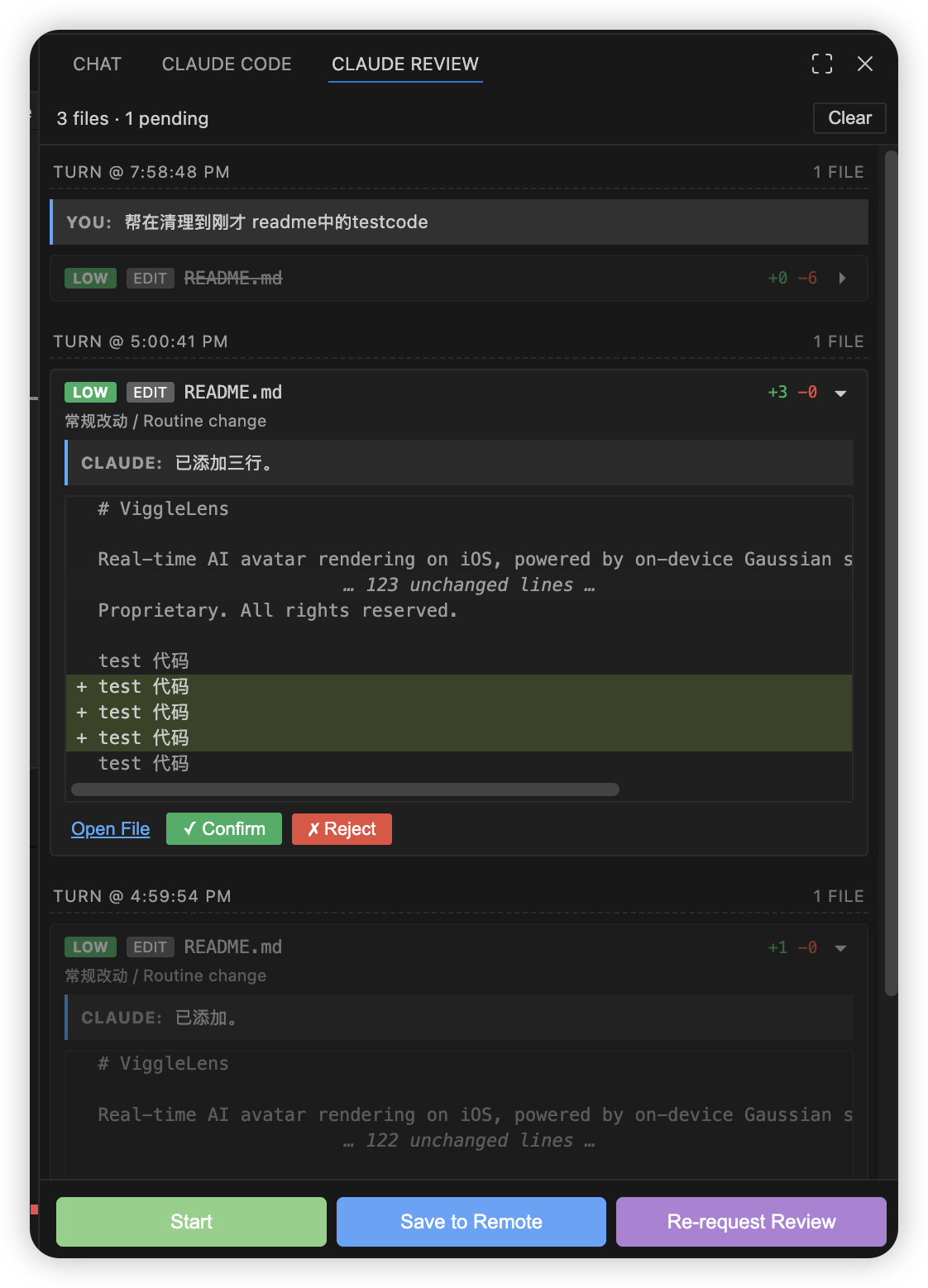
DiffDeck watches your Claude Code sessions and surfaces every file modification as a reviewable diff card in a sidebar panel. See what changed, why it changed, flag risky modifications, and ship with confidence — all without leaving VS Code.
Features
Change Review
- Automatic detection — Hooks into Claude Code's
Stop event to capture every Edit, Write, and MultiEdit operation
- Diff cards — Each modified file appears as a collapsible card with a unified diff view
- Risk badges — Files are flagged as HIGH / MED / LOW risk based on built-in rules (sensitive config files, large deletions, etc.) and your own custom glob patterns
- AI explanations — Each card includes an explanation extracted from Claude's response, so you know why a change was made
- User prompt tracking — Every turn shows the original prompt you gave Claude, making it easy to trace intent
- Confirm / Reject — Confirm marks a change as reviewed; Reject marks it and opens VS Code's built-in diff editor so you can selectively revert lines
Git Workflows
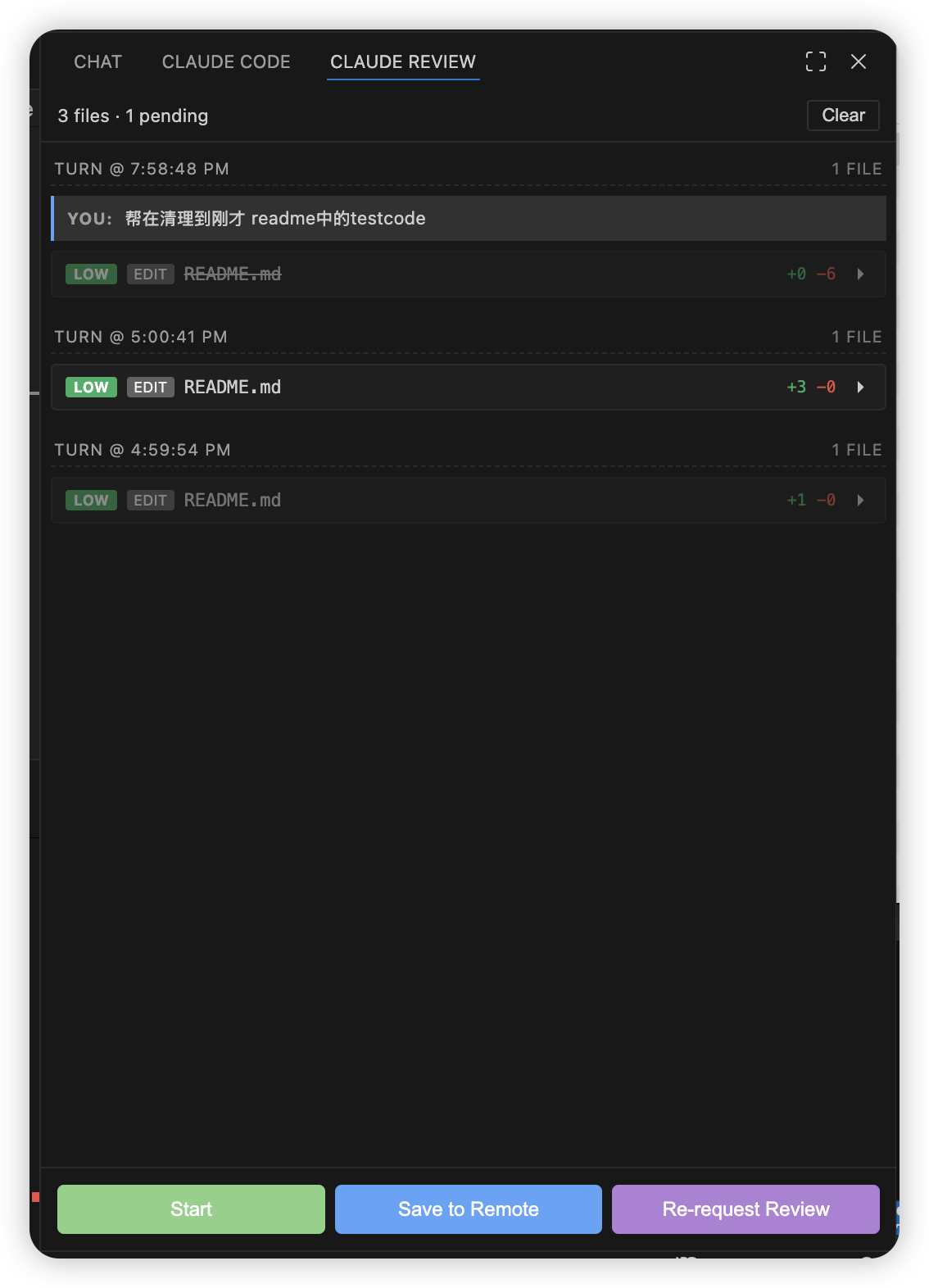
Three buttons at the bottom of the panel automate common git tasks:
| Button |
What it does |
| Start |
Prompts you to describe your task (any language). Infers the branch type (feat/fix/refactor/…), generates a branch name like feat/260405-add-login-page, checks out from latest main, pushes, and opens a draft PR. |
| Save to Remote |
Checks you're not on main/test, analyzes changes, auto-splits commits by directory when needed, generates conventional commit messages, and pushes. Handles upstream setup and rebase automatically. |
| Re-request Review |
Pushes latest commits. If the PR is still a draft, marks it as ready. If it's already open, finds all previous reviewers and re-requests their review. |
Activity History
Every action — change reviews, git workflows, errors — is logged in the same timeline so you have a full audit trail of your session.
Prerequisites
Installation
From source (development)
git clone <repo-url> && cd claude_extension
npm install
npm run build
Then open the project in VS Code and press F5 to launch the Extension Development Host.
From .vsix
npm run package
code --install-extension diffdeck-0.0.1.vsix
Getting Started
1. Install the hook
Open the Command Palette (Cmd+Shift+P / Ctrl+Shift+P) and run:
DiffDeck: Install Hook
This writes a Stop hook entry into your project's .claude/settings.json and creates the .claude/pending-review/ directory. You only need to do this once per project.
2. Run Claude Code
Open a terminal in VS Code and run claude as you normally would. Ask it to make changes to your code.
3. Review changes
When Claude finishes its turn, the hook fires and DiffDeck displays all modifications in the sidebar. For each file you'll see:
- A risk badge (HIGH / MED / LOW)
- The change type (edit, write, create, etc.)
- +N / -N line counts
- An explanation from Claude's response
- A collapsible unified diff
- Confirm and Reject buttons
Click a card header to expand it. Click Reject to open the file in VS Code's diff editor where you can selectively undo changes.
4. Use git workflows
Use the three buttons at the bottom of the panel:
- Start — Begin a new task. Describe what you want to do, and DiffDeck creates a properly named branch and draft PR.
- Save to Remote — When you're happy with the changes, commit and push in one click.
- Re-request Review — After addressing review feedback, push and re-notify reviewers.
Configuration
| Setting |
Type |
Default |
Description |
diffDeck.riskyGlobs |
string[] |
[] |
Additional glob patterns to flag as high risk (e.g. "src/secrets/**") |
diffDeck.largeDeletionThreshold |
number |
50 |
Files with more deleted lines than this are flagged as high risk |
Built-in risk patterns
The following file patterns are flagged as high risk by default:
**/.env*          **/package.json       **/package-lock.json
**/yarn.lock      **/pnpm-lock.yaml     **/*.config.{js,ts,json,mjs,cjs}
**/.github/workflows/**                 **/Dockerfile
**/docker-compose*.yml                  **/tsconfig*.json
**/webpack.config.*                     **/vite.config.*
**/next.config.*
Additional rules:
- File deleted → HIGH
- More than 50 lines deleted (configurable) → HIGH
- New file at repository root → MEDIUM
Commands
All commands are available via the Command Palette (Cmd+Shift+P / Ctrl+Shift+P):
| Command |
Description |
DiffDeck: Install Hook |
Install the Claude Code Stop hook in the current workspace |
DiffDeck: Start (Branch + Draft PR) |
Create a new branch and draft PR |
DiffDeck: Save to Remote |
Auto-commit and push |
DiffDeck: Re-request Review |
Push and request review |
DiffDeck: Clear All |
Clear all review cards and activity history |
DiffDeck: Refresh |
Re-scan the pending review directory |
DiffDeck: Move to Right Sidebar |
Move the panel to VS Code's secondary sidebar |
How It Works
Claude Code (terminal)
  │  Stop hook fires at end of turn
  ▼
hooks/stop-hook.js
  │  Reads transcript JSONL
  │  Extracts Edit/Write/MultiEdit tool calls
  │  Reconstructs before/after content
  │  Writes JSON to .claude/pending-review/
  ▼
DiffDeck extension
  │  FileSystemWatcher detects new JSON
  │  Enriches with diff, risk assessment, explanations
  │  Renders in sidebar webview
  ▼
You review, confirm/reject, then ship
Tips
- The panel docks to the right sidebar (Secondary Side Bar) automatically on first activation. Drag it or run
DiffDeck: Move to Right Sidebar to reposition.
- Reject opens VS Code's native diff editor — you can edit the right side directly and save to keep only the parts you want.
- Activity history (workflow logs) persists for the current session. Use Clear to reset.
- The Save to Remote button auto-splits commits by directory when you have changes across multiple areas of the codebase.
License
MIT

