Telegraph REST API Client
A fast, fully offline REST API client for VS Code. Test HTTP APIs without leaving your editor — no account, no sign-in, no API key, no premium tier. Every feature works locally, and your data never leaves your machine.
A free and open-source alternative to Postman and Thunder Client, built as a lightweight VS Code extension.


Install
Install from the VS Code Marketplace — or search Telegraph in the Extensions panel.
Using Cursor, Antigravity, Windsurf, VSCodium, or Gitpod? Install from
Open VSX.
code --install-extension riturajshakti.telegraph-rest-api-client
Why Telegraph
- Genuinely free — no paid plans, no request limits, no locked features
- Fully offline — no telemetry, no cloud sync, no account required
- Tiny — a ~97 KB download with zero runtime dependencies
- Native feel — follows your VS Code theme, light or dark
- Your data is yours — collections are plain, readable JSON you can commit to git
Features
Requests
- All standard methods:
GET, POST, PUT, PATCH, DELETE, HEAD, OPTIONS
- Query parameters and headers with per-row enable/disable and drag-to-reorder
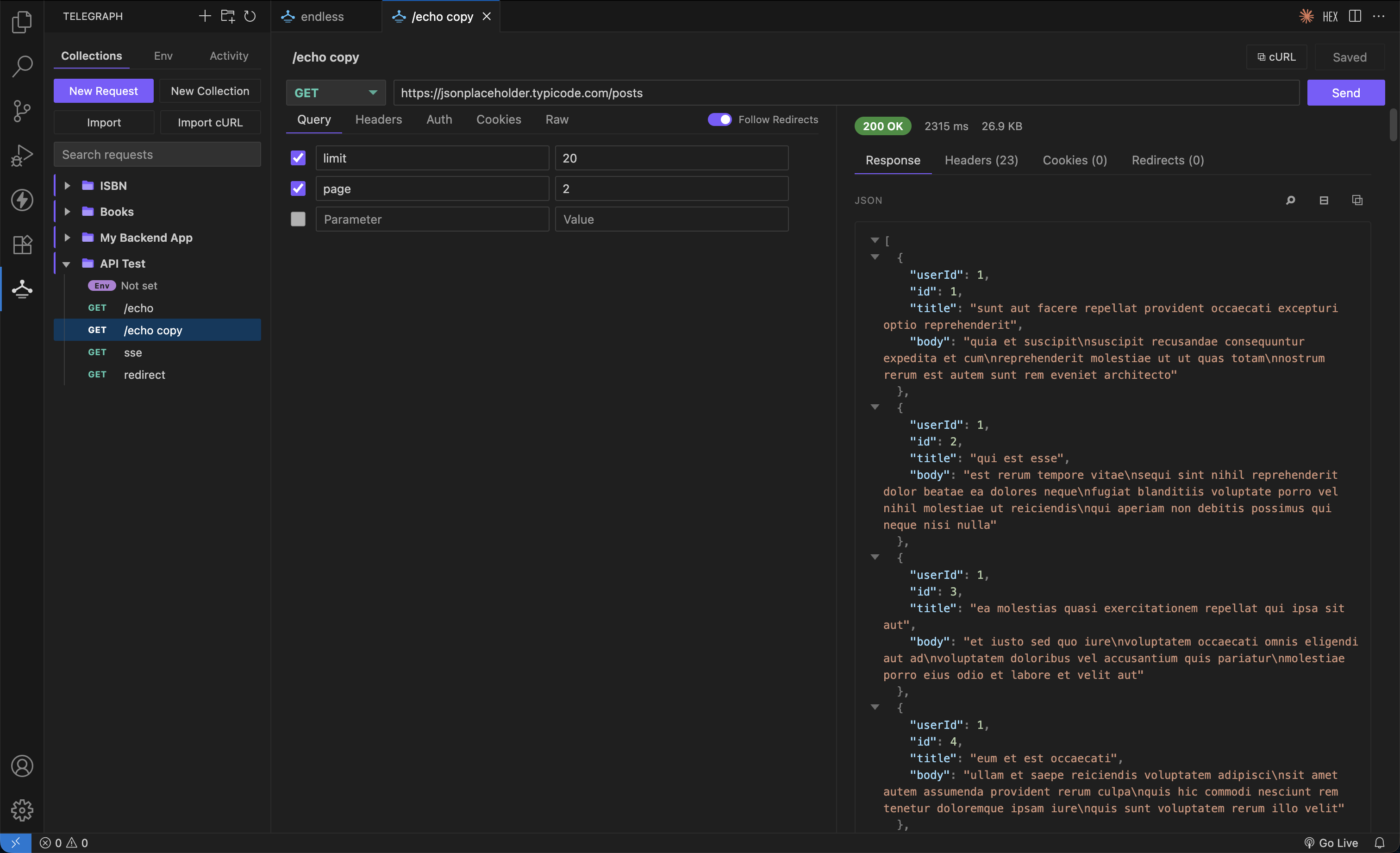
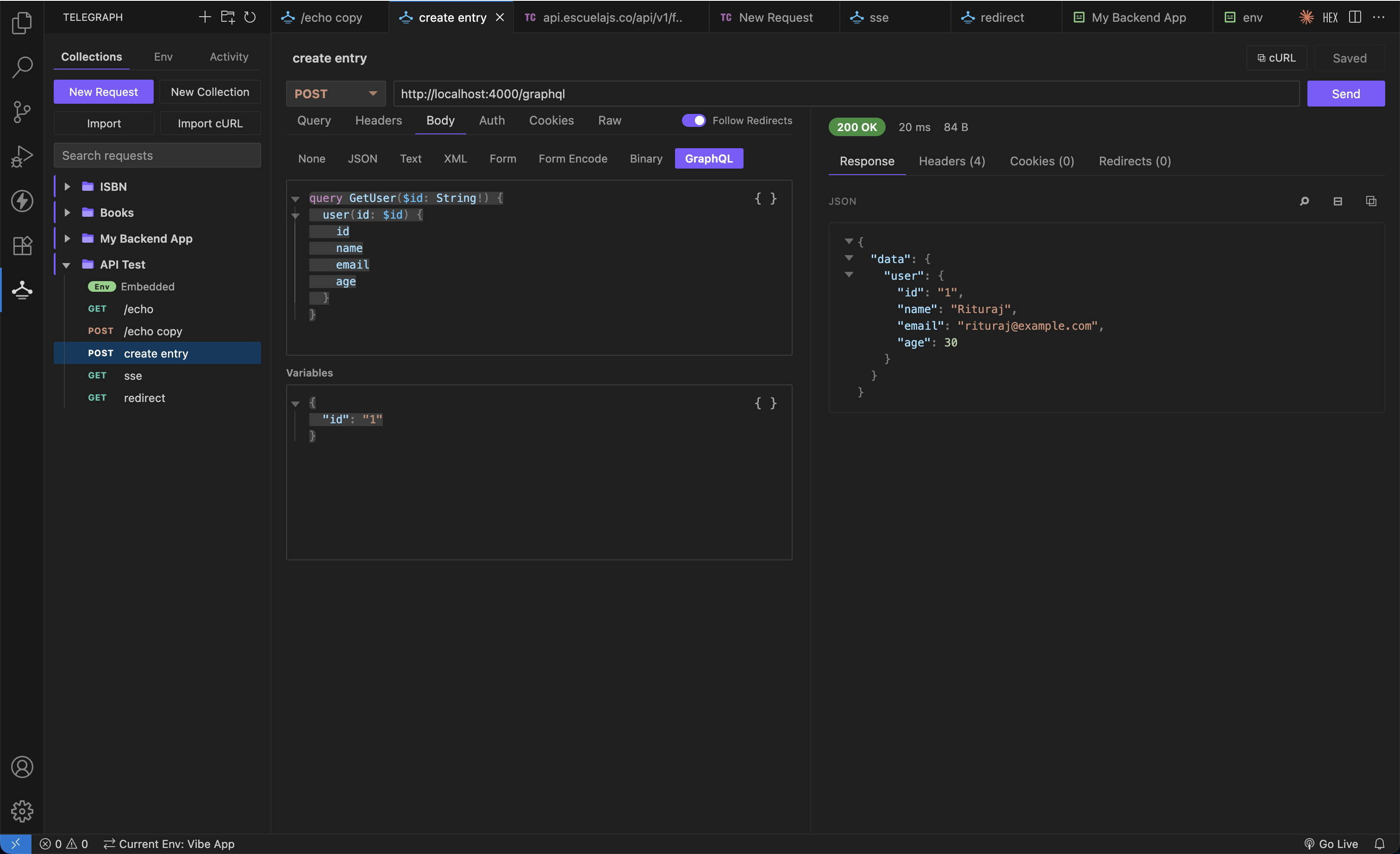
- Body types: JSON, XML, Text, GraphQL, Form Data (with file upload), Form URL Encoded, and Binary
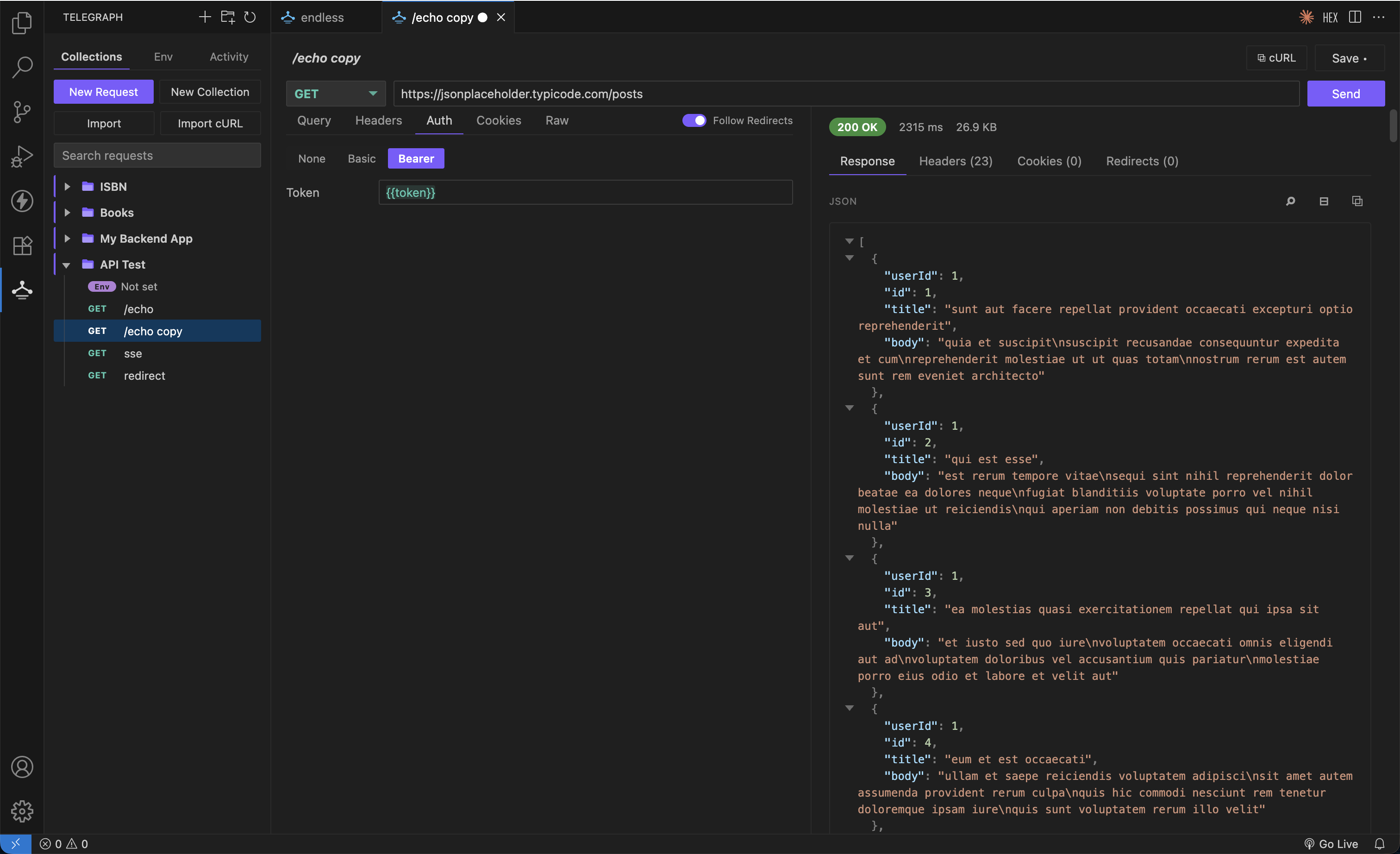
- Auth: Basic and Bearer, with
{{variable}} support
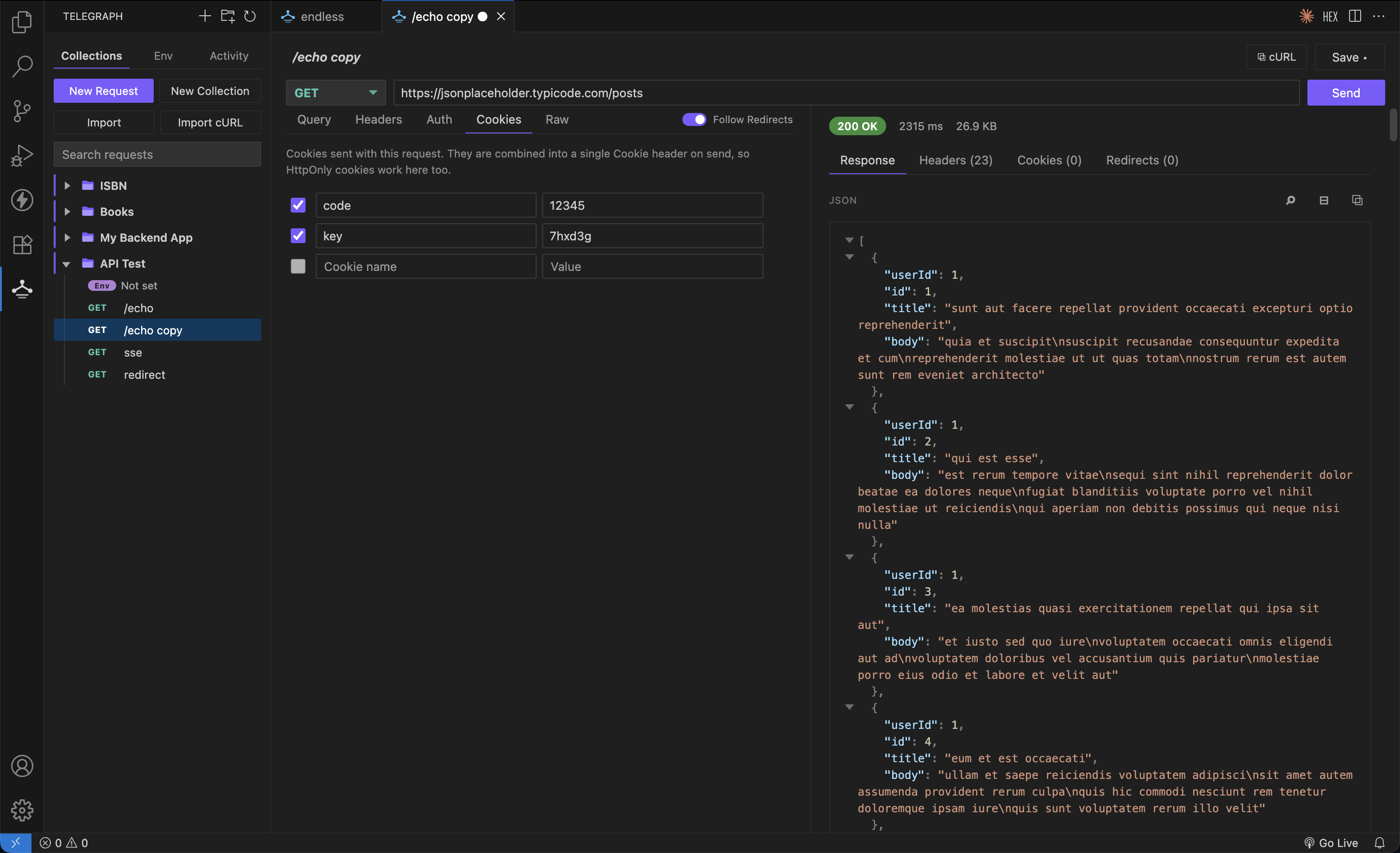
- Cookies tab for sending cookies — including
HttpOnly, since requests bypass the browser cookie jar
- Syntax highlighting for JSON, XML, and GraphQL, with familiar editor shortcuts
- Paste a JavaScript object and it converts to JSON automatically
// comments allowed in JSON bodies, stripped before sending- Invalid JSON, XML, GraphQL, and GraphQL variables are flagged above the
editor with the line and column, and clicking it jumps to the character
Bearer and Basic auth accept {{variables}} like anything else:
Cookies are sent as a single Cookie header, so HttpOnly values work here:
GraphQL gets its own query and variables editors, both with folding and
formatting:
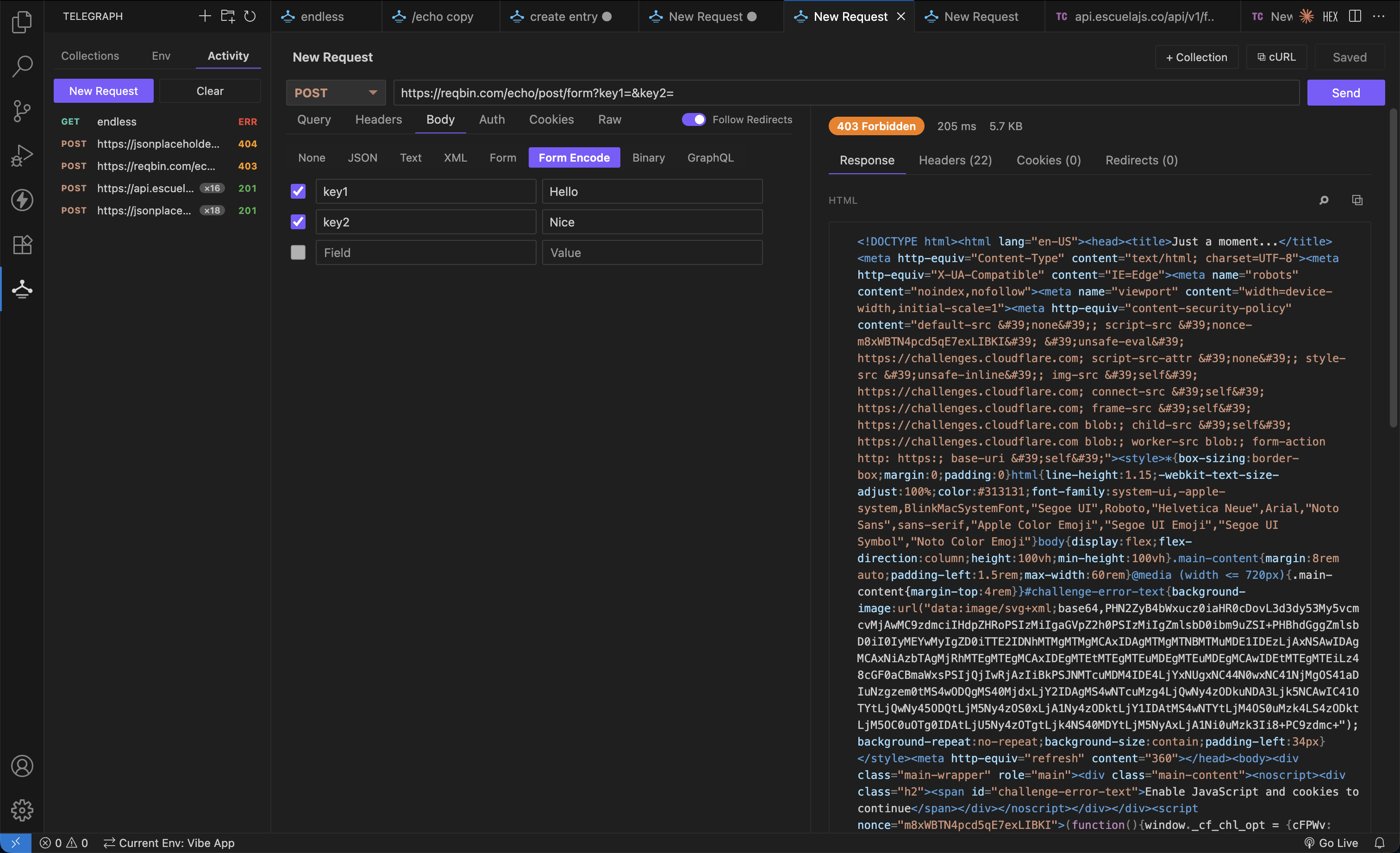
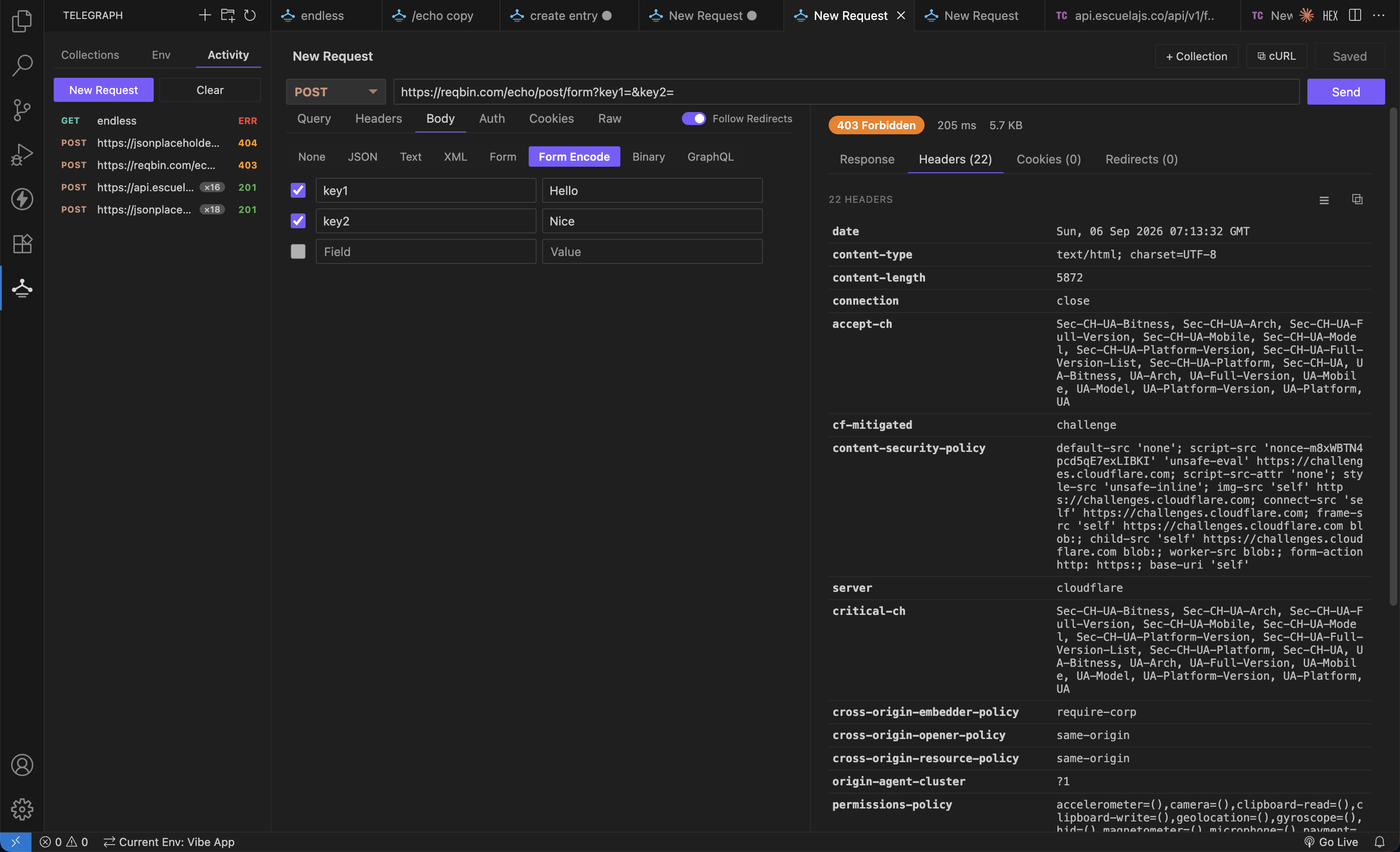
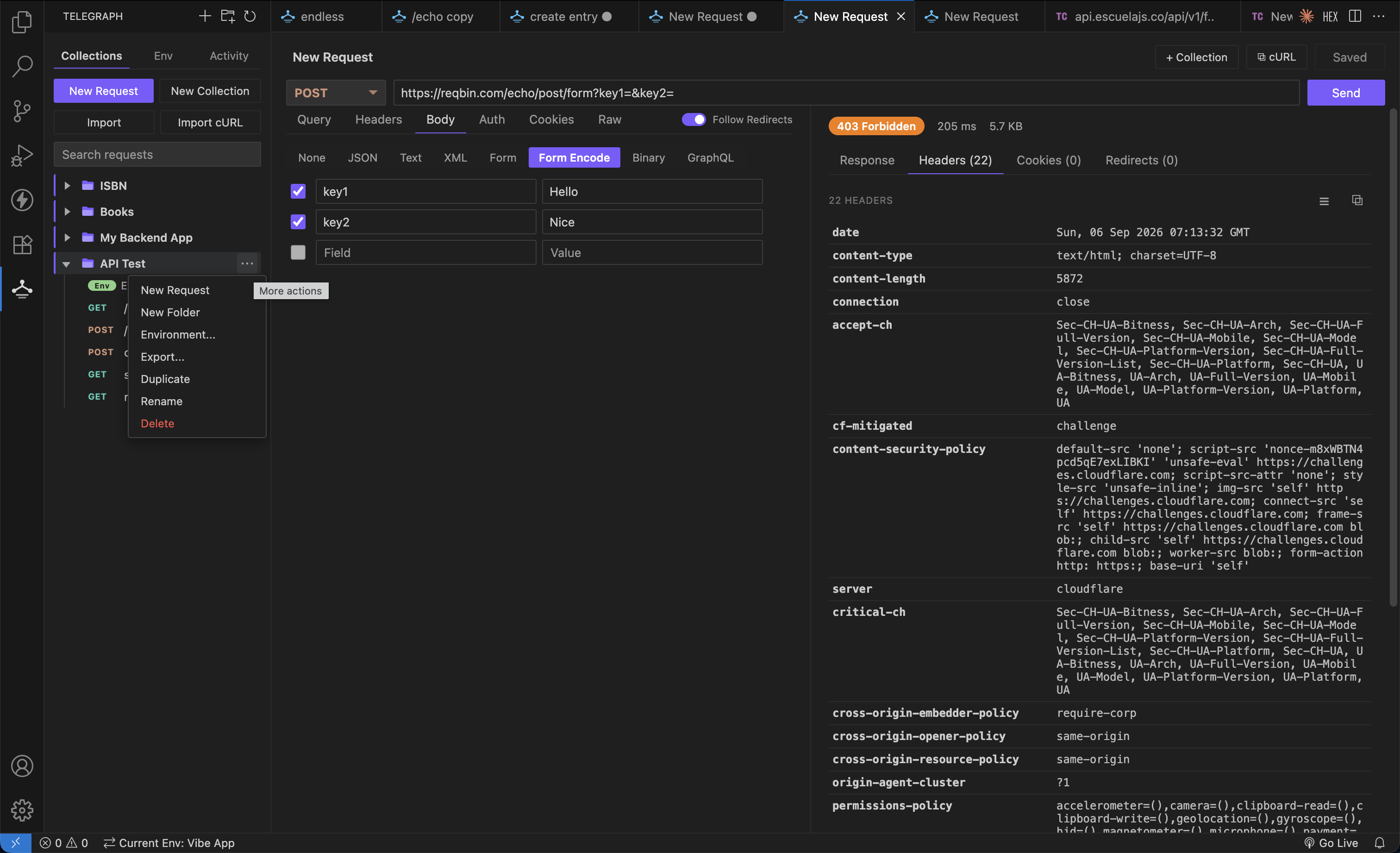
Form URL Encoded, with the response highlighted by content type:
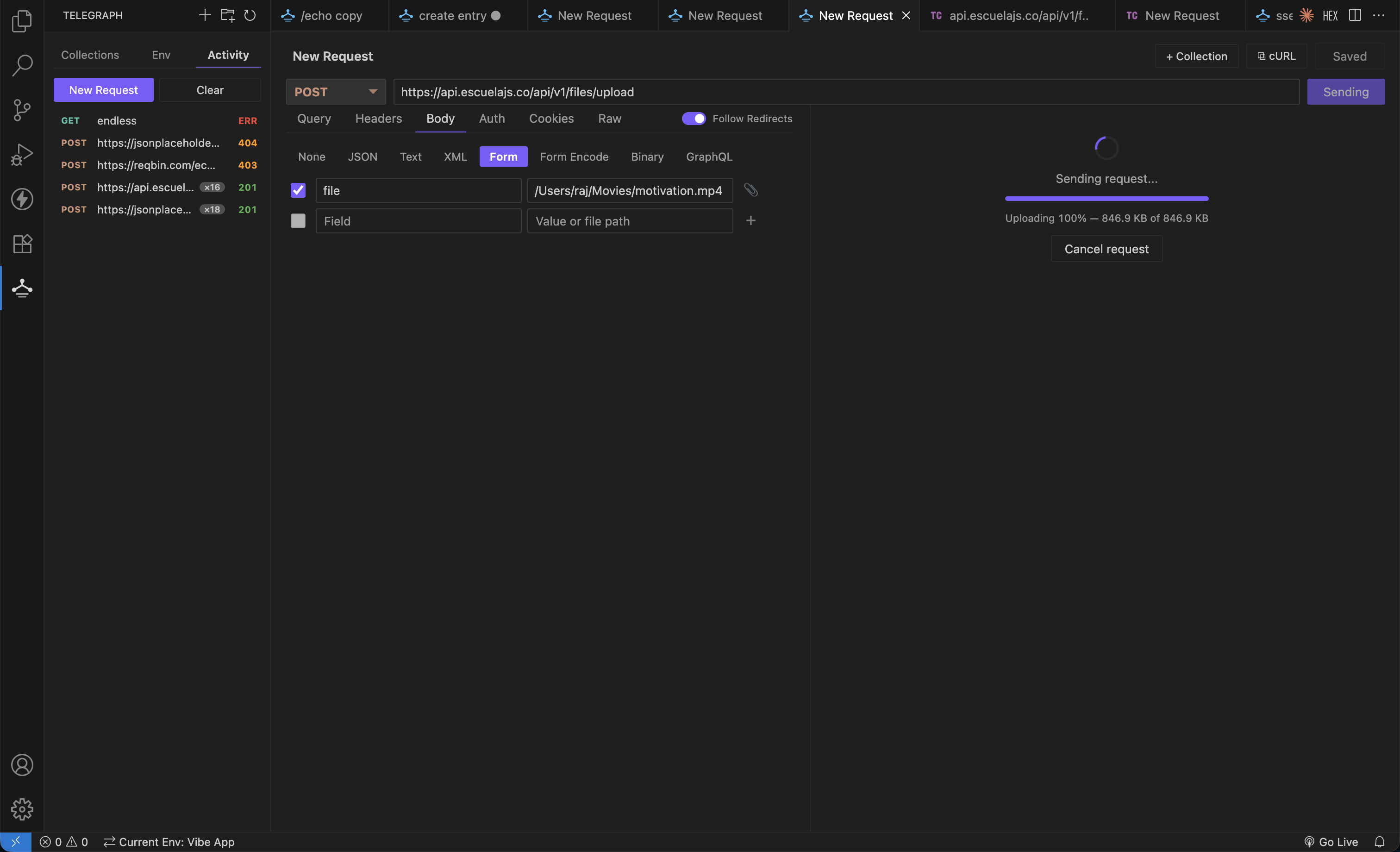
Form Data fields take a file path, and uploads report real progress:
Responses
- Status, timing, and response size
- Syntax-highlighted body: JSON, XML, HTML, CSS, JavaScript
- Collapse and expand regions in JSON, XML, HTML, and GraphQL
- Find in response, with match case, whole word, and regex
- Response headers with one-click copy-all
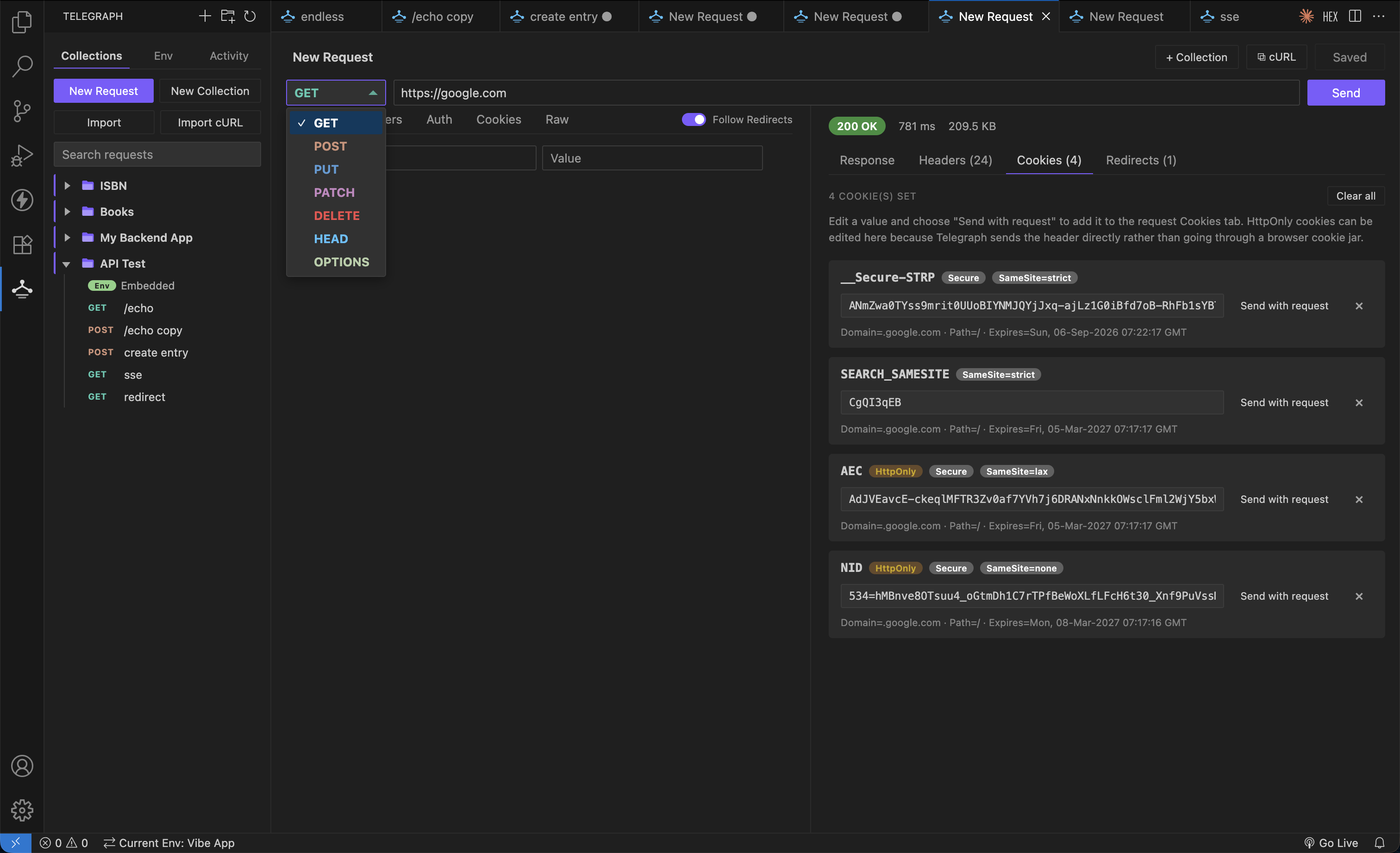
- Cookies tab showing every
Set-Cookie with its attributes
Every Set-Cookie is broken out with its attributes, and any of them can be sent back with the next request:
Streaming responses
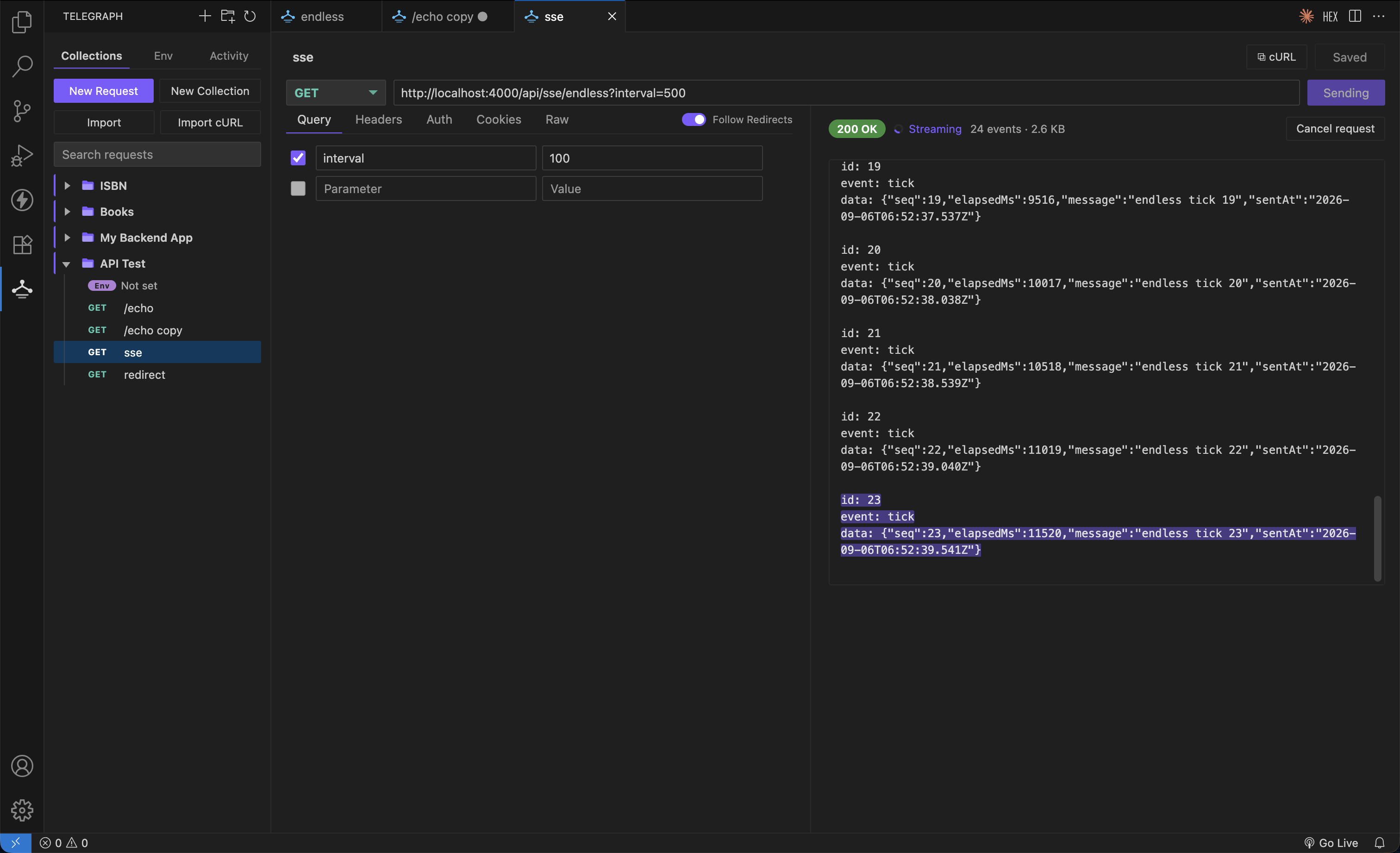
Server-sent events and NDJSON render as they arrive instead of waiting for the
stream to close. The newest chunk is highlighted as it lands, with a live event
count and byte total, and Cancel request stops an endless stream at any time.
WebSockets and Socket.IO
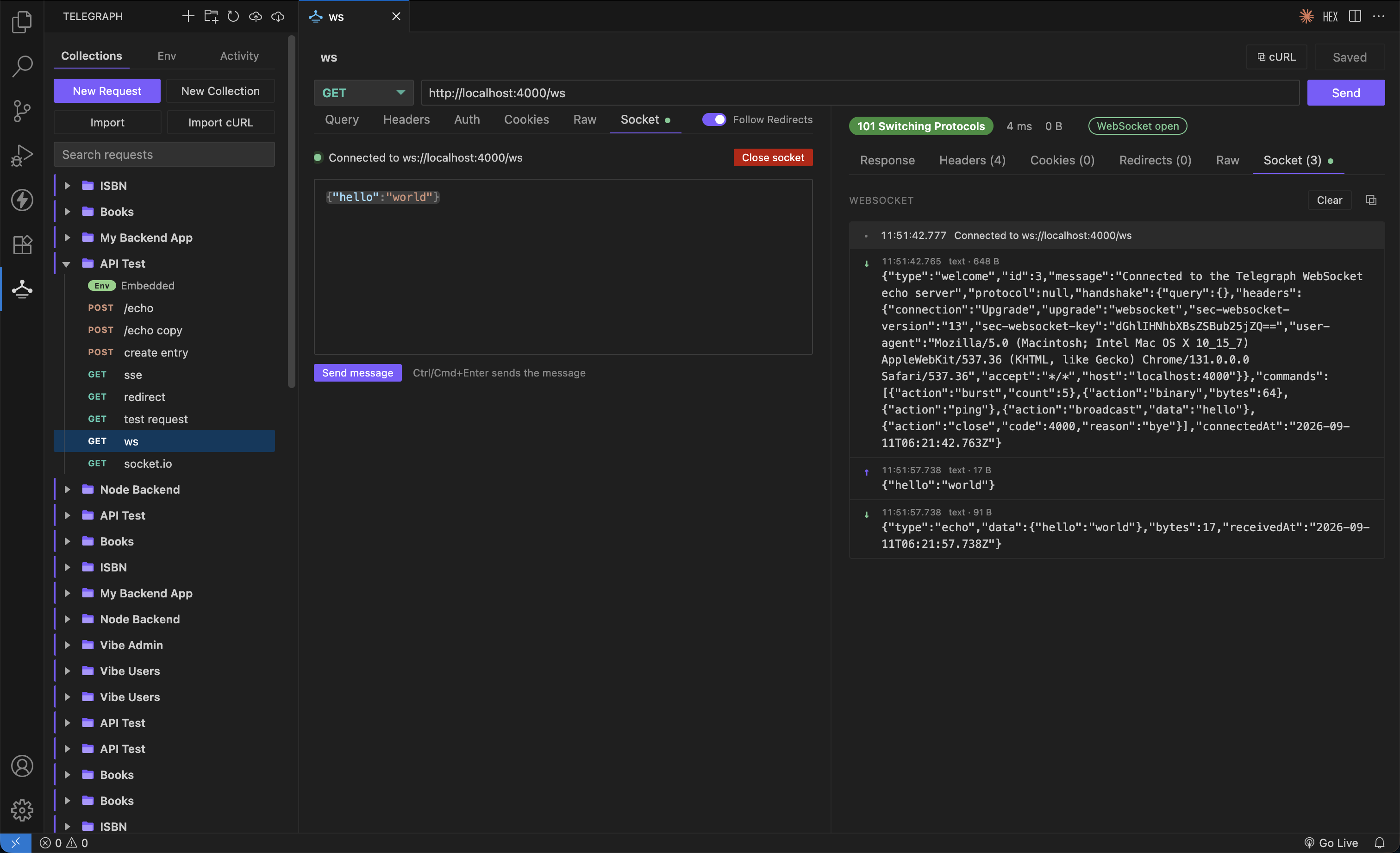
Send a request that is answered with 101 Switching Protocols and the
connection stays open. A Socket tab appears in the request section to
compose messages and another in the response section with a live log of
everything sent and received, timestamped and sized. Close socket ends it
with a proper close frame.
Type a ws:// or wss:// URL directly, or paste a cURL command carrying the
upgrade headers.
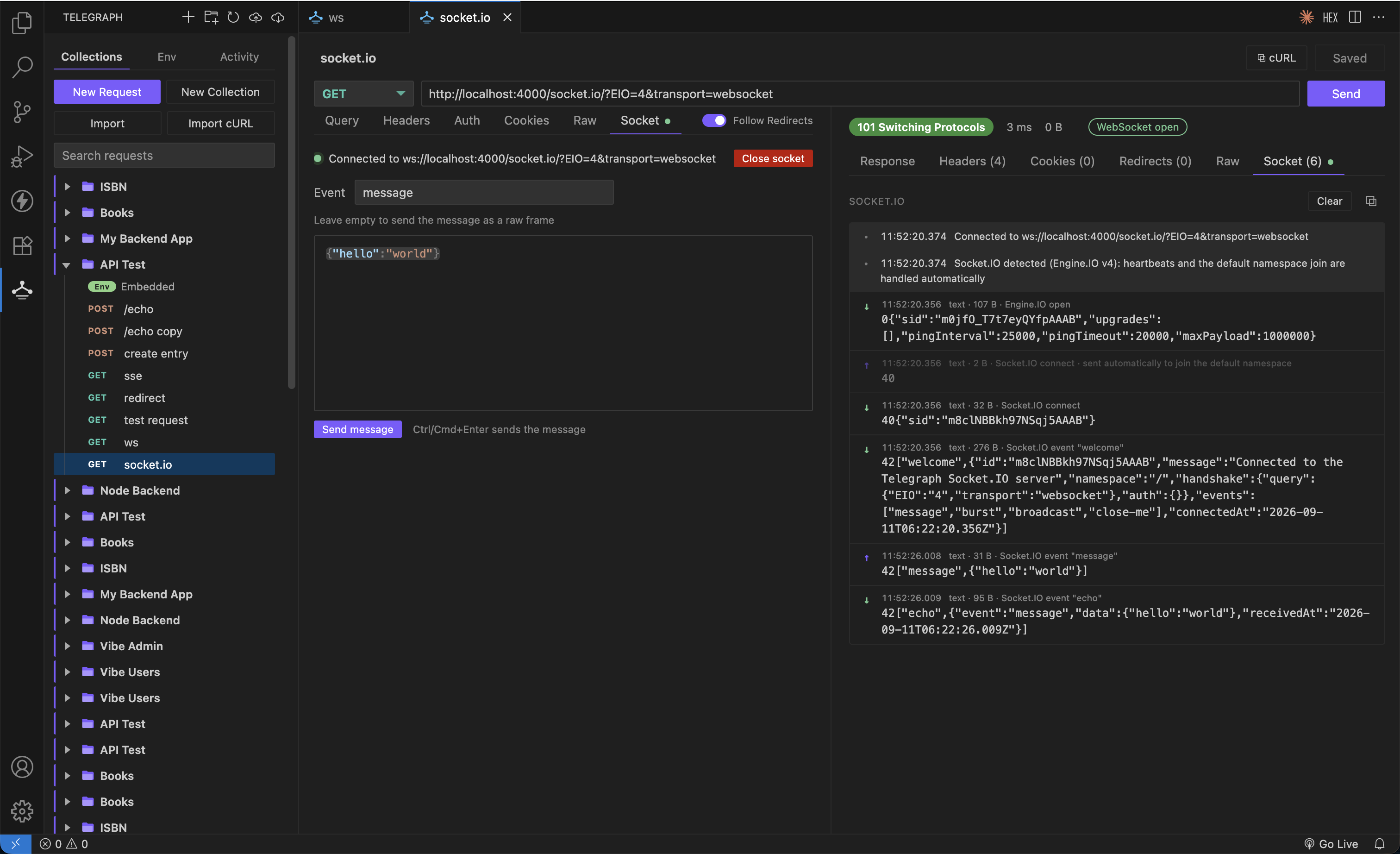
Socket.IO is recognised automatically: Telegraph answers the Engine.IO
heartbeat and joins the default namespace for you, so the connection stays
alive. An Event field turns a name and a JSON payload into the right frame,
and leaving it empty sends raw frames for namespaces, acks, and auth.
Binary responses
An image, video, PDF, archive, or font is recognised from its content type and
the transfer stops at the headers, so nothing large is pulled down before you
choose. Download it byte-exact straight to disk with live progress, or render
the bytes as text to inspect them. Headers, cookies, redirects, and the Raw tab
stay available throughout.
Redirects
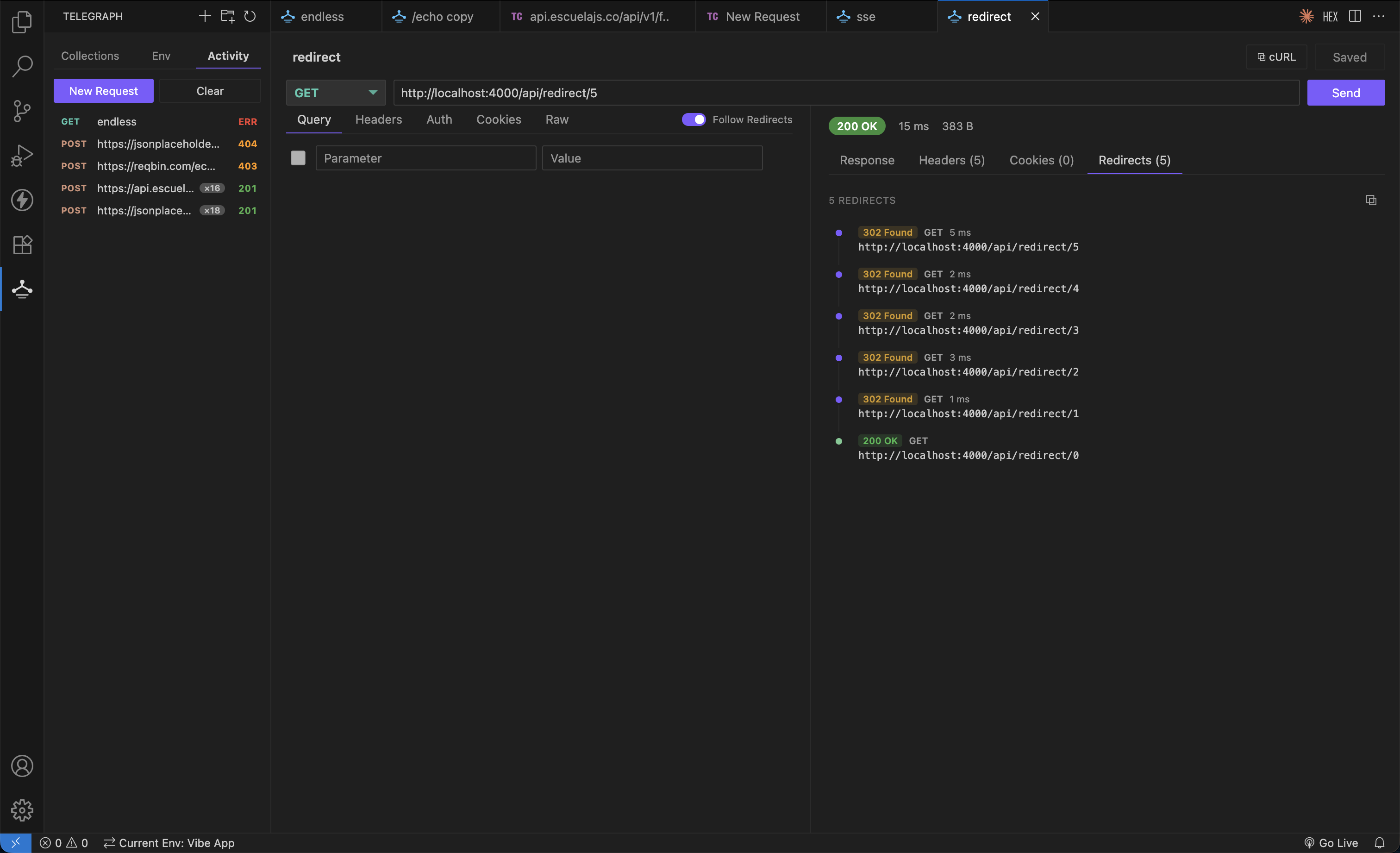
Turn on Follow Redirects and every hop is listed with its status, method,
timing, and any Set-Cookie it sent — including where a POST was downgraded
to a GET. The Activity list keeps a run count for requests you send repeatedly.
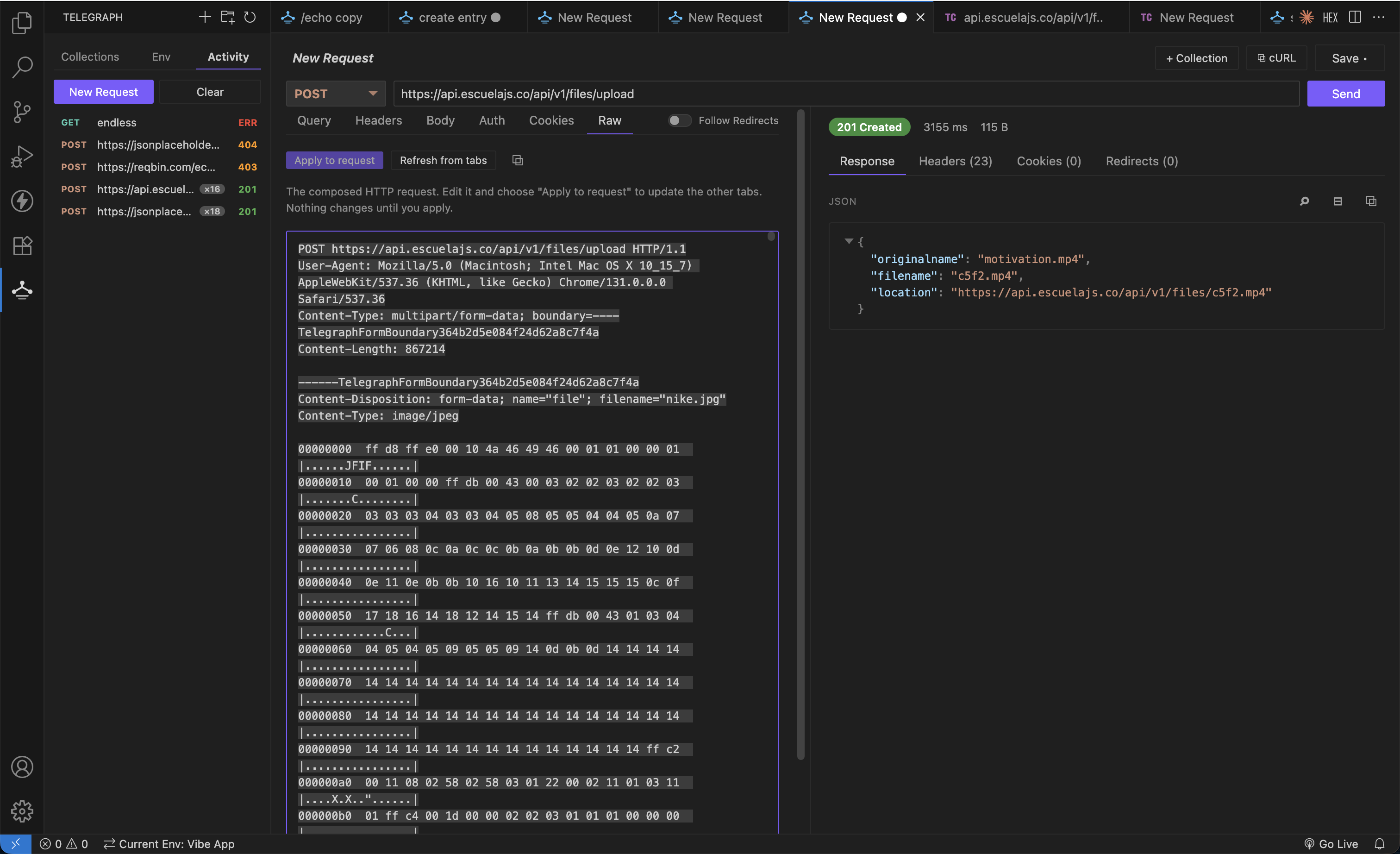
Raw request view
The Raw tab shows the exact bytes Telegraph will put on the wire — the real
multipart boundary, the computed Content-Length, and a hex dump of binary
parts. Edit it and choose Apply to request to push changes back into the
other tabs.
Two switches control how bytes are shown, in both the request and response Raw
tabs: Hex view for a hex dump instead of decoded text, and Offsets &
ASCII for the offset column and the |....ftypmp42....| gutter. Uploads and
binary responses both preview their first 64 KB.
Collections
- Nested folders, saved as human-readable JSON
- Drag to reorder or move between collections; hold Ctrl/Cmd while dragging to copy
- Duplicate any request, folder, or collection
- Search across request names and URLs
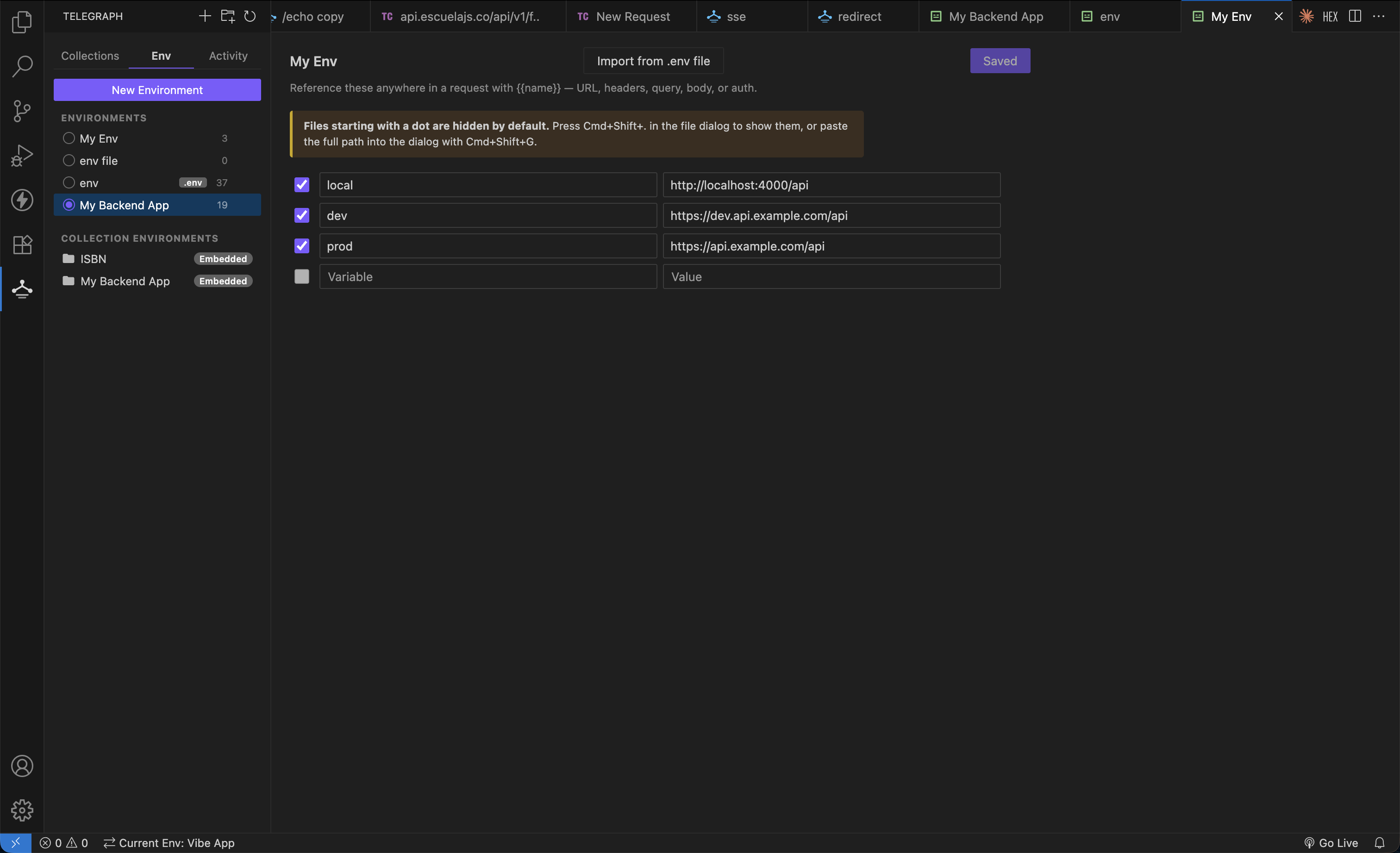
Environments
- Standalone environments shared across collections
- Or embed an environment directly inside a collection — it travels with the collection when exported
- Import variables from a
.env file, and reload them from disk on demand
{{variable}} works everywhere: URL, query, headers, body, and auth- Variables that resolve show green with their value on hover; undefined ones show red
- Ctrl/Cmd + click a variable to jump straight to where it is defined
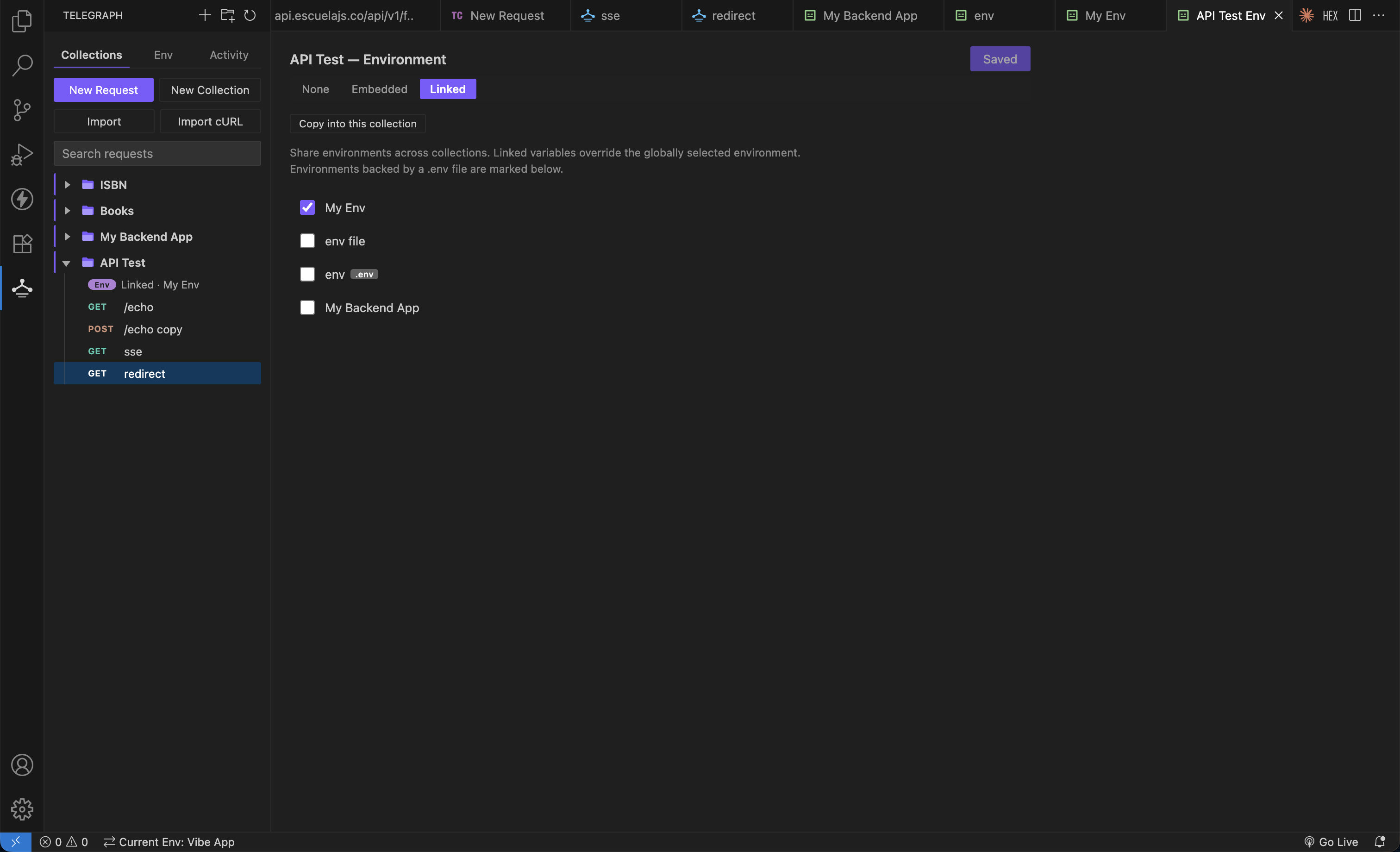
A collection can use no environment, embed its own, or link shared ones:
Import and export
| Format |
Import |
Export |
| Telegraph (collection and environments in one file) |
✅ |
✅ |
| Postman v2.1 collection |
✅ |
✅ |
| Postman environment |
✅ |
✅ |
| OpenAPI 3 / Swagger 2 (JSON) |
✅ |
— |
| cURL |
✅ |
✅ |
.env file |
✅ |
✅ |
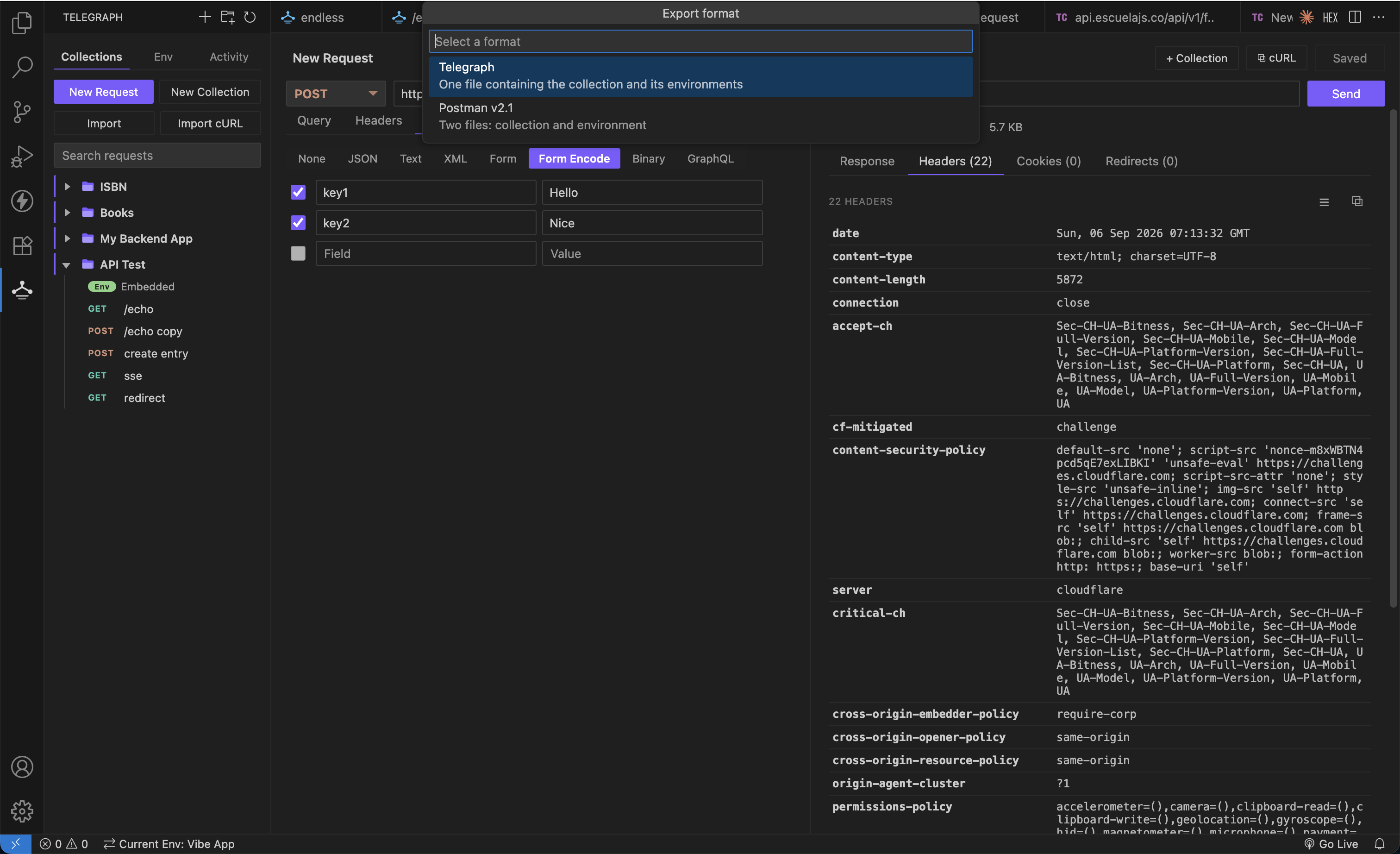
Export all writes every collection, environment, and the activity list into
one timestamped folder, and Import all restores that folder in one go — both
from the sidebar title bar. Several files can also be imported at once.
Migrating from Postman? Export your collection and import the file directly —
folder structure, headers, auth, and bodies are all preserved.
Coming from Thunder Client, export to Postman format first; a native Thunder
Client importer is planned.
Activity
Ad-hoc requests are tracked automatically with status and timing. Re-running a request updates its existing entry rather than filling the list with duplicates.
How Telegraph compares
|
Telegraph |
Thunder Client |
Postman |
| Free requests per collection |
Unlimited |
15 (free tier) |
Unlimited |
| Works offline |
Yes |
Partly |
No — account required |
| Account / sign-in |
Never |
Required for paid tier |
Required |
| Telemetry |
None |
Yes |
Yes |
| Runs inside VS Code |
Yes |
Yes |
Separate app |
| Collections in git |
Plain JSON |
Proprietary |
Cloud-synced |
| Open source |
MIT |
No |
No |
| Download size |
~97 KB |
~10 MB |
~200 MB app |
Telegraph deliberately does not try to match Postman feature for feature.
There is no test scripting, no request chaining, and no team sync — if you need
those, Postman is the better tool. What Telegraph does is send HTTP requests
from your editor, quickly, without asking anything of you.
Getting started
- Install the extension
- Click the Telegraph icon in the Activity Bar
- Hit New Request, enter a URL, and press Send
Paste a cURL command into the URL bar and Telegraph fills in the method, headers, query, body, and auth for you.
Keyboard shortcuts
| Action |
Shortcut |
| Send request |
Ctrl/Cmd + Enter |
| Save request |
Ctrl/Cmd + S |
| New request |
Ctrl/Cmd + Alt + N |
| Toggle comment (body editor) |
Ctrl/Cmd + / |
| Indent / outdent |
Ctrl/Cmd + ] / [ |
| Duplicate line |
Ctrl/Cmd + Shift + D |
| Delete line |
Ctrl/Cmd + Shift + K |
| Move line up / down |
Alt + ↑ / ↓ |
Settings
| Setting |
Default |
Description |
telegraph.requestTimeout |
0 |
Request timeout in milliseconds. 0 means no timeout |
telegraph.followRedirects |
true |
Follow HTTP redirects (up to 1000 hops) |
telegraph.responseLimit |
0 |
Maximum response size to render, in MB. 0 means no limit |
telegraph.binaryTextLimit |
2 |
Largest binary response that may be shown as text, in MB (max 20) |
telegraph.rawHexView |
true |
Show bytes in the Raw tabs as a hex dump |
telegraph.rawHexOffsets |
true |
Include the offset column and ASCII gutter in the hex dump |
telegraph.indentSize |
2 |
Indentation used when formatting JSON |
Where your data lives
Collections, environments, and activity are stored as plain JSON in VS Code's global storage:
collections/    one file per collection
environments/   one file per environment
history.json    recent activity
Every file is human-readable and safe to keep in version control. Nothing is ever uploaded anywhere.
A note on secrets: environments often hold tokens and passwords. If you commit them to a repository, treat that repository as sensitive.
Privacy
Telegraph collects no telemetry and makes no network requests of its own. The only requests it sends are the ones you ask it to.
License
MIT — see LICENSE.txt.

