Rodel Resource Editor
简体中文
A visual .resw / .resx editor for Visual Studio Code. Edit resource tables, manage translations side by side, and review Copilot suggestions without leaving your editor.
Version 0.0.2 · VS Code 1.95+ · Publisher 云之幻 (RichasyZhang)
Resource editing
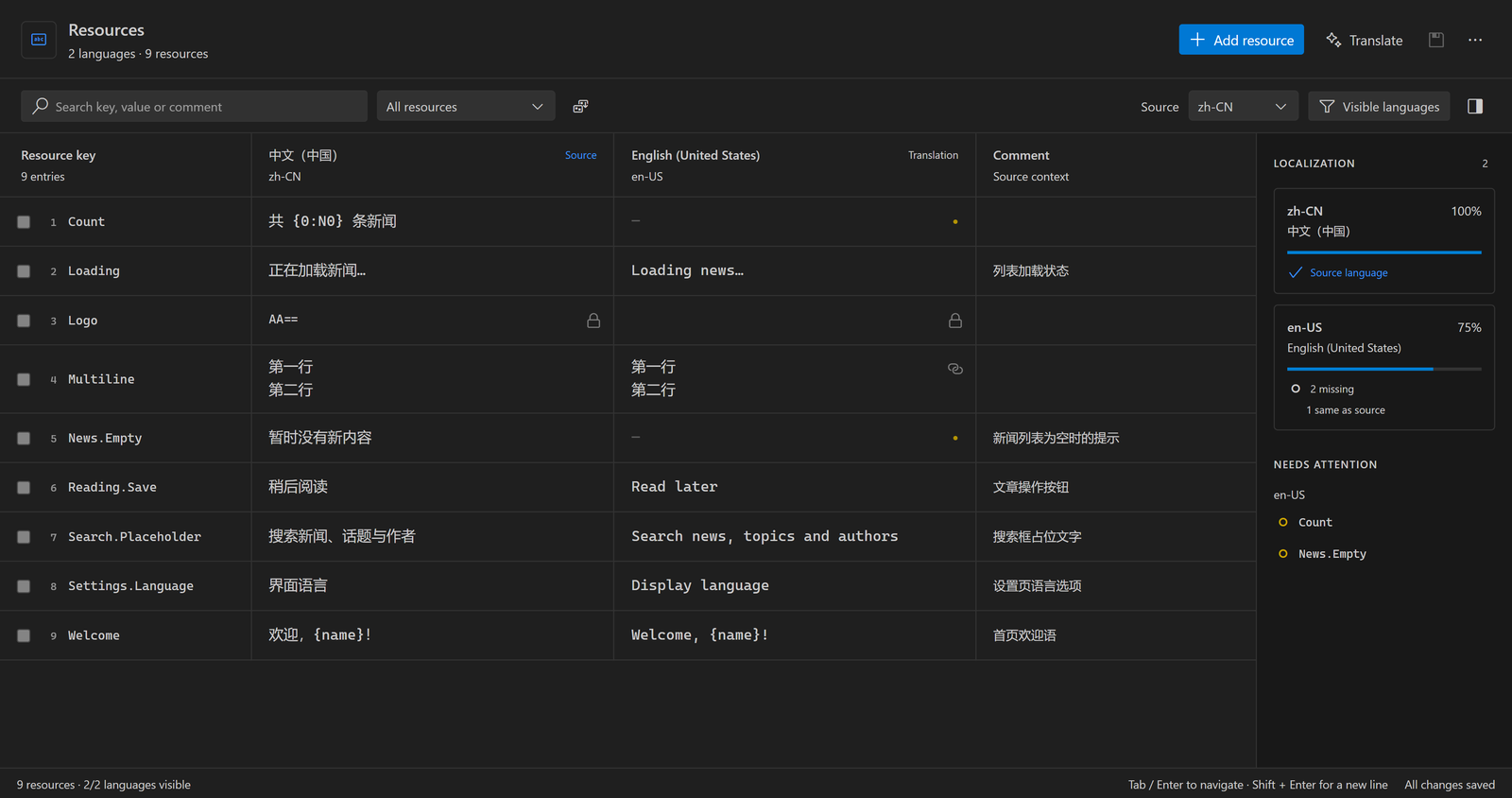
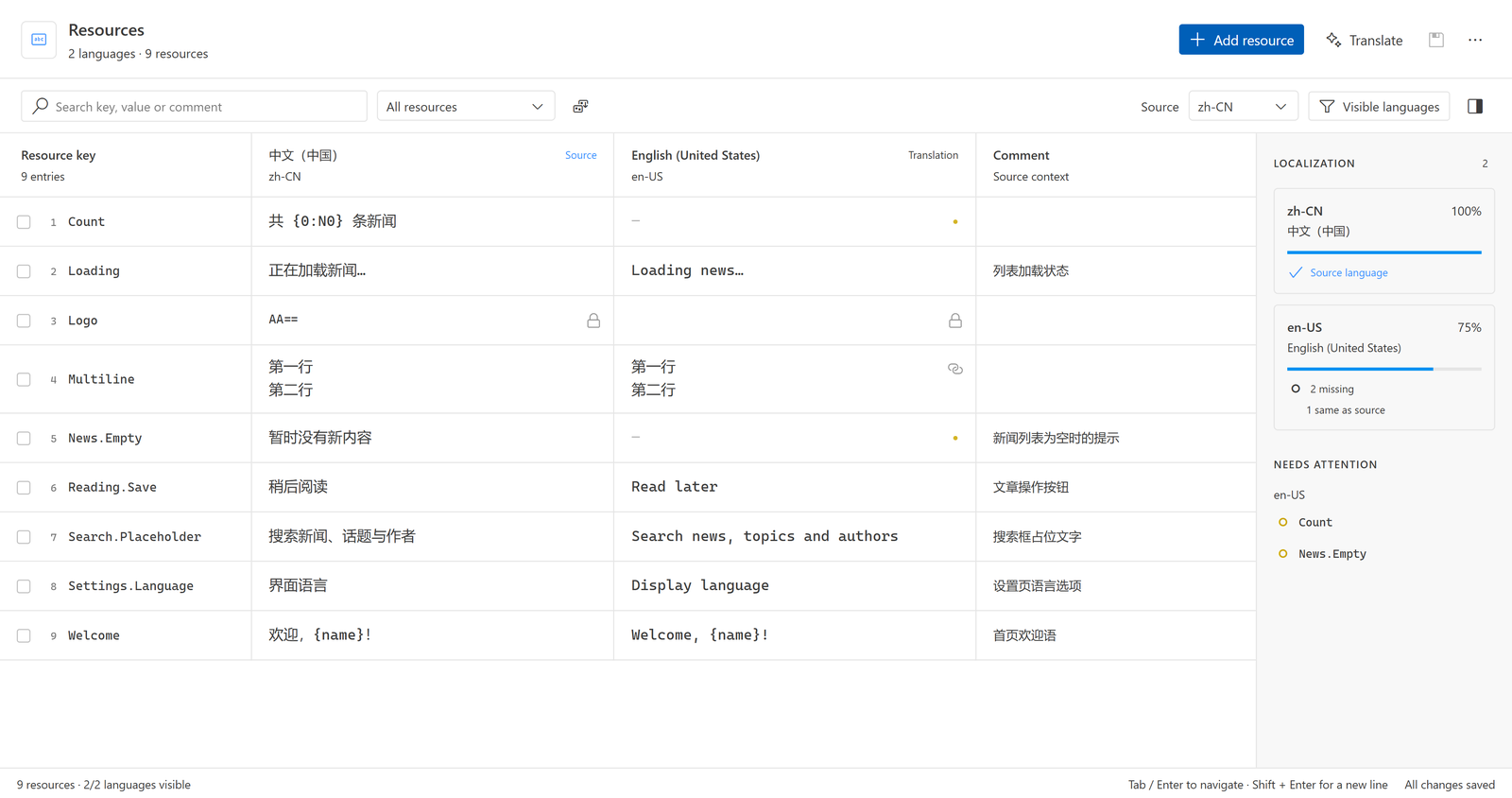
- Edit Key, Value and Comment, including multiline text; add, duplicate, rename or delete resources across languages.
- Keep keys pinned while scrolling language columns. Search, sort and filter missing, identical or read-only values.
- Choose visible languages; the source stays visible. The sidebar shows completion and locates missing translations.
- Navigate with Tab / Shift+Tab and Enter, insert newlines with Shift+Enter, and discard cell drafts with Escape. New resources are highlighted and scrolled into view.
- Use VS Code theme colors, editor fonts and Codicons, including light, dark, high-contrast and custom themes.
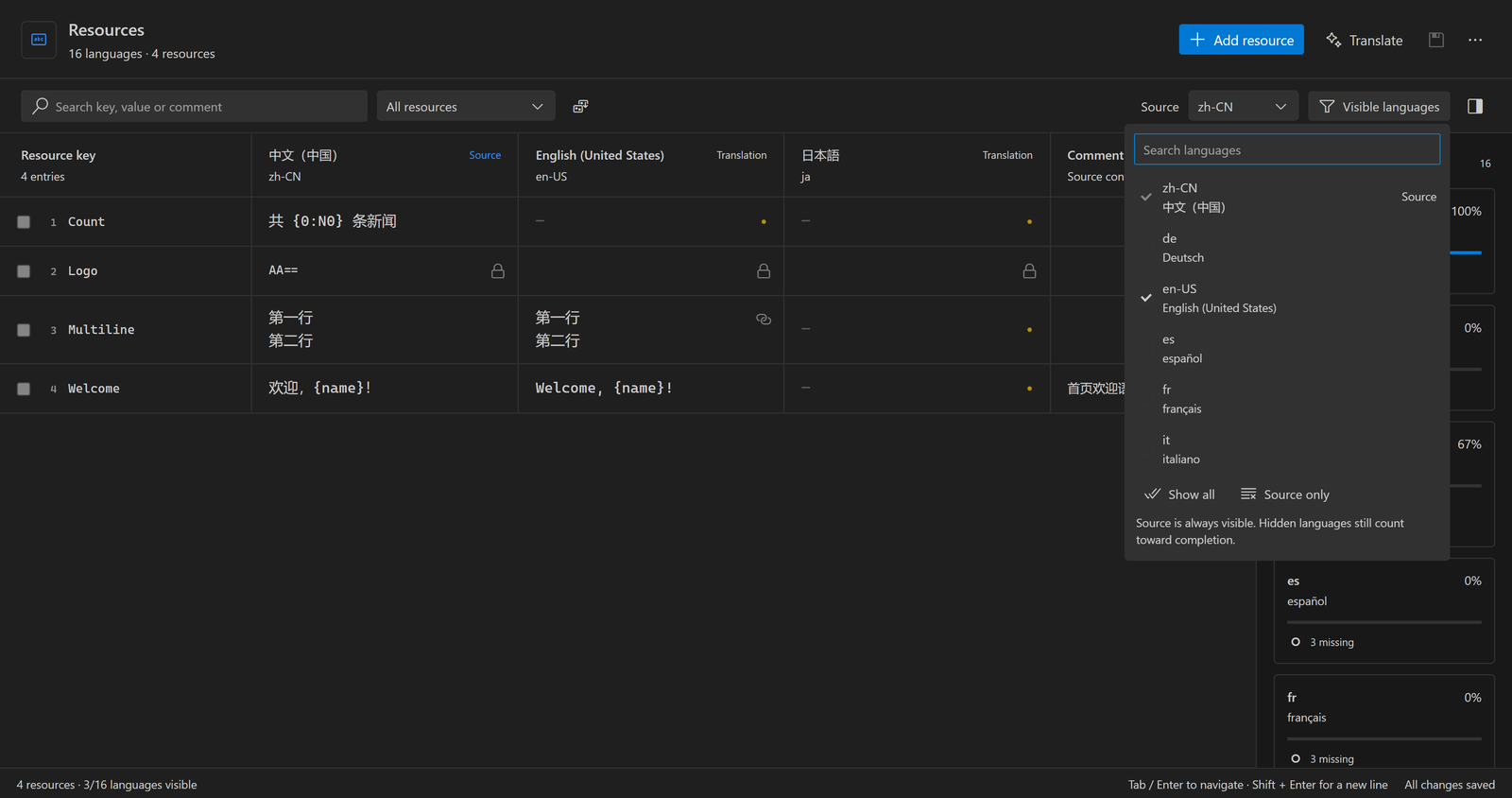
Copilot translation and editable review
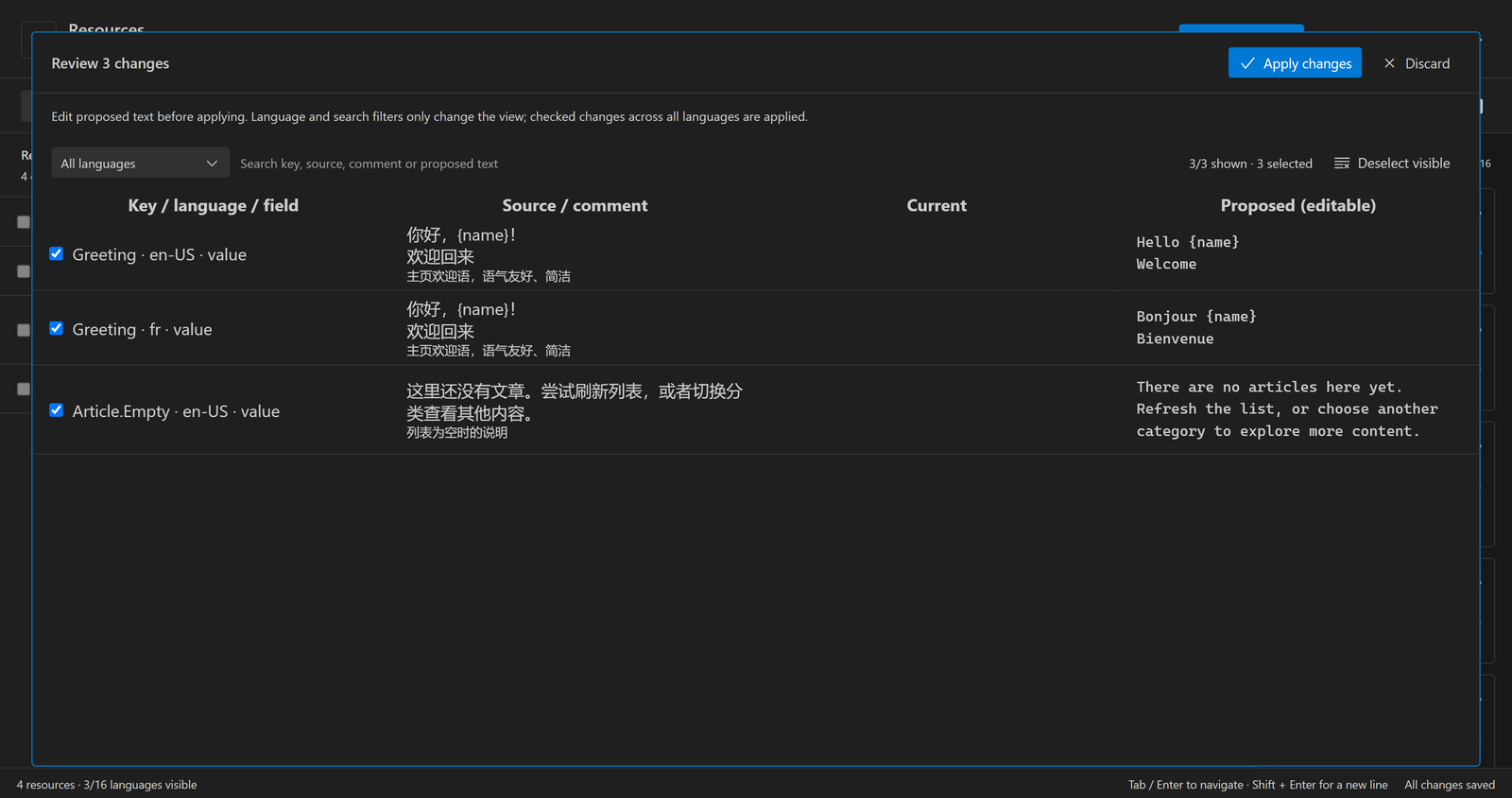
Translate selected keys or all missing values into chosen languages through GitHub Copilot and the official VS Code Language Model API. Requests include source text, key, comment and an optional glossary. Existing non-empty translations are preserved.
Default batches contain up to 20 resources, with three concurrent requests and no total translation-count limit. Completed batches appear as they finish. Cancelling stops new batches, signals in-flight requests and retains completed, validated results.
Filter review by language, search source text and suggestions, edit translations directly, and choose which changes to apply. Manual corrections are checked again for placeholders, formatting tokens, markup, exact line breaks and XML characters. Filtering changes the view, while all checked changes are applied. Accepted edits support undo/redo.
VS Code handles Copilot consent. No translation-service API key is required; basic editing works without Copilot. Sent requests may consume usage even when later cancelled.
Files, Excel and saving
- Discover
Strings/<language>/<name>.resw and <name>.resx / <name>.<culture>.resx. Resource names and projects stay separate, including multi-root workspaces.
- Create language files using BCP-47 codes from folder/project/resource context menus. No implicit English file is created. Explicit defaults are respected; optional Sprout detection reads project settings.
- Export/import Excel with Key, Comment and language columns, validating and reviewing imports before applying.
- Patch target resource nodes while preserving untouched XML, comments, headers,
xml:space, formatting and non-text resources. VS Code owns encoding, BOM, dirty state and saving.
- Share documents across views; reject stale edits and previews. Open XML for native Git diffs and save-conflict resolution. Invalid XML, duplicate keys and merge markers block unsafe editing; unsupported types remain read-only.
- Optionally generate string-only
.resx Designer.cs files; disabled by default. .resw accessors remain the responsibility of Sprout or your own generator.
Get started
- Install from Marketplace, or use Extensions → … → Install from VSIX with
artifacts/rodel-resource-editor-0.0.2.vsix.
- Right-click a resource and choose Open Resource Editor, or run Rodel: Open Resource Editor.
- Choose source/visible languages, edit cells, then Save all. The editor is optional by default; use Reopen Editor With to make it the default.
{
  "rodelResx.defaultLanguage": "zh-CN",
  "rodelResx.translationBatchSize": 20,
  "rodelResx.translationConcurrency": 3,
  "rodelResx.glossary": { "阅读器": "reader" }
}
Independent examples live in samples/Strings, samples/LongText/Strings and samples/Copilot/Strings. Natural-language grammar checking is planned; XML validation is available. Designer generation requires supported C# identifiers and the correct assembly resource base name.
Development
npm ci
npm run check
npm test
npm run test:ui
npm run test:host
npm run test:designer
npm run package
F5 launches an independent Extension Development Host. Default tests do not call paid models. npm run test:copilot:live is an explicit opt-in test using copied samples and the official consent flow. Screenshots capture the actual extension webview rendered with independent samples; no real project resources were modified.
Implementation status · Publishing · MIT License

