Afterglow ’84
Afterglow ’84 is a warm, restrained dark theme for Visual Studio Code. It follows afternoon light into a plum evening with apricot functions, coral control flow, sage strings, and lavender types. Its visual language borrows from vintage computers, cassette packaging, and golden-hour skies without turning the editor into neon signage.
Theme screenshots
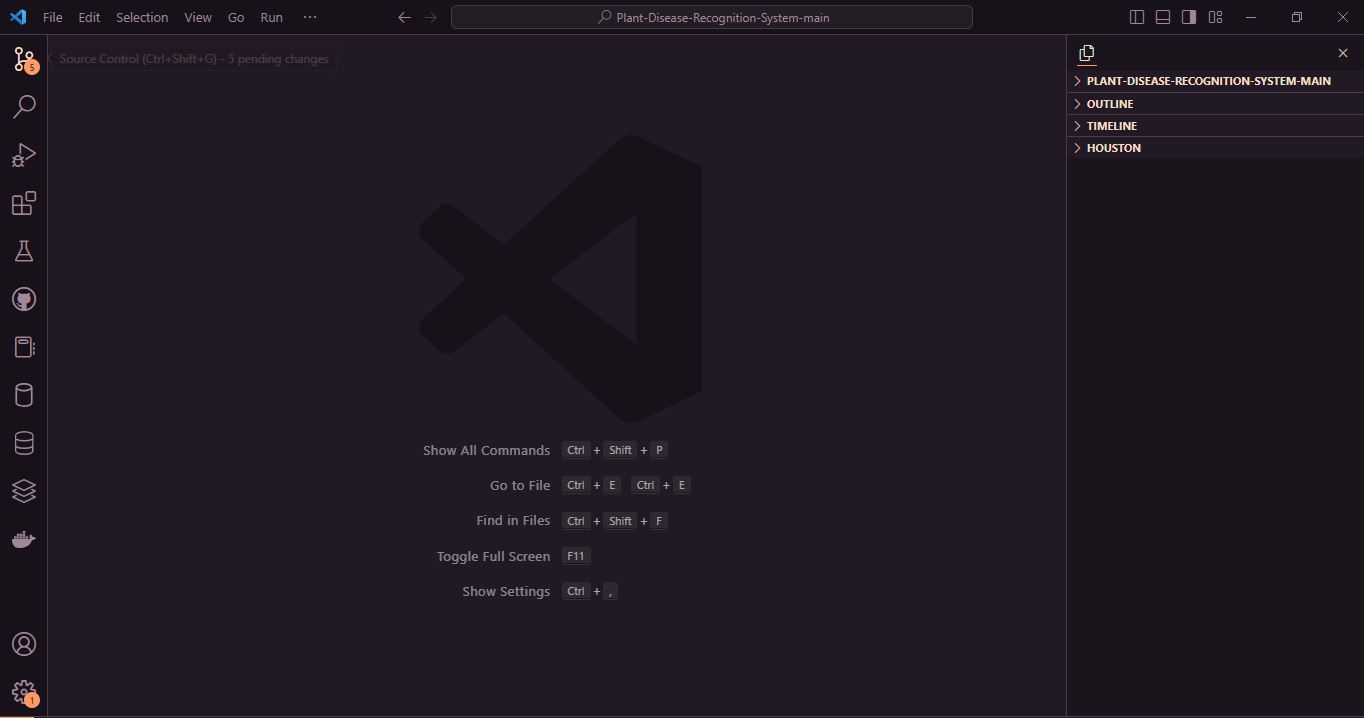
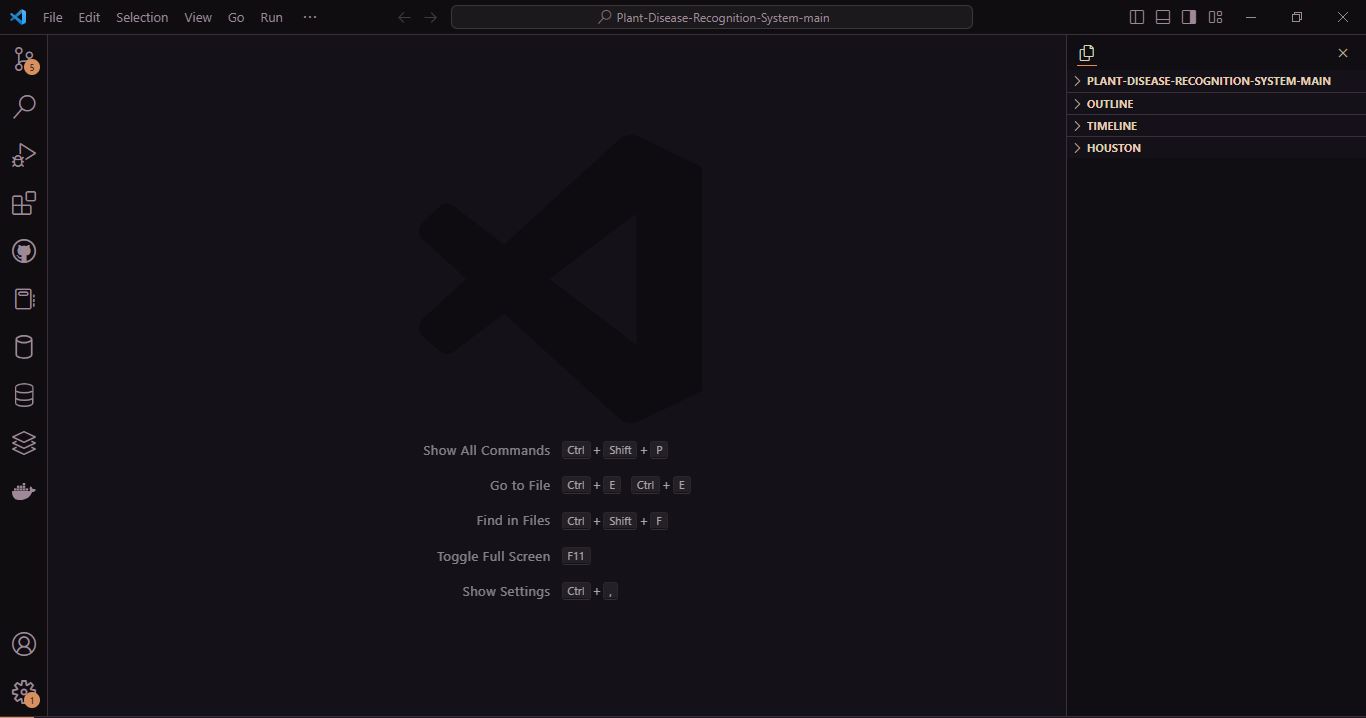
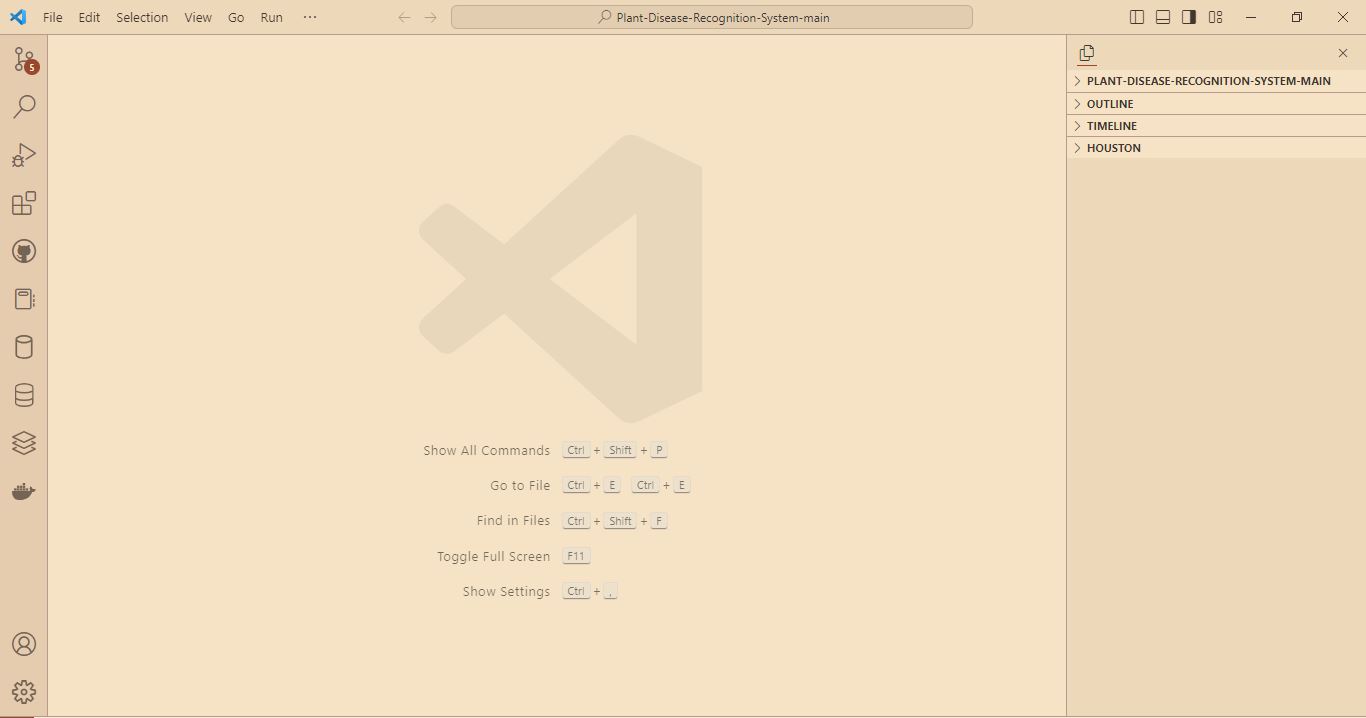
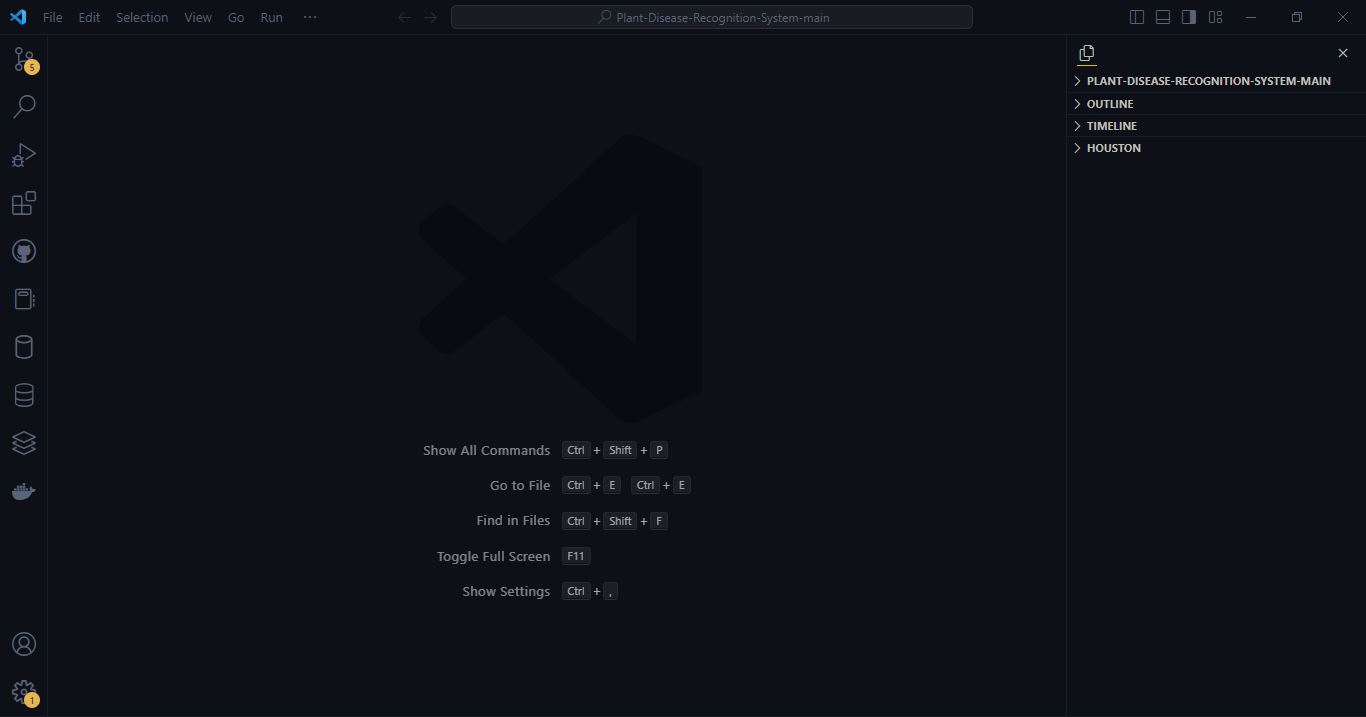
These user-supplied screenshots show the four themes with no code file open. Icons and window layout reflect the user's setup and are separate from the color themes.
Afterglow ’84
Night Drive
Golden Hour
Retro Amber
Design philosophy
- Keep large surfaces dark plum and reserve orange for focus, navigation, and small active states.
- Give syntax a stable hierarchy: coral control flow, gold callables, sage strings, pink numbers, lavender types, and warm neutral variables.
- Preserve the supplied palette instead of adding novelty colors. Semi-transparent overlays are palette colors with alpha.
- Favor comfortable long-session contrast over maximum saturation.
Included themes
Afterglow ’84 now includes six coordinated color themes for different lighting conditions:
| Theme |
Style |
Best suited for |
| Afterglow ’84 |
Balanced warm plum dark theme |
Everyday coding and afternoon-to-evening use |
| Afterglow ’84 — Night Drive |
Deeper, lower-brightness plum theme without a pure-black background |
Late-night and dim-room coding |
| Afterglow ’84 — Golden Hour |
Warm parchment light theme with darker sunset-inspired syntax colors |
Bright rooms and daytime coding |
| Afterglow ’84 — Retro Amber |
Near-black blue surfaces with amber focus, orange keywords, and lime strings |
A restrained retro editor with warm accents |
| Afterglow ’84 — Dark Roast |
Espresso and walnut surfaces, parchment text, caramel and copper accents |
A vintage coffee-shop atmosphere with readable brown surfaces |
| Afterglow ’84 — Mocha Retro |
Soft chocolate surfaces, warm cream, faded olive and golden caramel |
A calm vintage café with lighter coffee-brown midtones |
Mocha Retro palette and contrast
Install version 0.5.0, run Preferences: Color Theme, and choose Afterglow ’84 — Mocha Retro. The shortcut is Ctrl+K Ctrl+T on Windows/Linux or Cmd+K Cmd+T on macOS. This dark variant brings together mocha coffee, walnut furniture, faded books and warm café lighting. It is lighter and softer than Dark Roast and keeps the empty editor brown as well.
| Role |
Hex |
| Editor, gutter, empty editor, active tabs |
#2A211C |
| Sidebar, title bar, inactive tabs |
#201814 |
| Activity bar |
#1B1511 |
| Panel, terminal, status bar |
#241C17 |
| Current line and subtle hover |
#33271F |
| Inputs, menus, dropdowns and widgets |
#382B23 |
| Selected controls / inactive editor selection |
#58402E / #3C2E24 |
| Active editor selection, adjusted for contrast |
#412F22 |
| Borders and separators |
#544032 |
| Main text / secondary text / italic comments |
#E6D3B5 / #C7B299 / #AD9785 |
| Caramel focus / honey cursor |
#D3A16A / #EDC68C |
| Copper keywords / golden functions and methods |
#D99A79 / #DFB374 |
| Olive strings / sage regex |
#B5BE8A / #A9B59B |
| Terracotta numbers and booleans / brass types and classes |
#D6A086 / #D6C28E |
| Parchment variables, parameters and properties / sand punctuation |
#DFCCB0 / #C4AD91 |
| Errors and deletions / warnings / information |
#DF9285 / #DFB374 / #ADB7B0 |
Measured WCAG contrast is 10.77:1 for main text and 5.66:1 for comments against the editor. Comments and input placeholders on raised widgets measure 4.90:1. Primary buttons use #201814 text on caramel (7.55:1) and golden caramel on hover (9.02:1). Secondary buttons, selected lists, suggestions, inactive labels, input validation, notebooks, settings and other explicit text states are checked separately.
The active editor selection is the one necessary opaque adjustment to the supplied palette: #58402E becomes #412F22, the nearest passing shade along a proportional RGB darkening of that color. Graphical inspection confirmed that normal dark themes retain syntax colors when selected; VS Code documents editor.selectionForeground for high contrast. The proposed selection gave comments only 3.45:1. The adjusted editor selection gives comments 4.56:1 and main text 8.67:1, preserving the syntax hierarchy. Selected controls retain #58402E because their foregrounds can be specified independently. No comment color was lightened and no ordinary-text contrast exception was introduced.
Transparent overlays are composited before measurement. Search, word, bracket, peek and execution highlights use low-opacity palette tints. The matching-selection overlay uses alpha 5E instead of 66. Inserted and removed diff text use alpha 08 and 0B, with line tints at 0A, so comments still pass even when diff layers overlap the current-line background. The original stronger tints failed those checks. Caramel active indicators and brown separators stay restrained.
Disabled controls and decorative borders are treated separately. Disabled labels measure 2.72:1 on raised brown; separators measure 1.72:1 against the panel. The installed VS Code 1.136.1 generic button CSS uses 40% disabled opacity; compositing both button text and fill gives 2.35:1 over the editor and 2.40:1 over raised widgets. These disabled states are exempt from the ordinary-text threshold. There is no invented disabled-button theme key; VS Code controls that opacity.
All 16 terminal ANSI slots are explicit:
| ANSI family |
Normal |
Bright |
| Black |
#1B1511 |
#AD9785 |
| Red |
#DF9285 |
#EDB0A6 |
| Green |
#B5BE8A |
#CCD1A5 |
| Yellow |
#DFB374 |
#EDC68C |
| Blue |
#9DAFBD |
#B0C0C6 |
| Magenta |
#BD9FA7 |
#D0B0B6 |
| Cyan |
#9FBDB6 |
#B8CFC3 |
| White |
#E6D3B5 |
#EDDCC0 |
The muted blue, rose and cyan additions are limited to terminal ANSI roles. Every ANSI text slot except conventional background-like black passes 4.5:1 against the terminal. Shells and prompt frameworks can supply their own colors, so this theme cannot control every prompt element. It does not change icons, fonts, shell configuration, personal settings or panel layout.
Mocha Retro retains all documented language coverage, with italic comments, normal-weight source text and Markdown bold, italic and combined emphasis. Function calls and decorators use symbol-specific scopes; arguments, properties and readonly variables retain parchment. Built-in semantic functions and types keep their roles without a blanket *.defaultLibrary override. TextMate alone sees JavaScript Math and Number receivers as object variables; language-server tokens can refine their roles.
Real screenshots from the implemented theme in an isolated Windows Extension Development Host:


Validation for 0.5.0 covers 476 recognized workbench color IDs, 871 Mocha-specific state/overlay/palette checks, the existing family validators and four validator unit tests. Installed VS Code 1.136.1 grammars tokenize all 17 preview languages (1,378 token spans); 34 targeted assertions cover built-ins, calls, arguments, decorators, JSON/YAML keys and Markdown emphasis. Real TypeScript language-service tokens and rendered colors were inspected for functions, methods, parameters, types, readonly properties and built-ins.
The Windows graphical pass covered the empty editor, TypeScript, Markdown, Command Palette, context menu, hover documentation, suggestions, active/inactive selections, terminal ANSI output, synthetic error/warning/information diagnostics and side-by-side diffs. Comparisons used the original theme and Dark Roast in the same host. The native Windows automation helper was unavailable; VS Code's development-test API and Chromium renderer captures supplied the actual inspection and screenshots. Temporary profiles and fixtures are excluded from the VSIX.
Remaining manual checks: real Linux and macOS (Intel and Apple Silicon), VS Code's oldest supported version, native platform menus, every language server, notebook/settings interactions, live debugging, Git decoration states, and pointer-hover/disabled-button appearance. Those states have explicit colors and automated checks where applicable, but are not claimed as fully tested graphically.
Dark Roast palette and contrast
Select Afterglow ’84 — Dark Roast using Preferences: Color Theme (Ctrl+K Ctrl+T on Windows/Linux, Cmd+K Cmd+T on macOS). This separate dark variant evokes wooden radios, tobacco leather, and incandescent lighting.
| Role |
Hex |
| Editor, gutter, empty editor |
#241A14 |
| Sidebar, title bar, inactive tabs |
#1D140F |
| Activity bar |
#17100C |
| Panel, terminal, status bar |
#211710 |
| Current line and subtle hover |
#302219 |
| Inputs, menus, dropdowns, raised widgets |
#34261B |
| Active / inactive selection |
#503826 / #3B2A1F |
| Borders and separators |
#59402F |
| Main text / secondary labels / italic comments |
#E9D8BD / #C5AF93 / #AA9279 |
| Focus and active-tab underline |
#D6A15D |
| Cursor and active line number |
#F0C674 |
| Keywords / functions |
#D9956C / #E6B673 |
| Strings / regex bodies |
#B8BF8A / #A7BAA0 |
| Numbers and booleans / types |
#D7A184 / #D8C18E |
| Variables, parameters, properties / punctuation |
#DEC7A6 / #CDB99B |
| Errors and deletions / warnings / information |
#E39B91 / #E6B673 / #B3BDC2 |
Measured WCAG contrast against the editor is 12.18:1 for main text, 5.76:1 for comments, and 8.05:1 for secondary labels. Comments and placeholders on raised widgets measure 4.93:1. Primary buttons use dark #1D140F text on caramel (7.86:1), with existing palette color #E6B673 on hover (9.75:1). Selected editor text explicitly becomes parchment (7.76:1); keeping comment color on the active selection would measure only 3.67:1. No base palette color was changed and no Retro Amber contrast exception applies.
Interaction shades reuse the palette. Alpha variants are limited to overlays, guides, minimap/scrollbar indicators, shadows, and disabled labels; contrast checks composite overlays first. Disabled labels measure 2.71:1 on raised brown and are exempt from the ordinary-text threshold. VS Code controls disabled button opacity; it has no dedicated supported disabled-button color key. The thin active-tab underline uses caramel; large debug and empty-editor surfaces stay brown.
Search, word, and bracket-match tints use alpha 10; diff text and line tints use 14 and 0A. These reduced opacities keep comments above 4.5:1, including current-line highlights and stacked diff tints. Stronger inherited accent overlays had measured as low as 3.14:1 for comments. Search borders and Git gutter marks retain clear accent colors.
All 16 ANSI slots are specified. Terminal-only additions preserve distinct muted blue (#9DAFBD), rose-magenta (#BD9FA7, bright #D0B0B6), and cyan (#9FBDB6, bright #B8CFC3) families; bright red #EDB0A6, green #CCD1A5, and white #F3E6D2 distinguish bright slots. Other slots reuse the palette. ANSI black is a conventional background-like color, not an ordinary-text contrast claim.
Dark Roast retains the language coverage below with regular base text, italic comments, and meaningful Markdown emphasis. Broad meta.function-call, meta.parameter, and *.defaultLibrary overrides are omitted. Readonly variables remain parchment; identified functions and types retain their semantic roles.
Real screenshots captured from an isolated Windows Extension Development Host:


Validation for 0.4.0: the family validator passes 4,674 checks, with Retro Amber's pre-existing exceptions confined to that variant. Dark Roast's additional state/overlay contrast guards pass, as do the four validator unit tests. The installed workbench recognizes all 330 Dark Roast color IDs, and its JavaScript grammar verifies representative token colors. Windows Development Host inspection covered the empty editor, TypeScript/JavaScript/Python, semantic functions/parameters/interfaces/readonly variables/object keys, selections, suggestions, terminal ANSI output, and a TypeScript error in the Problems panel. The Python decorator inspection exposed a precedence mismatch; its TextMate rule was narrowed to agree with the copper semantic decorator rule.
Still required for a broader visual sign-off: Git diffs, menu interactions, warning/information states, disabled buttons, every language grammar, and real Linux/macOS checks. The VSIX was packaged and inspected, but installation into a normal Windows profile was not performed. Temporary inspection profiles are excluded from Git and the VSIX. Screenshot links remain relative so the source README can display the bundled images without publishing or inventing remote image URLs.
The original three variants preserve the same syntax hierarchy while adjusting brightness and contrast for their backgrounds. Retro Amber uses its own syntax assignments, including lavender parameters and neutral variables and object properties.
Retro Amber palette and contrast
| Role |
Hex |
| Editor, sidebar, activity bar, panel |
#0D1017 |
| Default text, variables, object properties |
#BFBDB6 |
| Current line |
#161A24 |
| Selected Explorer row / subtle separators |
#181D26 |
| Active tab underline / focused input outline |
#E6B450 |
| Keywords / control flow |
#FF8F40 |
| Functions / methods |
#FFB454 |
| Strings |
#AAD94C |
| Parameters / numbers / booleans |
#D2A6FF |
| Regular-expression body |
#95E6CB |
| Italic comments |
#5A6673 |
| Muted interface labels |
#5A6378 |
Against #0D1017, default text measures 10.12:1, comments 3.25:1, and muted labels 3.16:1. Comments and muted labels intentionally fall below the earlier 4.5:1 target to retain the supplied reference colors. Validation prints these as EXCEPTION, never as passing 4.5:1 results. Muted labels on raised surfaces can have still lower contrast. The original three themes retain their existing contrast requirements; this is not a claim that every interface state is accessible.
Unshown states are design choices: coral #F07178 errors, amber/orange warnings, lavender information, dark hover widgets, blue-gray #273140 selections, and translucent lime/coral diffs. Terminal ANSI colors reuse the syntax palette with lighter bright shades; ANSI black remains a background-like color. These values are not claimed as exact screenshot matches.
The new palette follows the supplied sampled colors; the reference image was unavailable during implementation. A color theme cannot reproduce Explorer icons, PowerShell prompts, font rendering, or panel positions. No icon selection, font, prompt, layout, or bracket-colorization setting is changed. Supported bracket colors retain normal VS Code behavior.
Theme files are hand-authored; there is no theme generator. Workbench colors and semantic selectors follow the official color-theme system, color reference, and semantic highlighting guide.
Palette
The following palette defines the original Afterglow ’84 dark variant:
| Role |
Hex |
| Editor background |
#211A24 |
| Editor foreground |
#F3DDC4 |
| Sidebar background |
#1A151D |
| Activity bar background |
#171219 |
| Panel background |
#1D171F |
| Input background |
#2A202D |
| Current line |
#2B222F |
| Selection |
#594052 |
| UI border |
#4A3947 |
| Cursor |
#FFB35C |
| Primary accent |
#FF9A62 |
| Error |
#FF5F68 |
| Warning / functions |
#FFC56E |
| Information / types |
#D6A7FF |
| Success / strings |
#A8D89B |
| Comments |
#A08799 |
| Keywords |
#FF7A70 |
| Numbers |
#E89AC7 |
| Variables |
#F0C9A5 |
| Operators |
#CAB6A4 |
Derived opaque shades are limited to #120E14 (shadow), #30253B (information validation), #3B2229 (error validation), #3B3024 (warning validation), #3A2B3A and #6A4B61 (interaction states), #7B4653 (debug status), #AD553E and #B05740 (accessible button states), and #FFF4E5 (high-contrast text on selected controls). They were selected as close plum/orange/cream relatives for small UI states; translucent values append an alpha channel to palette colors. Button text measures 4.66:1 normally and 4.51:1 on hover.
Language coverage
TextMate rules and semantic tokens cover common constructs in JavaScript, TypeScript, React/JSX/TSX, Python, C, C++, HTML, CSS, SCSS, JSON, YAML, Markdown, shell scripts, Java, Rust, and Go. Highlighting ultimately depends on the active language grammar and language server, so extensions may expose additional scopes or semantic tokens.
Afterglow ’84 is a declarative color-theme extension with no native binaries or runtime platform code. It is designed to work with supported versions of Visual Studio Code on:
- Windows 10 and Windows 11
- macOS on Intel MacBooks
- macOS on Apple Silicon MacBooks
- Linux
Useful shortcuts:
| Action |
Windows / Linux |
macOS |
| Open Command Palette |
Ctrl+Shift+P |
Cmd+Shift+P |
| Open Extensions |
Ctrl+Shift+X |
Cmd+Shift+X |
| Start Extension Development Host |
F5 |
F5 or fn+F5 |
On macOS, if the code command is unavailable, open the Command Palette and run Shell Command: Install 'code' command in PATH, then restart the terminal.
File icons
This extension provides color themes only. It does not include or activate a file-icon theme or product-icon theme, and it does not change your existing icon settings. You can continue using any file-icon theme you prefer.
The image in assets/icon.png is only the extension’s Marketplace logo; it does not replace icons in the VS Code Explorer.
Install locally
To test the source folder directly:
- Open this folder in VS Code.
- Press
F5 and select Run Afterglow ’84 Theme if prompted. On a MacBook, use fn+F5 if the function keys control hardware features.
- In the Extension Development Host, run Preferences: Color Theme and choose Afterglow ’84, Afterglow ’84 — Night Drive, Afterglow ’84 — Golden Hour, Afterglow ’84 — Retro Amber, Afterglow ’84 — Dark Roast, or Afterglow ’84 — Mocha Retro.
- Open files under
examples/ to inspect representative syntax.
Build and install a VSIX
Install dependencies and validate:
npm install
npm run validate
npm run package
Run validator unit checks with node --test scripts/validate-family.test.mjs. Optionally run node scripts/validate-vscode.mjs "<VS Code resources/app directory>" to check color IDs against an installed workbench, retain the existing JavaScript checks and test all Mocha Retro preview grammars and precedence cases. This requires a desktop VS Code installation containing node_modules.asar; it does not replace a graphical or language-server test.
The manifest uses the Marketplace publisher ID Retrocoder. Confirm that this exact identifier belongs to your Retro Coder publisher account before publishing.
Install the generated archive with Extensions: Install from VSIX..., or run:
code --install-extension afterglow-84-0.5.0.vsix
The same .vsix works across Windows, macOS, and Linux because the extension contains no platform-specific runtime code. Packaging does not publish the extension.
Inspect token scopes
In the Extension Development Host, place the cursor on a token and run Developer: Inspect Editor Tokens and Scopes. The inspector shows the TextMate scope stack, semantic token, and winning theme rule. Use the preview files to check comments, control flow, callables, types, variables, constants, tags, attributes, and invalid syntax across grammars.
For Retro Amber, check examples/preview.js: sunset should be orange-gold, hour, 18, and true lavender, "Afterglow" lime, and the regex body mint. Repeat with semantic highlighting enabled and disabled; variables and object keys should remain neutral. Check the thin amber underline below the active tab, focused input outline, Explorer selection, and bracket pairs. A graphical comparison and real macOS testing remain pending.
Without semantic highlighting, the built-in JavaScript grammar marks the hour declaration as a parameter but its later references as ordinary variables (neutral). The semantic parameter rule supplies lavender for identified references; a color theme alone cannot infer symbol identity from TextMate scopes.
Known limitations
- Semantic highlighting varies with the installed language extension and language-server state.
- Third-party grammars can use scopes not covered by the built-in-language-oriented rules.
- UI appearance varies slightly across VS Code versions, operating systems, and custom title-bar settings.
- A visual pass in an Extension Development Host is still required after changes; automated contrast and schema checks cannot judge every interaction state.
- Platform-neutral validation does not replace a final visual check on real macOS hardware.
Late-night recommendation
When working around midnight or 3 a.m., enable Night Light on Windows or supported Linux desktops, or Night Shift on macOS. The warmer display temperature blends naturally with the Afterglow ’84 palette and may feel more comfortable in a dark room.
Contributing
Open the relevant preview file, reproduce the token or UI state, and use the token inspector before changing a rule. Keep changes within the established palette where possible. Run npm run validate and rebuild the VSIX before sharing changes. Please do not add runtime code, telemetry, network access, or unrelated theme variants.
Please do not commit to Main file directly open a new branch everytime to wish to contribute.
License
Copyright (c) 2026 Abu Koushik. Released under the MIT License; see LICENSE in the extension root.
Afterglow ’84 — Midnight Mocha (0.6.0)
Midnight Mocha adds a seventh selectable theme, based on Night Drive. Walnut dashboard browns, cream text, caramel focus indicators and restrained copper keywords evoke vintage radios and warm streetlights during a midnight drive. Large surfaces stay distinctly brown, with subtle separation between the editor, sidebar, activity bar and panels. Cool colors are reserved for small informational and terminal accents. All six previous theme files and selectable names are preserved.
Choose Afterglow ’84 — Midnight Mocha under Preferences: Color Theme. The variant has 498 explicit UI colors, including settings, menus, the command palette, suggestions, hover widgets, notifications, terminal, diff/merge views, debugging, minimap and breadcrumbs. It retains Night Drive's syntax categories and language coverage, italic comments and Markdown emphasis. TextMate and semantic tokens share the same role colors; narrowed expression scopes keep arguments and built-in functions from inheriting an enclosing expression's color. JSON/YAML keys and named callables have explicit rules.
| Role |
Color |
| Editor background |
#1C1512 |
| Editor foreground / variables / parameters / properties |
#E8D5BF |
| Sidebar background |
#17110F |
| Activity bar background |
#120D0B |
| Panel / terminal background |
#191210 |
| Inputs and popup backgrounds |
#271D18 |
| Current line |
#241B16 |
| List, menu and general UI selection |
#4A3529 |
| Editor selection, adjusted for comment contrast |
#36271F |
| Borders |
#4B382D |
| Focus accents and cursor |
#E8AC71 |
| Comments |
#A28F7D |
| Keywords |
#D98B73 |
| Functions / warnings |
#E6B86A |
| Strings |
#B2BD8A |
| Types and classes |
#D5BB91 |
| Numbers / constants / readonly symbols / regex / decorators |
#D4A291 |
| Operators and punctuation |
#C7B39C |
| Errors |
#EB8A80 |
| Information |
#9EBDD0 |
The supplied selection brown #4A3529 gives the supplied comments only 3.69:1 contrast. Midnight Mocha darkens the editor selection to #36271F, giving selected comments 4.61:1, while keeping the supplied syntax palette and using #4A3529 for UI selections. This does not rely on editor.selectionForeground, which VS Code documents as a high-contrast selection color.
Measured text contrast is 12.61:1 in the editor, 5.80:1 for comments, and 5.30:1 for comments in popup surfaces. Primary buttons use dark brown text on caramel: 9.07:1 normally and 10.28:1 on hover. Additional interaction fills use #30231C, primary-button hover uses #EDBA88, and overlays use transparent palette colors. Search, bracket, debugging and stacked diff highlights are checked with their actual backgrounds. Decorative separators and VS Code's own disabled-control opacity are not treated as normal text.
All 16 terminal ANSI slots are explicit. Black remains a conventional dark terminal background; the other 15 slots, including bright black, meet 4.5:1 against the terminal background. Terminal applications and VS Code's terminal contrast setting can affect rendering.
| ANSI slot |
Normal |
Bright |
| Black |
#120D0B |
#A28F7D |
| Red |
#EB8A80 |
#F0AAA0 |
| Green |
#B2BD8A |
#CAD1A4 |
| Yellow |
#E6B86A |
#F0CC8C |
| Blue |
#9EBDD0 |
#B6CEDC |
| Magenta |
#C39AA4 |
#D8B4BA |
| Cyan |
#A3BDB2 |
#BDD0C5 |
| White |
#E8D5BF |
#F3E2CE |
Build the local 0.6.0 package using the existing workflow:
npm run validate
node --test scripts/validate-family.test.mjs
npm run package
code --install-extension afterglow-84-0.6.0.vsix
npm run validate includes the Midnight Mocha contrast, overlay, palette and inherited-coverage checks. The optional node scripts/validate-vscode.mjs "<VS Code resources/app directory>" check now includes all 17 Midnight Mocha preview grammars and 34 targeted precedence checks. For full schema validation, launch an isolated Extension Development Host with --extensionDevelopmentPath=<absolute project directory> and --extensionTestsPath=<absolute project directory>/scripts/validate-vscode-schema.cjs. The test uses the installed JSON language service's actual color-theme schema, validates Git decoration IDs against the bundled Git declarations, and confirms that invalid colors, styles and IDs are rejected. It does not change workspace trust.
Windows VS Code 1.136.1 previews were inspected for TypeScript, Python, HTML, selected comments, the command palette, settings and buttons, synthetic diagnostics and their hover, and side-by-side diffs. The preview ran in Restricted Mode: populated language-server completions, live semantic-token output, terminal ANSI rendering, real debug sessions and a full interaction pass remain unverified. Real macOS Intel, macOS Apple Silicon and Linux testing also remains pending. The extension stays declarative and platform-neutral, with no runtime entry point, native code, telemetry, icon-theme contributions or font requirements. Developer validation scripts and local QA fixtures are excluded from the VSIX.

