Repotrix — your codebase, explained and always up to date
AI docs, architecture diagrams, security scans, onboarding guides and grounded chat — auto-refreshed on every commit, right inside VS Code.
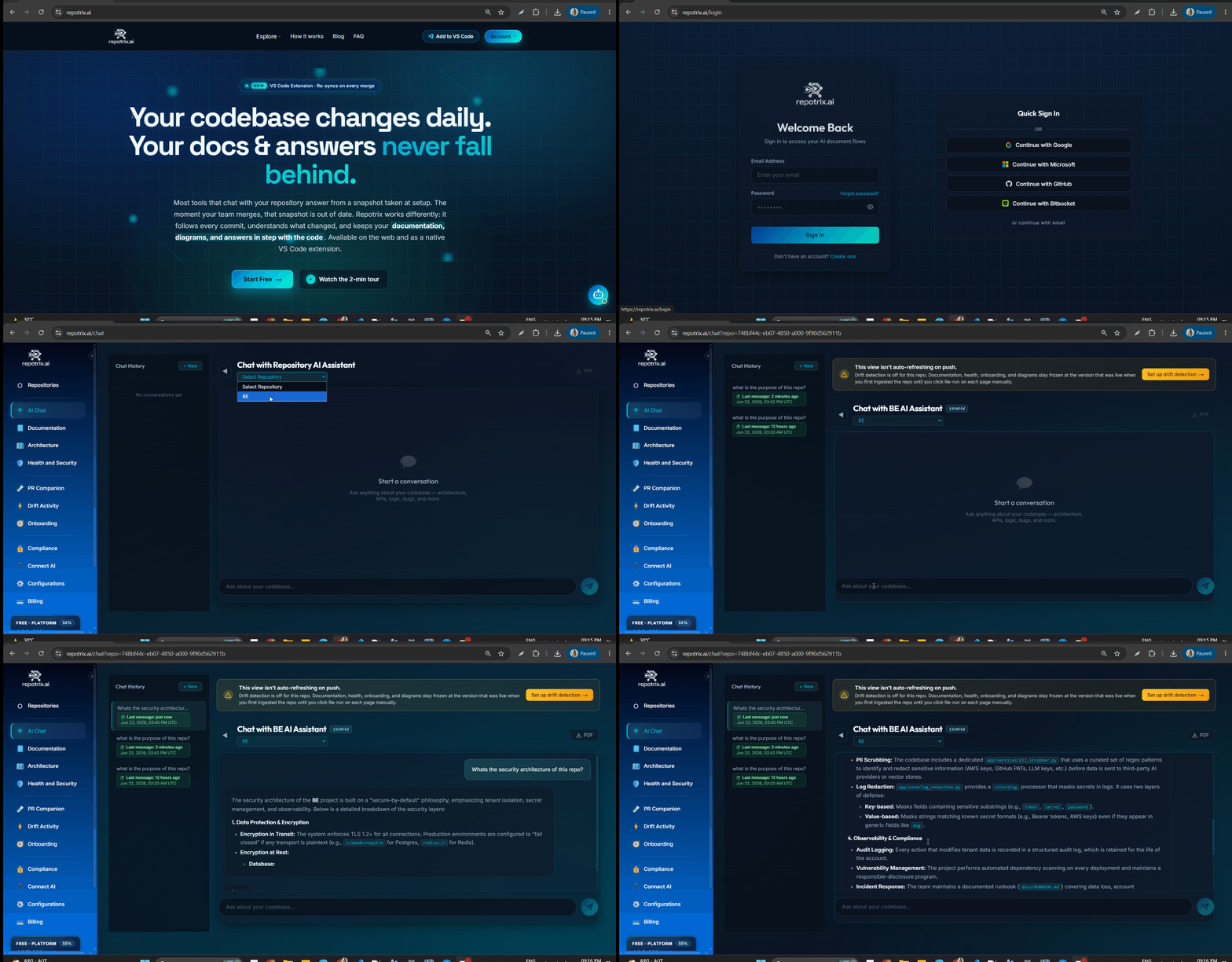
Most tools that chat with your repository answer from a snapshot taken at setup. The moment your team merges, that snapshot is out of date. Repotrix works differently: it follows every commit, understands what changed, and keeps your documentation, diagrams, and answers in step with the code. What you read in the editor is always what actually shipped.
Why Repotrix
- Always current. A signature-verified webhook reports each push. Repotrix re-reads what changed and re-syncs your docs, diagrams, security posture, and search index on their own — no manual regeneration.
- Grounded in the latest commit. Every answer is retrieved against the current code and cites the exact files behind it, so you can verify what it tells you — never a confident guess.
- No context switching. Chat, documentation, diagrams, security, onboarding and PR reviews all live in your sidebar, beside the code you're writing.
Features
- 💬 Chat — Ask about the file you're in and get answers grounded in the current commit, with citations you can open.
- 📄 Documentation — Technical docs generated from your code and rewritten whenever a merge changes what they describe.
- 🏗️ Architecture Diagrams — Architecture, dependency, and sequence diagrams in Mermaid that regenerate on each push. Open in the browser or export as SVG/PNG.
- 🛡️ Security Reports — Secrets, PII, and licensing issues re-evaluated as the code changes, with a severity-ranked health score.
- 🚀 Onboarding Guides — Role-aware guides built from the live codebase, so new contributors learn the system as it stands today.
- 🔍 PR Reviews — Each pull request reviewed against your current documentation, with findings posted back via PR Companion.
- 📈 Drift Detection — See the moment your architecture moves away from its documentation, reconciled against the dependency graph.
- 🔌 Connect your AI assistant (MCP) — Use Repotrix from inside Claude Code, Cursor, Copilot, Gemini and other MCP-compatible tools (paid plans).
Why it's different
Freshness. Stale documentation is the reason teams stop trusting docs at all. Repotrix sells docs you can trust — current on every commit, with a freshness badge per artifact so you always know what's up to date.
Getting Started
- Install the extension.
- Click the Repotrix icon in the Activity Bar.
- Sign in or create an account (Google / GitHub / Bitbucket / Microsoft — no password needed).
- Click Add Repository and follow the 4-step wizard.
- Once ingestion completes, every feature becomes available for that repository — and stays current on every push from then on.
Free tier: 1 repository, full analysis (docs, diagrams, security, onboarding), 10 AI-chat messages and 1 regeneration per month — no credit card required.
Requirements
A Repotrix account is required. Sign up at repotrix.ai.
Extension Settings
| Setting |
Default |
Description |
repotrix.api |
https://api.repotrix.ai |
API base URL — change only for self-hosted deployments |
Support
| |

