Real Memory AI Agent
Private AI agent execution for real developer work.
Real Memory AI Agent is a multi-surface AI agent for VS Code, Chrome, Edge, terminal, web companion workflows, and MCP tools. It gives tenants one controlled place to ask for work, choose model flows, connect providers, inspect projects, edit files, validate changes, capture proof, review outcomes, and keep activity recoverable.
Product: Real Memory AI | Publisher: Reallexi LLC
Store-facing visuals are loaded from the public GitHub media repository, not local media/ paths, so marketplace pages, private repo previews, tenant decks, and investor links render without requiring source repository access.
Support
Current Release Line: 1.4.x
The 1.4 line builds on the 1.3.x Real Memory Agile SDLC foundation with a real Scrum/Agile board for VS Code, a more reliable validation-repair loop, specialized agent roles matched to each kind of task, a free provider path through public Hugging Face Gradio Spaces, and the same cross-surface evidence tracking and configurable workflow controls for serious project work.
This release is designed for developers, agencies, enterprise teams, and AI platform builders who want a private AI coding agent that can plan, act, validate, review, and prove work across VS Code, Chrome, Edge, CLI, web companion, and MCP workflows.
What is new and important:
- Scrum/Agile Board (VS Code): a full-screen, real editor-tab Kanban board — Ready to Dev, In Progress, In QA, Reviewed, Done — covering every story, task, subtask, and live agent pipeline phase for the current session, derived directly from the same DB-backed SDLC evidence the agent already records. Every card expands into full description, acceptance criteria, technical detail, business requirement, and status-history views.
- More reliable validation repair: when a build or test fails, the repair model is always told the exact failing project root and shown its own prior rejected repair attempts, so a fix converges on the correct file path instead of repeating an already-rejected guess.
- Real Memory Agile SDLC: requests move through stories, tasks, subtasks, development, bug fixes, testing, code review, evidence, and sign-off instead of ending with an unverified model response.
- Workflow controller settings: tenants can control system-load profile, max agent roles, max subagents per agent, screenshot requirements, Playwright proof requirements, and changed-file evidence attachment.
- Model preflight readiness: provider and model readiness checks happen before a request is handed to the workflow, helping prevent wasted runs when a model, endpoint, or local runtime is not ready.
- Context safety and optimization: a dedicated context-safety role keeps requests compact, splits large work into smaller chunks, avoids repeated heavy model calls, and respects configured input/output limits.
- Cross-surface parity: VS Code, Chrome, Edge, backend worker, and MCP views now share the same high-level completion promise: tracked work, validation evidence, review, and sign-off.
- Proof-first delivery: changed files, validation output, review records, browser or UI evidence, and explicit screenshot N/A reasons are attached to the work record when applicable.
Release policy: 1.2.0 established the SDLC base, 1.4.0 added the Scrum/Agile board, and routine changes move as 1.4.x patch releases only unless a deliberate future minor or major release is planned.
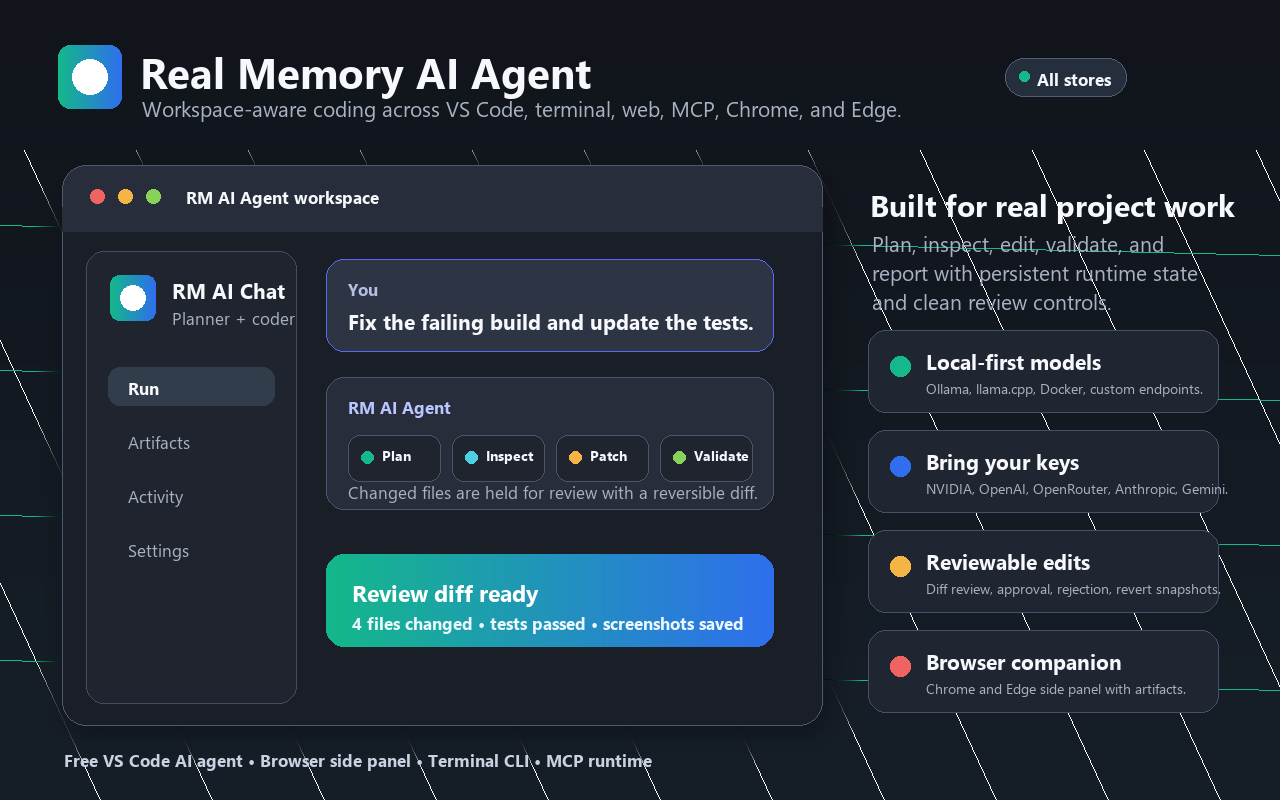
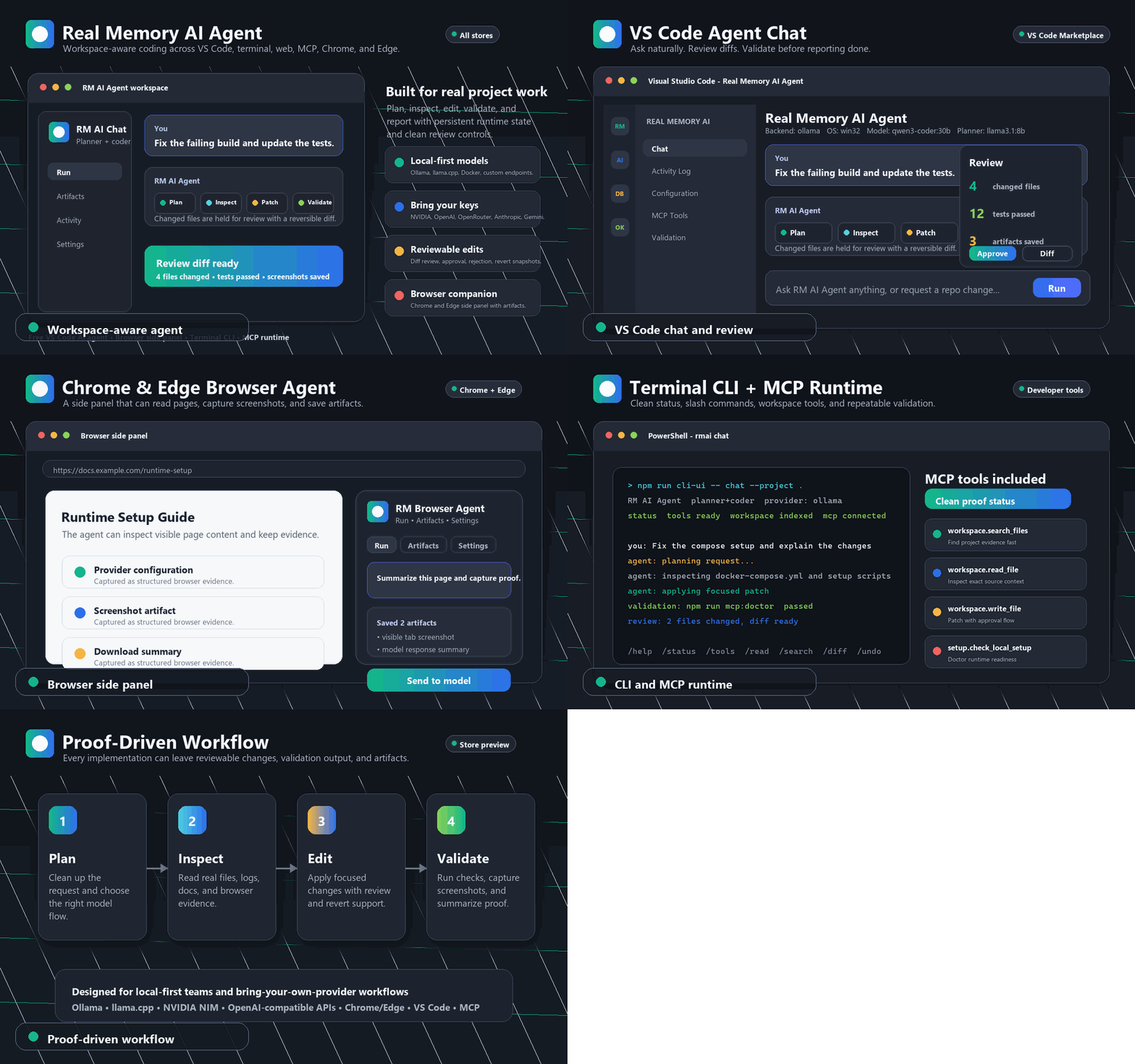
Help Test Real Memory AI Agent
We are looking for developers, agencies, AI builders, browser power users, and teams with real projects to test Real Memory AI Agent and tell us what works, what breaks, and what would make it more useful.
Testers can try the agent in the surfaces they already use:
- VS Code: install the VSIX, open the RM AI Agent chat, connect a provider, and ask it to inspect, edit, validate, document, or explain a real workspace.
- Chrome: load or install the Chrome package, open the side panel, connect a provider, inspect a tab, capture proof, and try browser-safe actions.
- Edge: install the Edge package or load the unpacked build, then test the same side-panel workflow in Microsoft Edge.
- CLI: run chat, ask, and run commands from the terminal for fast local project workflows and automation checks.
- MCP: start the local MCP runtime and verify that compatible clients can reach workspace, terminal, memory, and doctor tools.
What we need feedback on:
- First install experience: what was confusing, slow, missing, or blocked?
- Provider setup: which provider worked, which failed, and what error message helped or did not help?
- Real work results: did it make the correct edits, inspect the right context, validate properly, and summarize honestly?
- Browser behavior: did tab selection, sessions, screenshots, artifacts, and page actions feel clear?
- Workflow visibility: did the TODO/current-step accordion make the order of work, completed steps, and blockers clear?
- Accessibility and UI: can you navigate by keyboard, understand states, read the layout, and recover from errors?
- Trust: did approvals, review records, activity logs, and artifact proof make the run easier to trust?
Best tester report format:
Surface: VS Code / Chrome / Edge / CLI / MCP
OS:
Provider and model:
Task tried:
What worked:
What failed or confused me:
Screenshot/log/artifact if available:
What would make me use this again:
If you share this project with another tester, send them this README plus the VSIX and browser zip packages (see DEVELOPMENT.md for how those are built).
Product Promise
Real Memory AI Agent turns AI from a chat window into a private execution layer.
It can help a tenant team:
- Build, repair, refactor, document, test, and validate code projects.
- Ask direct model questions with the selected provider and model.
- Inspect real workspace files and active editor context.
- Generate and update Markdown, reports, project docs, code, configuration, and scripts.
- Run approved workspace commands and validation checks.
- Capture UI screenshots and browser evidence.
- Open browser tabs, inspect pages, click visible controls, submit simple page messages, download generated files, and save artifacts.
- Track Real Memory Agile request, story, task, subtask, validation, review, evidence, and sign-off status.
- Track sessions, activity, provider status, model responses, reviews, screenshots, and files changed.
- Show a compact workflow TODO accordion with the ordered plan, current next step, completed steps, and blockers in VS Code, Chrome, and Edge.
- Approve, reject, or revert file changes through a review-first workflow.
- Keep model calls efficient with compact request packets, chunked work, context limits, and readiness checks before execution.
- Keep local-first, tenant-controlled model workflows without forcing a single cloud provider.
The product is designed to handle any approved task that fits inside its connected workspace, browser, terminal, provider, and tenant permission boundaries.
Screenshots
Chat Workspace
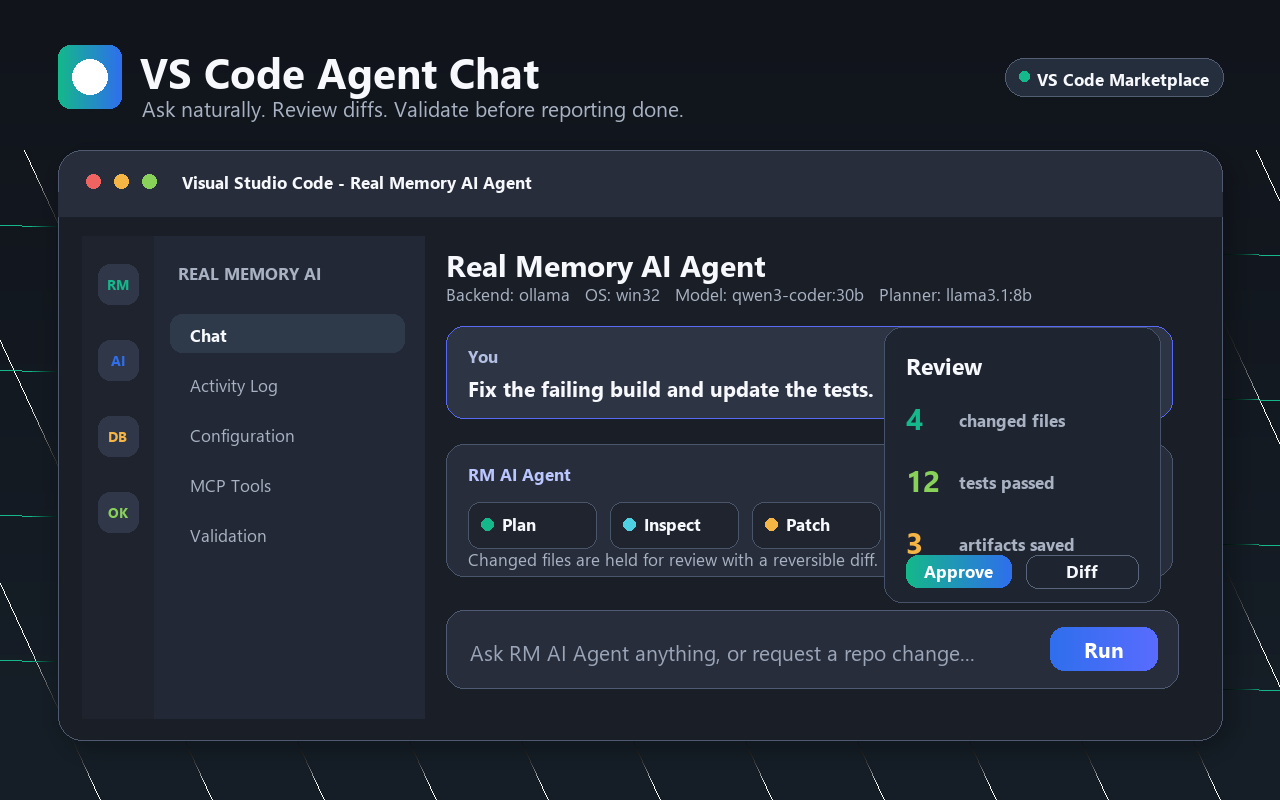
The chat view presents tenant work as a clean conversation with model, planner, backend, and OS context visible at the top. Internal logs stay out of the main chat until the Activity Log is opened.
Scrum / Agile Board (VS Code)
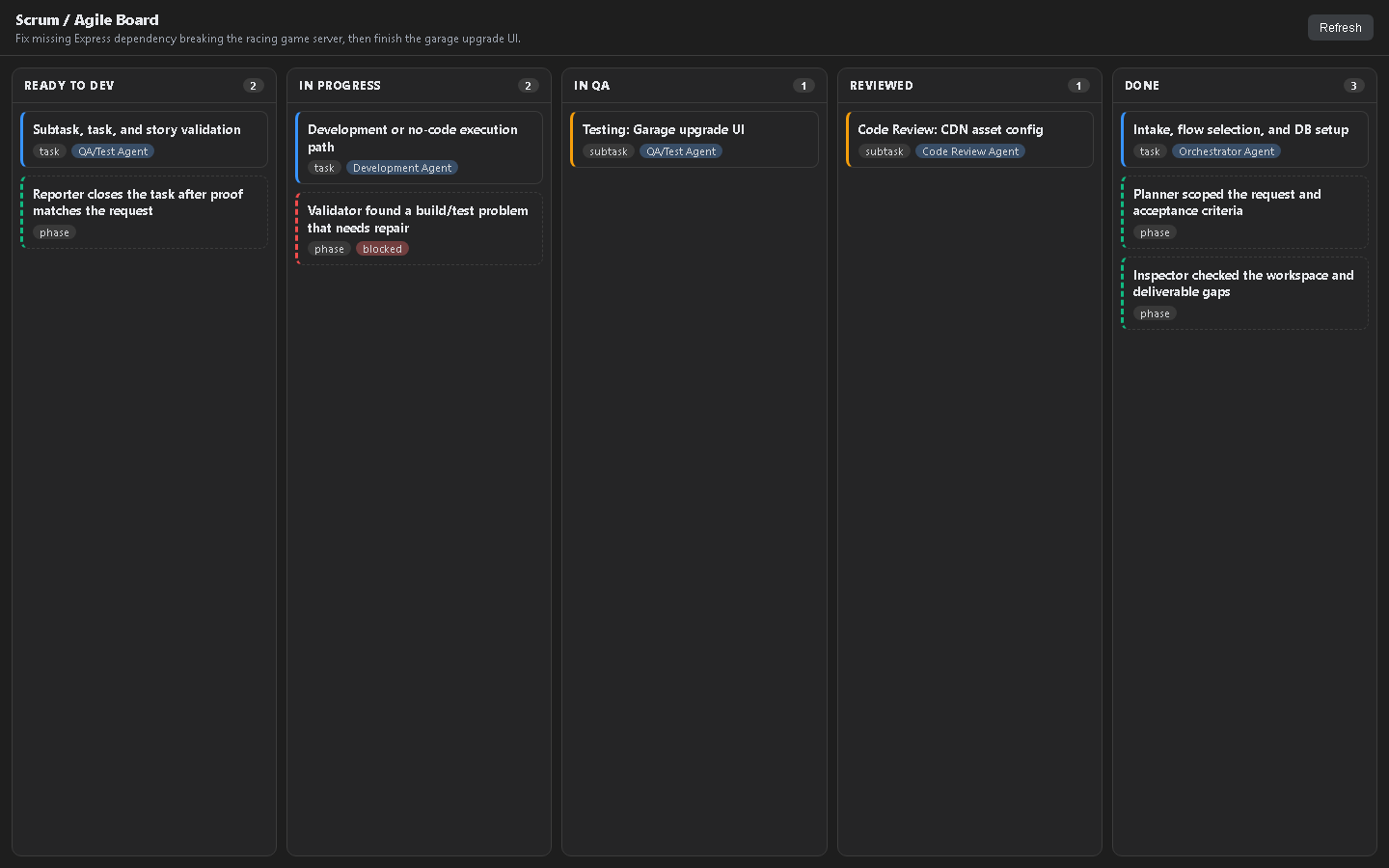
A real, full-screen editor tab — not a sidebar panel — showing a five-column Kanban board (Ready to Dev, In Progress, In QA, Reviewed, Done) for the active session's stories, tasks, subtasks, and live agent pipeline phases. Column placement is derived directly from the same DB-backed SDLC status evidence the agent already records, so the board reflects real agent pipeline progress instead of a static checklist.
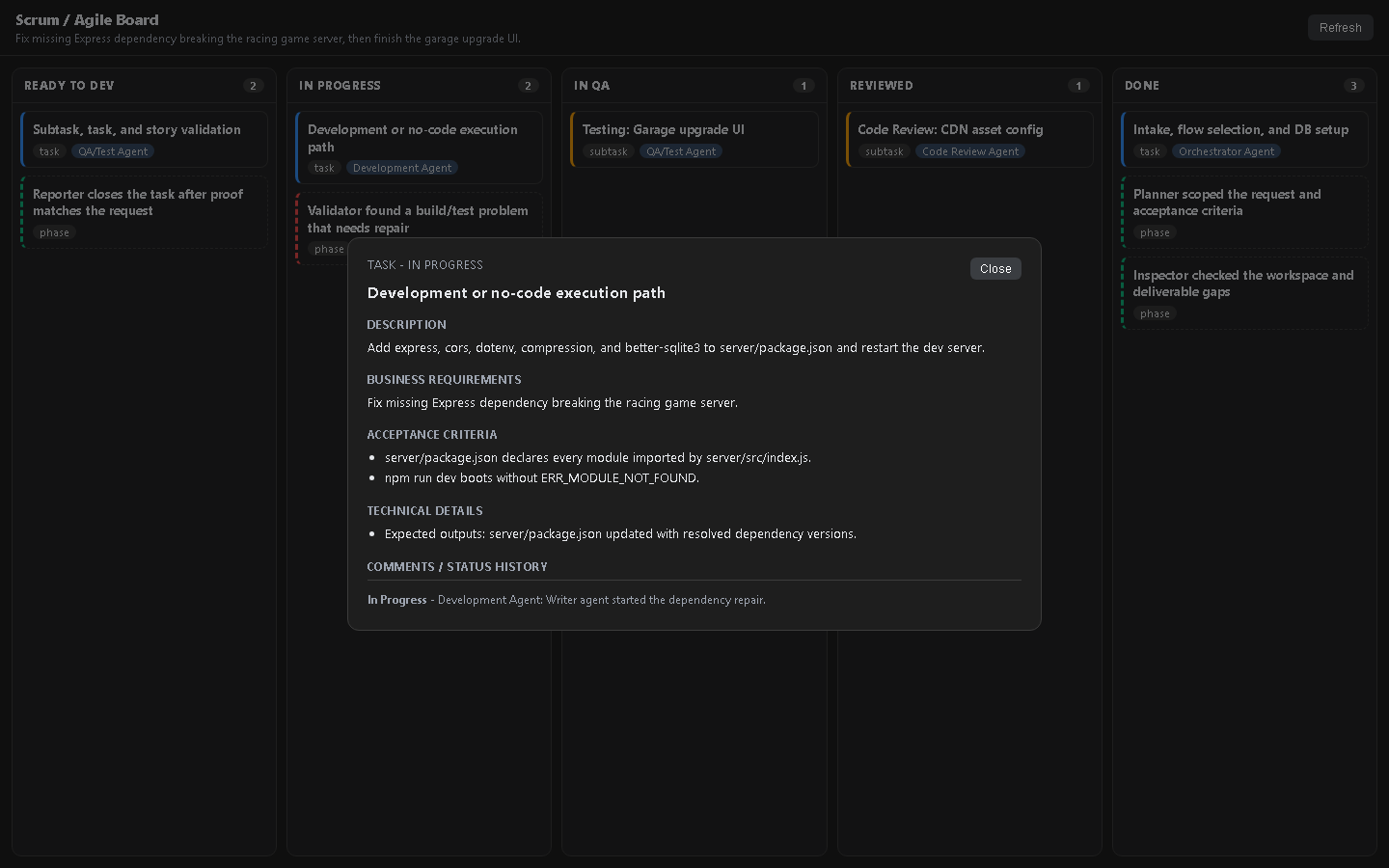
Every card expands into a full detail view with description, acceptance criteria, technical detail, business requirements, and a status/comment history — enough for a human reviewer or another agent to pick up the work with full context.
Browser Side Panel
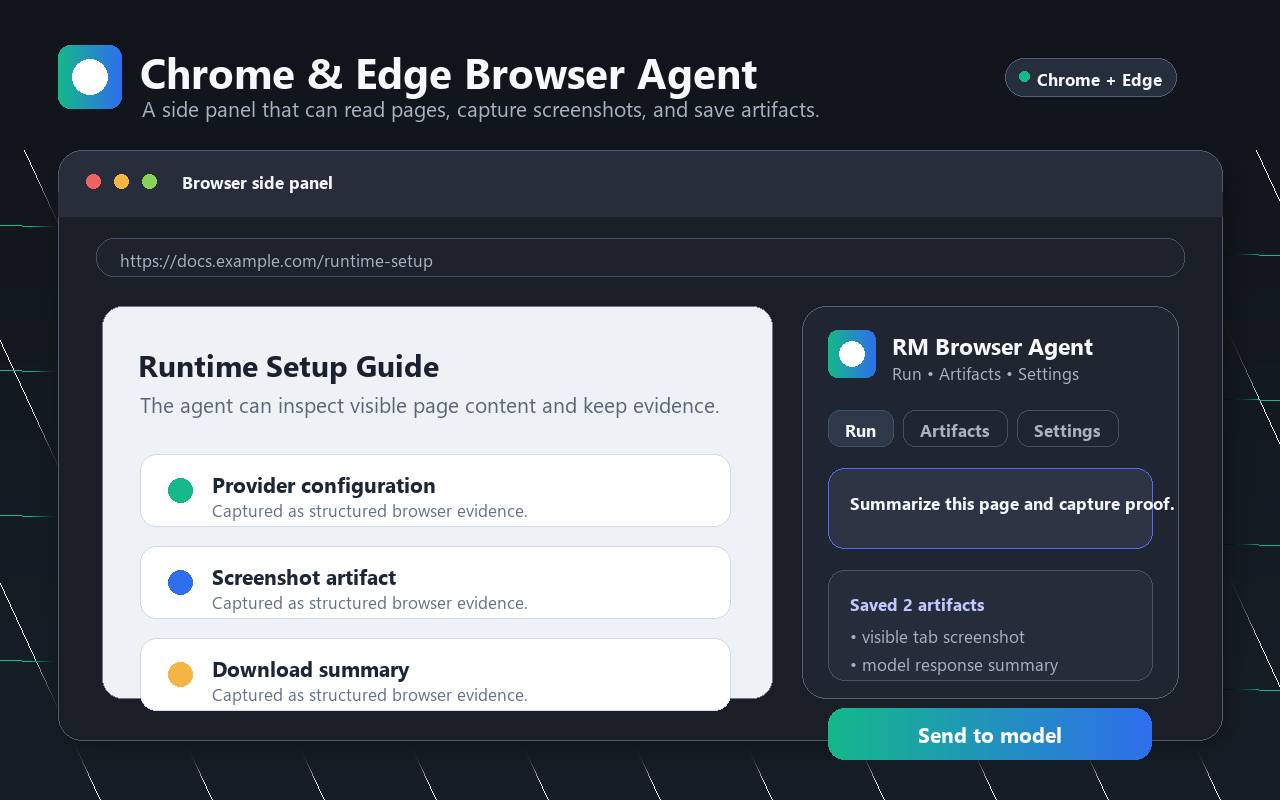
The browser side panel gives Chrome and Edge testers tab-aware chat, screenshots, artifacts, activity, and provider settings without leaving the current page.
CLI And MCP
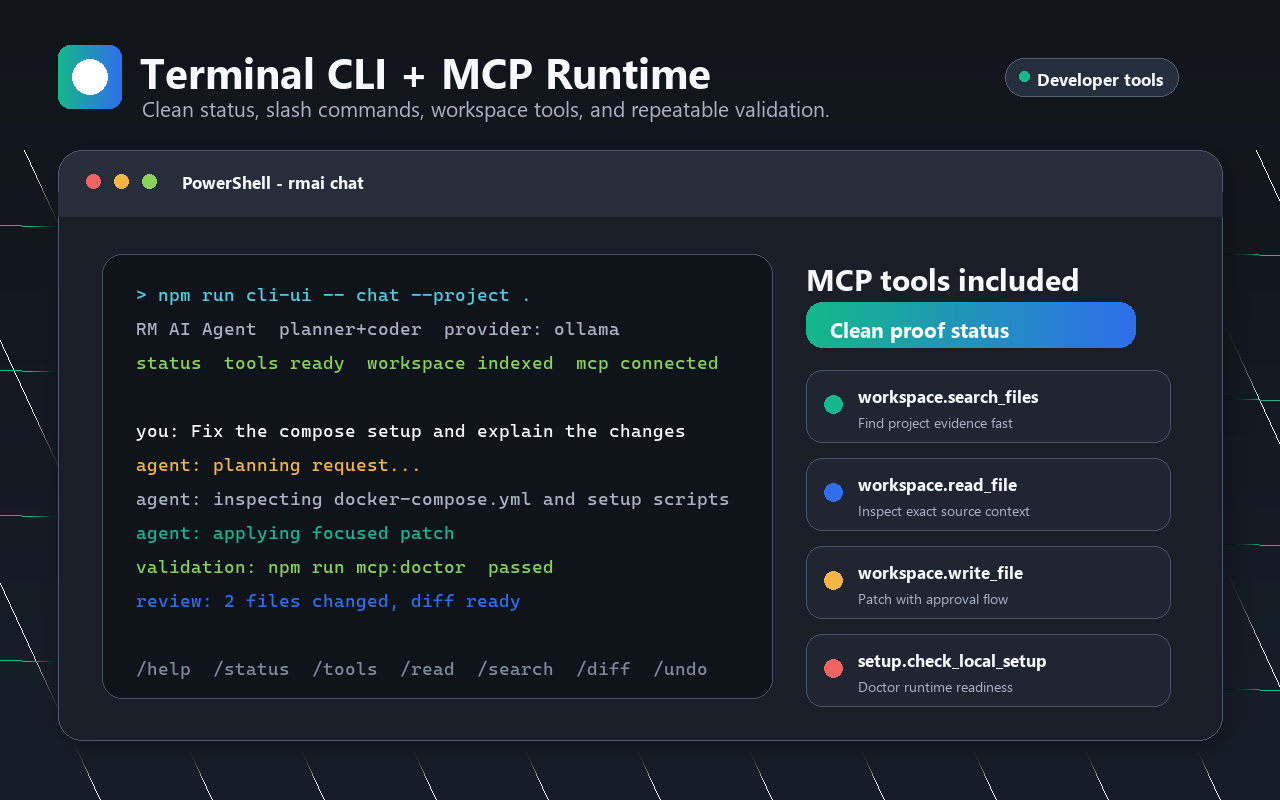
The terminal and MCP surfaces make the same agent mission testable from scripts, setup doctors, local runtime checks, and compatible tool clients. The standalone CLI installs on its own with npx @reallexi/rmai — no extension required — and opens a panelled terminal workspace: a live status panel beside a scrolling conversation log, with a docked composer. The conversation is ordinary terminal output, so it can be selected, copied and scrolled with the terminal itself, and a full settings page opens on Tab.
Sessions And Menu
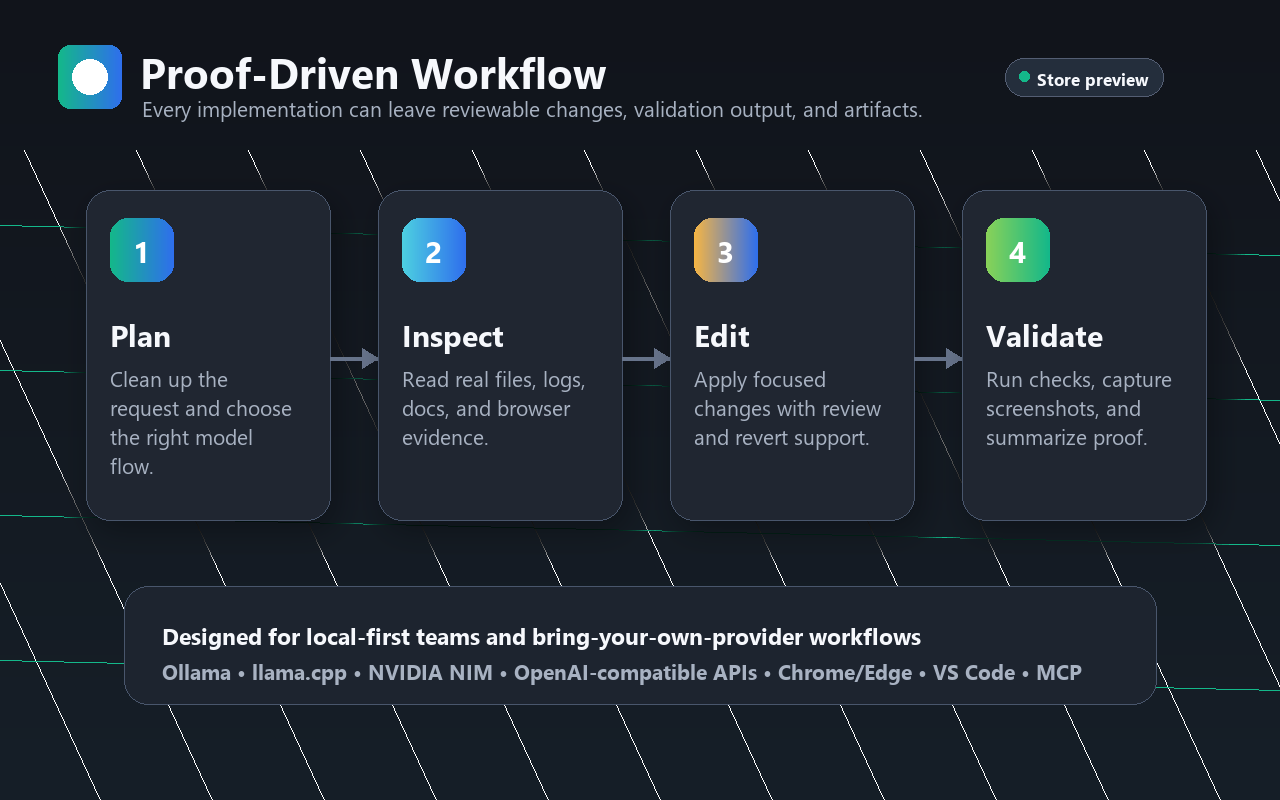
The session menu exposes configuration, website access, activity log, session creation, rename, deletion, and clear-chat actions without overwhelming the chat surface.
The Four Flows
Real Memory AI Agent supports four model flows so tenants can choose speed, simplicity, specialization, or automatic routing.
| Flow |
Tenant Ability |
| Auto |
Let the agent choose the right route for the task, from quick answer to full implementation. |
| Direct Model |
Use the selected model directly for fast questions, tool-backed workspace work, and provider-native streaming. |
| Single Model |
Run one selected model across thinking, action, and reporting for simpler deployments. |
| Planner + Coder |
Use separate planner and coder models for serious project work, stronger scoping, and cleaner implementation results. |
These flows are available across the VS Code extension and provider-backed runtime. The browser extension also exposes Direct Model and provider settings in a side panel.
Real Memory Agile SDLC
Real Memory AI Agent 1.3.0 turns agent work into a traceable delivery flow. The goal is simple: every meaningful request should have a plan, assigned work, validation, review, evidence, and a clean finish.
The workflow is organized at a product level:
Request
 -> Stories
   -> Tasks
     -> Subtasks
       -> Development
       -> Bug Fixes
       -> Testing
       -> Code Review
       -> Screenshots/Evidence when applicable
       -> Close Subtasks
     -> Full Task Test
     -> Close Task
   -> Story Test
   -> Clean Vision Test
   -> Close Story
 -> Request Review
 -> Request Sign-Off
 -> Final Results
For tenants, this means:
- Work is easier to trust because completion is tied to evidence, not only a model claim.
- Changed files, tests, reviews, artifacts, screenshots, and screenshot N/A reasons can be attached to the exact story, task, or subtask.
- Providers, model flows, browser actions, MCP views, and extension panels follow the same completion discipline.
- Small requests stay lightweight, while larger requests can be split into safer chunks with clear ownership.
- Review and sign-off records make client delivery, internal audits, and investor demos easier to explain.
Workflow Controller And Optimization
The workflow controller gives tenants a practical way to decide how much agent work is allowed for one request.
Key controls include:
- System-load profile: choose light, balanced, or full workflow pressure for the machine and provider setup.
- Max agents: cap how many agent roles can be assigned to a request.
- Max subagents per agent: cap delegated fan-out so the workflow stays predictable.
- Context guard: keep one workflow role focused on context size, chunking, and model-call budget.
- Chunked execution: split large work into smaller planned, validated, and reviewable pieces.
- Compact provider packets: send only the useful mission context to the selected model when possible.
- Preflight readiness: check model/provider/runtime readiness before sharing the full request with an execution flow.
- Proof policy: require UI screenshots and Playwright proof for UI work when available, or record a clear N/A reason.
- Changed-file attachment: attach changed files to the active story, task, and subtask before sign-off.
These controls are built to reduce wasted model calls, protect local machines from heavy runs, and keep long jobs from failing because too much context was sent at once.
Provider Network
Real Memory AI Agent is provider-flexible by design. Tenants can bring local models, cloud APIs, enterprise endpoints, or custom OpenAI-compatible services.
Supported provider families include:
- Ollama
- llama.cpp
- Docker-hosted local endpoints
- NVIDIA NIM
- OpenAI
- Azure OpenAI
- OpenRouter
- xAI
- Anthropic
- Gemini
- RealMemory services
- Custom OpenAI-compatible endpoints
- Custom exact endpoint URLs
- Hugging Face Gradio Spaces (free public Spaces, no key required)
Provider abilities:
- Model selection by provider.
- Provider-aware endpoint and API key settings.
- Streaming responses where supported.
- Model refresh and provider connection testing where available.
- Preflight readiness checks before the workflow shares a full request with the selected model.
- Compact context handling for providers that benefit from smaller mission packets.
- Local loopback browser support for
localhost and 127.0.0.1 provider URLs.
- Provider-neutral Direct Model tool use.
- Clean error/status reporting in the chat, settings, activity, and browser side panel.
Tenant Value
Real Memory AI Agent is built for tenants who need AI work done in private projects, not generic demos.
For Developers
- Ask for features, bug fixes, UI updates, docs, refactors, tests, and debugging.
- Keep project context inside the workspace.
- Use the same agent from VS Code, CLI, browser, web UI, and MCP.
- Review changes before accepting them.
- See validation results, proof screenshots, and artifact outputs.
- Switch model flow and provider without changing the work surface.
For Agencies
- Move from client request to implementation, validation, review, and delivery summary.
- Keep each client workspace separate.
- Produce Markdown reports, proof artifacts, and reviewable changes.
- Use local or client-approved providers.
- Export and inspect activity when delivery proof matters.
For Enterprise Tenants
- Bring your own model provider and endpoint policy.
- Use local-first or private-cloud provider strategies.
- Keep approval gates around file writes and command execution.
- Preserve activity logs, artifacts, screenshots, and review records.
- Support developer teams without forcing one model vendor.
- Expose private model value inside real developer workflows.
- Connect hosted models, custom endpoints, or account-backed services.
- Offer a practical agent surface that can produce visible work, not only answers.
- Expand from VS Code to browser, CLI, web, and MCP without changing the user promise.
Investor View
Real Memory AI Agent is positioned as a private AI operating layer for software work.
The strategic opportunity:
- Multi-surface wedge: VS Code, browser side panel, CLI, web companion, and MCP runtime.
- Provider independence: local models, major cloud APIs, custom endpoints, and tenant-owned infrastructure.
- Tenant retention: persistent sessions, review flows, artifacts, validation proof, and workspace memory make repeated work valuable.
- Enterprise fit: approval controls, private provider keys, local-first paths, and evidence-backed completion.
- Distribution-ready packaging: VSIX package, Chrome package, Edge package, CLI, and MCP runtime.
- Expansion path: hosted RealMemory services, private model routing, validation intelligence, browser automation, tenant dashboards, and managed agent workflows.
The product direction is simple: give every tenant a private agent that can understand the request, use the right model flow, act in the right surface, show proof, and leave a clean record.
What The Extension Provides
VS Code Agent
- Chat-first workspace assistant.
- Model, planner, backend, mode, and thinking controls.
- Sessions and conversation history.
- Workspace file reading, searching, writing, and replacement.
- Active editor context.
- Diagnostics and project inspection.
- Command execution with approval controls.
- Validation, retry, and repair workflows.
- Review banner with changed file count.
- Diff review, approve, reject, and revert actions.
- Activity Log for detailed runtime status.
- Debug backflow levels: None, Simple, or Detail for provider/runtime diagnostics.
- Screenshot validation for UI work.
- RealMemory login and model selection commands.
- Local setup, setup doctor, MCP start/stop, and provider readiness commands.
- Workflow controller settings for system load, max agents, max subagents, evidence requirements, and changed-file attachment.
- Context input controls, compact provider packets, chunked file reads, and lightweight local-model operation.
Chrome And Edge Browser Agent
- Manifest V3 side panel.
- Direct provider calls from the browser extension.
- Provider selection and model selection.
- Refresh models and test connection actions.
- Direct Model flow.
- Persistent extension-owned IndexedDB state.
- Clean chat, activity, artifacts, and settings tabs.
- Active tab metadata.
- Visible tab screenshots.
- Browser-safe page actions.
- Downloads for generated/exported content.
- Model-response artifacts.
- Real Memory Agile task, evidence, review, and sign-off records for browser runs.
- Workflow controller settings shared with Chrome and Edge, including screenshot proof and changed-file evidence controls.
- Review state display.
- Local loopback provider support through browser extension rules.
- Clean failure messages with visible diagnostics and recovery actions.
Terminal CLI
- Chat from the terminal.
- Provider and model selection.
- File context commands.
- Workspace search and read commands.
- Approved writes and shell commands.
- Diff, undo, export, and status commands.
- Session-oriented workflow for power users and automation.
Web Companion
- Browser-accessible companion UI.
- Shared agent experience for chat, model flow, and project workflows.
- Private deployment path for tenant environments.
MCP Runtime
- Workspace tools.
- Terminal tools.
- Setup and doctor tools.
- Memory tools.
- Request, task, evidence, and sign-off visibility for compatible clients.
- Optional web research routing.
- Reusable tool network for agent-compatible clients.
Smart Capabilities
Real Memory AI Agent is built around abilities tenants can feel in daily work:
- Ask naturally: request work the way a project owner would describe it.
- Choose the right flow: Auto, Direct Model, Single Model, or Planner + Coder.
- Bring any provider: local, cloud, enterprise, or custom endpoint.
- Start with readiness: check model and provider health before the full workflow begins.
- Stay private: use tenant-owned files, endpoints, keys, and local models.
- Act on real projects: read, edit, validate, document, and review actual workspace files.
- Use browser context: inspect active pages, capture screenshots, download artifacts, and handle simple page actions.
- Keep proof: screenshots, artifacts, activity, validation output, and final summaries.
- Control workload: limit agent count, subagent count, context size, output size, retries, screenshots, and chunk size.
- Review safely: approve, reject, or revert changed files.
- Recover work: sessions, queue state, artifacts, and logs survive reloads.
- Scale surfaces: the same agent promise works in editor, browser, terminal, web, and MCP.
Use Cases
Product And Engineering
- Fix build failures.
- Repair broken React, Node, TypeScript, Python, or web projects.
- Update UI design and responsive layouts.
- Add features and forms.
- Convert rough requests into project-ready changes.
- Write tests and validation scripts.
- Generate project documentation and release notes.
- Explain code and architecture to new team members.
Browser And Web Work
- Ask questions against the selected model from Chrome or Edge.
- Inspect the active tab.
- Capture screenshot proof.
- Open pages and perform visible simple actions.
- Generate downloadable browser artifacts.
- Keep activity and model output visible in the side panel.
Tenant Operations
- Prepare client deliverables.
- Create internal technical reports.
- Validate UI work before reporting done.
- Maintain private workspace memory.
- Switch between local and external providers by policy.
- Keep sensitive provider keys outside public chat prompts.
Controls Tenants Expect
- Provider selection.
- Model selection.
- Four model flows.
- Auto-approve controls.
- Tool and shell permission settings.
- Direct Model tool controls.
- Real Memory Agile workflow controller.
- System-load profile.
- Max agents and max subagents per agent.
- Validation and repair limits.
- Screenshot settings.
- Playwright screenshot proof settings.
- Changed-file evidence attachment.
- Model/provider preflight readiness checks.
- Provider request mode.
- Context and output size settings.
- Compact provider context settings.
- Chunk size and file-read controls.
- Activity detail level.
- Browser extension settings.
- Review and revert controls.
Install And Try It
| Surface |
Get It |
| VS Code |
Install the .vsix package, then run RM AI Agent: Open Chat. |
| Chrome |
Install real-memory-browser-agent-chrome.zip or load chrome-extension/dist/ unpacked, then open the side panel. |
| Edge |
Install real-memory-browser-agent-edge.zip or load chrome-extension/dist/ unpacked, then open the side panel. |
| CLI |
npm install --global @reallexi/rmai, then rmai chat --project .. |
| MCP |
Start the local MCP runtime and connect a compatible client. |
Choose A Model Provider First
No credential ships inside the product, so pick a provider before the first request. Every surface reports Not ready with the missing item named until one is configured.
| Provider |
What It Needs |
| Ollama, llama.cpp, Docker Model Runner |
A local server running. No key, no account. |
| NVIDIA NIM, OpenAI, OpenRouter, Anthropic, Gemini, xAI, Azure |
An API key from that provider. |
| RealMemory |
A platform base URL and sign-in; a bearer token can be saved as a fallback. |
| Custom OpenAI-compatible endpoint |
A base URL, plus a key if the endpoint requires one. |
| Hugging Face Gradio Spaces |
Nothing for free public Spaces — refresh models to pick from the free Space catalog, or paste any Space ID or URL. An optional Hugging Face token raises free ZeroGPU quotas. First calls to a sleeping Space can take a minute to wake. |
In VS Code, run RM AI Agent: Local Setup for a guided local-model start, RM AI Agent: Setup Doctor to diagnose an existing setup, or open Settings > Providers to save a key. In the CLI, run rmai settings (or press Tab in chat). Paste API keys with no surrounding quotes — a value copied from a .env line or a shell export carries " characters that would otherwise become part of the credential.
Building from source, packaging, publishing, and the full CLI/MCP command reference live in DEVELOPMENT.md — that file is for contributors working from a source checkout, not for store visitors.
Validation And Proof
Real Memory AI Agent is designed to finish work with proof when the workspace supports it.
Proof outputs can include:
- Test results.
- Build output.
- Activity logs.
- Model response artifacts.
- Browser screenshots.
- UI validation screenshots.
- Review records.
- Changed file summaries.
- Markdown delivery summaries.
Privacy And Control
- Tenants choose providers, models, endpoints, and keys.
- Local provider workflows can stay on the tenant machine.
- Browser-agent memory is stored in extension-owned storage.
- Workspace changes are reviewable before approval.
- Shell commands and writes are controlled by settings and permissions.
- Browser extension actions stay within browser extension capabilities.
- Custom endpoints support tenant-specific AI infrastructure.
- Public documentation stays high-level: no provider keys, tenant secrets, private prompts, or low-level execution internals are required to explain the product value.
License
MIT
| |

