Skip to content
| Marketplace
Sign in
Visual Studio Code>Linters>VSCodium Migration Lint: Microsoft-only ExtensionsNew to Visual Studio Code? Get it now.
VSCodium Migration Lint: Microsoft-only Extensions

VSCodium Migration Lint: Microsoft-only Extensions

ReadyStack

| (0) | Free
VSCodium migration check: flags extensions in .vscode/extensions.json and devcontainer.json that Microsoft licenses for VS Code only or that Open VSX lacks, with the open replacement ID
Installation
Launch VS Code Quick Open (Ctrl+P), paste the following command, and press enter.
Copied to clipboard
More Info

VSCodium Migration Lint: Microsoft-only Extensions

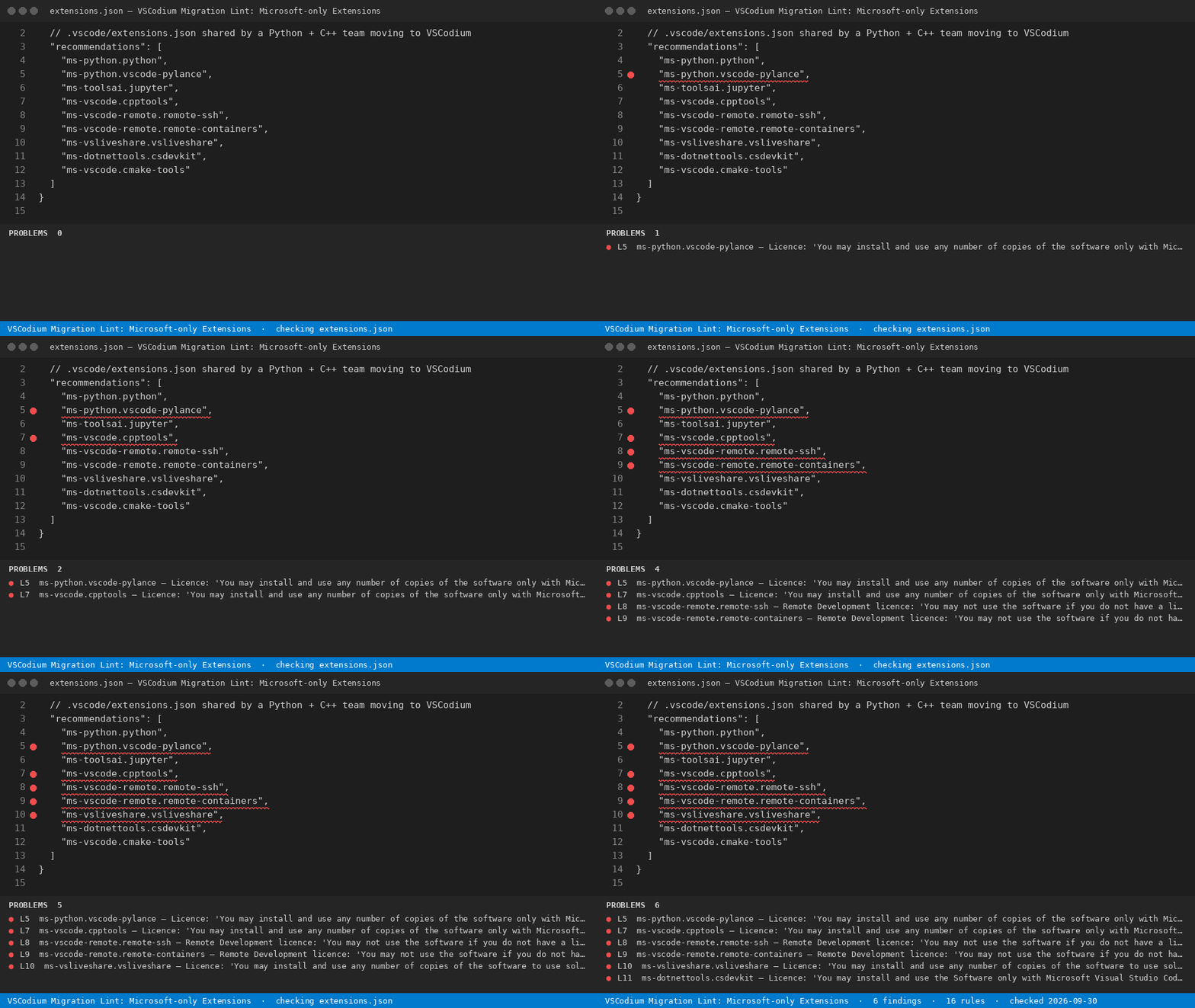
VSCodium Migration Lint: Microsoft-only Extensions — finds the line

VSCodium Migration Lint: Microsoft-only Extensions

Moving a team from Microsoft VS Code to VSCodium? Open your .vscode/extensions.json, devcontainer.json or settings.json and this lint marks every extension that VSCodium cannot legally or practically run, the licence clause behind it, and the open replacement ID.

Hub page and free web version: https://getreadystack.com/tools/vscodium-extension-licence-lint

What it catches (16 rules)

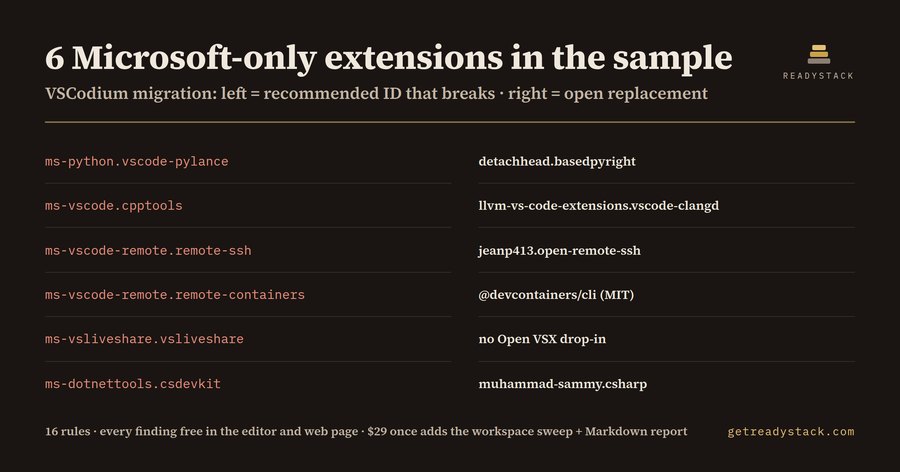
On the bundled sample .vscode/extensions.json (a Python + C++ team, 9 recommendations) it finds 6 problems:

Recommended ID Replace with
ms-python.vscode-pylance detachhead.basedpyright
ms-vscode.cpptools llvm-vs-code-extensions.vscode-clangd
ms-vscode-remote.remote-ssh jeanp413.open-remote-ssh
ms-vscode-remote.remote-containers @devcontainers/cli (MIT)
ms-vsliveshare.vsliveshare no Open VSX drop-in
ms-dotnettools.csdevkit muhammad-sammy.csharp

The 16 rules cover 15 extension IDs (Pylance, C/C++ and its pack, Remote - SSH, Remote - SSH: Editing, Dev Containers, WSL, the Remote Development pack, Remote - Tunnels server, Remote Explorer, Live Share, C# Dev Kit, C#, GitHub Copilot, GitHub Copilot Chat) plus the "python.languageServer": "Pylance" setting. Entries under unwantedRecommendations and commented lines are ignored.

Why these break

  • None of the 15 Microsoft or GitHub extension IDs this lint knows are on Open VSX (checked 2026-09-29), and VSCodium installs from Open VSX. A shared recommendation for one of them simply does nothing for a VSCodium user.
  • The Pylance and C/C++ licences say 'only with Microsoft Visual Studio, Visual Studio for Mac, Visual Studio Code, Azure DevOps, Team Foundation Server, and successor Microsoft products and services'; the Remote Development licence says 'You may not use the software if you do not have a license for Microsoft Visual Studio Code.'
  • Live Share: "solely with Microsoft Visual Studio family of products". C# Dev Kit: "only with Microsoft Visual Studio Code, vscode.dev, GitHub Codespaces". The C# extension's bundled debugger: "only ... with Visual Studio Code, Visual Studio or Xamarin Studio software".
  • ms-python.python itself is MIT-licensed, which makes it easy to assume Pylance is too. It is not.

Each finding quotes the clause from the licence file Microsoft publishes with the extension, so the migration ticket can link the source instead of a guess.

How to use

  1. Open an extension list in VSCodium or VS Code. Findings appear in the Problems panel with the line number.
  2. Swap each flagged ID for the replacement in the message, or move it to unwantedRecommendations.
  3. Run the command VSCodium Lint: Check this file from the Command Palette at any time.

Free and full version

Free, no key: Check the open extensions.json, devcontainer.json or settings.json: every Microsoft-only or Open VSX-missing extension, the licence clause that restricts it, and the open replacement ID.

Full version ($29 once, one licence key per person or team seat): Scan every extension list in the whole workspace at once and export one Markdown migration report (ID, licence clause, replacement) for the team ticket. Get the full version.

Yardstick: DOJ's Fitzpatrick Matrix rates a 15-year litigator at $851/hour for billing year 2026; one hour of licence review costs more than this tool.

This is not legal advice. It reads licence text as published; your agreement with Microsoft decides.

  • Contact us
  • Jobs
  • Privacy
  • Manage cookies
  • Terms of use
  • Trademarks
  • Your Privacy Choices
  • Consumer Health Privacy
© 2026 Microsoft