SOUP List Lint - IEC 62304 dependency inventory (medical software)Checks your SOUP list against IEC 62304 8.1.2, 5.3.3, 5.3.4 and 7.1.3: manufacturer, pinned version, requirements, safety class and a dated anomaly-list review. Installation Launch VS Code Quick Open ( Ctrl+P), paste the following command, and press enter.Copied to clipboard |

SOUP List Lint - IEC 62304 dependency inventory (medical software)
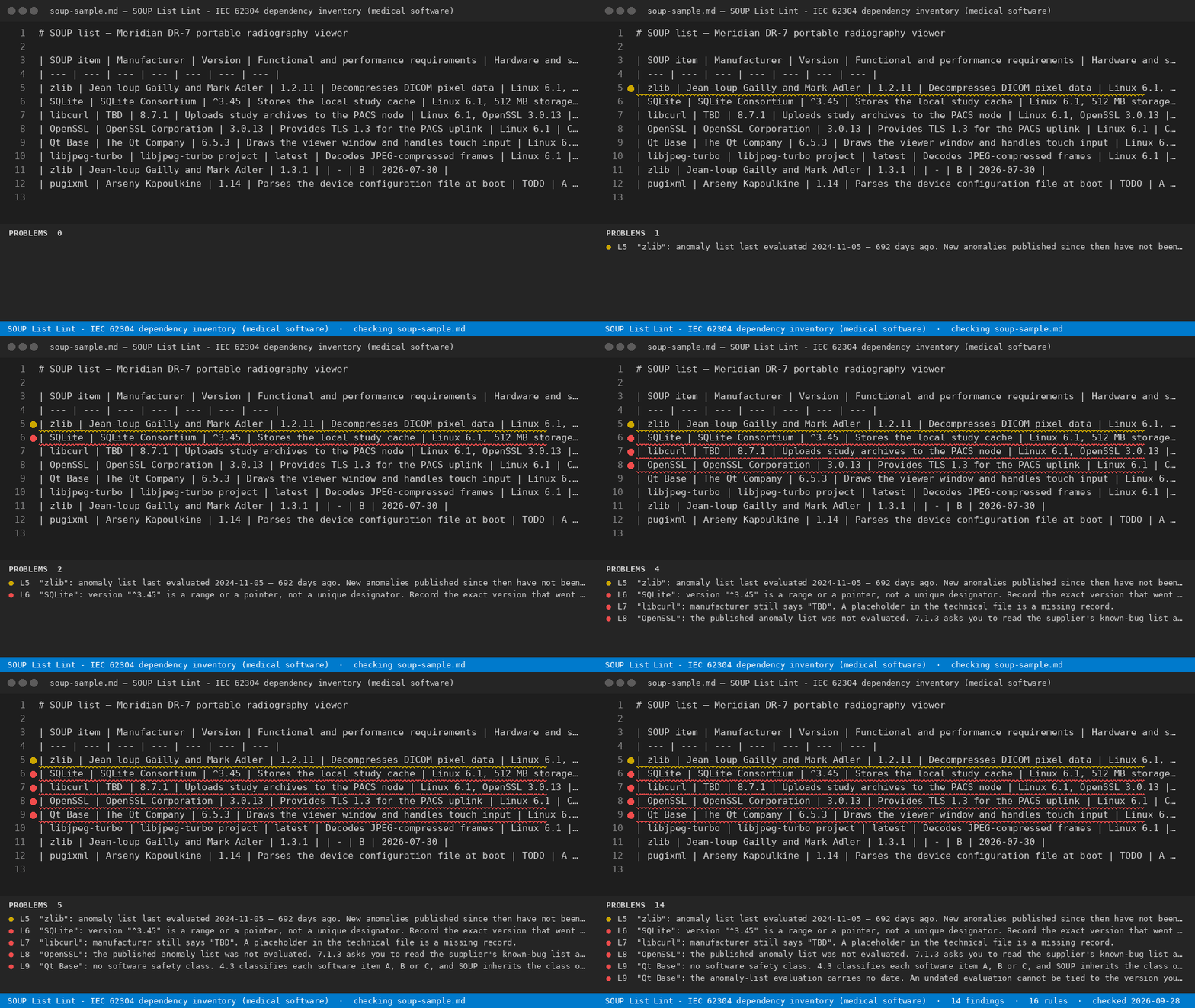
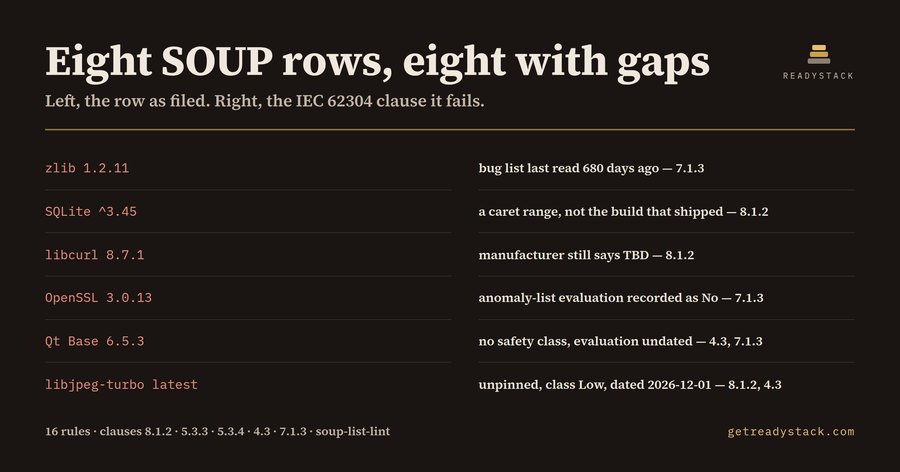
A SOUP list is the register of third-party code inside a medical device: the zlib, the SQLite, For medical-device software teams: an incomplete SOUP list is a finding in every IEC 62304 audit. the OpenSSL, the Qt build that shipped with the firmware. IEC 62304 asks for a specific set of records about each one, and an auditor reads that register row by row. This extension reads it the same way, inside the editor, before the technical file leaves your hands. Open the markdown file that holds your SOUP register and run SOUP List Lint: Check this file. Every gap is reported on its own line, with the clause that asks for the record. What it checksSixteen rules, drawn from five clauses of IEC 62304:2006+AMD1:2015.
Both shapes of register are read: a markdown table with a header row, and a section per item
( Free and paidThe free extension and the free web page at getreadystack.com/tools/soup-list-lint lint one SOUP list, completely: every gap in that file, with its clause, every time you run it. No item limit, no watermark, no trial window. The paid licence adds a different job: scanning every SOUP list in the workspace at once — one device family, several repositories — and exporting the result as a dated evidence record in Markdown and CSV that you file with the technical documentation and hand to the auditor. One key: https://getreadystack.com/api/buy/cl/polar_cl_LO01ePekkWKRaFbmyA8ZMKGiM4Oh215UEuHrO0mzlpP YardstickA regulatory consultant reviewing SOUP documentation bills in the $150–$250 per hour range; a single register of 30 items is a morning of someone's time, repeated at every version bump. Limits, stated plainlyThis extension checks that the records exist, are pinned, are classified and are dated. It does not read CVE feeds, does not judge whether an anomaly is hazardous, and does not tell you what your safety class should be — 62304 leaves those to your hazard analysis and to you. It is a completeness check on the register, not a substitute for the 7.1.3 evaluation itself. Commands
Findings carry a line number, so the report doubles as a work list. Run it again after the fixes; a register with no findings prints zero. |